Introduction
The TUSHY Ace 2.0 Electric Bidet & Heated Seat is designed to provide a superior and hygienic cleaning experience. This manual contains important information regarding the installation, operation, and maintenance of your TUSHY Ace 2.0. Please read it thoroughly before use.
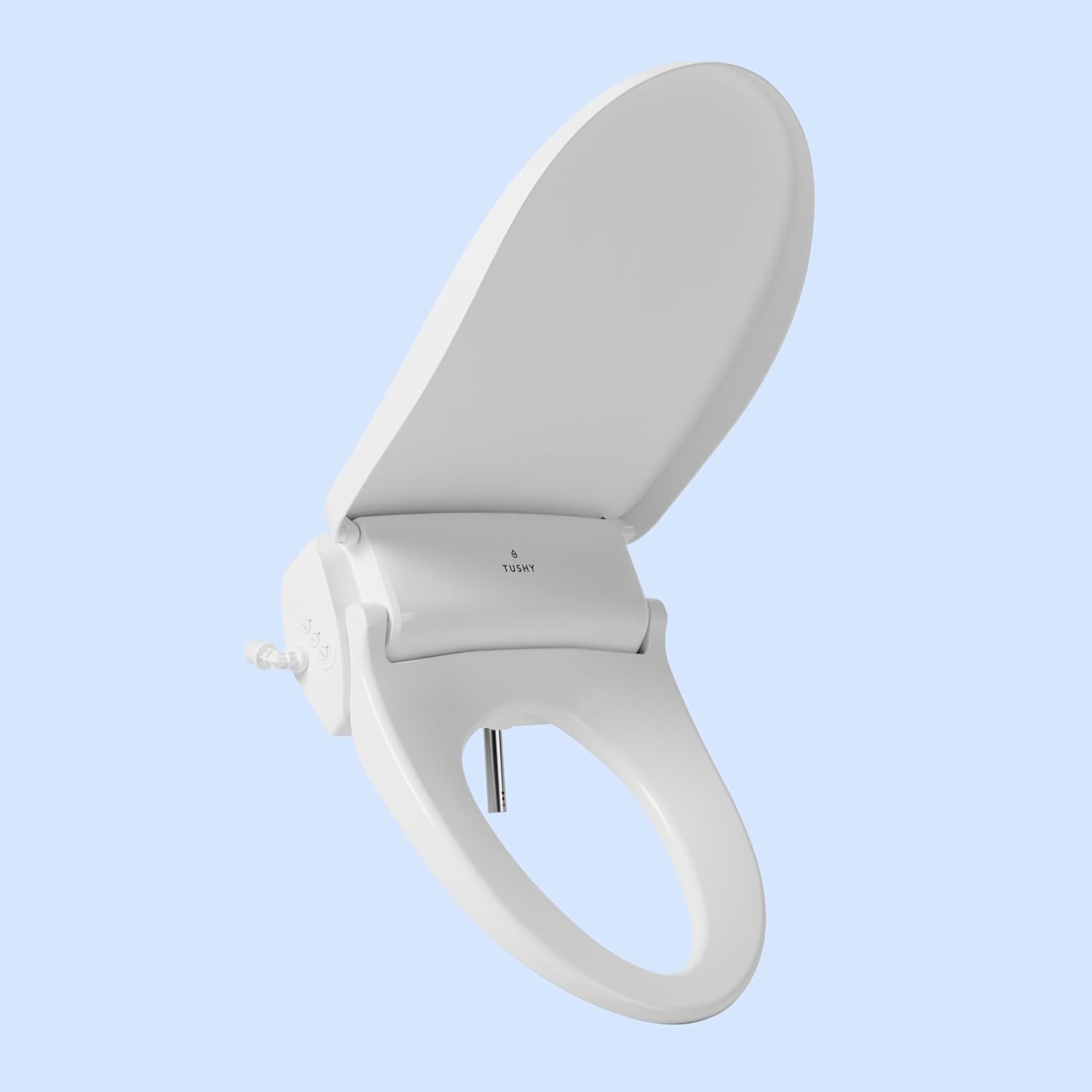
Image: The TUSHY Ace 2.0 Round Electric Bidet Seat with its lid open, showcasing the sleek design and internal components.
What's Included
Your TUSHY Ace 2.0 package includes all necessary components for installation and operation:
- TUSHY Ace Electric Bidet Seat with side control panel
- Remote control with 3x AAA batteries
- Remote Wall Mount with built-in magnet and adhesive backing
- Tank Adapter and Flexible TUSHY Ace Hose
- Base Plate
- 2x Mounting Brackets
- 2x Mounting Bolts
- 2x Bolt Washers
- 2x Top-Mounting Rubber Inserts
- TUSHY Ace Owner's Manual
Video: An unboxing video demonstrating the contents of the TUSHY Ace package, including the bidet seat, remote, and various installation accessories.
Installation Guide
Installation of the TUSHY Ace 2.0 is designed to be straightforward. Please follow these steps carefully:
- Remove Existing Toilet Seat: Unscrew and remove your current toilet seat from the toilet bowl.
- Position the Bidet Seat: Place the TUSHY Ace 2.0 bidet seat onto the toilet bowl, aligning the mounting holes.
- Secure the Bidet Seat: Use the provided mounting brackets, bolts, and washers to secure the bidet seat firmly to the toilet.
- Connect to Water Supply: Turn off the water supply to your toilet. Disconnect the existing water line from the toilet tank. Install the provided tank adapter and connect the flexible TUSHY Ace hose. Reconnect the toilet water line to the adapter.
- Plug In: Plug the bidet's power cord into a grounded 3-prong GFCI outlet. Ensure the outlet is within 3 feet of the bidet.
- Turn On Water Supply: Slowly turn the water supply back on and check for any leaks.

Image: A person's hands unscrewing and lifting an existing toilet seat from the toilet bowl.

Image: Hands carefully placing the TUSHY Ace 2.0 bidet seat onto the toilet bowl, ensuring proper alignment.

Image: A close-up of the flexible hose being connected to the side of the TUSHY Ace 2.0 bidet seat.

Image: A hand plugging the power cord of the TUSHY Ace 2.0 into a standard grounded electrical outlet.
Operating Instructions
The TUSHY Ace 2.0 offers a range of customizable features for your comfort and hygiene, primarily controlled via the included remote.
Remote Control Functions

Image: A close-up view of the TUSHY Ace 2.0 remote control, highlighting the various buttons for different functions.
- BUM / FRONT: Activates the rear or front wash spray.
- DRY: Activates the air dryer.
- Water Temperature Control: Adjusts the water temperature with 5 available settings.
- Heated Seat Control: Adjusts the seat temperature with 5 available settings for customizable comfort.
- Water Pressure Control: Adjusts the water pressure with 5 settings. Double-tap the BUM button for the oscillating massage spray.
- Seat Sensor: The bidet only operates when a user is seated, ensuring safety and preventing accidental sprays.
- Self-Cleaning Nozzle: The nozzle automatically cleans itself before and after each use.
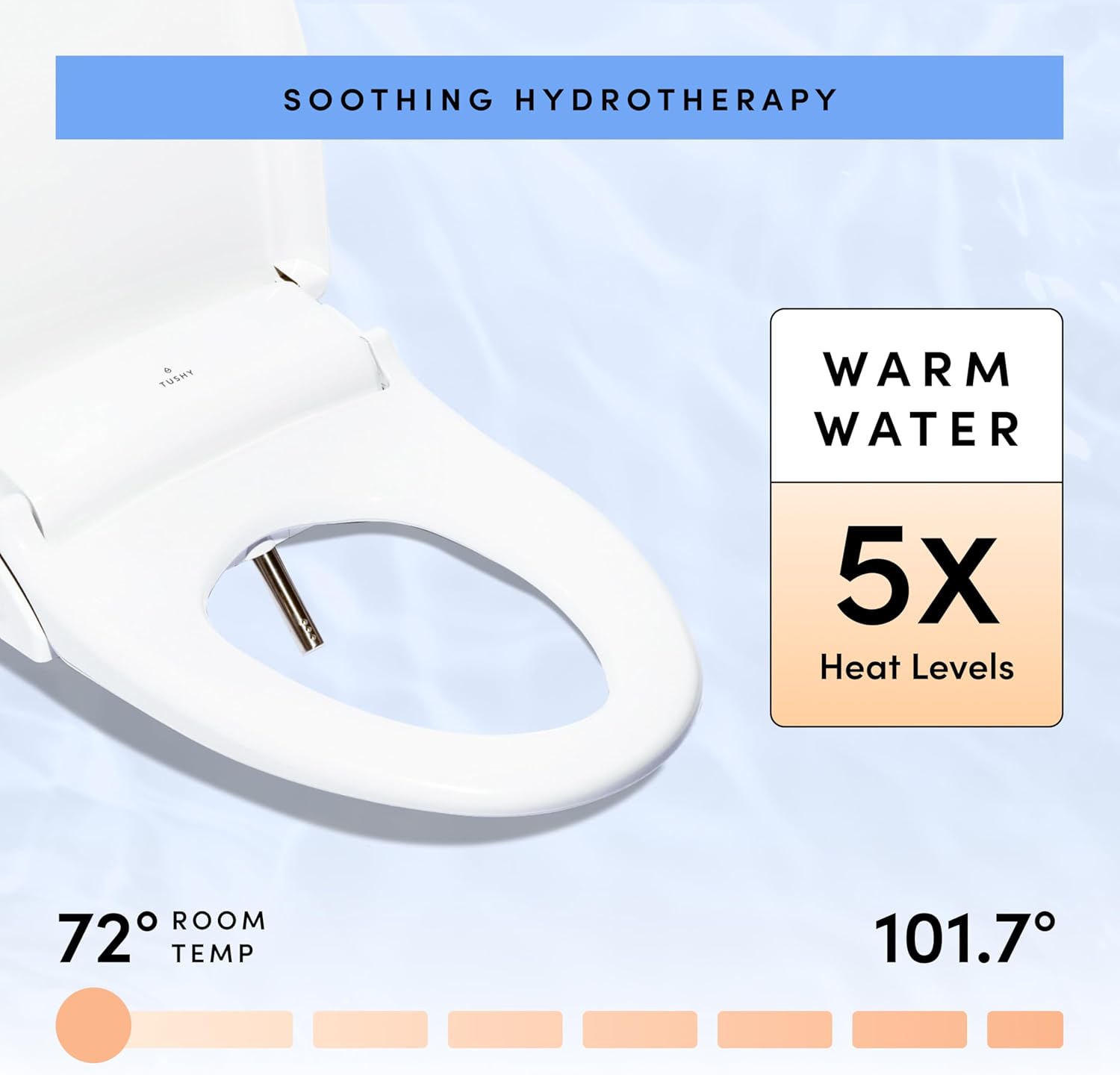
Image: Visual representation of the TUSHY Ace 2.0's warm water temperature settings, ranging from room temperature to 101.7°F.

Image: Visual representation of the TUSHY Ace 2.0's heated seat temperature settings, ranging from room temperature to 107.8°F.

Image: A close-up view of the TUSHY Ace 2.0's oscillating spray nozzle, designed for thorough cleaning.
Maintenance
Regular maintenance ensures the longevity and optimal performance of your TUSHY Ace 2.0.
- Daily Cleaning: Wipe down the exterior of the bidet seat with a soft, damp cloth and mild, non-abrasive cleaner.
- Nozzle Cleaning: The self-cleaning function handles most nozzle maintenance. For deeper cleaning, gently wipe the nozzle with a soft brush or cloth. Do not use harsh chemicals.
- Filter Maintenance: Periodically check the water inlet filter for any debris and clean if necessary. Refer to the detailed owner's manual for specific instructions on filter access and cleaning.
- Power Cord: Ensure the power cord is not kinked or damaged.
Troubleshooting
If you encounter any issues with your TUSHY Ace 2.0, please refer to the following common troubleshooting tips:
| Problem | Possible Cause | Solution |
|---|---|---|
| No water spray | Water supply off; nozzle clogged; seat sensor not activated. | Ensure water supply is on; clean nozzle; ensure you are properly seated. |
| No heat (water/seat) | Power issue; temperature setting too low. | Check power connection and GFCI outlet; increase temperature setting on remote. |
| Remote not responding | Low batteries; remote out of range; interference. | Replace AAA batteries; ensure remote is within operating range; remove any obstructions. |
| Leaking | Loose connections; damaged hose/seal. | Check all water connections and tighten if necessary; inspect hoses and seals for damage. |
If the problem persists, please contact TUSHY customer support.
Specifications
| Feature | Detail |
|---|---|
| Model | Ace 2.0 (Round Seat) |
| Dimensions (Round) | 19.61 x 16.9 x 6.09 inches |
| Item Weight | 9.9 pounds |
| Rated Power Supply | 120 VAC, 60Hz |
| Rated Max Power Consumption | 864 W |
| Hose Length | 24 Inches |
| Color | White |
| Battery Cell Type (Remote) | Alkaline (AAA) |
Warranty and Support
TUSHY products are backed by a comprehensive warranty. For detailed warranty information, please refer to the official TUSHY website or the warranty card included with your product.
Customer Support
For any questions, technical assistance, or troubleshooting not covered in this manual, please contact TUSHY customer support:
- Online Support: Visit the TUSHY Support Center for FAQs, guides, and contact options.
- Live Video Installation Support: TUSHY offers one-on-one live video installation support.

Image: An overview of TUSHY's Poo-Ru Support, showing options for live video installation support, chat, email, and phone calls.


