
1. Introduction
The Satisure Wireless Door Chime System provides a reliable solution for monitoring door and window openings. This system includes one plug-in receiver and three wireless contact sensors, offering a 600-foot operating range, 58 selectable chimes, and 5 adjustable volume levels. It is designed for ease of installation and use in various environments, including homes, offices, and small businesses.
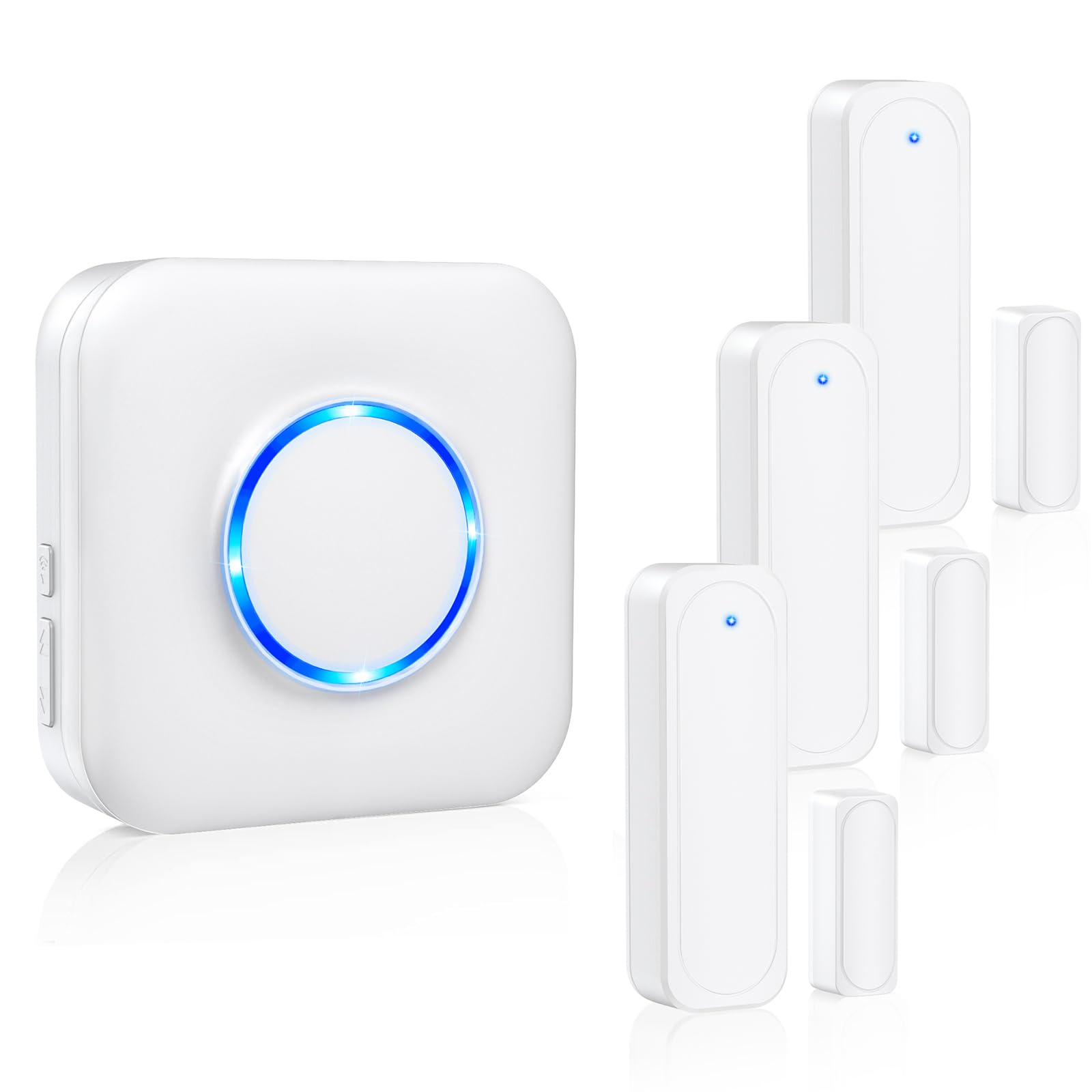
Image: Overview of the Satisure Wireless Door Chime System components.
2. Package Contents
- 1 x Satisure Wireless Door Chime Receiver
- 3 x Satisure Wireless Door Contact Sensors
- Mounting Hardware (screws, adhesive pads)
- User Manual
3. Specifications
| Feature | Detail |
|---|---|
| Brand | Satisure |
| Color | White |
| Power Source (Receiver) | Plug-in (AC) |
| Power Source (Sensor) | Battery Powered (Alkaline, 3 Volts) |
| Control Method | Touch (on receiver) |
| Audible Noise | Up to 110 Decibels |
| Mounting Type | Door Mount (sensors) |
| Maximum Wireless Range | 600 Feet (in open area) |
| Sensor Technology | Contact Sensor |
| Chime Options | 58 Selectable Ringtones |
| Volume Levels | 5 Adjustable Levels (0-110dB) |
| Smart Home Compatibility | Not Smart Home Compatible |
4. Setup and Installation
4.1 Receiver Installation
- Plug the receiver into a standard electrical outlet in a central location within your desired monitoring area.
- Ensure the receiver is within wireless range of the door sensors (up to 600 feet in open areas).

Image: The plug-in receiver with its blue LED indicator.
4.2 Sensor Installation
- Identify the two parts of each door sensor: the main sensor unit and the magnetic strip.
- Mount the main sensor unit on the door frame or window frame.
- Mount the magnetic strip on the door or window itself, aligning it with the main sensor unit.
- Ensure the distance between the two parts does not exceed 0.8 inches when the door/window is closed. Use the included adhesive pads or screws for secure mounting.

Image: Proper alignment and spacing for door sensor installation.
4.3 Pairing Additional Sensors (if needed)
The system typically comes pre-paired. If you need to pair additional sensors or re-pair existing ones, follow these steps:
Video: Instructions on how to pair an additional door sensor with the receiver.
5. Operating Instructions
5.1 Adjusting Volume Levels
The receiver offers 5 adjustable volume levels, ranging from 0dB (silent mode) to 110dB. Use the volume button on the side of the receiver to cycle through the levels until you reach your desired loudness.

Image: The receiver's features, including volume and chime selection.
5.2 Changing Chime Tones
The receiver has 58 selectable ringtones. Press the chime selection button on the side of the receiver to cycle through the available melodies. The receiver will play a preview of each chime as you select it.
5.3 Operation Overview
When a door or window with an installed sensor is opened, the magnetic contact is broken, triggering the sensor to send a signal to the receiver. The receiver will then play the selected chime and its LED indicator will flash, alerting you to the opening.

Image: The system alerts you when a door or window is opened.
6. Maintenance
6.1 Battery Replacement for Sensors
The door sensors are powered by an alkaline battery. When the battery life is low, the sensor's performance may degrade. Replace the battery promptly to ensure continuous operation.
Video: Detailed instructions on how to replace the battery in a door sensor.

Image: Illustration of the sensor's battery compartment and replacement process.
7. Troubleshooting
7.1 No Chime Sound
- Check Power: Ensure the receiver is securely plugged into a working electrical outlet.
- Check Volume: Verify that the receiver's volume is not set to silent (0dB). Adjust the volume using the button on the receiver.
- Check Sensor Battery: Replace the battery in the door sensor if it is low or depleted.
- Check Pairing: If the sensor and receiver are not paired, follow the pairing instructions in Section 4.3.
7.2 Short Wireless Range
- Obstructions: Large metal objects, thick walls, or other electronic devices can interfere with the wireless signal. Try relocating the receiver or sensor.
- Distance: Ensure the sensor and receiver are within the maximum 600-foot range, noting that environmental factors can reduce this.
7.3 Resetting the System
If you experience persistent issues, a system reset may resolve them. This typically unpairs all sensors from the receiver.
Video: Instructions on how to reset the door chime system.
8. Safety Information
- Do not expose the receiver or sensors to extreme temperatures, direct sunlight, or moisture.
- Do not attempt to disassemble or repair the device yourself. Contact customer support for assistance.
- Keep batteries out of reach of children. Dispose of used batteries according to local regulations.
- Ensure the receiver is plugged into a properly functioning electrical outlet.
9. Warranty and Support
Satisure is committed to providing quality products. For any issues or questions regarding your Wireless Door Chime System, please refer to the contact information provided with your purchase or visit the official Satisure website for support.
FAQ: What kind of products do we make?
We are dedicated to research, development and production of home security products. Our main products are door magnets, door bells and corresponding accessories. We produce the best quality products by selecting high quality materials, shortening the intermediate process and improving the efficiency.
FAQ: What has allowed us to persevere until now?
Producing products that meet customers' needs, are easy to use, and are of high quality has always been our pursuit. Please contact our after-sales service whenever you encounter any problems with the use of our products.


