Introduction
The Visual Land SOUNDWAVE A1 (2024 Edition) Active Noise Cancelling Earbuds are designed to provide a superior audio experience with advanced features for daily use. These earbuds offer 6-microphone active noise cancellation, extended playtime, and fast charging capabilities, all within a water-resistant design.
What's in the Box
- Soundwave A1 Earbuds (Rose) and Charging Case
- USB-C Charging Cable
- Additional Ear Tips Sizes (S, M, L)
- User Instructions
Product Overview
Familiarize yourself with the components of your Soundwave A1 Earbuds.

Image: The rose-colored Soundwave A1 earbuds resting inside their matching charging case, with the case lid closed. Three indicator lights are visible on the front of the case.
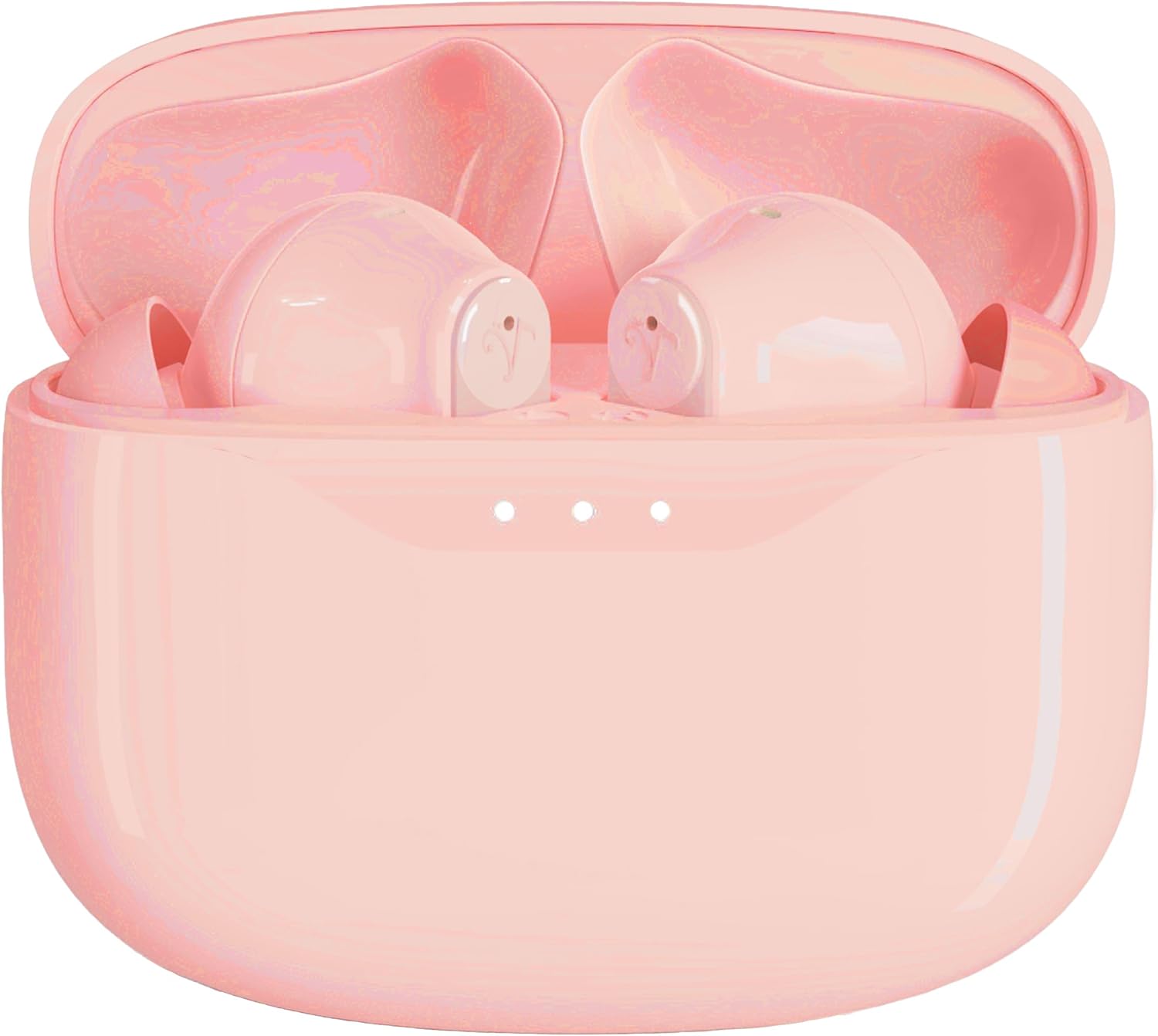
Image: The rose-colored Soundwave A1 earbuds are shown inside their open charging case, revealing the individual earbud slots and the charging contacts.

Image: A side view of both rose-colored Soundwave A1 earbuds, highlighting their ergonomic design and the stem extending from the main body.
Setup
1. Charging the Earbuds and Case
Before first use, fully charge the Soundwave A1 earbuds and their charging case. The case provides additional charges for extended playtime.
- Connect the provided USB-C charging cable to the charging port on the case.
- Connect the other end of the cable to a compatible USB power source (e.g., wall adapter, computer USB port).
- The indicator lights on the case will show charging status. A full charge of the case provides up to 30 hours of battery life for the earbuds.
- For quick power, 15 minutes of charging provides up to 5 hours of playtime.
2. Bluetooth Pairing
Pair your Soundwave A1 earbuds with your device for wireless audio.
- Ensure the earbuds are in the charging case and the case is open.
- On your device (smartphone, tablet, etc.), go to Bluetooth settings.
- Select "Soundwave A1" from the list of available devices.
- Once connected, a confirmation sound will play, and the earbuds will be ready for use.
- The earbuds utilize Bluetooth 5.3 for stable and efficient connection.
3. Fitting the Earbuds
For optimal sound quality and comfort, select the correct ear tip size.
- The Soundwave A1 comes with 3 ear tip sizes (Small, Medium, Large).
- Try each size to find the one that provides a secure and comfortable fit in your ear canal. A good seal is crucial for effective Active Noise Cancellation.
Operating Instructions
Touch Controls
The Soundwave A1 earbuds feature intuitive touch controls for managing audio playback and calls.
| Action | Function |
|---|---|
| Single Tap | Play/Pause music, Answer/End call |
| Double Tap (Right Earbud) | Next Track |
| Double Tap (Left Earbud) | Previous Track |
| Triple Tap | Activate Voice Assistant |
| Long Press (2 seconds) | Toggle Active Noise Cancellation (ANC) / Transparent Mode / Off |
| Long Press (during incoming call) | Reject Call |
Active Noise Cancellation (ANC)
The Soundwave A1 features 6-microphone Active Noise Cancellation to reduce ambient noise. Long press either earbud to cycle through the following modes:
- ANC On: Blocks out most external noise for an immersive listening experience.
- Transparent Mode: Allows you to hear your surroundings while still enjoying your audio, useful for awareness in busy environments.
- ANC Off: Standard audio playback without noise cancellation.
Video: Demonstrates the Active Noise Cancellation feature of the Soundwave A1 earbuds, showing users enjoying immersive sound in various environments and highlighting the long-lasting battery life.
Maintenance
Cleaning
Regular cleaning helps maintain the performance and longevity of your earbuds.
- Gently wipe the earbuds and charging case with a soft, dry, lint-free cloth.
- Remove ear tips and clean them with mild soap and water if necessary. Ensure they are completely dry before reattaching.
- Use a dry cotton swab to carefully clean the charging contacts on both the earbuds and inside the case.
Water Resistance
The Soundwave A1 earbuds are IPX5 water-resistant, meaning they can withstand splashes and sweat. They are not designed for submersion in water. Avoid exposing them to strong jets of water or prolonged immersion.
Troubleshooting
If you encounter issues with your Soundwave A1 earbuds, try the following solutions:
- Earbuds not pairing:
- Ensure Bluetooth is enabled on your device.
- Make sure the earbuds are fully charged.
- Place earbuds back in the case, close the lid, wait a few seconds, then open the lid to re-enter pairing mode.
- Forget "Soundwave A1" from your device's Bluetooth settings and try pairing again.
- One earbud not working/charging:
- Ensure the earbud is properly seated in the charging case and the charging contacts are clean.
- Check the battery level of the charging case.
- Try resetting the earbuds (refer to specific reset instructions if available in the full manual, otherwise, a general suggestion is to place them in the case and hold a button for 10 seconds if one exists).
- Poor sound quality:
- Ensure the ear tips provide a good seal in your ear. Try different sizes.
- Clean any debris from the earbud speakers.
- Move closer to your connected device to avoid interference.
- Active Noise Cancellation not effective:
- Ensure ANC is activated (long press touch control).
- Verify that the ear tips create a proper seal in your ear canal.
Specifications
| Feature | Detail |
|---|---|
| Model Name | SOUNDWAVE A1 V2 |
| Connectivity Technology | Wireless, Bluetooth |
| Wireless Communication Technology | Bluetooth |
| Bluetooth Version | 5.3 |
| Noise Control | Active Noise Cancellation (6-mic) |
| Control Method | Touch Control |
| Water Resistance Level | IPX5 Water-Resistant |
| Total Playtime (with case) | Up to 40 Hours |
| Fast Charging | 15 minutes charge for up to 5 hours playtime |
| Carrying Case Battery Capacity | 500 Milliamp Hours |
| Material | Plastic |
| Item Weight | 2 Ounces |
| Color | Rose |
| Ear Placement | In Ear |
| Form Factor | In Ear |
| Compatible Devices | iOS and Android devices (wide range listed in product data) |
Important Safety Information
- Do not disassemble or modify the product.
- Keep away from extreme temperatures and direct sunlight.
- Avoid dropping or subjecting the earbuds to strong impacts.
- Do not use abrasive cleaners or harsh chemicals.
- Dispose of batteries according to local regulations.
- Prolonged listening at high volumes can cause hearing damage.


