
KEF Kube 15 MIE
KEF Kube 15 MIE 15-Inch Powered Subwoofer User Manual
Model: Kube 15 MIE | Brand: KEF
1. Introduction
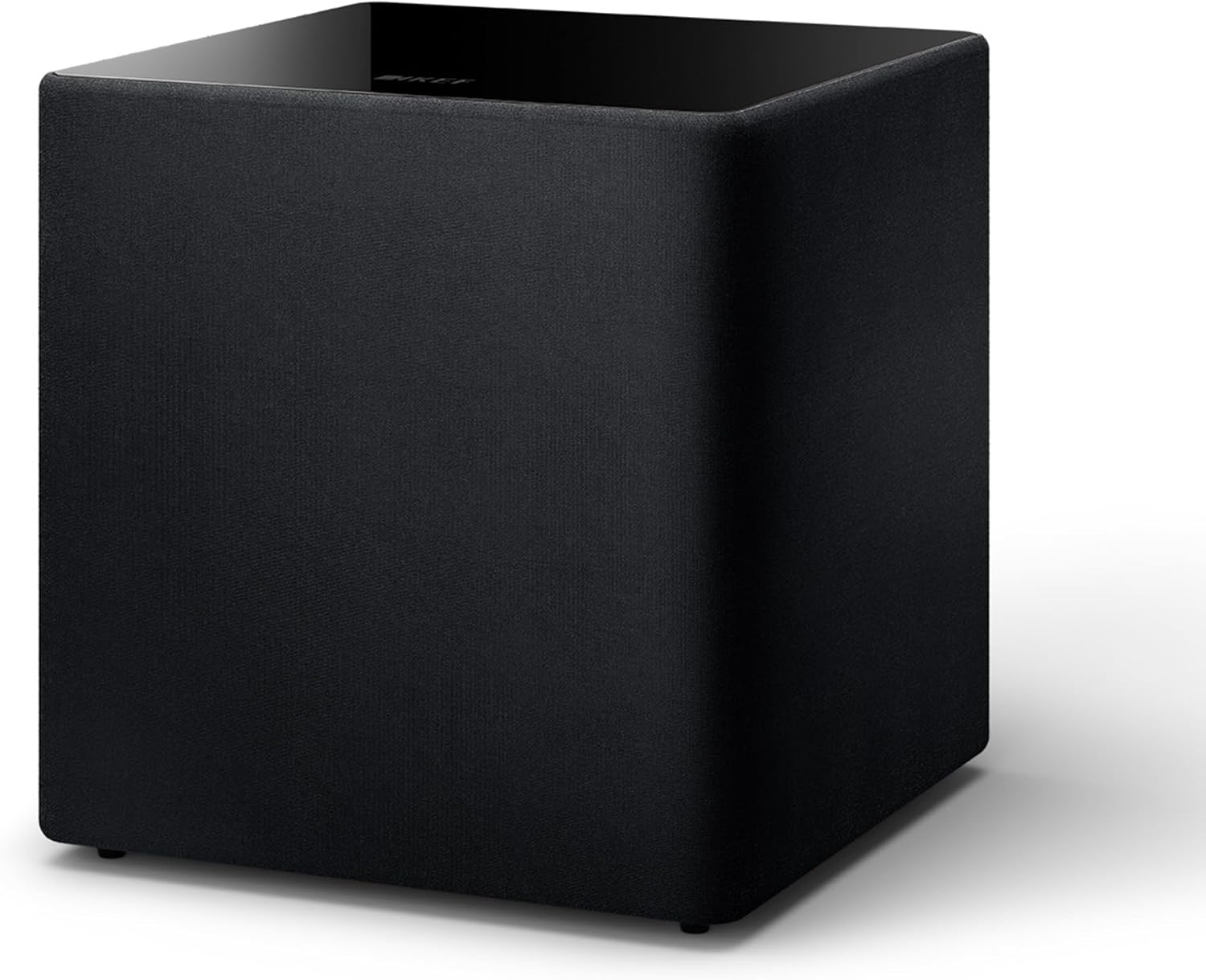
The KEF Kube 15 MIE is a high-performance 15-inch powered subwoofer designed to deliver deep and dynamic bass for both music and home theater applications. Featuring a 300W (RMS) Class D amplifier and KEF's proprietary Music Integrity Engine® (MIE) DSP algorithms, this subwoofer is optimized for exceptional audio reproduction in large rooms. Its design focuses on integrating seamlessly into your audio system to enhance the overall listening experience.
2. Safety Information
Please read and retain these safety instructions for future reference. Adherence to these guidelines will ensure safe operation and prolong the life of your KEF Kube 15 MIE subwoofer.
- Power Source: Connect the subwoofer only to a power supply of the type indicated on the unit. Ensure the power cord is routed safely to prevent tripping hazards or damage.
- Ventilation: Do not block any ventilation openings. Maintain adequate space around the unit for proper airflow to prevent overheating.
- Water and Moisture: Do not expose the subwoofer to rain, moisture, dripping, or splashing. Keep liquids away from the unit.
- Heat Sources: Avoid placing the subwoofer near heat sources such as radiators, heat registers, stoves, or other apparatus that produce heat.
- Cleaning: Unplug the unit from the wall outlet before cleaning. Use a dry cloth for cleaning. Do not use liquid cleaners or aerosol cleaners.
- Servicing: Do not attempt to service this product yourself. Refer all servicing to qualified service personnel. Opening or removing covers may expose you to dangerous voltage or other hazards.
- Placement: Ensure the subwoofer is placed on a stable, level surface to prevent it from falling.
3. Package Contents
Verify that all items are present in the packaging:
- 1 KEF Kube 15 MIE Subwoofer
- Power Cord
- User Manual (this document)
4. Setup
4.1 Placement
The placement of your subwoofer significantly impacts its performance. Consider the acoustics of your room and the desired bass response. The Kube 15 MIE includes three room position EQ options to optimize performance based on its location:
- Free Space: For placement away from walls or corners.
- Wall/Cabinet: For placement near a wall or inside a cabinet.
- Corner: For placement in a room corner, which typically provides the most bass reinforcement.


4.2 Connections
The Kube 15 MIE offers versatile connection options to integrate with various audio systems.

- LFE Input (RCA): For connection to an AV receiver or processor with a dedicated subwoofer output (LFE channel). Use a single RCA cable for this connection.
- Line Input (RCA): For connection to a stereo pre-amplifier or integrated amplifier with line-level outputs. Use a pair of RCA cables (Left and Right).
- Speaker Level Inputs: For connection to an amplifier's speaker terminals. This is useful if your amplifier does not have dedicated subwoofer or line-level outputs. Use speaker wire to connect to the subwoofer's speaker level terminals.
- KEF SmartConnect: This feature automatically detects whether an LFE or Line Input is being used and adjusts the input sensitivity accordingly.

4.3 Power Connection
Once all audio connections are made, connect the supplied power cord to the subwoofer's power inlet and then to a suitable wall outlet.
5. Operating Instructions
5.1 Power On/Off and Auto Wake Up
The subwoofer features an auto wake-up function. You can select between "Always on" or "Auto wake up" modes using the switch on the rear panel.
- Always On: The subwoofer remains powered on continuously.
- Auto Wake Up: The subwoofer will automatically enter standby mode when no audio signal is detected and power on when an audio signal is received.

5.2 Adjusting Settings
The rear panel provides controls for fine-tuning the subwoofer's output to match your room and main speakers.
- Volume Control: Adjusts the overall output level of the subwoofer. Start with a low setting and gradually increase until the bass blends seamlessly with your main speakers.
- Crossover Frequency: Determines the highest frequency the subwoofer will reproduce. This should typically be set to complement the low-frequency extension of your main speakers. Consult your main speaker's specifications for guidance.
- Phase Control: Adjusts the phase of the subwoofer's output relative to your main speakers. Experiment with 0° and 180° settings to achieve the most coherent bass response.
- Room Position EQ: As mentioned in the setup section, use this switch to select the appropriate setting (Free Space, Wall/Cabinet, Corner) based on the subwoofer's physical location in your room.

6. Maintenance
Proper maintenance ensures the longevity and optimal performance of your KEF Kube 15 MIE subwoofer.
- Cleaning: Dust the subwoofer regularly with a soft, dry, lint-free cloth. For stubborn marks, lightly dampen the cloth with water. Avoid using abrasive cleaners, solvents, or chemical sprays, as these can damage the finish.
- Grille Care: The fabric grille can be gently vacuumed to remove dust. Do not wash or immerse the grille in water.
- Placement Environment: Avoid placing the subwoofer in direct sunlight or in areas with extreme temperature fluctuations or high humidity.
- Power Cord: Periodically check the power cord for any signs of damage. If damaged, replace it with an approved KEF replacement cord.
7. Troubleshooting
If you encounter issues with your KEF Kube 15 MIE subwoofer, refer to the following common problems and solutions:
| Problem | Possible Cause | Solution |
|---|---|---|
| No sound from subwoofer |
|
|
| Distorted or boomy bass |
|
|
| Subwoofer hums or buzzes |
|
|
If the problem persists after attempting these solutions, please contact KEF customer support for further assistance.
8. Specifications
Detailed technical specifications for the KEF Kube 15 MIE 15-inch Powered Subwoofer:
| Feature | Detail |
|---|---|
| Model Name | Kube15MIE |
| Speaker Type | Subwoofer |
| Special Features | Bass Boost, Hi Res Audio |
| Recommended Uses | For Computers, For DVD Players, For Gaming Consoles, For Surround Sound Systems, For Televisions |
| Compatible Devices | Home Theater, Television |
| Subwoofer Diameter | 15 Inches |
| Unit Count | 1.0 Count |
| Surround Sound Channel Configuration | 5.1 |
| Color | Black |
| Included Components | 1 Kube 15 MIE Subwoofer |
| Product Dimensions (D x W x H) | 20.3" x 19.7" x 20.4" (51.56 cm x 50.04 cm x 51.82 cm) |
| Item Weight | 60.5 pounds (27.5 Kilograms) |
| Water Resistance Level | Not Water Resistant |
| Power Source | Corded Electric |
| Speaker Maximum Output Power | 300 Watts (RMS) |
| Connectivity Technology | RCA, Wired |
| Control Method | Touch (referring to physical controls/switches) |
| Manufacturer | KEF |
| Item Model Number | SP4102B0CA |
| UPC | 637203050213 |

9. Warranty and Support
The KEF Kube 15 MIE subwoofer comes with a limited warranty. For specific warranty terms and conditions, please refer to the warranty card included with your product or visit the official KEF website.
For technical support, troubleshooting assistance beyond what is provided in this manual, or warranty claims, please contact KEF customer support through their official website or authorized service centers. Ensure you have your product model number (Kube 15 MIE) and serial number available when contacting support.
Official KEF Website: us.kef.com
Related documentsKube 15 MIE


Ask a question about this manual
Ask about setup, troubleshooting, compatibility, parts, safety, or missing instructions. Manuals+ will review the question and use this page’s manual context to help answer it.