
1. Introduction
Thank you for choosing the Fanbulous 60 Inch Ceiling Fan with Lights and Remote. This manual provides detailed instructions for the safe installation, operation, and maintenance of your new ceiling fan. Please read this manual thoroughly before installation and keep it for future reference.
This ceiling fan is designed for both indoor and covered outdoor use, featuring a reversible DC motor, 6-speed settings, dimmable 3-color LED lighting, and remote control functionality. Its modern design and efficient operation enhance comfort in various living spaces.
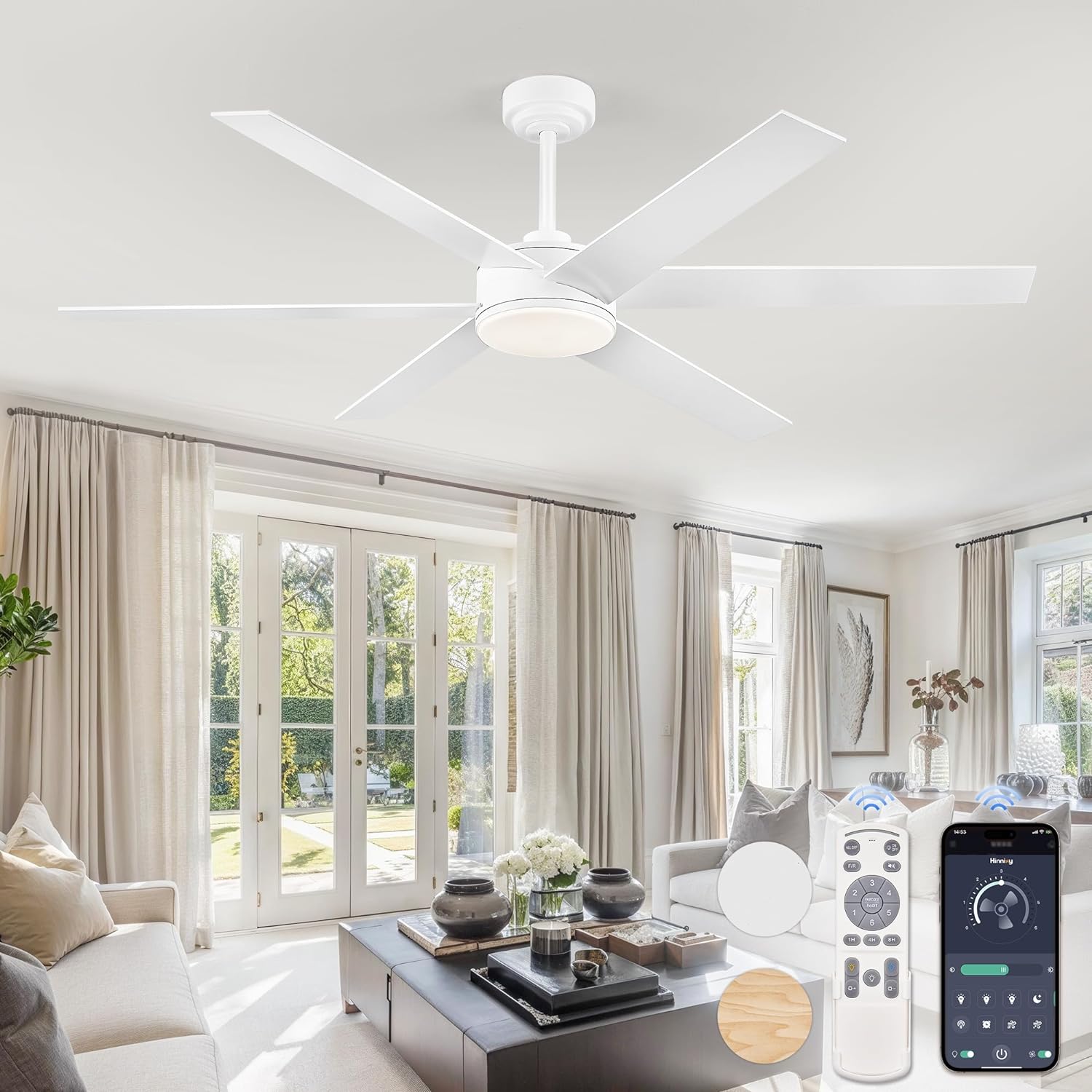
Image: The Fanbulous 60 Inch Ceiling Fan with integrated light, shown installed in a contemporary living room setting. A remote control and smartphone app interface are displayed, highlighting control options.
2. Safety Information
Please observe the following safety precautions to reduce the risk of fire, electric shock, or personal injury:
- Read all instructions and safety information before installing your new fan. Review the accompanying diagrams carefully.
- All electrical connections must be made in accordance with local codes, ordinances, and the National Electric Code. If you are unfamiliar with wiring, consult a qualified electrician.
- Ensure the installation site allows the fan blades to rotate without obstruction. Maintain a minimum clearance of 7 feet (2.1 meters) from the floor to the blade trailing edge.
- The outlet box and support structure must be securely mounted and capable of reliably supporting a minimum of 35 lbs (15.9 kg). Use only UL/ETL listed outlet boxes marked "FOR FAN SUPPORT."
- Do not operate the reverse switch while the fan blades are in motion. The fan must be turned off and the blades stopped before reversing direction.
- Avoid placing objects in the path of the fan blades.
- To reduce the risk of electric shock, disconnect the electrical supply circuit to the fan before beginning installation or servicing.
- This fan is suitable for indoor and covered outdoor locations. Do not expose to direct water spray.
3. Package Contents
Verify that all components listed below are included in your package. If any parts are missing or damaged, please contact customer support.
- 1 x Mounting Bracket
- 1 x Receiver
- 1 x Canopy Cover
- 1 x Magnetic Deco Cover
- 2 x Downrods (5" and 10")
- 1 x Coupling Cover
- 1 x Lampshade
- 1 x LED Board
- 6 x Fan Blades (2 colors in one blade)
- 1 x Fan Motor Host
- 1 x Remote Control (with 2 AAA batteries)
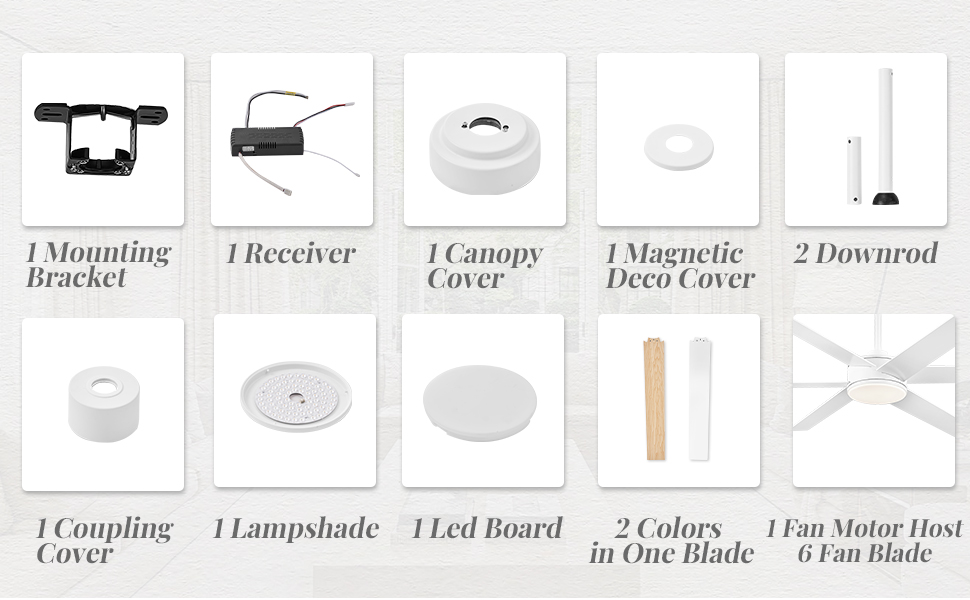
Image: An exploded view diagram illustrating all components included in the Fanbulous ceiling fan package, such as the mounting bracket, receiver, canopy, downrods, blades, and light kit.
4. Setup and Installation
4.1 Pre-Installation Checklist
- Turn off power at the circuit breaker or fuse box.
- Ensure the mounting location is structurally sound and can support the fan's weight.
- Gather all necessary tools: screwdriver, wire strippers, electrical tape, ladder.
4.2 Mounting the Fan
- Secure the mounting bracket to the ceiling outlet box using the provided screws. Ensure the bracket is firmly attached.
- Select the appropriate downrod length (5" or 10") for your ceiling height. For sloped ceilings, the fan is compatible up to 15 degrees.
- Feed the fan wires through the chosen downrod.
- Insert the downrod into the fan motor housing and secure it with the pin and clip.
- Carefully lift the fan assembly and hang it on the mounting bracket hook.
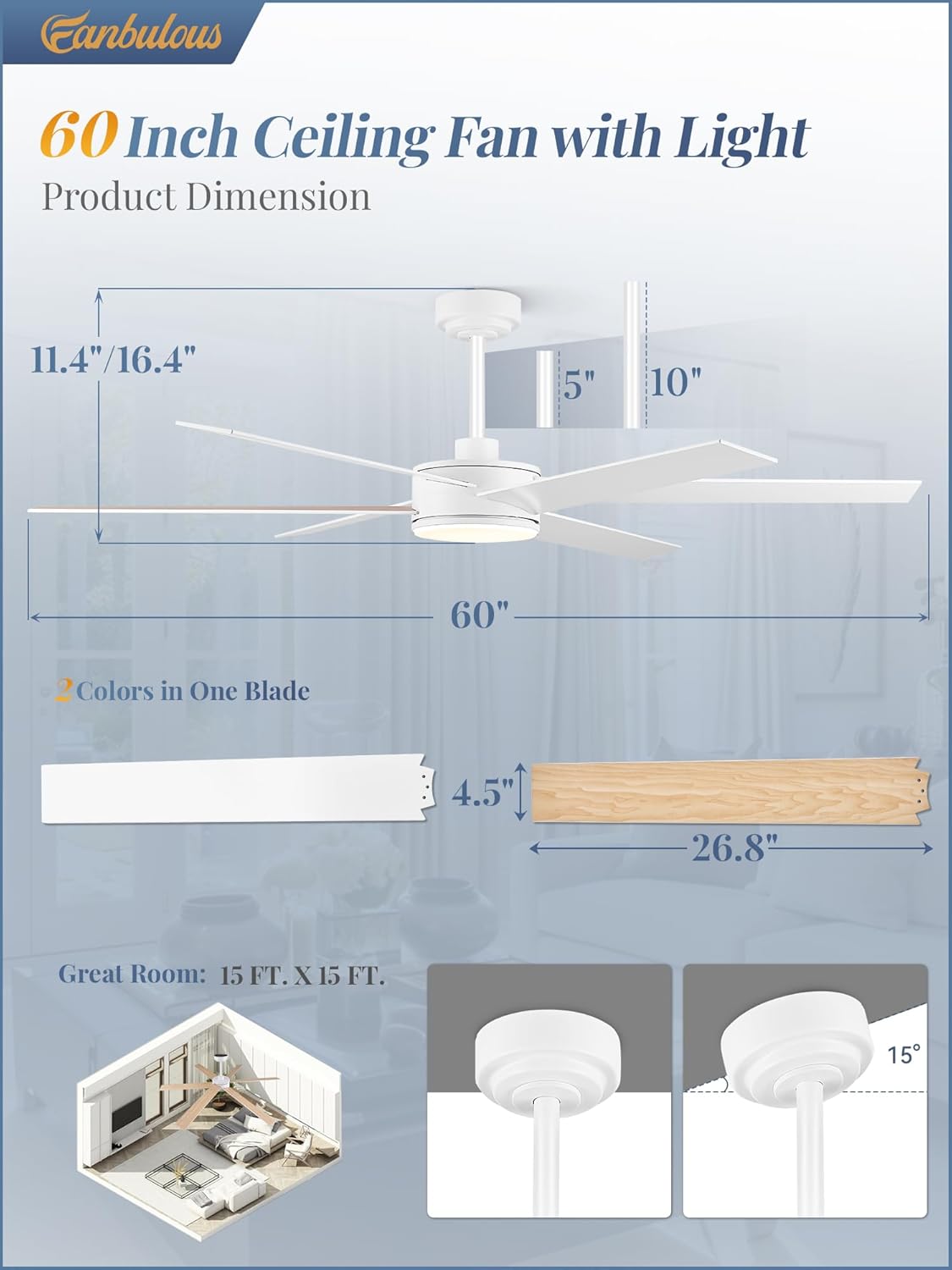
Image: A detailed diagram showing the product dimensions, including the 60-inch span, downrod options (5" and 10"), and how the fan can be mounted on both flat and sloped ceilings (up to 15 degrees).
4.3 Wiring
- Connect the receiver wires to the household wiring according to the wiring diagram provided in the full manual. Typically, this involves connecting live, neutral, and ground wires.
- Connect the fan motor wires to the receiver wires.
- Carefully tuck all wires into the outlet box.
4.4 Attaching Blades and Light Kit
- Attach the fan blades to the motor housing. The blades are reversible, offering a choice between a white finish and a modern wood finish. Choose the side that best suits your decor.
- Connect the LED light board to the fan's electrical connector.
- Secure the lampshade and magnetic deco cover to the light kit assembly.
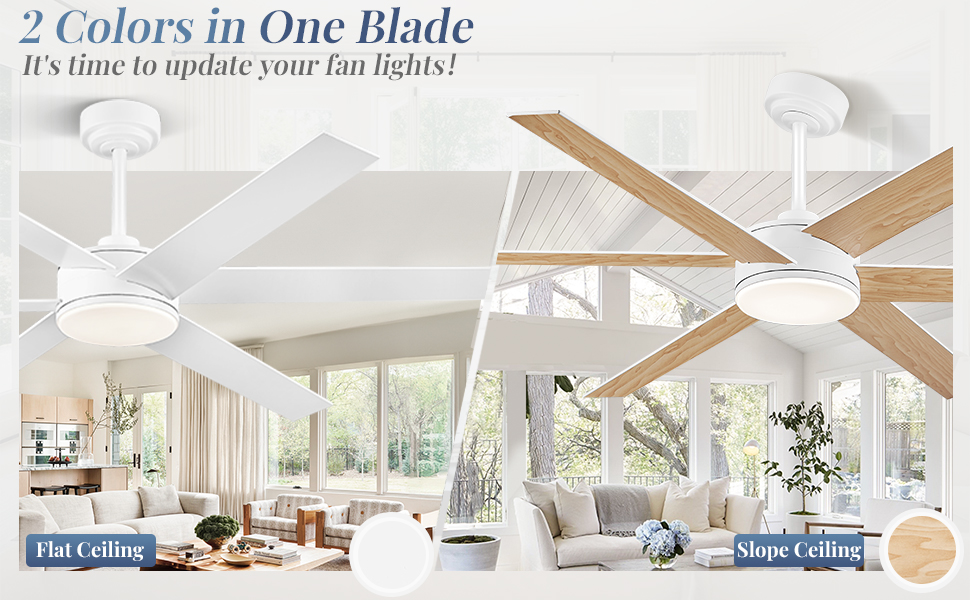
Image: This image displays the Fanbulous ceiling fan with its reversible blades, showing one side in white for a flat ceiling installation and the other side in a modern wood finish for a sloped ceiling installation, demonstrating the two aesthetic options.
5. Operating Instructions
5.1 Remote Control Functions
The included remote control allows full operation of your Fanbulous ceiling fan. Install the two AAA batteries (included) before use.

Image: A visual guide to the remote control and the corresponding smartphone application. The remote shows buttons for fan speed (1-6), light on/off, light color temperature, dimming, timer (1H/4H/8H), and reverse function. The app interface mirrors these controls.
- Power On/Off: Press the 'ALL OFF' button to turn off both fan and light.
- Fan Speed: Buttons '1' through '6' control the fan speed, from lowest (1) to highest (6).
- Timer: Set the fan to turn off automatically after 1, 4, or 8 hours using the '1H', '4H', '8H' buttons.
- Light On/Off: Press the light bulb icon to turn the light on or off.
- Light Color Temperature: Cycle through 3000K (warm white), 4500K (natural white), and 6000K (cool white) by pressing the light color button.
- Dimming: Press and hold the dimming buttons (up/down arrows) to adjust the light brightness from 10% to 100%.
- Reversible Motor: Press the 'F/R' button to switch between summer (downward airflow) and winter (upward airflow) modes. Ensure the fan is stopped before changing direction.

Image: This graphic illustrates the six fan speed settings, categorized as soft wind (speeds 1-2), natural wind (speeds 3-4), and cool wind (speeds 5-6). It also visually explains the reversible function for summer (downward airflow) and winter (upward airflow).
5.2 App Control
For additional convenience, you can control your fan using the "Fanlamp Pro" smartphone application. Download the app from the Google Play Store or Apple App Store.
- Download and install the "Fanlamp Pro" app on your smartphone.
- Follow the in-app instructions to pair your fan with the application.
- Once paired, you can control all fan and light functions directly from your phone.
6. Maintenance
Regular maintenance ensures optimal performance and extends the lifespan of your ceiling fan.
- Cleaning: Periodically clean the fan blades and motor housing with a soft, damp cloth. Do not use abrasive cleaners or solvents.
- Blade Care: Check blade screws for tightness annually. Loose screws can cause wobbling and noise.
- Light Kit: The LED light board is integrated and generally does not require replacement. If issues arise, contact customer support.
- Motor: The DC motor is designed for long-lasting, quiet operation and requires no lubrication.
7. Troubleshooting
If you experience issues with your fan, refer to the following table for common problems and solutions.
| Problem | Possible Cause | Solution |
|---|---|---|
| Fan does not start | No power supply Loose wire connections Remote control battery low | Check circuit breaker/fuse Verify all wire connections are secure Replace remote control batteries |
| Fan wobbles | Loose blade screws Unbalanced blades Loose mounting bracket | Tighten all blade screws Ensure blades are balanced (use balancing kit if needed) Verify mounting bracket is securely fastened |
| Light does not work | Loose wire connection LED board issue | Check light kit wiring Contact customer support if LED board is faulty |
| Remote control not working | Low battery Not paired with receiver | Replace batteries Refer to pairing instructions in the full manual |
| Fan makes noise | Loose screws Motor housing rubbing Unbalanced blades | Check and tighten all screws Ensure no parts are rubbing Balance blades |
8. Specifications
- Model: Y24FSD0004-1801
- Size: 60 Inch
- Motor Type: DC Motor
- Number of Blades: 6
- Blade Material: Wood (Reversible: White / Modern Wood)
- Fan Speeds: 6
- Light Source: Integrated LED
- Color Temperature: 3000K / 4500K / 6000K (Adjustable)
- Dimming: 10% - 100%
- Control Method: Remote Control, Smartphone App ("Fanlamp Pro")
- Timer Functions: 1H, 4H, 8H
- Installation Type: Downrod Mount (5" and 10" downrods included)
- Sloped Ceiling Compatibility: Yes, up to 15 degrees
- Indoor/Outdoor Usage: Indoor or Covered Outdoor
- Item Weight: Approximately 11 pounds (5 kg)
- Product Dimensions: 27.56 x 11.8 x 7.9 inches (packaging)
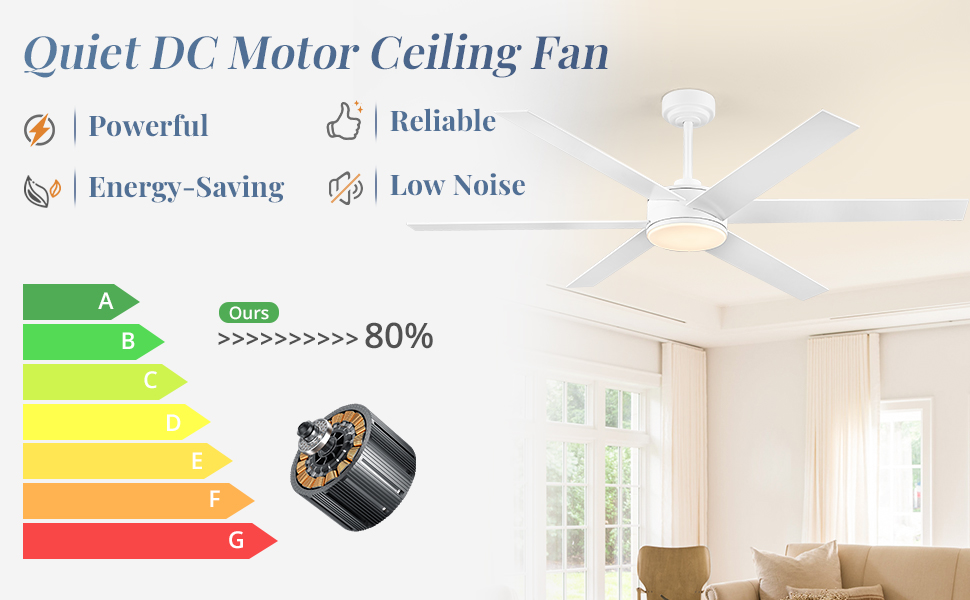
Image: An energy efficiency rating graphic highlighting the quiet DC motor of the Fanbulous ceiling fan, indicating it is over 80% energy efficient.
9. Warranty and Support
Fanbulous provides a 2-year after-sales support for this product. This warranty covers defects in materials and workmanship under normal use.
If you encounter any problems during installation, operation, or maintenance, or if you have any questions regarding your Fanbulous ceiling fan, please do not hesitate to contact our customer support team. We are committed to working with you to resolve any issues.
Customer Support Contact: Please refer to the contact information provided on your purchase receipt or the Fanbulous official website for the most up-to-date support channels.


