
1. Introduction
This manual provides detailed instructions for the installation, operation, and maintenance of your ExBrite 30"x36" Lighted LED Medicine Cabinet. Please read this manual thoroughly before installation and use to ensure proper function and safety. Keep this manual for future reference.

Image 1.1: The ExBrite 30"x36" Lighted LED Medicine Cabinet, showcasing its illuminated mirror and integrated clock/temperature display.
2. Safety Information
Important Safety Instructions:
- Always disconnect power at the circuit breaker before installation or servicing.
- Installation must be performed by a qualified electrician in accordance with all local codes and regulations.
- Do not modify the product in any way. Unauthorized modifications may void the warranty and pose safety risks.
- Handle glass components with care to prevent breakage and injury.
- Ensure the mounting surface is structurally sound and capable of supporting the cabinet's weight.
- This product is rated IP44 for water resistance, suitable for bathroom environments. However, do not submerge or expose to direct water spray.

Image 2.1: Illustration of tempered glass safety, demonstrating its non-fragmenting properties compared to ordinary glass.
3. Components List
Verify that all components are present and undamaged before proceeding with installation.
- Lighted LED Medicine Cabinet unit
- Tempered Glass Shelves (3)
- Mounting Hardware (screws, anchors)
- Instruction Manual

Image 3.1: Interior view of the medicine cabinet, highlighting the adjustable glass shelves and integrated power features.
4. Installation
The ExBrite Lighted LED Medicine Cabinet supports both recessed and surface-mount installations.
4.1. Pre-Installation Checks
- Confirm the wall structure can support the cabinet's weight (approximately 55.2 lbs).
- Ensure electrical wiring is available at the desired installation location.
- Measure the installation area to ensure proper fit.
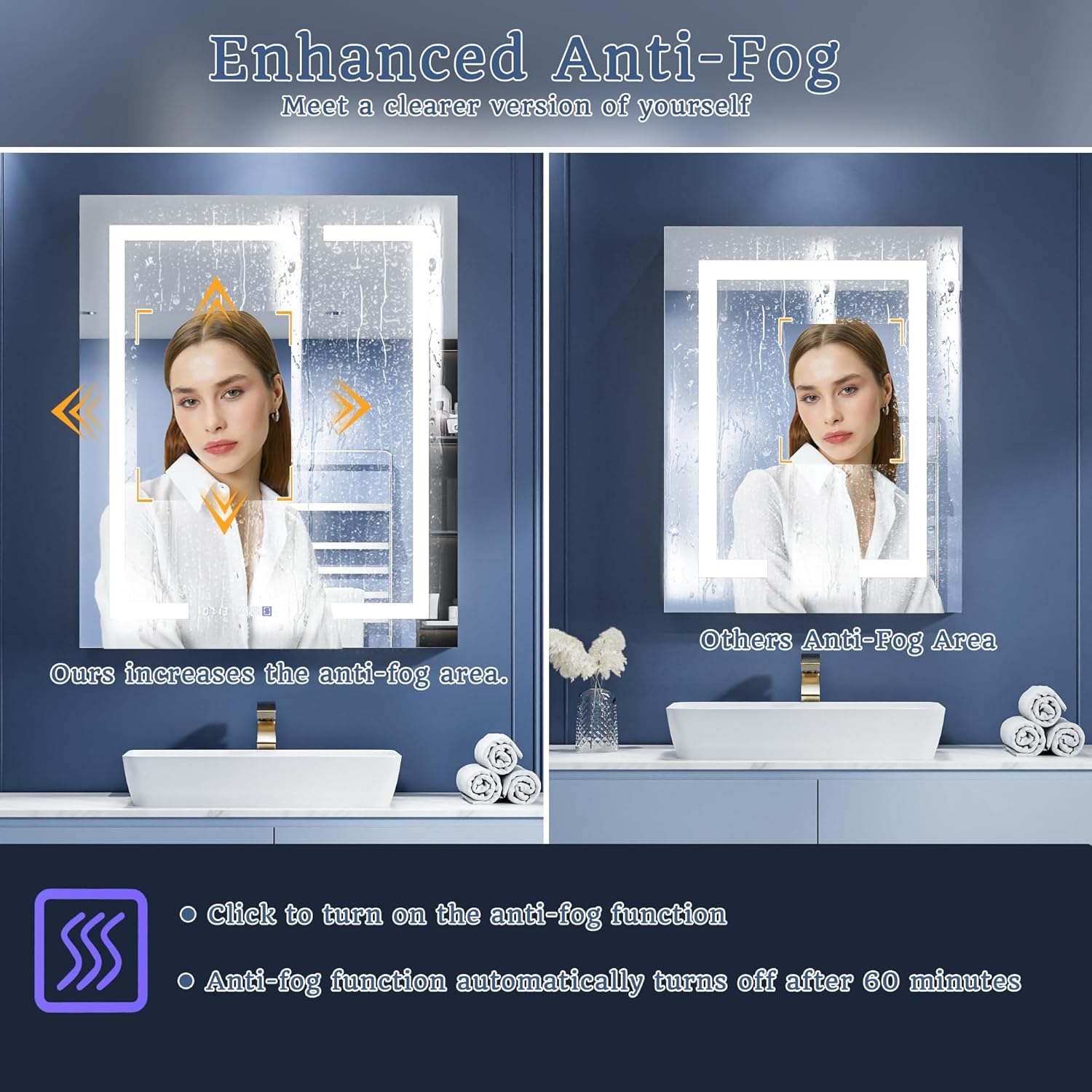
Image 4.1: Cabinet and cutout dimensions for planning your installation.
4.2. Mounting Options
Recessed Installation: For a flush, integrated look, the cabinet is inserted into a wall cutout. Approximately 1 inch will protrude from the wall.
Surface-Mount Installation: The cabinet is mounted directly onto the wall surface.

Image 4.2: Visual guide for recessed and surface mounting methods.
4.3. General Installation Steps
- Prepare the Wall: For recessed installation, create a cutout according to the specified dimensions. For surface mount, mark drilling points.
- Install Mounting Bar: Secure the mounting bar to the wall using appropriate screws and anchors.
- Electrical Connection: Connect the cabinet's electrical wiring to your household electrical supply. Ensure power is off at the breaker during this step. The cabinet requires a 120V AC connection.
- Hang the Cabinet: Carefully lift the cabinet and engage it with the mounting bar.
- Secure the Cabinet: Fasten the cabinet to the wall using additional screws as needed to ensure stability.
- Install Shelves: Insert the tempered glass shelves into the desired positions using the provided shelf clips.
Image 4.3: Detailed installation instructions for wall mounting.
5. Operating Instructions
Your ExBrite medicine cabinet features intuitive touch controls for various functions.
5.1. Main Light Control (On/Off, Dimming, Color Temperature)
The main mirror light is controlled by touch sensors located on the mirror surface.
- Power On/Off: Tap the power icon to turn the main light on or off.
- Stepless Dimming: When the light is on, press and hold the brightness icon to adjust the brightness from 10% to 100%. Release when the desired brightness is achieved.
- Color Temperature Adjustment: When the light is on, tap the color temperature icon to cycle through 3000K (warm), 4500K (natural), and 6000K (cool) color temperatures.

Image 5.1: Controls for adjustable brightness and color temperature.
5.2. Defog Function
The defogger prevents condensation on the mirror surface.
- Activate Defog: Tap the defog icon on the mirror to turn the defogger on. The mirror surface will warm to approximately 40°C.
- Automatic Shut-off: The defog function automatically turns off after 60 minutes or when the main light is turned off.

Image 5.2: Demonstration of the enhanced anti-fog feature.
5.3. Interior Sensor Light
The cabinet's interior is illuminated automatically.
- The built-in 6000K LED interior light automatically activates when the cabinet door is opened, providing clear visibility of contents.

Image 5.3: Interior LED lighting and power outlets.
5.4. Night Light
For gentle illumination in low-light conditions.
- The light-sensitive night light automatically turns on when ambient brightness decreases, offering subtle illumination for safety and comfort during nighttime.

Image 5.4: The light-sensitive night light in operation.
5.5. Clock & Temperature Display
The integrated digital clock and room temperature display provide convenient information.
- The display shows the current time and ambient room temperature.
- Setting instructions for the clock are typically found in a separate quick-start guide or by pressing and holding the clock icon on the mirror (if available).
5.6. Power Outlets and USB Ports
Conveniently located inside the cabinet for charging and powering devices.
- The cabinet includes two 1800W high-power dual outlets and two USB ports.
- Use these for electric toothbrushes, shavers, hairdryers, and other compatible devices.
6. Maintenance
Regular cleaning and care will ensure the longevity and optimal performance of your medicine cabinet.
6.1. Cleaning the Mirror and Cabinet
- Mirror Surface: Use a soft, lint-free cloth and a non-abrasive glass cleaner. Spray cleaner onto the cloth, not directly onto the mirror, to avoid liquid seeping into electrical components.
- Cabinet Exterior: Wipe with a soft, damp cloth. Avoid harsh chemicals or abrasive cleaners that could damage the aluminum finish.
- Interior: Remove shelves and clean with a mild soap and water solution. Ensure all surfaces are dry before replacing items.
6.2. General Care
- Avoid placing excessively heavy items on the glass shelves. Each shelf supports up to 30 lbs.
- Ensure the cabinet doors close gently. The 110° soft-close hinges are designed for smooth operation.
7. Troubleshooting
If you encounter issues with your ExBrite medicine cabinet, refer to the following common problems and solutions.
| Problem | Possible Cause | Solution |
|---|---|---|
| Light does not turn on. | No power supply; loose wiring; faulty LED driver. | Check circuit breaker. Ensure all wiring connections are secure. Contact customer support if problem persists. |
| Defogger not working. | Defog function not activated; power issue. | Tap the defog icon. Check main power supply. |
| Clock/Temperature display is incorrect or flickering. | Power interruption; internal component issue. | Reset power by turning off and on at the breaker. If issue persists, contact customer support. |
| Outlets/USB ports not providing power. | No power to cabinet; internal wiring issue. | Verify cabinet has power. Ensure devices are properly plugged in. |
If troubleshooting steps do not resolve the issue, please contact ExBrite customer support for assistance.
8. Specifications
| Feature | Detail |
|---|---|
| Brand | ExBrite |
| Model Name | Lighted medicine cabinet |
| Item Model Number | 11FXMC3036V4DX |
| Product Dimensions | 5.5"D x 30"W x 36"H |
| Item Weight | 55.2 pounds |
| Mounting Type | Wall Mount (Recessed/Surface) |
| Frame Material | Aluminum |
| Number of Shelves | 3 (Tempered Glass) |
| Weight Limit (per shelf) | 30 lbs |
| Special Features | Stepless Dimming (10-100%), 3-Color Temperature (3000K-6000K), Defog, Night Light, Interior Sensor Light, Clock & Temp Display, 2 Outlets, 2 USB Ports, 110° Soft-Close Hinges |
| Certifications | ETL Certified (complete unit), UL Certified (critical components) |

Image 8.1: UL certified LED power supply for reliability.
9. Warranty and Support
Your ExBrite Lighted LED Medicine Cabinet is ETL certified as a complete unit, and all critical components are UL certified, ensuring compliance with safety standards.
For warranty information, technical support, or to purchase replacement parts, please contact ExBrite customer service. Refer to your purchase documentation or the ExBrite website for contact details.
Customer Support: Visit the ExBrite Store on Amazon


