
1. Introduction
This manual provides essential information for setting up, operating, maintaining, and troubleshooting your BOSGAME P4 Plus Mini PC. Please read it thoroughly before using the device to ensure optimal performance and longevity.

Figure 1: BOSGAME P4 Plus Mini PC, showcasing its compact design and available ports.
2. Package Contents
Verify that all items listed below are included in your package:
- 1x BOSGAME P4 Plus Mini PC
- 1x Power Adapter
- 1x HDMI Cable
- 1x VESA Mount and Screws
- 1x User Manual

Figure 2: All accessories included with your BOSGAME P4 Plus Mini PC.
3. Product Overview
3.1. Key Features
- Processor: AMD Ryzen 7 5825U (8 Cores, 16 Threads, up to 4.5GHz)
- Memory: 32GB DDR4 RAM (Dual Channel, 3200MHz, expandable up to 64GB)
- Storage: 1TB M.2 NVMe PCIe SSD (with an additional M.2 NVMe PCIe 3.0 x4 2280 SSD slot for expansion)
- Networking: Dual 2.5GbE LAN Ports, Wi-Fi 6E (802.11ax), Bluetooth 5.2
- Graphics: Integrated AMD Radeon Graphics (8-core, 2000MHz) with 4K@60Hz video output
- Display Output: HDMI, DisplayPort, USB-C for triple display support
- Operating System: Supports Windows, Ubuntu, and Linux
3.2. Ports and Connectors
The BOSGAME P4 Plus Mini PC offers a comprehensive set of ports for various connectivity needs:
- Front: Power button, Audio Jack, USB-C (full-featured), 2x USB 3.2 ports
- Rear: DC Power Input, 2x 2.5G RJ45 LAN ports, HDMI, DisplayPort, 2x USB 2.0 ports

Figure 3: Detailed view of the Mini PC's interfaces for expanded connectivity.
4. Setup Instructions
4.1. Initial Connection
- Connect your monitor(s) to the HDMI, DisplayPort, or USB-C video output ports.
- Connect your keyboard and mouse to the available USB ports.
- Connect the power adapter to the DC power input port on the Mini PC, then plug it into a power outlet.
- Press the power button on the front of the Mini PC to turn it on.
4.2. Operating System Setup (Windows 11 Pro)
Upon first boot, the system will guide you through the Windows 11 Pro setup process. Follow the on-screen instructions to select your language, region, keyboard layout, and create a user account. You may choose to connect to a network during this process or proceed with a limited setup.
Video 1: A guide demonstrating the initial user setup process for Windows 11 Pro on the BOSGAME Mini PC.
4.3. Network Connection
For internet access, you can use either the wired Ethernet ports or the integrated Wi-Fi 6E:
- Wired: Connect an Ethernet cable from your router/modem to one of the 2.5GbE LAN ports on the Mini PC.
- Wireless: During OS setup or via system settings, select your Wi-Fi network and enter the password.

Figure 4: The dual 2.5Gbps Ethernet ports provide high-speed wired network connectivity.
5. Operating Instructions
5.1. Triple Display Setup
The BOSGAME P4 Plus supports connecting up to three displays simultaneously using its HDMI, DisplayPort, and full-featured USB-C ports. This allows for enhanced productivity and immersive viewing experiences.

Figure 5: Example of a triple monitor setup with the Mini PC, ideal for multitasking.
5.2. USB-C Functionality
The full-featured USB-C port supports PD 3.0 power supply, 4K@60Hz video output, and 10Gbps data transmission, offering versatile connectivity for modern peripherals and displays.
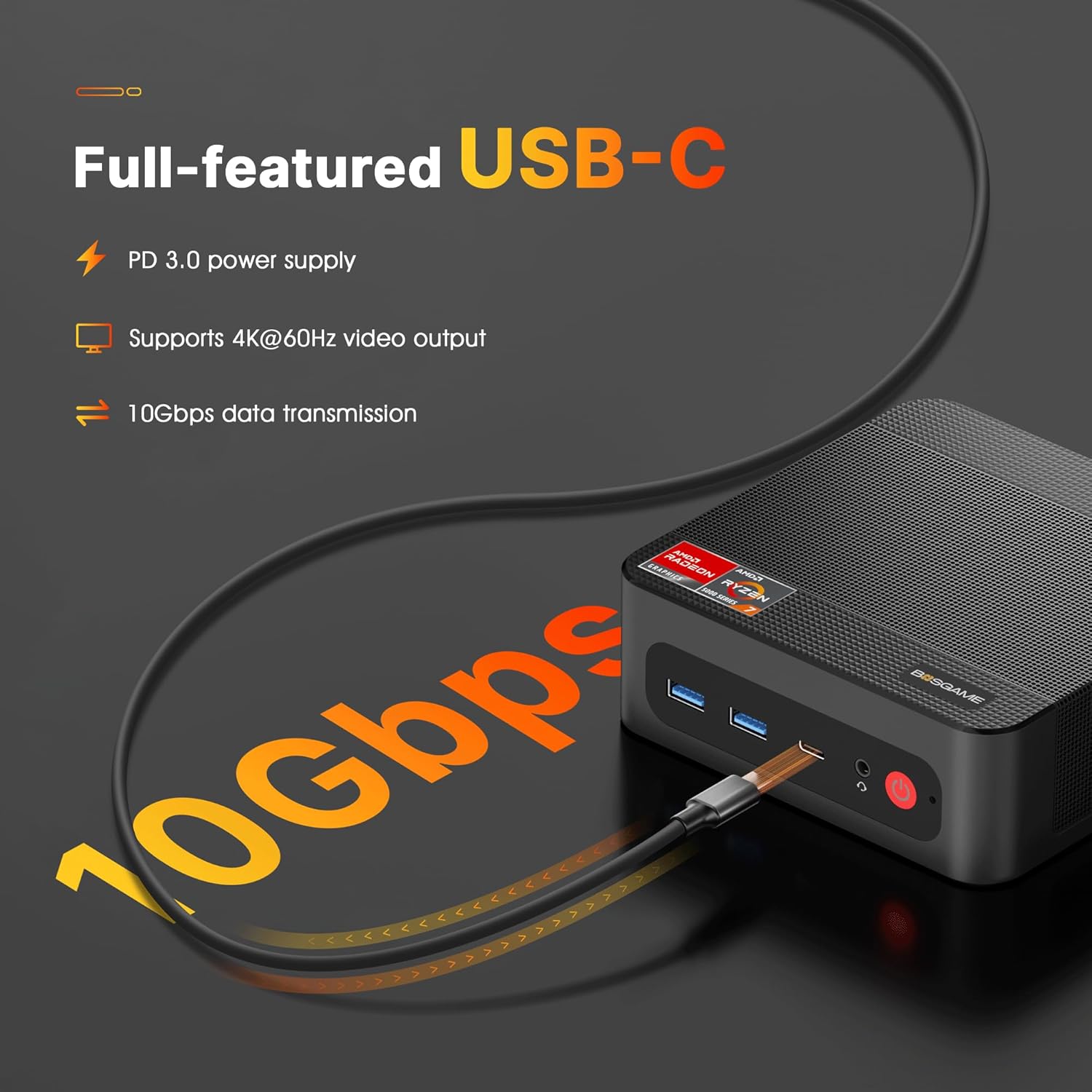
Figure 6: The versatile USB-C port provides power delivery, video output, and high-speed data transfer.
5.3. System Compatibility
The Mini PC is designed to be compatible with various operating systems, including Windows, Ubuntu, and Linux, providing flexibility for different user preferences and applications.

Figure 7: The Mini PC supports multiple operating systems for diverse user needs.
6. Maintenance and Upgrades
6.1. RAM and SSD Expansion
The BOSGAME P4 Plus Mini PC allows for easy expansion of its DDR4 RAM up to 64GB and additional M.2 NVMe PCIe 3.0 x4 2280 SSD storage. This enables users to enhance performance and storage capacity as needed.

Figure 8: The motherboard with accessible slots for RAM and SSD upgrades.
Video 2: Instructions on how to install DDR RAM and SSD in BOSGAME P Series Mini PCs.
6.2. Heat Dissipation
The Mini PC features an efficient heat dissipation system to maintain stable performance and quiet operation, even under load.
7. Troubleshooting
If you encounter issues with your BOSGAME P4 Plus Mini PC, consider the following common solutions:
- No Display/Peripherals: Ensure all cables (HDMI, DisplayPort, USB) are securely connected. Verify the monitor is powered on and set to the correct input source.
- Overheating/Shutdowns: Ensure the Mini PC has adequate ventilation and is not obstructed. Clean any dust from the vents. If issues persist, contact support.
- Network Connectivity: For wired connections, check Ethernet cable integrity. For Wi-Fi, ensure correct password entry and strong signal.
- Slow Performance: Close unnecessary applications. Check for background updates. Consider upgrading RAM or SSD if performance remains consistently low for your tasks.
Video 3: An overview of the BOSGAME P4 Plus Mini PC, which may assist in understanding its features and connections for troubleshooting.
8. Specifications
| Feature | Detail |
|---|---|
| Processor | AMD Ryzen 7 5825U (8 Cores, 16 Threads, 2.0 GHz base, up to 4.5 GHz Turbo Boost) |
| RAM | 32 GB DDR4 (3200 MHz, SODIMM, expandable to 64GB) |
| Hard Drive | 1 TB SSD (M.2 NVMe PCIe x4) |
| Graphics Coprocessor | AMD Radeon Vega 8 Graphics (Integrated, 2000MHz) |
| Max Screen Resolution | 3840 x 2160 pixels (4K@60Hz) |
| Wireless Type | 802.11ax (Wi-Fi 6E), Bluetooth 5.2 |
| LAN Ports | Dual 2.5GbE RJ45 |
| USB Ports | 2x USB 3.0, 2x USB 2.0, 1x Full-featured USB-C |
| Video Output | HDMI, DisplayPort, USB-C (supports triple display) |
| Operating System Support | Windows, Ubuntu, Linux |
| Item Weight | 2.42 pounds |
| Dimensions | 6.57 x 6.5 x 4.09 inches (Package) |
9. Warranty and Support
BOSGAME provides a 1-Year Hardware Warranty and offers 30-Day Risk-Free Returns. For technical assistance or any issues, please contact BOSGAME Support. You can reach support via:
- Amazon: Log in to your Amazon buyer account, find your order, click "Get Help," and then ask a question.
- Email: support@bosgamepc.com (Replies typically within working days).


