Introduction
This manual provides essential information for the safe and efficient use of your Anker Power Bank Powercore 10000mAh 22.5W Portable Charger (Model A1388). Please read it thoroughly before using the product and retain it for future reference.

Image: The Anker Power Bank A1388, a black portable charger with a digital display showing "100%" charge, and a built-in lanyard USB-C cable. The Anker logo is visible on the front.
Package Contents
Ensure all items are present in your package:
- Anker Power Bank (10,000mAh, 22.5W)
- USB-C Lanyard Cable (built-in)
- Instruction Manual (this document)

Image: A graphic illustrating key features of the Anker Power Bank. It highlights the built-in lanyard charging cable (PD 60W, 25 cm), PD 22.5W output, 10000mAh capacity, and the LED display. It also mentions Power Delivery 3.0 and Quick Charge 3.0 compatibility.
Product Overview
Familiarize yourself with the components of your power bank:
- LED Digital Display: Shows the remaining battery percentage.
- USB-C Port: Functions as both input (for recharging the power bank) and output (for charging devices).
- USB-A Port: Functions as an output for charging devices.
- Built-in Lanyard USB-C Cable: Provides convenient charging and carrying.
- Power Button: Activates the power bank and display.
Setup
Initial Charging of the Power Bank
Before first use, fully charge your Anker Power Bank. This ensures optimal performance and battery longevity.
- Connect the built-in USB-C lanyard cable or a separate USB-C cable to the power bank's USB-C port.
- Connect the other end of the cable to a compatible USB wall charger (not included).
- The LED digital display will show the charging progress. A full recharge typically takes approximately 3.5 hours.

Image: A graphic indicating "Fast Recharge" with the text "Fully recharged in 3.5 hrs" next to an image of the Anker Power Bank with its LED display showing "100%".
Operating Instructions
Charging Devices
The power bank can charge various devices, including smartphones, tablets, and other USB-powered gadgets.
- Connect your device to the power bank using the built-in USB-C lanyard cable or a separate USB-A to device cable.
- The power bank will automatically begin charging. If not, press the power button once to activate charging.
- The LED display will show the power bank's remaining battery level.
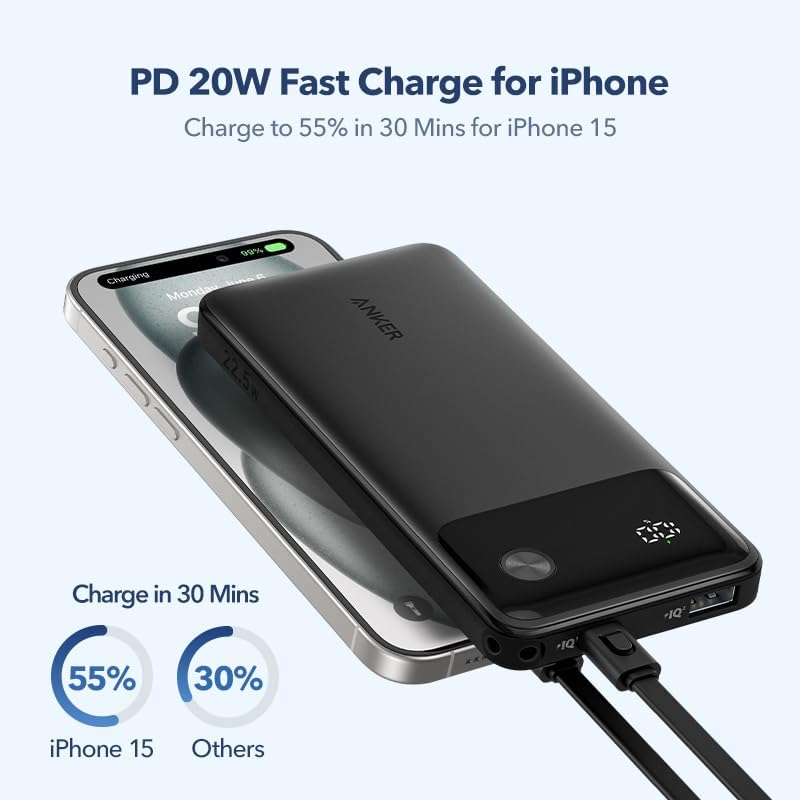
Image: A graphic demonstrating PD 20W fast charging for iPhone, showing an iPhone 15 charging to 55% in 30 minutes using the Anker Power Bank.
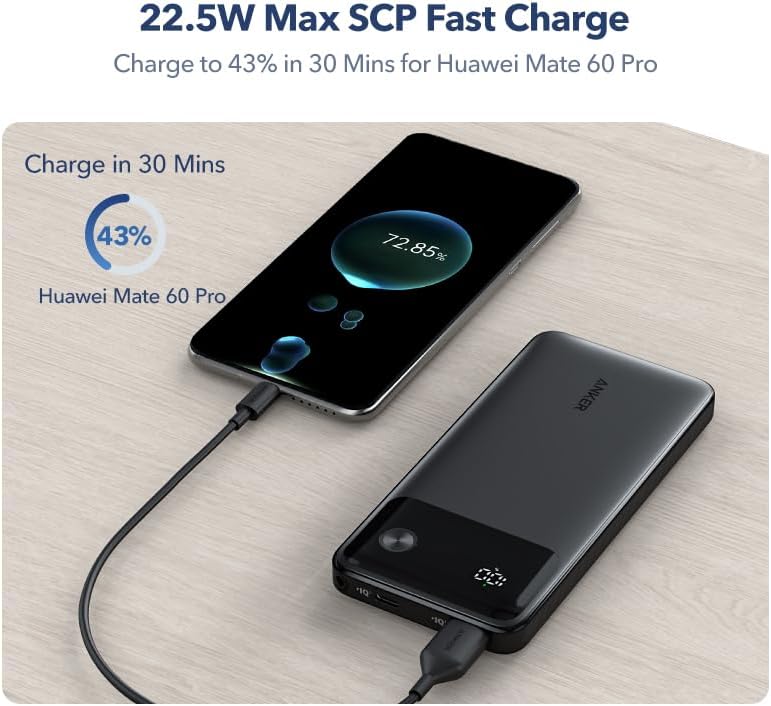
Image: A graphic illustrating 22.5W Max SCP fast charging, showing a Huawei Mate 60 Pro charging to 43% in 30 minutes using the Anker Power Bank.
Simultaneous Charging
You can charge two devices concurrently using the USB-A and USB-C output ports.

Image: A graphic showing the Anker Power Bank simultaneously charging a smartphone and a tablet. The image highlights the USB-A output (22.5W) and USB-C input/output (20W) ports.
Trickle-Charging Mode
For low-power devices such as earbuds or smartwatches, activate trickle-charging mode to prevent overcharging and ensure stable power delivery.
- Press and hold the power button for 2 seconds to enter trickle-charging mode. The LED display will show a specific indicator (e.g., a green light or a slow-blinking number, refer to product for exact indicator).
- Connect your low-power device.
- To exit trickle-charging mode, press the power button once.
Checking Battery Level
Press the power button once to view the remaining battery percentage on the LED digital display.
Safety Information
Observe the following safety precautions to prevent injury or damage to your device:
- Do not expose the power bank to extreme temperatures (hot or cold), direct sunlight, or humid environments.
- Avoid dropping, puncturing, or disassembling the device.
- Keep out of reach of children.
- Use only original or certified cables for charging and recharging.
- Do not use if the power bank is damaged or swollen.
- Dispose of the power bank according to local regulations.
- The power bank complies with airplane standards for carry-on luggage.

Image: A graphic showing the Anker Power Bank in an airplane cabin setting, with the text "Allow on Board" and "Comply with airplane standards", indicating its suitability for air travel.
Maintenance
- Cleaning: Use a soft, dry cloth to clean the surface of the power bank. Do not use liquid cleaners or aerosols.
- Storage: Store the power bank in a cool, dry place away from direct sunlight and corrosive materials. For long-term storage, it is recommended to charge the power bank to approximately 50-75% every 3-6 months.
Troubleshooting
- Power bank not charging devices:
- Ensure the power bank is sufficiently charged.
- Press the power button to activate output.
- Check if the charging cable is securely connected to both the power bank and the device.
- Try a different charging cable or port.
- Power bank not recharging:
- Ensure the charging cable is securely connected to the power bank's USB-C input port and the wall charger.
- Verify that the wall charger is functioning correctly and connected to a power source.
- Try a different USB-C cable or wall charger.
- Slow charging:
- Ensure you are using a fast-charging compatible cable and wall adapter for optimal speed.
- Charging multiple devices simultaneously may reduce individual charging speeds.
Specifications
| Model Number | A1388 |
| Battery Capacity | 10,000mAh |
| USB-C Input | 20W Max |
| USB-C Output | 20W Max |
| USB-A Output | 22.5W Max |
| Total Output | 22.5W Max |
| Dimensions | 11.43 x 7.11 x 3.05 cm |
| Weight | 273 g |
| Special Features | Digital Display, Over Charging Protection, Fast Charging, Built-In Cable |
| Connector Type | USB Type A, USB Type C |

Image: A graphic illustrating the universal compatibility of the Anker Power Bank with various devices, including iPhone series, Xiaomi, Huawei, vivo, oppo, Samsung phones, iPad series, Macbook series, Airpods, speakers, and smartwatches.
Warranty and Customer Support
Anker provides a limited warranty for this product. For detailed warranty information, please refer to the warranty card included with your purchase or visit the official Anker website. If you encounter any issues or have questions regarding your Anker Power Bank, please contact Anker customer support for assistance.
You can typically find contact information for customer support on the Anker website or through the retailer where you purchased the product.


