
Introduction
Thank you for choosing the AWEI T61 Wireless Earbuds. These earbuds are designed to provide a high-quality audio experience with advanced features such as Bluetooth 5.3 connectivity, AI call noise reduction, and IPX5 water resistance. This manual will guide you through the setup, operation, and maintenance of your new earbuds to ensure optimal performance.
Package Contents
Please check the package for the following items:
- Wireless Bluetooth Headset (Earbuds)
- Wireless Bluetooth Headset Charging Case
- USB-C Charging Cable
- User Instructions (This Manual)
Product Overview
The AWEI T61 Wireless Earbuds are equipped with several features for an enhanced listening experience.
Key Features:
- High-Resolution Audio: Features 13mm dynamic speakers for immersive sound.
- AI Call Noise Reduction (ENC): Enhances call clarity by reducing environmental noise.
- Bluetooth 5.3 Technology: Provides stable and fast wireless connection with low latency.
- Extended Battery Life: Up to 6 hours of playback per charge, with the charging case extending total playback to 30 hours (dual-ear mode) or 60 hours (single-ear mode).
- Smart Touch Control: Intuitive touch controls for managing music, calls, and volume.
- IPX5 Waterproof Design: Resistant to sweat and light rain, suitable for various activities.
Components:
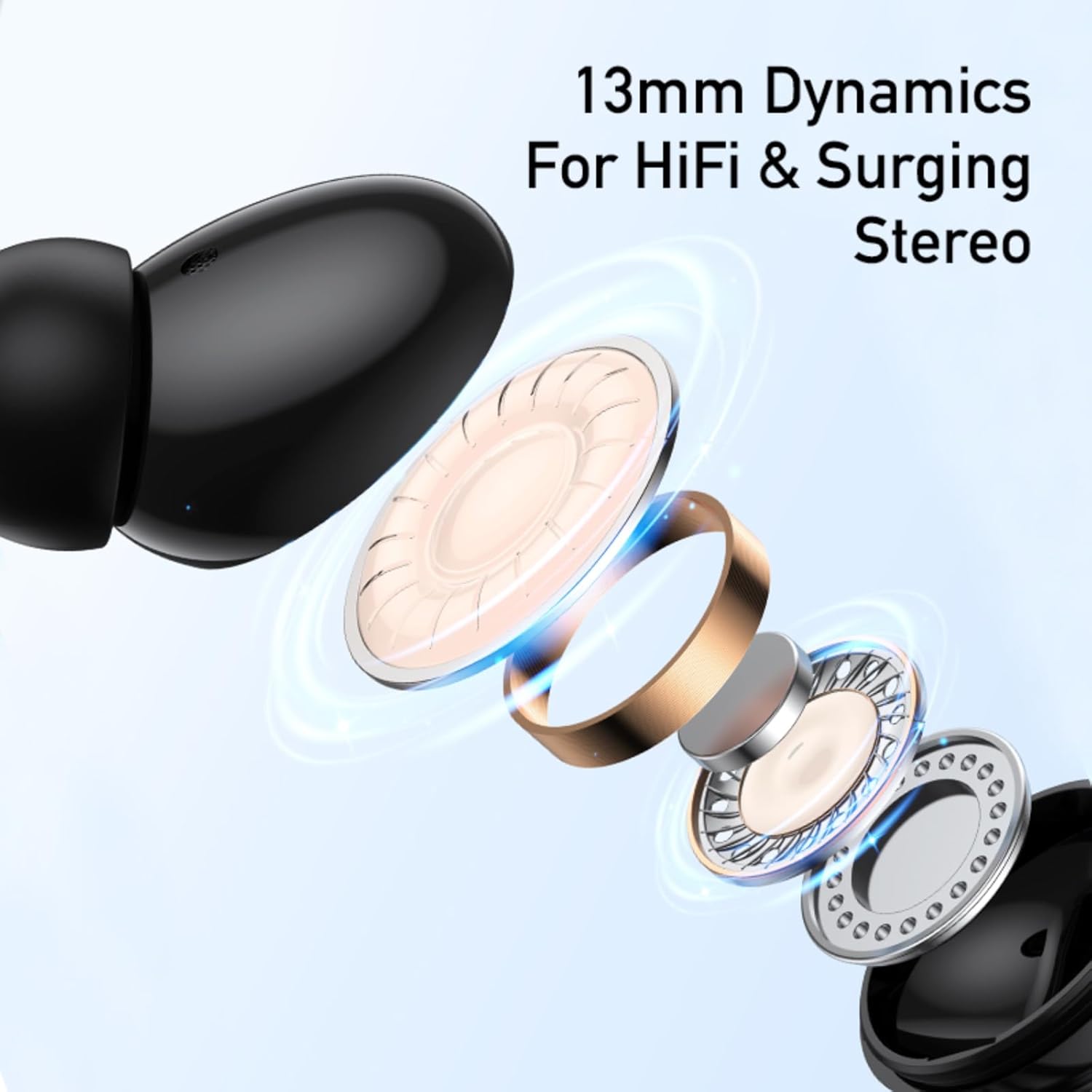
Figure 1: Internal structure of an AWEI T61 earbud, highlighting the 13mm dynamic speaker for high-fidelity audio.
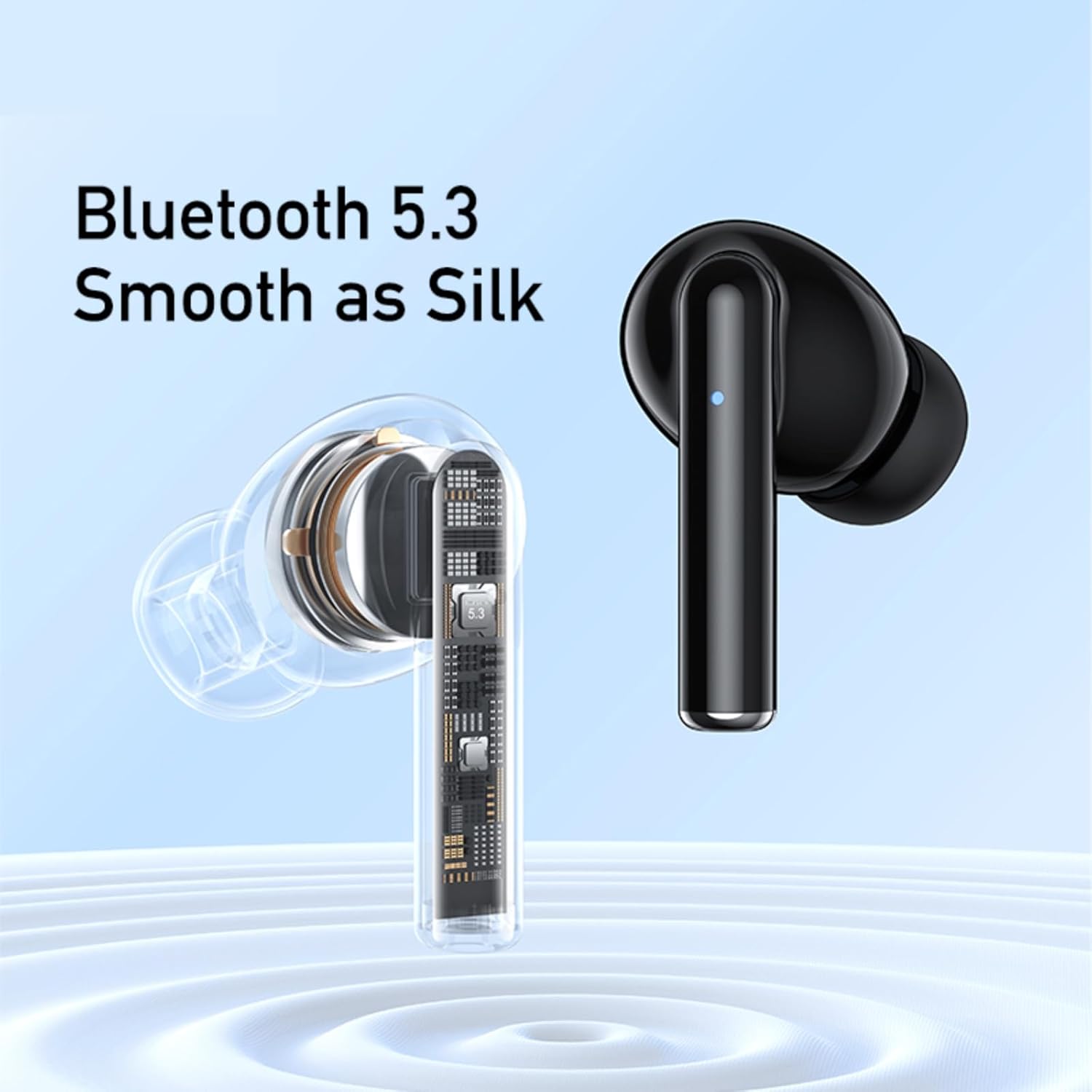
Figure 2: AWEI T61 earbuds showcasing the integrated Bluetooth 5.3 chipset for stable and smooth wireless communication.
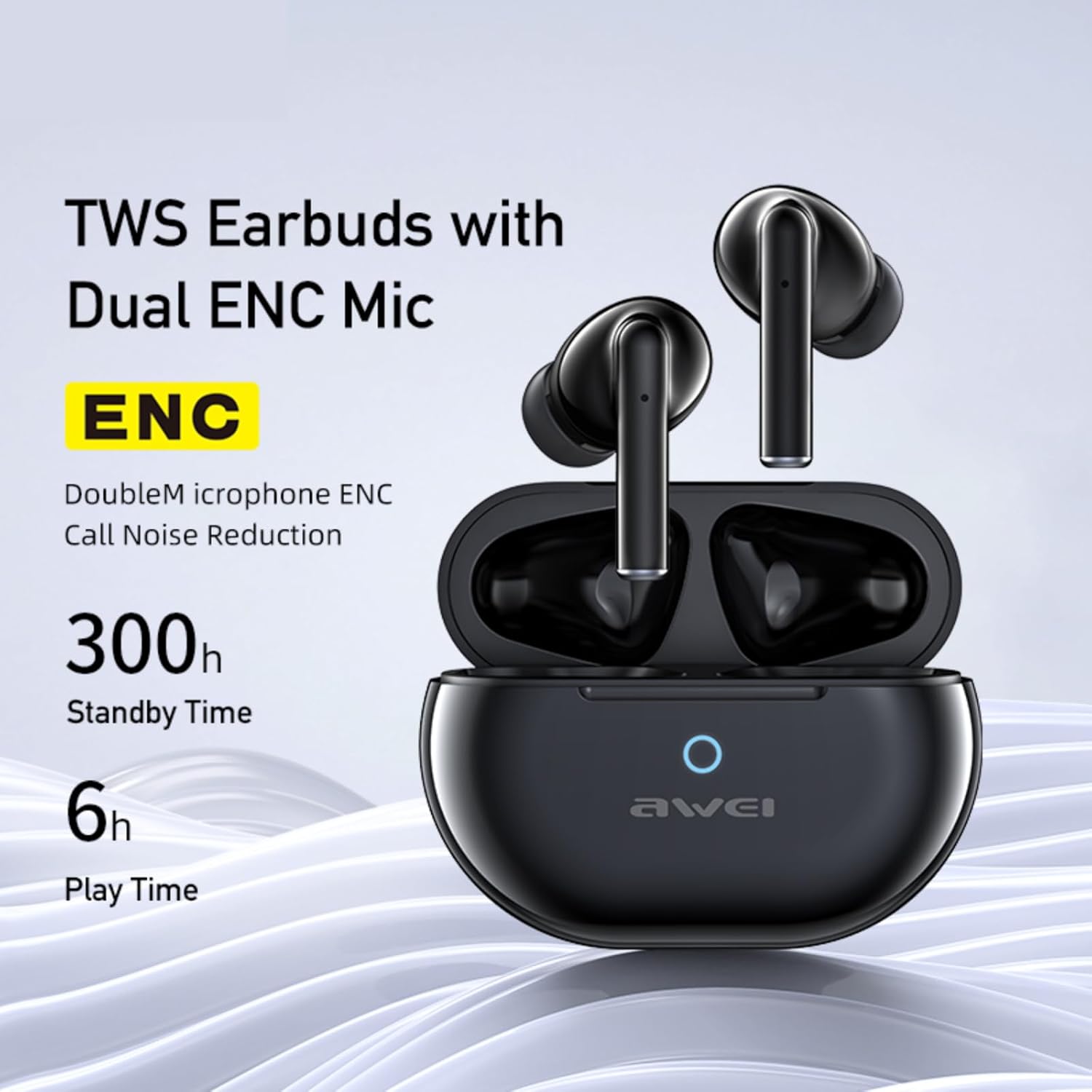
Figure 3: AWEI T61 earbuds in their charging case, indicating Dual ENC Microphones for call noise reduction, 300 hours standby time, and 6 hours play time per charge.

Figure 4: Illustration of ENC (Environmental Noise Cancellation) technology, demonstrating how background noise is reduced for clearer voice calls.
Setup
1. Charging the Earbuds and Case
Before first use, fully charge the earbuds and the charging case. The charging case has a 300mAh battery capacity.
- Connect the provided USB-C charging cable to the charging port on the case and to a power source.
- The charging case will indicate its charging status (e.g., LED indicator).
- A full charge for the case takes approximately 1 hour.
- Place the earbuds into the charging case. They will begin charging automatically.

Figure 5: The AWEI T61 charging case and earbuds, illustrating battery performance with 6 hours play time, 5 hours talk time, 300 hours standby, and 300mAh battery capacity.
2. Pairing with a Device
The earbuds support automatic pairing and are compatible with various Bluetooth-enabled devices.
- Ensure the earbuds are charged.
- Open the lid of the charging case. The earbuds will automatically enter pairing mode.
- On your device (smartphone, PC, tablet, laptop, TV), go to Bluetooth settings and turn Bluetooth on.
- Search for available devices and select "AWEI T61" from the list.
- Once connected, you will hear a confirmation tone, and the earbuds will be ready for use.
- The earbuds will automatically reconnect to the last paired device when taken out of the case, if Bluetooth is enabled on the device.

Figure 6: The AWEI T61 earbuds automatically connecting to a smartphone when the charging case lid is opened.
Operating Instructions
The AWEI T61 earbuds feature smart touch controls for easy management of audio and calls.
Touch Control Functions:
| Action | Function |
|---|---|
| Single Tap (Left/Right Earbud) | Play/Pause Music, Answer/End Call |
| Double Tap (Right Earbud) | Next Song |
| Double Tap (Left Earbud) | Previous Song |
| Triple Tap (Right Earbud) | Volume Up |
| Triple Tap (Left Earbud) | Volume Down |
| Long Press (2 seconds) | Reject Call, Activate Voice Assistant |
Note: Specific functions may vary slightly depending on your connected device and operating system.
Maintenance
Proper care will extend the lifespan of your AWEI T61 Wireless Earbuds.
- Cleaning: Regularly clean the earbuds, especially the ear tips and charging contacts, with a soft, dry, lint-free cloth. Do not use harsh chemicals or abrasive materials.
- Water Resistance: The earbuds are IPX5 waterproof, meaning they are resistant to splashes and sweat. Do not submerge them in water or expose them to heavy rain. Ensure they are dry before placing them back in the charging case.
- Storage: When not in use, store the earbuds in their charging case to protect them from dust and damage. Store in a cool, dry place away from extreme temperatures.
- Battery Care: To maintain battery health, avoid fully discharging the earbuds and charging case frequently. Charge them regularly, even if not in constant use.
Troubleshooting
If you encounter issues with your earbuds, refer to the following common solutions:
- Earbuds not pairing/connecting:
- Ensure both earbuds are charged.
- Turn off and on Bluetooth on your device.
- Delete "AWEI T61" from your device's Bluetooth list and try pairing again.
- Place earbuds back in the case, close the lid, wait a few seconds, then open the lid to re-initiate pairing mode.
- Ensure your device is within the 10-meter Bluetooth range.
- No sound or low volume:
- Check the volume level on both your device and the earbuds (using touch controls).
- Ensure the earbuds are properly seated in your ears.
- Reconnect the earbuds to your device.
- Clean any debris from the earbud speakers.
- Earbuds not charging:
- Ensure the charging cable is securely connected to both the case and the power source.
- Verify the power source is active.
- Clean the charging contacts on both the earbuds and inside the charging case.
- Try a different USB-C cable or power adapter.
- Call quality issues:
- Ensure the microphones are not obstructed.
- Move to a quieter environment to benefit from AI call noise reduction.
- Check your device's call settings.
Specifications
| Feature | Detail |
|---|---|
| Model Name | T61 |
| Brand | Awei |
| Connectivity Technology | Wireless (Bluetooth) |
| Bluetooth Version | 5.3 |
| Bluetooth Range | Up to 10 meters |
| Ear Placement | In Ear |
| Audio Driver Type | Dynamic Driver (13mm) |
| Control Type | Touch Control |
| Noise Cancellation | AI Call Noise Reduction (ENC) |
| Water Resistance Level | IPX5 (Waterproof) |
| Battery Life (Earbuds) | Up to 6 hours (per charge) |
| Battery Life (with Charging Case) | Up to 30 hours (dual-ear mode), 60 hours (single-ear mode) |
| Charging Case Battery Capacity | 300mAh |
| Battery Charge Time | Approximately 1 hour (charging case) |
| Charging Port | USB-C |
| Compatible Devices | Smartphones, PC, Tablets, Laptops, TV |
| Material | Silicone (ear tips) |
| Item Weight | 0.15 Kilograms |
| Country of Origin | China |
Warranty and Support
The AWEI T61 Wireless Earbuds come with a 1-Year Warranty from the date of purchase. This warranty covers manufacturing defects and material faults under normal use.
For warranty claims, technical support, or further assistance, please contact your retailer or the AWEI customer service department with your proof of purchase.