
1. Introduction
Thank you for choosing the Redkey P9 Cordless Vacuum Cleaner. This manual provides essential information for the safe and efficient operation, maintenance, and troubleshooting of your new appliance. Please read it thoroughly before first use and keep it for future reference.
The Redkey P9 is designed for powerful and convenient cleaning, featuring a high-speed 400W brushless motor, up to 30 kPa suction power, and a multi-layer filtration system to ensure a clean home environment.
2. Safety Instructions
To reduce the risk of fire, electric shock, or injury, always follow basic safety precautions when using an electrical appliance.
- This appliance is for household use only. Do not use outdoors or on wet surfaces.
- Do not allow children to operate the vacuum cleaner. Close supervision is necessary when used near children.
- Use only as described in this manual. Use only manufacturer's recommended attachments.
- Do not handle the charger or appliance with wet hands.
- Do not vacuum liquids, burning or smoking materials (e.g., hot ashes, cigarettes), or sharp objects.
- Keep hair, loose clothing, fingers, and all parts of the body away from openings and moving parts.
- Turn off all controls before unplugging.
- Use only the charger supplied by the manufacturer to recharge.
- Do not use with a damaged cord or plug. If the appliance is not working as it should, has been dropped, damaged, left outdoors, or dropped into water, return it to a service center.
- Do not modify or attempt to repair the appliance or battery pack.
3. Product Overview
Familiarize yourself with the components of your Redkey P9 Cordless Vacuum Cleaner.
Figure 3.1: Main unit of the Redkey P9 Cordless Vacuum Cleaner with various attachments. This image shows the handheld vacuum, extension wand, floor brush, and other cleaning tools.
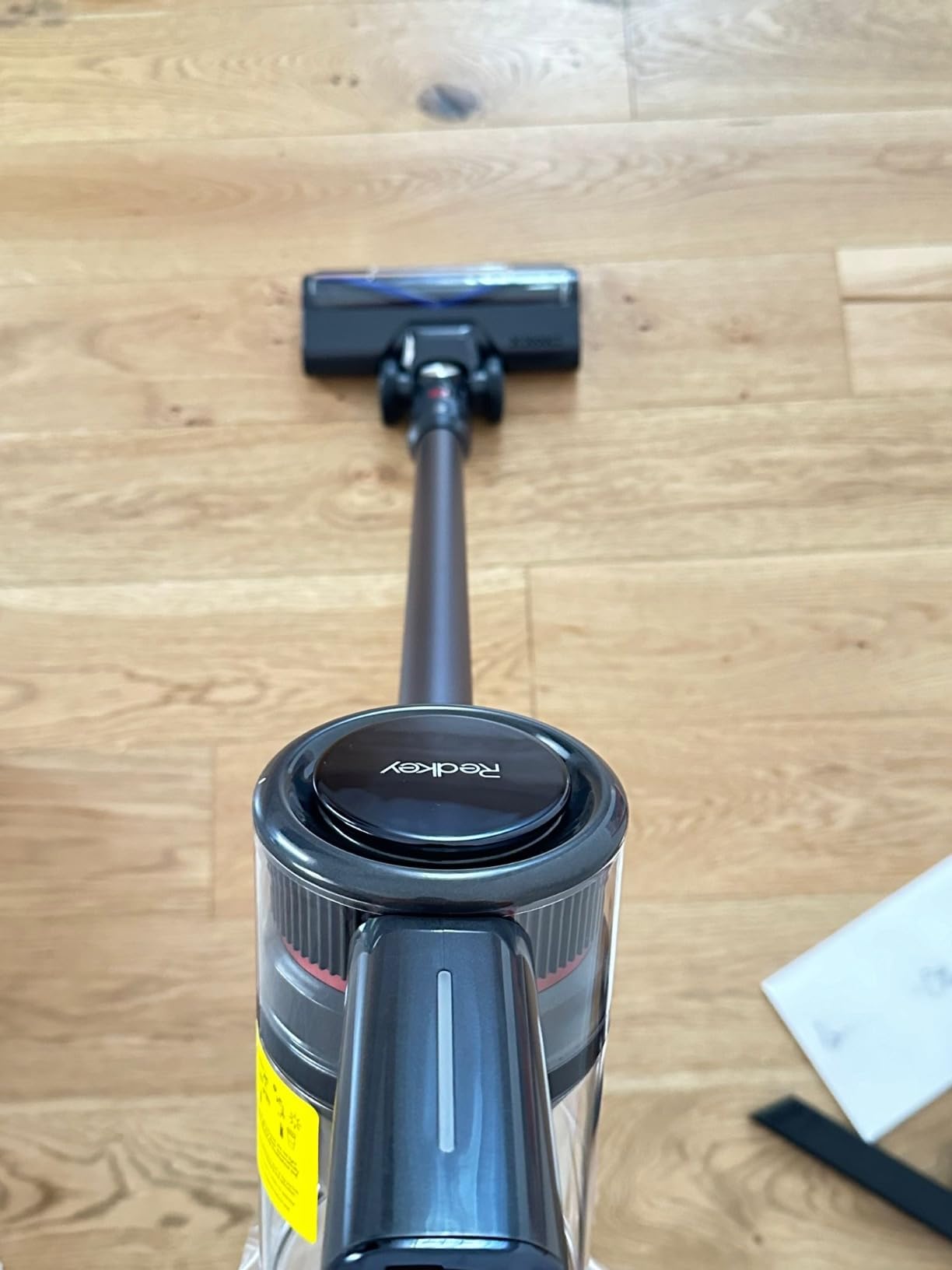
Figure 3.2: The Redkey P9 Cordless Vacuum Cleaner in operation, highlighting the flexible LED floor brush. The LED lights illuminate dark areas for thorough cleaning.
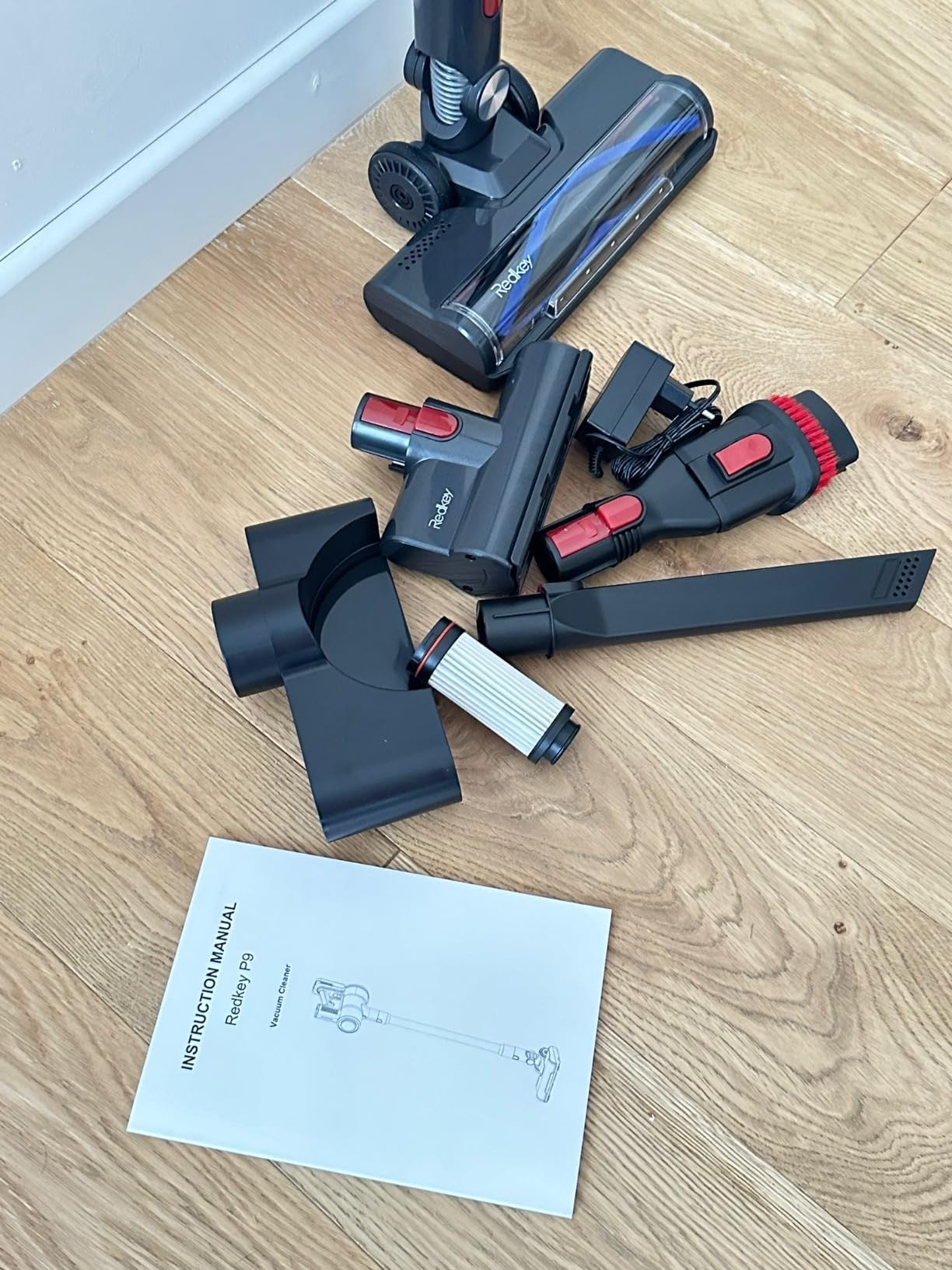
Figure 3.3: Close-up view of the Redkey P9 Cordless Vacuum Cleaner, illustrating the removable battery and charging port. The battery can be charged independently or while attached to the vacuum.
3.1. Main Components
- Main Unit: Contains the motor, dustbin, and control panel.
- Removable Battery: 2600 mAh Lithium-polymer battery.
- Extension Wand: Connects the main unit to the floor brush or other attachments.
- LED Floor Brush: Motorized brush with LED lights for effective cleaning on various floor types.
- Crevice Tool: For narrow gaps and corners.
- 2-in-1 Brush: For upholstery and delicate surfaces.
- Wall Mount: For convenient storage and charging.
- Charger: Power adapter for charging the battery.
4. Setup
4.1. Assembly
- Attach the Extension Wand: Insert the top end of the extension wand into the main unit until it clicks securely.
- Attach the Floor Brush: Insert the bottom end of the extension wand into the LED floor brush until it clicks securely.
- Install Other Attachments: For handheld use, attach the desired nozzle (crevice tool, 2-in-1 brush) directly to the main unit or the extension wand.
4.2. Charging the Battery
Before first use, fully charge the battery. The battery can be charged while attached to the main unit or separately.
- Connect the charger to a power outlet (220V).
- Connect the charger plug to the charging port on the battery.
- The battery indicator lights will show the charging status. Once all lights are solid, the battery is fully charged.
- A full charge typically takes approximately 4-5 hours.
5. Operation
5.1. Power On/Off
- Press the power button once to turn on the vacuum cleaner. It will start in the default suction mode.
- Press the power button again to turn off the vacuum cleaner.
5.2. Suction Modes
The Redkey P9 offers three suction levels to suit different cleaning needs:
- Low (15,000 Pa): Ideal for light dust and debris. Provides approximately 60 minutes of runtime.
- Medium (20,000 Pa): Suitable for everyday cleaning and moderate dirt. Provides approximately 25 minutes of runtime.
- High (30,000 Pa): For deep cleaning, pet hair, and stubborn dirt. Provides approximately 15 minutes of runtime.
Press the mode button (usually indicated by a fan icon or 'M') to cycle through the suction levels.
5.3. Using Attachments
- LED Floor Brush: Use for general floor cleaning. The integrated LED lights help illuminate dust in dark areas. The brush head can swivel 180 degrees horizontally and 90 degrees vertically for easy maneuverability under furniture.
- Crevice Tool: Attach directly to the main unit or extension wand for cleaning tight spaces, corners, and edges.
- 2-in-1 Brush: Use the brush mode for delicate surfaces like keyboards or curtains, and the nozzle mode for upholstery or car interiors.
6. Maintenance
Regular maintenance ensures optimal performance and extends the lifespan of your vacuum cleaner.
6.1. Emptying the Dustbin
- Ensure the vacuum cleaner is turned off.
- Locate the dustbin release button (usually near the dustbin).
- Press the button to open the dustbin flap and empty contents into a trash can.
- Close the dustbin flap securely until it clicks.
6.2. Cleaning the Filters
The Redkey P9 features a 5-layer precision filter system, including a washable HEPA filter. Clean filters regularly to maintain suction power.
- Turn off the vacuum cleaner and remove the dustbin.
- Twist and pull out the filter components (metal filter, sponge filter, HEPA filter).
- Tap off loose dust from all filter components.
- Rinse the washable filters (sponge and HEPA) under cold running water until the water runs clear. Do not use detergent.
- Allow all filter components to air dry completely for at least 24 hours before reassembling. Do not expose to direct sunlight or heat.
- Reassemble the filters in reverse order and reattach the dustbin to the main unit.
6.3. Cleaning the Brush Roll
Periodically check the brush roll for tangled hair or debris.
- Turn off the vacuum cleaner and detach the floor brush.
- Locate the brush roll release mechanism (usually a latch or screw on the side of the brush head).
- Remove the brush roll.
- Use scissors or a cleaning tool to cut and remove any tangled hair or fibers.
- Wipe the brush roll and its housing with a dry cloth.
- Reinsert the brush roll and secure the release mechanism.
7. Troubleshooting
If you encounter issues, refer to the following common problems and solutions.
| Problem | Possible Cause | Solution |
|---|---|---|
| Vacuum does not turn on. | Battery is not charged or not properly installed. | Charge the battery fully. Ensure the battery is securely clicked into place. |
| Weak suction power. | Dustbin is full. Filters are clogged. Blockage in the nozzle, wand, or brush head. | Empty the dustbin. Clean all filters thoroughly. Check for and remove any blockages. |
| Brush roll not spinning. | Hair or debris tangled in the brush roll. Brush head is not properly attached. | Clean the brush roll of any obstructions. Ensure the brush head is securely connected to the wand. |
| Vacuum stops during operation. | Battery is depleted. Overheating protection activated. | Recharge the battery. Turn off the vacuum and allow it to cool down for at least 30 minutes before resuming use. Check for blockages. |
If the problem persists after trying these solutions, please contact customer support.
8. Specifications
| Feature | Specification |
|---|---|
| Model | Redkey P9 |
| Rated Power | 400 Watts |
| Voltage | 220 Volts |
| Suction Power | Up to 30 kPa |
| Dustbin Capacity | 1.2 Liters |
| Battery Type | 2600 mAh Lithium-polymer |
| Runtime (Low/Medium/High) | 60 / 25 / 15 minutes |
| Noise Level | 65 Decibels |
| Filtration System | 5-layer, including washable HEPA |
| Product Dimensions (L x W x H) | 12.45 x 41.91 x 12.45 cm |
| Item Weight | 2 Kilograms |
| Material | Plastic |
9. Warranty and Support
The Redkey P9 Cordless Vacuum Cleaner comes with a two-year warranty from the date of purchase. This warranty covers manufacturing defects and material faults under normal use.
For any issues, questions, or assistance, please do not hesitate to contact our customer support team. We aim to respond to your inquiries within 24 hours.
Customer Service Email: redkeyservice@163.com


