
1. Introduction and Safety Warnings
Thank you for choosing the Fafrees F20 Pro Electric Folding Bicycle. This manual provides essential information for the safe operation, assembly, maintenance, and troubleshooting of your e-bike. Please read it thoroughly before your first ride and keep it for future reference.
1.1 General Safety Guidelines
- Always wear a helmet and appropriate safety gear when riding.
- Familiarize yourself with local traffic laws and regulations regarding electric bicycles.
- Perform a pre-ride inspection before each use, checking brakes, tires, battery, and all connections.
- Do not ride under the influence of alcohol or drugs.
- Avoid riding in adverse weather conditions, such as heavy rain or snow, which can reduce visibility and traction.
- Ensure the battery is securely locked in place before riding.
- Do not modify the e-bike's electrical system or components.
2. Product Overview
The Fafrees F20 Pro is a 20-inch electric folding fat bike designed for versatile riding. It features a robust aluminum alloy frame, a powerful 250W motor, and a long-lasting 36V 18Ah battery, offering both pedal-assist and full electric modes. Its foldable design ensures easy transport and storage.
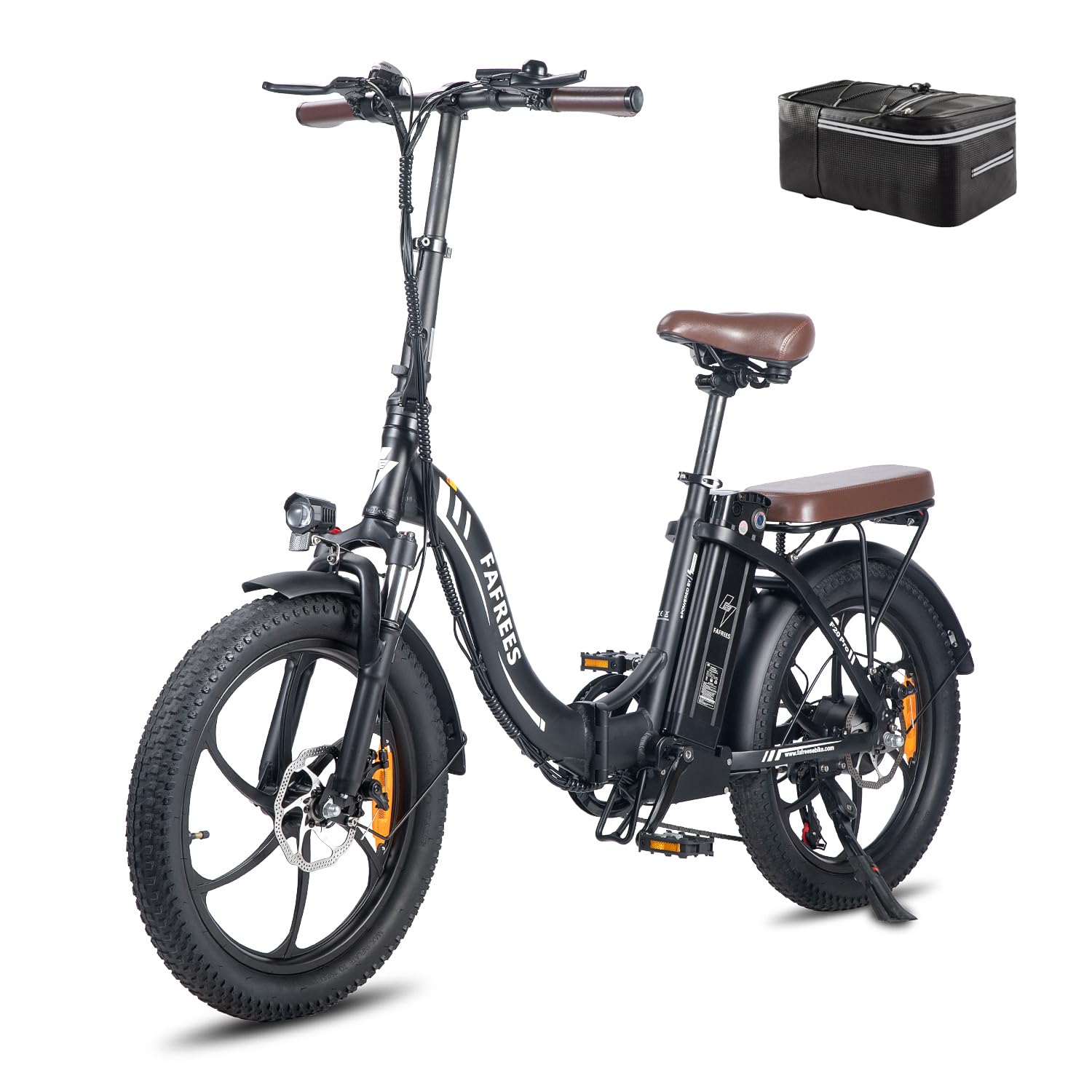
Figure 2.1: Fafrees F20 Pro Electric Folding Bicycle in black.
2.1 Key Components
- Frame: Aluminum alloy, foldable design.
- Motor: 250W brushless rear hub motor.
- Battery: 36V 18Ah lithium-ion battery, removable for charging.
- Tires: 20 x 3.0 inch fat tires for enhanced grip and comfort.
- Brakes: Front and rear mechanical disc brakes.
- Suspension: Front oil-damped suspension fork with lockout.
- Gears: Shimano 7-speed transmission.
- Display: LCD intelligent color display showing speed, battery level, PAS level, and distance.
- Lights: Integrated front headlight and rear brake light.

Figure 2.2: The 36V 18Ah lithium-ion battery, providing extended range.

Figure 2.3: Detail of the 250W brushless rear hub motor and 7-speed Shimano gears.

Figure 2.4: Intelligent LCD color display and handlebar controls, including bell, gear shifter, brake levers, and thumb throttle.
3. Setup and Assembly
Your Fafrees F20 Pro comes mostly pre-assembled. Follow these steps to complete the setup:
3.1 Unfolding the Bicycle
- Place the folded bicycle on a stable surface.
- Release the frame folding latch and carefully unfold the main frame until it locks into place. Ensure the safety clasp is engaged.
- Raise the handlebar stem and secure it with the quick-release lever. Adjust the handlebar height to your preference and tighten.
- Unfold the pedals.

Figure 3.1: The F20 Pro's folding handlebar, frame, and pedals for easy transport.
3.2 Installing Pedals
Identify the left (L) and right (R) pedals. The left pedal screws counter-clockwise, and the right pedal screws clockwise. Apply a small amount of grease to the threads and tighten them securely with a wrench.
3.3 Adjusting Saddle Height
Adjust the saddle height using the quick-release lever on the seat post. Ensure your feet can comfortably touch the ground when stopped, and your leg has a slight bend at the knee when the pedal is at its lowest point during riding. Secure the quick-release lever firmly.
3.4 Charging the Battery
Before your first ride, fully charge the battery. Connect the charger to the battery charging port and then to a power outlet. The indicator light on the charger will change when fully charged (typically 7-8 hours).
4. Operating Instructions
4.1 Powering On/Off
Press and hold the power button on the LCD display to turn the e-bike on or off.
4.2 Understanding the Display
The LCD display shows crucial information:
- Battery Level: Indicates remaining battery charge.
- Speed: Current riding speed.
- PAS Level: Shows the current pedal-assist level (0-5).
- Distance: Trip distance or total odometer.

Figure 4.1: Multifunction display showing speed, battery, and PAS level.
4.3 Riding Modes
The F20 Pro offers three riding modes:
- Pedal Assist Mode (PAS): The motor provides assistance as you pedal. Use the '+' and '-' buttons on the display to adjust the assist level (typically 1-5). Higher levels provide more assistance. Range: 120-150 km.
- Full Electric Mode: Use the thumb throttle to engage the motor without pedaling. Range: 70-90 km.
- Manual Mode: Ride the bicycle like a traditional bike without any motor assistance.
4.4 Gear Shifting
Use the Shimano 7-speed shifter on the right handlebar to change gears. Shift to lower gears for climbing hills and higher gears for flat terrain or downhill riding.
4.5 Braking
The F20 Pro is equipped with front and rear mechanical disc brakes. Squeeze the brake levers on the handlebars to slow down or stop. The brake levers also feature a power cut-off function, which disengages the motor when applied for added safety.

Figure 4.2: Front disc brake system, highlighting the brake lever with power cut-off function.

Figure 4.3: Illustration of the front and rear disc brake system for reliable stopping power.
5. Maintenance
Regular maintenance ensures the longevity and safe operation of your Fafrees F20 Pro.
5.1 Battery Care
- Charge the battery regularly, even if not in use, to maintain its health.
- Avoid completely draining the battery.
- Store the battery in a cool, dry place, away from direct sunlight and extreme temperatures.
- Do not expose the battery to water or moisture. The waterproof wiring connector helps protect against rain, but avoid submerging the bike.
5.2 Tire Maintenance
- Check tire pressure before each ride. Maintain pressure within the recommended range (usually indicated on the tire sidewall).
- Inspect tires for wear, cuts, or punctures.
5.3 Brake System
- Regularly check brake pads for wear and replace them when necessary.
- Ensure brake levers are responsive and provide adequate stopping power. Adjust brake cable tension if needed.
5.4 Chain and Gears
- Keep the chain clean and lubricated to ensure smooth gear changes and prevent rust.
- Check gear shifting for proper function and adjust the derailleur if gears are skipping or not shifting smoothly.
5.5 General Inspection
- Periodically check all bolts and fasteners for tightness.
- Clean the bicycle regularly with a damp cloth. Avoid using high-pressure washers directly on electrical components.
- Inspect the suspension fork for proper function and adjust preload or lockout as desired.
6. Troubleshooting
This section addresses common issues you might encounter with your Fafrees F20 Pro.
6.1 No Power to Display/Motor
- Ensure the battery is fully charged and properly inserted into its compartment.
- Check that the battery is locked in place with the key.
- Verify all electrical connections are secure, especially the main power cable from the battery.
- Press and hold the power button on the display for a few seconds to turn it on.
6.2 Motor Not Assisting
- Check the PAS level on the display. Ensure it is set to a level greater than 0.
- Ensure the brake levers are not partially engaged, as this will cut power to the motor.
- If using the throttle, ensure it is fully engaged.
- Check for any error codes on the LCD display and refer to the full user manual for specific code meanings.
6.3 Brakes Not Effective
- Inspect brake pads for wear. Replace if worn out.
- Check brake cable tension. Adjust if too loose.
- Ensure brake calipers are properly aligned with the disc rotors.
6.4 Unusual Noises
- Check for loose components, such as fenders, racks, or bolts.
- Inspect the chain and gears for proper lubrication and alignment.
- If noises persist or seem to come from the motor or internal components, contact customer support.
7. Specifications

Figure 7.1: F20 Pro parameter table.
| Feature | Specification |
|---|---|
| Brand | Fafrees |
| Model | F20 Pro |
| Bike Type | Electric Bicycle, Folding |
| Age Range | Adults |
| Frame Material | Aluminum Alloy |
| Wheel Size | 20 Inches |
| Tire Width | 3.0 Inches (Fat Tires) |
| Motor Power | 250W (Brushless Rear Hub) |
| Battery | 36V 18Ah Lithium-ion |
| Max Speed | 25 km/h |
| Electric Mode Range | 70-90 km |
| Pedal Assist Mode Range | 120-150 km |
| Charging Time | 7-8 Hours |
| Number of Speeds | 7 (Shimano Transmission) |
| Braking System | Mechanical Disc Brakes |
| Suspension Type | Front Suspension (Oil-damped) |
| Special Features | Foldable, Portable |
| Item Weight | 25.5 Kilograms |
| Included Components | Electric Bicycle, Charger, Tool, Pedals, User Manual |
8. Warranty and Support
Fafrees is committed to providing quality products and customer satisfaction. If you have any questions or concerns regarding your Fafrees F20 Pro electric bicycle, please do not hesitate to contact our professional customer service team.
- Customer Service: We aim to provide a satisfactory response within 24 hours for all inquiries.
- Returns: This product is returnable within 30 days of receipt. Please refer to your purchase platform's return policy for detailed instructions.
- Warranty: For specific warranty terms and conditions, please consult the documentation provided with your purchase or contact Fafrees customer support directly.


