
1. Introduction
Thank you for choosing the Baseus Turbo 20W GaN5 USB-C Charger. This compact and powerful charger is designed to provide rapid and efficient charging for a wide range of devices, including iPhones, Android smartphones, and tablets. Utilizing advanced GaN5 technology, it offers superior performance in a smaller form factor. Please read this manual carefully before using the product to ensure safe and optimal operation.
2. Safety Information
- Do not expose the charger to water, moisture, or extreme temperatures.
- Avoid dropping or subjecting the charger to strong impacts.
- Do not attempt to disassemble, repair, or modify the charger. This will void the warranty and may cause damage or injury.
- Keep out of reach of children.
- Ensure the power outlet voltage is compatible with the charger's input specifications (100-240V).
- Unplug the charger during lightning storms or when unused for extended periods.
- Use only compatible charging cables.
3. Package Contents
Please check the package for the following items:
- Baseus Turbo 20W GaN5 USB-C Charger (Black)
- User Manual

The retail packaging for the Baseus GaN5 Fast Charger, indicating its 20W power output and compatibility with EU plugs.
4. Setup
Setting up your Baseus charger is straightforward:
- Unpack the charger from its packaging.
- Insert the charger into a standard wall power outlet (100-240V).
- Connect a compatible USB-C charging cable to the charger's USB-C port.
- Connect the other end of the charging cable to your device.
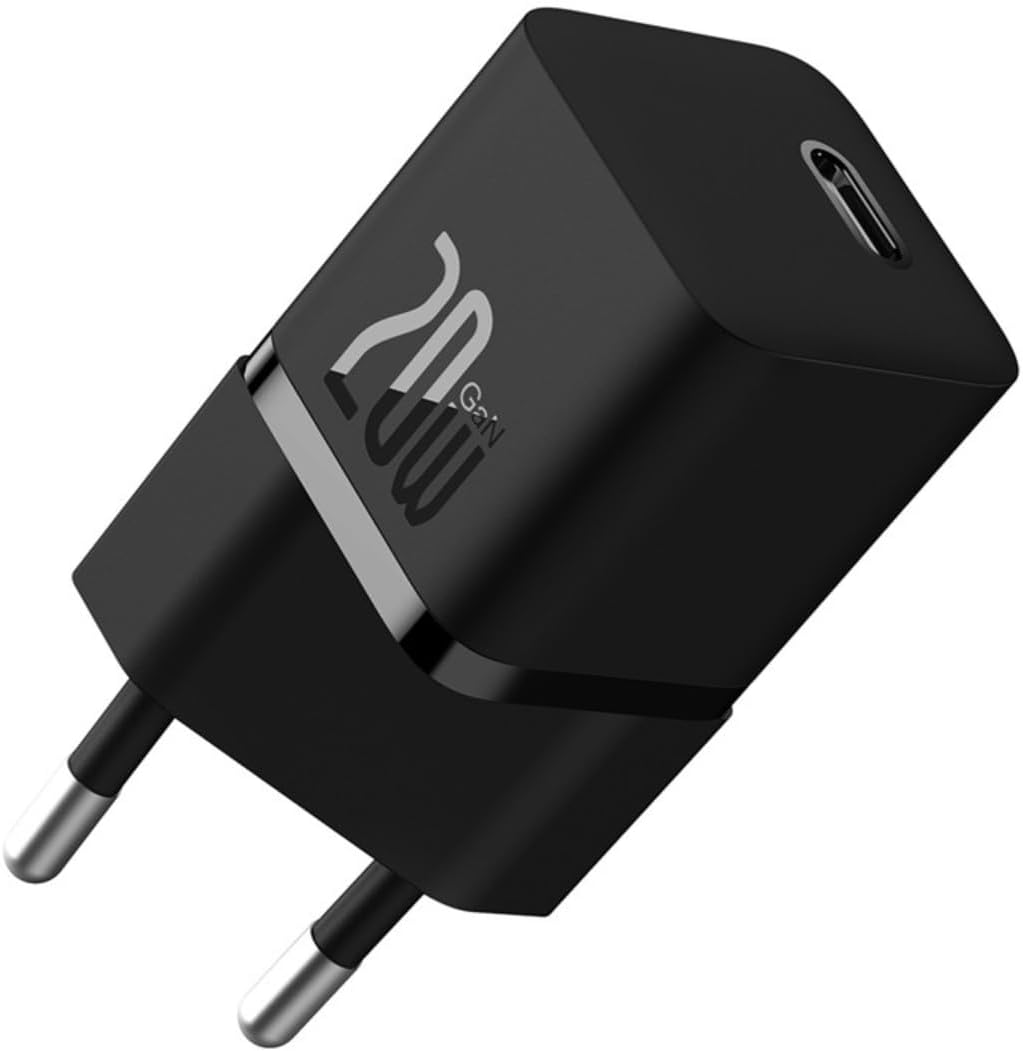
A compact black Baseus Turbo 20W GaN5 USB-C charger with a single USB-C port, designed for efficient power delivery.
5. Operating Instructions
Once connected, the charger will automatically begin charging your device. The intelligent power delivery system will optimize the charging speed based on your device's requirements.
- Fast Charging: For optimal fast charging, ensure your device and charging cable support USB Power Delivery (PD) 3.0 or Quick Charge (QC) 3.0 protocols.
- Temperature Control: The built-in BCT (Baseus Cooling Technology) helps maintain a low operating temperature, even during high-speed charging, ensuring safety and longevity for both the charger and your device.

The charger connected to a smartphone, demonstrating its ability to charge a device to 50% in approximately 26 minutes, highlighting its superior charging efficiency for new Apple phones.
6. Key Features
- 20W GaN5 Mini Fast Charging: Delivers a maximum output of 20W, significantly reducing charging times. For example, an iPhone 15 can charge from 0% to 59% in just 30 minutes.
- Certified USB-C PD 3.0: Supports multiple fast charging protocols including QC3.0, PD3.0, and PPS, ensuring efficient and reliable charging for a wide range of mobile phones and tablets.
- Efficient Cooling Technology: Equipped with dual-layer cooling technology (BCT) and glue-filling technology to minimize heat buildup and maintain lower temperatures during fast charging.
- Compact and Travel-Friendly Design: Utilizes GaN5s technology, making the charger 70% smaller than Apple's 20W charger, ideal for portability and travel.
- Wide Compatibility: Compatible with over 1000 devices on the market, offering versatile fast charging for various tablets and smartphones.

This image illustrates the charger's key features: its compact size, fifth-generation GaN technology, 50% smaller footprint than Apple's 20W charger, 20W high power delivery, and intelligent BCT temperature control system.

A transparent view of the charger showcasing its internal GaN5s technology, emphasizing its mini size and mega power, being 50% smaller than the Apple 20W charger with 76% improved power density.

An image highlighting the intelligent BCT (Baseus Cooling Technology) monitor for charging, which ensures excellent heat dissipation and cools down the device in seconds, maintaining a lower temperature during fast charging.
7. Maintenance
- Clean the charger with a soft, dry cloth. Do not use liquid cleaners or aerosols.
- Store the charger in a cool, dry place when not in use.
- Avoid wrapping the cable too tightly around the charger to prevent cable damage.
8. Troubleshooting
| Problem | Possible Cause | Solution |
|---|---|---|
| Charger not working | No power from outlet; Loose connection; Damaged charger/cable. | Try a different outlet; Ensure connections are secure; Inspect charger and cable for damage. |
| Slow charging | Cable not compatible with fast charging; Device not supporting fast charging; High background app usage. | Use a certified fast charging cable; Check device specifications for fast charging support; Close unnecessary apps on your device. |
| Charger feels warm | Normal operation during fast charging; Overload. | Slight warmth is normal. If excessively hot, disconnect and allow to cool. Ensure proper ventilation. |
9. Specifications
| Feature | Detail |
|---|---|
| Brand | Baseus |
| Model | CCGN050101 |
| Part Number | 6932172625313 |
| Product Type | Electronics Charger |
| Compatible Devices | PC, Mobile Phones (iPhone, Samsung, Motorola) |
| Special Features | Fast Charging, Lightweight Design, Travel-friendly |
| Input Voltage | 100-240 Volts |
| Output Power | 20 Watts |
| Output Amperage | 3 Amperes |
| Power Source Type | Corded Electric |
| Number of Ports | 1 (USB-C) |
| Connectivity Technology | USB |
| Color | Black |
| Product Weight | 70 g |
| Product Dimensions | 4 x 4 x 9 cm |
| Certification | ANATEL: 173632309981 |
10. Warranty and Support
The Baseus Turbo 20W GaN5 USB-C Charger comes with an 18-month warranty from the date of purchase. This warranty covers manufacturing defects and malfunctions under normal use. If you encounter any issues with the product, please refer to the seller's contact information for assistance. Do not attempt to repair the product yourself, as this will void the warranty.


