
1. Important Safety Information
Please read this manual carefully before assembly and use. Retain for future reference.
- Weight Capacity: Do not exceed the maximum weight capacity of 200 lbs (90 kg). Overloading may cause damage or injury.
- Movement Clearance: Keep hands, objects, and pets clear of all moving parts during height adjustment to prevent injury or damage.
- Power Source: Ensure the desk is connected to a grounded power outlet. Do not use damaged power cords.
- Children: Keep children away from the desk's operating mechanism. The child lock feature should be engaged when not in use.
- Stability: Ensure the desk is placed on a level surface. Do not sit or stand on the desk.
Failure to follow these safety instructions may result in property damage or personal injury.
2. Package Contents
Verify all components are present before beginning assembly. If any parts are missing or damaged, please contact customer support.
- Desktop (55 x 24 Inch, Natural+white)
- Desk Legs and Frame (Alloy Steel)
- Control Panel with LED Display
- Motor and Power Cable
- Cable Management Tray
- Headphone/Bag Hooks (2)
- Assembly Hardware (screws, Allen wrench, etc.)
- Instruction Manual
3. Setup and Assembly
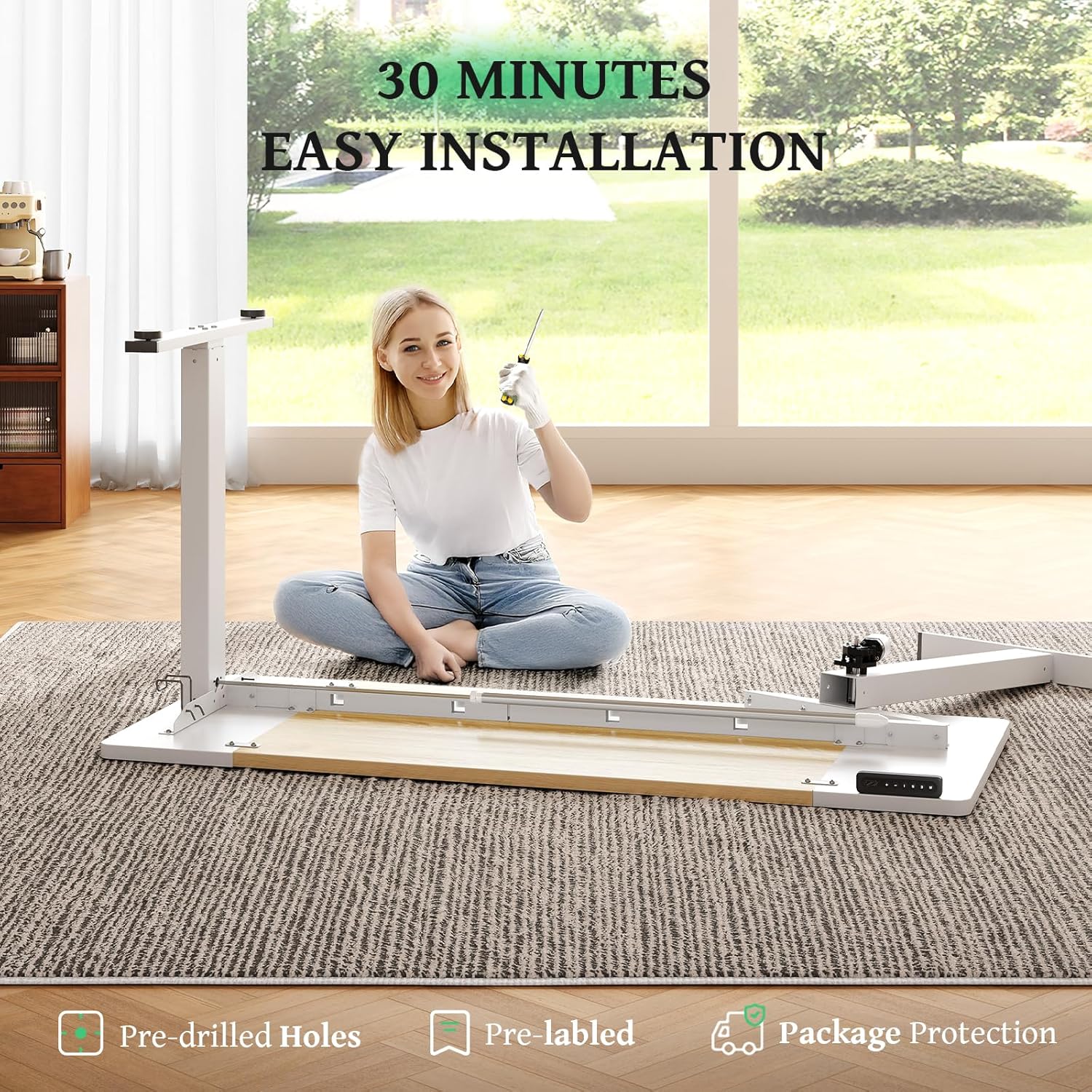
The SIAGO Electric Standing Desk is designed for easy assembly, typically taking around 30 minutes. All holes are pre-drilled, and accessories are clearly labeled.
- Unpack Components: Carefully remove all parts from the packaging and lay them out on a soft, clean surface to prevent scratches.
- Attach Legs to Desktop: Align the desk legs and frame with the pre-drilled holes on the underside of the desktop. Secure using the provided screws and tools.
- Install Motor and Control Panel: Mount the motor and control panel to the designated areas under the desktop, ensuring all cables are connected securely.
- Install Cable Management: Attach the cable management tray and headphone hooks to the underside of the desk. This helps keep your workspace tidy.
- Connect Power: Plug the power cable into the motor and then into a grounded electrical outlet.
- Initial Calibration: After connecting power, the desk may need initial calibration. Press and hold the 'Down' button until the desk reaches its lowest point, then release. The desk is now ready for use.
Important Tip: When installing the crank bar (if applicable to your model) or any connecting rods, ensure proper alignment to prevent stripping or damage to the mechanism.

4. Operating Instructions
The SIAGO Electric Standing Desk features an intuitive control panel for effortless height adjustment and memory presets.
4.1 Control Panel Functions
- LED Display: Shows the current desk height in inches.
- Up/Down Buttons (▲ / ▼): Press and hold to smoothly raise or lower the desk to your desired height. The desk adjusts between 27.95 inches (minimum) and 45.67 inches (maximum).
- Memory Presets (1, 2, 3): The desk has 3 programmable memory settings for your preferred sitting and standing heights.
- Child Lock (M button): Press and hold the 'M' button for 3 seconds to activate or deactivate the child lock. When activated, the LED display will show 'LOC', and the desk will not respond to height adjustments, preventing accidental movement.
4.2 Setting Memory Presets
- Adjust the desk to your desired height using the Up/Down buttons.
- Press the 'M' button once. The LED display will show 'S-'.
- Within 3 seconds, press the desired memory button (1, 2, or 3). The display will show 'S-1', 'S-2', or 'S-3' to confirm the setting.
- To recall a saved height, simply press the corresponding memory button (1, 2, or 3). The desk will automatically move to the preset height.

The motor operates quietly (under 45 dB) and smoothly, ensuring your items remain stable during height transitions.

5. Maintenance
Regular maintenance ensures the longevity and optimal performance of your SIAGO Electric Standing Desk.
- Cleaning: Wipe the desktop and frame with a soft, damp cloth. Avoid abrasive cleaners or harsh chemicals that could damage the finish. The desktop is scratch-resistant and eco-friendly.
- Cable Management: Periodically check and organize cables in the management tray to prevent tangles and ensure smooth desk operation.
- Inspection: Regularly inspect all screws and connections to ensure they are tight. Tighten if necessary.
- Motor Care: The motor is designed for durability, tested for 50,000 lifts. No special maintenance is typically required for the motor itself, but ensure it remains free of dust and debris.


6. Troubleshooting
If you encounter any issues with your SIAGO Electric Standing Desk, please refer to the following common solutions:
- Desk Not Moving:
- Check if the power cable is securely plugged into both the desk and the wall outlet.
- Ensure the child lock is not activated (LED display should not show 'LOC'). Press and hold 'M' for 3 seconds to deactivate.
- Perform a reset: Unplug the desk for 10 seconds, then plug it back in. Press and hold the 'Down' button until the desk reaches its lowest position and then slightly rises, indicating a successful reset.
- Uneven Height:
- Ensure the desk is on a level surface.
- Check for any obstructions under the desk that might impede leg movement.
- Error Codes: If the LED display shows an error code (e.g., E01, E02), refer to the full manual (if provided separately) or contact customer support for specific instructions.
- Noise During Operation: A quiet operation (under 45 dB) is normal. If you experience excessive or unusual noise, ensure all assembly screws are tightened and there are no obstructions.
If these steps do not resolve the issue, please contact SIAGO customer support.
7. Specifications
| Feature | Detail |
|---|---|
| Brand | SIAGO |
| Model | B0CVVKP9TZ |
| Desktop Dimensions (W x D) | 55 x 24 Inches |
| Adjustable Height Range | 27.95 Inches (Min) to 45.67 Inches (Max) |
| Maximum Weight Capacity | 200 lbs (90 kg) |
| Desktop Material | Wood (Natural+white finish) |
| Frame Material | Alloy Steel |
| Motor Noise Level | Under 45 dB |
| Memory Presets | 3 |
| Special Features | Child Lock, Cable Management Tray, Headphone Hooks, Scratch-resistant Desktop |
| Assembly Time (Approx.) | 30 Minutes |
8. Warranty and Support
SIAGO is committed to quality and customer satisfaction. Your SIAGO Electric Standing Desk comes with a 2-Year Warranty covering machine service.
For any questions, concerns, or technical support regarding your SIAGO standing desk, please contact us via Amazon. Our customer support team aims to reply within 24 hours.
How to Contact Support:
- Login to your Amazon Account.
- Go to 'Your Orders'.
- Find the order ID for your SIAGO Electric Standing Desk.
- Click 'Contact Seller'.
We also offer a 30-day free return policy for your peace of mind.


