
1. Introduction
Thank you for purchasing the ZEBRONICS Music Bomb 2 Party Speaker. This manual provides essential information for the safe and efficient use of your speaker. Please read it thoroughly before operating the device and retain it for future reference.
Video 1: Overview of the ZEBRONICS Music Bomb 2 Party Speaker, highlighting its key features and design.
2. Safety Instructions
- Do not expose the speaker to water or moisture.
- Avoid placing the speaker near heat sources or in direct sunlight.
- Do not attempt to disassemble or repair the speaker yourself. Refer all servicing to qualified personnel.
- Use only the specified charging cable and adapter.
- Keep the speaker away from children and pets.
- Ensure proper ventilation to prevent overheating.
3. Package Contents
The package includes the following items:
- ZEBRONICS Music Bomb 2 Party Speaker - 1 unit
- Wireless Microphone - 1 unit
- Type-C Charging Cable - 1 unit
- AUX Cable - 1 unit
- Detachable Carry Strap - 1 unit
- User Manual (this document) - 1 unit
4. Product Overview
The Music Bomb 2 features a robust design with intuitive controls and multiple connectivity options. Familiarize yourself with the various parts of the speaker.

Image 1: Front view of the ZEBRONICS Music Bomb 2 Party Speaker, showcasing its grille and overall design.
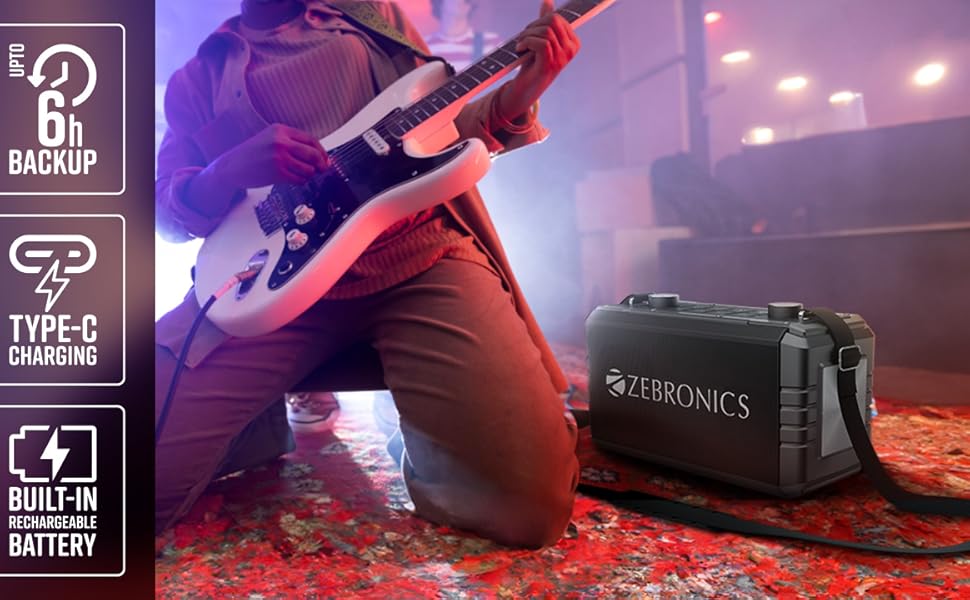
Image 2: Rear view of the speaker, highlighting the Type-C charging port, USB, mSD, AUX, and microphone/guitar input jacks.

Image 3: Close-up of the top control panel, featuring bass and volume knobs, and media control buttons.
5. Setup
5.1 Charging the Speaker
Before first use, fully charge the speaker. Connect the provided Type-C charging cable to the speaker's charging port and the other end to a compatible USB power adapter (not included). The charging indicator will show the charging status.
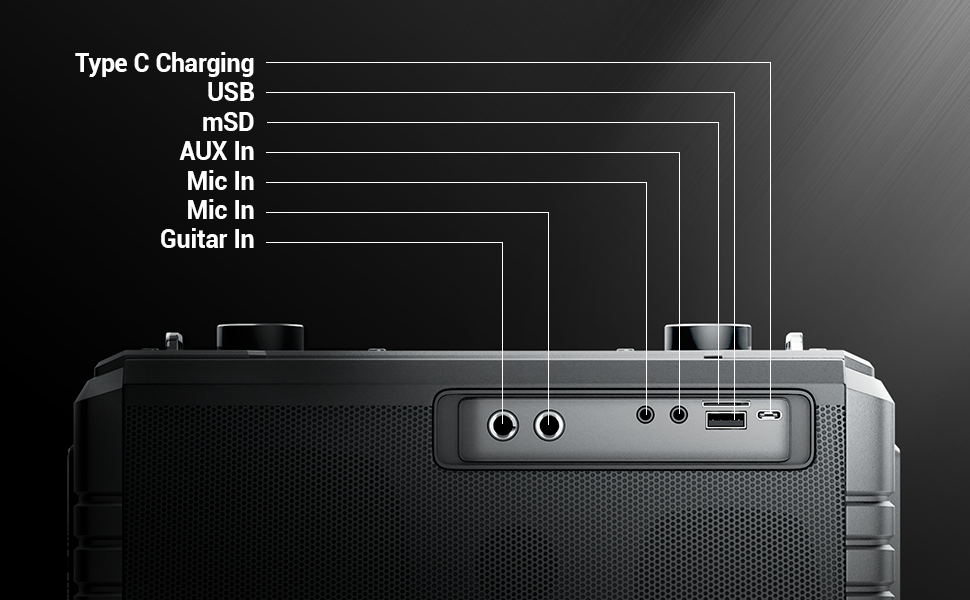
Image 4: Illustration of the speaker being charged via its Type-C port.
5.2 Powering On/Off
Press and hold the power button on the control panel to turn the speaker on or off. A sound indicator will confirm the action.
6. Operation
6.1 Bluetooth Connectivity (BT v5.1)
- Turn on the speaker. It will automatically enter Bluetooth pairing mode.
- Enable Bluetooth on your mobile device and search for "ZEB-MUSIC BOMB 2".
- Select the speaker from the list to pair. A confirmation tone will sound upon successful connection.

Image 5: Visual representation of the speaker's Bluetooth 5.1 capability alongside other input options.
6.2 USB/mSD Playback
Insert a USB drive or mSD card (up to 32GB) into the respective port. The speaker will automatically detect and play audio files from the storage device. Use the media control buttons to navigate tracks.
6.3 AUX Input
Connect an external audio device using the provided 3.5mm AUX cable to the AUX input port. The speaker will switch to AUX mode automatically. Ensure the volume on both the speaker and the connected device is adjusted appropriately.
6.4 Guitar Input
Connect your guitar to the 6.3mm guitar input port. Adjust the volume on your guitar and the speaker for optimal sound. This feature allows for direct amplification of your instrument.
Video 2: Demonstration of connecting a guitar to the ZEBRONICS Music Bomb 2 speaker and playing music.
6.5 Microphone Input (Karaoke)
Connect the wireless microphone or a wired microphone (6.3mm or 3.5mm) to the respective input ports. The speaker supports karaoke functionality, allowing you to sing along with your music. Adjust microphone volume and echo effects using the dedicated controls.

Image 6: Detailed view of the speaker's control panel and the included wireless microphone.
6.6 TWS (True Wireless Stereo) Function
To experience True Wireless Stereo, you need two ZEBRONICS Music Bomb 2 speakers. Follow these steps:
- Turn on both speakers.
- Ensure neither speaker is connected to any Bluetooth device.
- On one speaker, press and hold the 'TWS' button. It will search for the other speaker.
- Once connected, a confirmation tone will sound, and the TWS indicator will light up.
- Now, connect your mobile device to one of the speakers via Bluetooth. Both speakers will play audio in stereo.
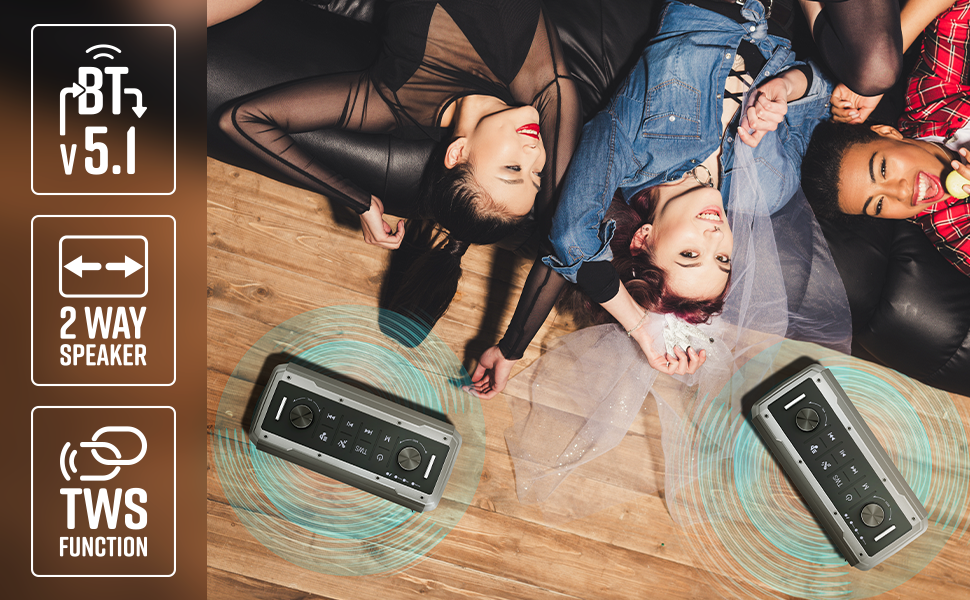
Image 7: Illustration of two Music Bomb 2 speakers paired using the TWS function for an immersive stereo audio experience.
7. Controls
The speaker features a user-friendly control panel. Here's a breakdown of the main controls:
| Control | Function |
|---|---|
| Power Button | Press and hold to turn the speaker ON/OFF. Short press to change modes (BT/USB/mSD/AUX). |
| TWS Button | Press and hold to initiate TWS pairing with another Music Bomb 2 speaker. |
| M (Mode) Button | Short press to switch between input modes (Bluetooth, USB, mSD, AUX). |
| Previous Track / Volume Down | Short press for previous track. Long press to decrease volume. |
| Play/Pause | Short press to play or pause audio. |
| Next Track / Volume Up | Short press for next track. Long press to increase volume. |
| Bass Knob | Rotate to adjust the bass level. |
| Volume Knob | Rotate to adjust the master volume level. |
| Mic Volume Knob | Adjusts the volume of the connected microphone. |
| Echo Knob | Adjusts the echo effect for the microphone. |
8. Maintenance
- Cleaning: Use a soft, dry cloth to clean the speaker. Do not use abrasive cleaners or solvents.
- Storage: Store the speaker in a cool, dry place away from direct sunlight and extreme temperatures.
- Battery Care: To prolong battery life, avoid fully discharging the speaker frequently. Charge it regularly, even if not in use for extended periods.
9. Troubleshooting
| Problem | Solution |
|---|---|
| No power | Ensure the speaker is charged. Connect the Type-C charging cable and allow it to charge for some time before attempting to power on. |
| No sound | Check the volume levels on both the speaker and the connected device. Ensure the correct input mode is selected. Verify cable connections for AUX/Guitar inputs. |
| Bluetooth pairing fails | Ensure the speaker is in pairing mode. Disable and re-enable Bluetooth on your device. Move the speaker closer to your device. Clear previous Bluetooth connections on your device. |
| Microphone not working | Ensure the microphone is powered on (if wireless) and properly connected. Adjust the microphone volume and echo knobs. |
| TWS connection issues | Ensure both speakers are not connected to any other Bluetooth device. Follow the TWS pairing steps carefully. |
10. Specifications
| Feature | Detail |
|---|---|
| Output Power | 80W RMS |
| Bluetooth Version | v5.1 |
| Connectivity Options | Bluetooth, USB, mSD, AUX, 6.3mm Guitar Input, 6.3mm & 3.5mm Mic Inputs |
| Battery Life | Up to 10 hours (at 50% volume) |
| Charging Type | Type-C |
| Speaker Type | 2-way speaker system |
| Dimensions (L x W x H) | 17.3 x 27.4 x 33.3 Centimeters |
| Weight | 4040 Grams |
| Frequency Response | 20 Hz (minimum) |
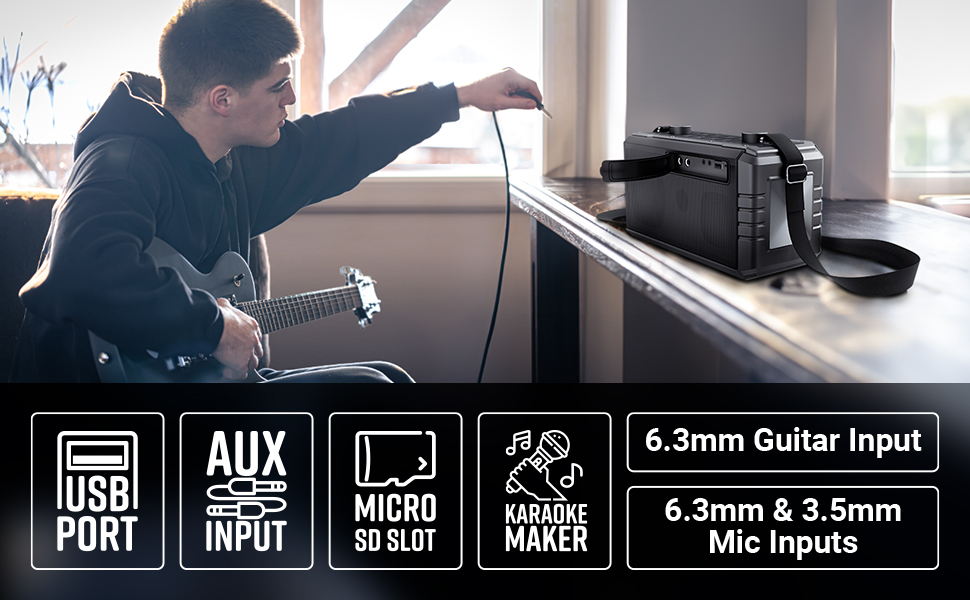
Image 8: Visual summary of the speaker's technical specifications.

Image 9: Diagram illustrating the length, width, and height of the ZEBRONICS Music Bomb 2 speaker.
11. Warranty and Support
The ZEBRONICS Music Bomb 2 Party Speaker comes with a 1-year carry-in warranty to the service center. For warranty claims or technical support, please contact ZEBRONICS customer service. Keep your purchase receipt as proof of purchase.
Manufacturer Contact Information: 13/7, Smith Road, Royapettah CHENNAI-600002, Zebronics India Private Limited
For more information, visit the official ZEBRONICS Store on Amazon.


