
1. Introduction
This manual provides detailed instructions for the installation, operation, and maintenance of your Moen Sip Chrome Traditional Drinking Water Beverage Faucet (Model F7600). This faucet is designed to provide convenient access to filtered drinking water directly from your kitchen sink, offering a stylish and functional addition to your home.

Image 1.1: The Moen Sip Chrome Traditional Drinking Water Beverage Faucet, featuring a high-arc spout and a single lever handle in a polished chrome finish.
The Moen Sip faucet is compatible with Moen under-sink filtration systems (sold separately), allowing you to enjoy clean, crisp cold drinking water and reduce the need for plastic water bottles.
2. Safety Information
WARNING: Read all instructions carefully before installation and use to prevent injury or property damage.
- Always turn off the main water supply before beginning any installation or maintenance.
- Wear appropriate personal protective equipment, such as safety glasses, during installation.
- Ensure all connections are secure and leak-free before restoring water supply.
- This faucet is designed for cold drinking water only. Do not connect to hot water lines unless specified by a compatible filtration system.
- Ensure proper ventilation when working under sinks.

Image 2.1: Moen faucets are certified for safe drinking water by NSF 61 standards, ensuring quality and safety.
3. Setup & Installation
3.1 Package Contents
Verify that all components are present before beginning installation:
- Moen Sip Beverage Faucet (Model F7600)
- Mounting Hardware
- Connection Hoses
- Installation Instructions (this manual)
Note: Moen filtration systems (e.g., F9800 Advanced Carbon Filtration System or F9900 Reverse Osmosis System) are sold separately and are required for filtered water functionality.
3.2 Installation Steps
- Prepare the Installation Area: Turn off the main water supply to your kitchen sink. Clear the area under the sink for access.
- Mount the Faucet:
- Insert the faucet body into the pre-drilled hole on your countertop or sink. The faucet requires a single hole installation.
- From underneath the sink, secure the faucet using the provided mounting hardware (washer and mounting nut). Tighten firmly but do not overtighten.

Image 3.1: An example of an under-sink setup, illustrating the space required for faucet connections and potential filtration system integration.
- Connect Water Lines:
- Connect the faucet's water supply line to your cold water shut-off valve. If using a Moen filtration system, connect the faucet's line to the filtered water outlet of the filtration system.
- Ensure all connections are hand-tight, then use a wrench to tighten an additional quarter turn. Avoid overtightening.

Image 3.2: Moen offers both Carbon Filters (F9800) and Reverse Osmosis (F9900) filtration systems, which can be paired with your Moen Sip faucet for filtered water.
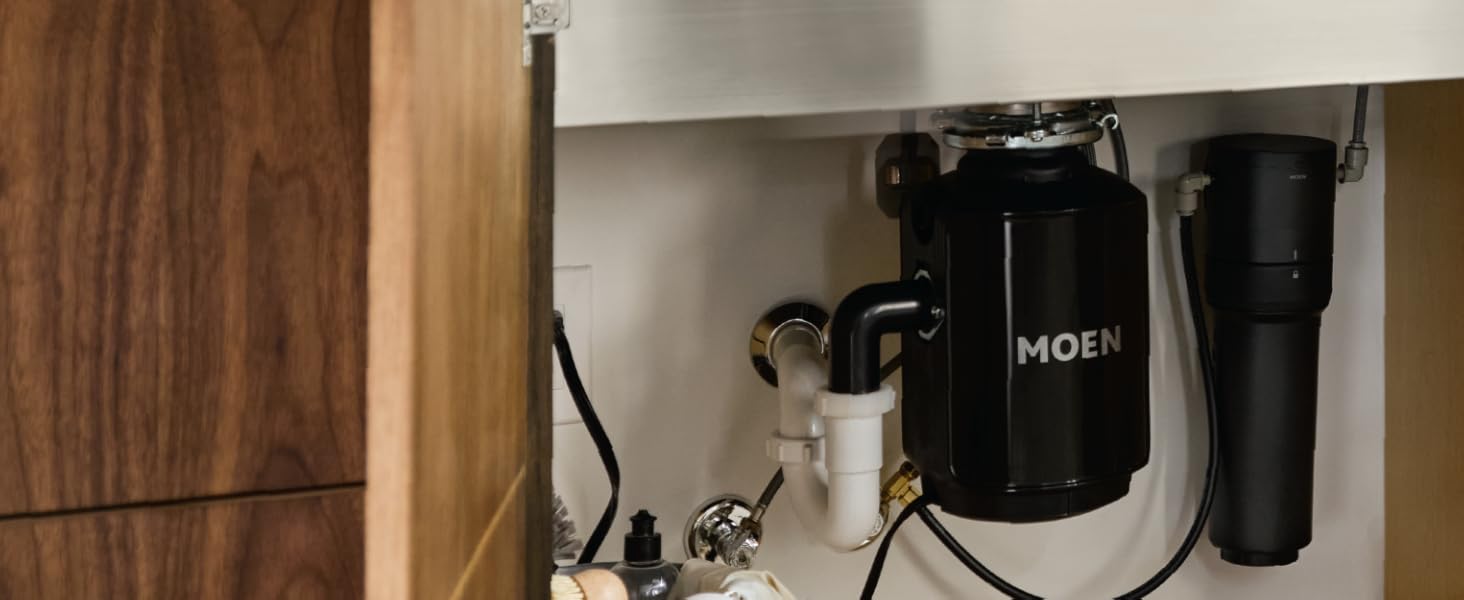
Image 3.3: The Moen Sip faucet is compatible with Moen Reverse Osmosis and Advanced Carbon filtration systems, which are installed under the sink.
- Check for Leaks: Slowly turn on the main water supply. Check all connections for leaks. If leaks are present, tighten connections slightly until they stop.
- Flush the System: Allow water to run through the faucet for several minutes to flush out any debris from the new installation.
4. Operating Instructions
The Moen Sip Beverage Faucet is designed for simple operation to provide filtered drinking water.
- Water Activation: The faucet features a single lever handle. Move the handle to activate the water flow.
- Water Flow Control: The lever controls the on/off function of the water.
- Rotating Spout: The high-arc spout can be rotated to provide greater convenience and control over water flow, helping to prevent splashing when filling various containers.

Image 4.1: The Moen Sip Drinking Water Faucet provides convenient access to cold, filtered drinking water directly at the sink.

Image 4.2: The high-arc design of the faucet allows for easy filling of tall glasses and pitchers.

Image 4.3: Enjoy clean and refreshing drinking water directly from your Moen Sip faucet.
5. Maintenance
5.1 Cleaning the Faucet
To maintain the finish of your Moen faucet:
- Clean with a soft, damp cloth and mild soap.
- Rinse thoroughly with warm water and dry with a soft cloth.
- Avoid abrasive cleaners, harsh chemicals, or scouring pads, as these can damage the chrome finish.
5.2 Filter Replacement (If Applicable)
If you have connected your Moen Sip faucet to a Moen filtration system, refer to the filtration system's manual for specific filter replacement instructions and schedules. Regular filter replacement ensures optimal water quality.

Image 5.1: Example of a filter cartridge used in compatible Moen filtration systems. Replace filters according to the filtration system's guidelines.
6. Troubleshooting
| Problem | Possible Cause | Solution |
|---|---|---|
| No water flow or low flow |
|
|
| Leaking at connections |
|
|
| Water tastes or smells bad |
|
|
If you encounter issues not listed here, or if the problem persists, please contact Moen Customer Support.
7. Specifications
| Feature | Detail |
|---|---|
| Brand | Moen |
| Model Name | SIP |
| Part Number | F7600 |
| Color | Chrome |
| Finish Type | Chrome |
| Material | Zinc |
| Mounting Type | Deck Mount |
| Installation Type | Single Hole |
| Hole Count | 1 |
| Number of Handles | 1 |
| Handle Type | Lever |
| Spout Design | High-Arc Rotating Spout |
| Product Dimensions | 16.7 x 1.88 x 10.25 inches |
| Item Weight | 1.8 pounds |
| Recommended Uses | Kitchen |
| Special Features | Rotating Spout, Filtered Water |
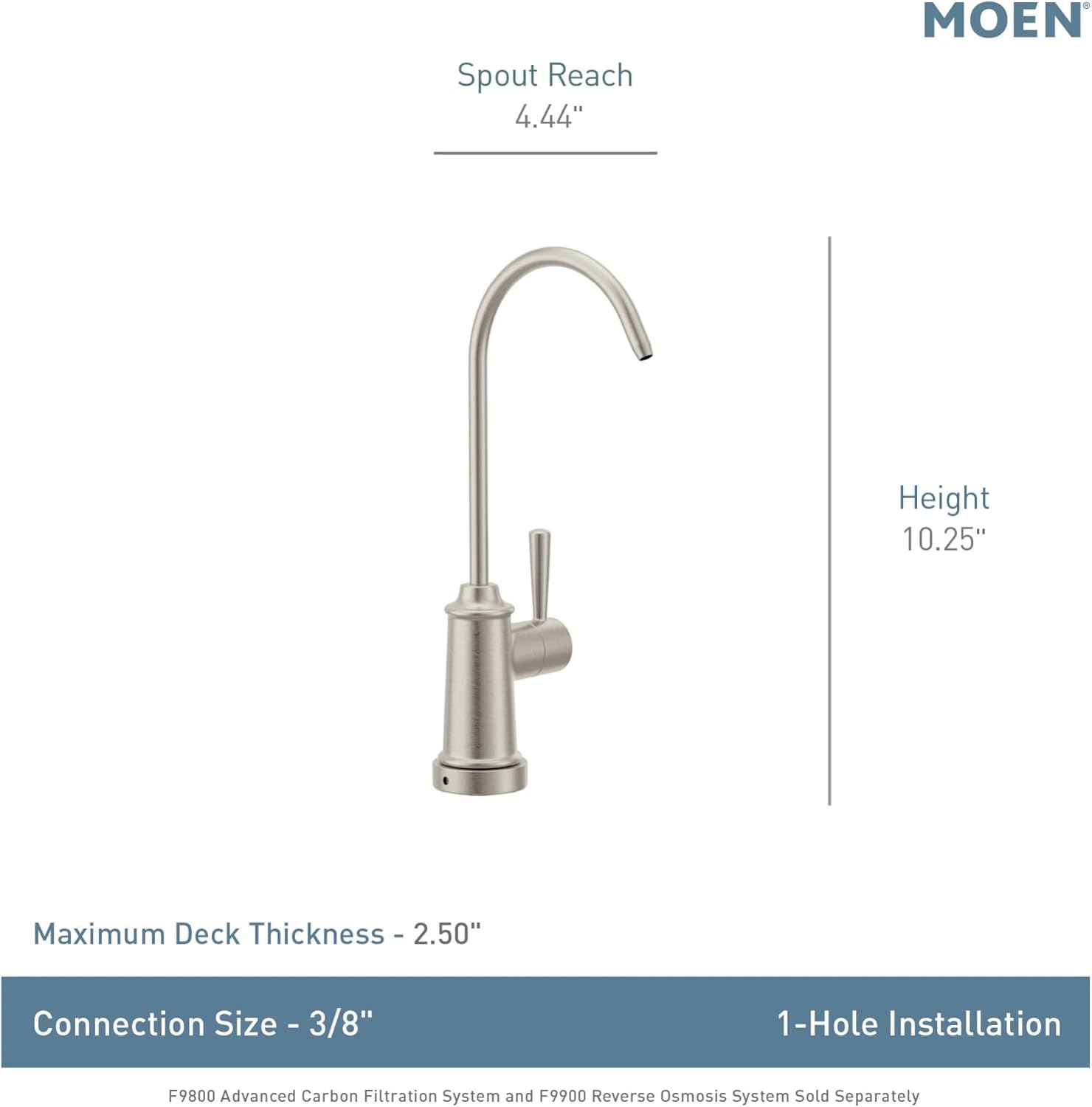
Image 7.1: Dimensional drawing of the Moen Sip faucet, indicating key measurements for installation planning.
8. Warranty & Support
The Moen Sip Chrome Traditional Drinking Water Beverage Faucet (Model F7600) is backed by Moen's Limited Lifetime Warranty. This warranty covers defects in material and manufacturing workmanship under normal use.
For detailed warranty information, product registration, or technical support, please visit the official Moen website or contact Moen Customer Service:
- Moen Official Website: www.moen.com
- Customer Service: Refer to the Moen website for current contact information (phone numbers, email, or chat support).
Please have your model number (F7600) and purchase date available when contacting support.


