
Important Safety Instructions
Please read all instructions carefully before using this appliance. Failure to follow these instructions may result in electric shock, fire, or serious injury.
- This appliance is for household use only. Do not use outdoors or on wet surfaces.
- Do not allow children to operate the vacuum cleaner. Close supervision is necessary when used near children.
- Do not pick up flammable or combustible liquids, such as gasoline, or use in areas where they may be present.
- Do not pick up anything that is burning or smoking, such as cigarettes, matches, or hot ashes.
- Do not use without the dust cup and/or filters in place.
- Turn off the appliance before connecting or disconnecting the battery pack, or before performing any maintenance.
- Use only the charger supplied by the manufacturer to recharge.
- Store the vacuum cleaner indoors in a cool, dry place.
Product Overview
The HONITURE S13 Pro is a powerful and versatile cordless vacuum cleaner designed for efficient home cleaning. It features a high-performance motor, long-lasting battery, and an intuitive touchscreen display.
Key Features
- Powerful Suction: Up to 38 Kpa for effective removal of dust, dirt, pet hair, and debris.
- 450W Brushless Motor: Provides strong, quiet, and durable performance.
- Extended Runtime: Up to 55 minutes of cleaning on a single charge with a 7x2500 mAh detachable battery.
- Smart Touchscreen Display: Real-time monitoring of runtime, brush status, power mode, and error reports.
- Versatile Floor Brush: 5S rotating brush with integrated soft and hard bristles, edge cleaning design, and bright LED headlights to illuminate hidden dust.
- Large Dustbin: 1.5 Liter capacity with one-touch emptying for convenience.

Image: The HONITURE S13 Pro vacuum cleaner effectively cleaning a carpet, highlighting its 38KPA suction capability.
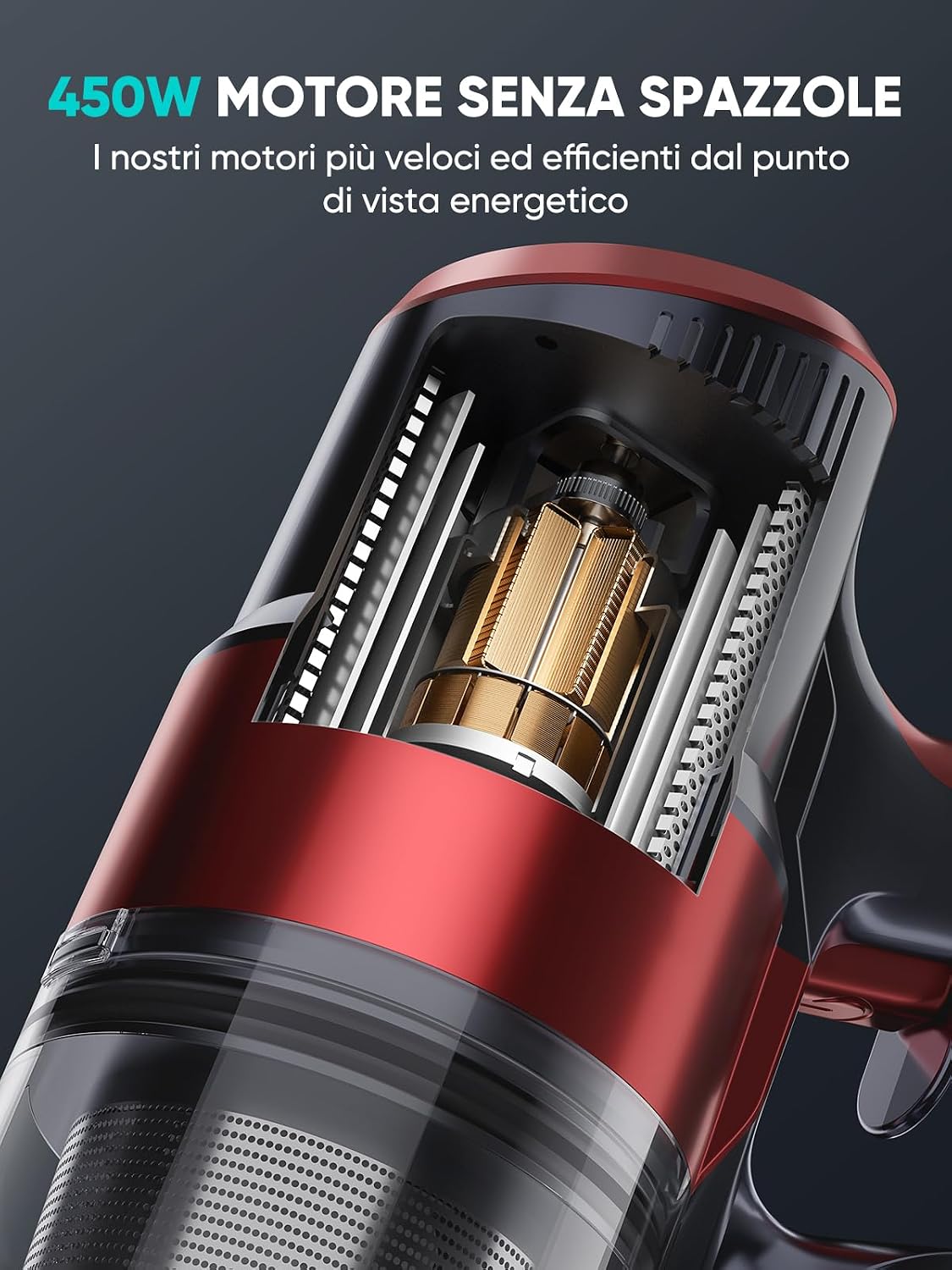
Image: A detailed view of the 450W brushless motor, showcasing the core technology of the vacuum cleaner.
Setup and Assembly
Follow these steps to assemble your HONITURE S13 Pro cordless vacuum cleaner and prepare it for first use.
1. Unpacking and Component Identification
Carefully remove all components from the packaging. Verify that all parts are present according to the packing list (refer to your product box for the complete list of accessories).
2. Main Unit Assembly
- Insert the extension wand into the main motor unit until it clicks securely into place.
- Attach the floor brush head to the bottom of the extension wand, ensuring it locks firmly.
- For handheld use, detach the extension wand and attach desired accessories directly to the main motor unit.

Image: The HONITURE S13 Pro vacuum cleaner fully assembled and standing, ready for use or storage.
3. Battery Charging
Before first use, fully charge the battery. The detachable battery offers two charging methods:
- Direct Charging: Connect the charger directly to the charging port on the main motor unit while the battery is installed.
- Off-board Charging: Remove the battery from the main unit and connect the charger directly to the battery pack.
The touchscreen display will indicate the charging status and battery level. A full charge typically takes approximately 4-5 hours.

Image: The vacuum's digital display indicating a full 100% battery charge, ready for operation.
Operating Instructions
Learn how to effectively use your HONITURE S13 Pro for various cleaning tasks.
1. Powering On/Off and Suction Modes
- To turn on the vacuum, press the power button located on the handle. The vacuum will start in the default suction mode.
- To adjust the suction power, use the mode selection button on the touchscreen display. There are 3 adjustable suction gears to choose from: Eco, Standard, and Max.
- To turn off the vacuum, press the power button again.

Image: The intelligent LED touchscreen display, providing real-time information on battery level and current operating mode.

Image: The digital display illustrating different operational icons, including power mode and brush status.
2. Using the Floor Brush
- The 5S rotating brush is suitable for both hard floors and carpets. Its integrated soft and hard bristles ensure thorough cleaning.
- The bright LED headlights on the brush head illuminate dust and debris in dark areas, ensuring no spot is missed.
- The special edge cleaning design allows the vacuum to effectively pick up dirt along walls and in corners.
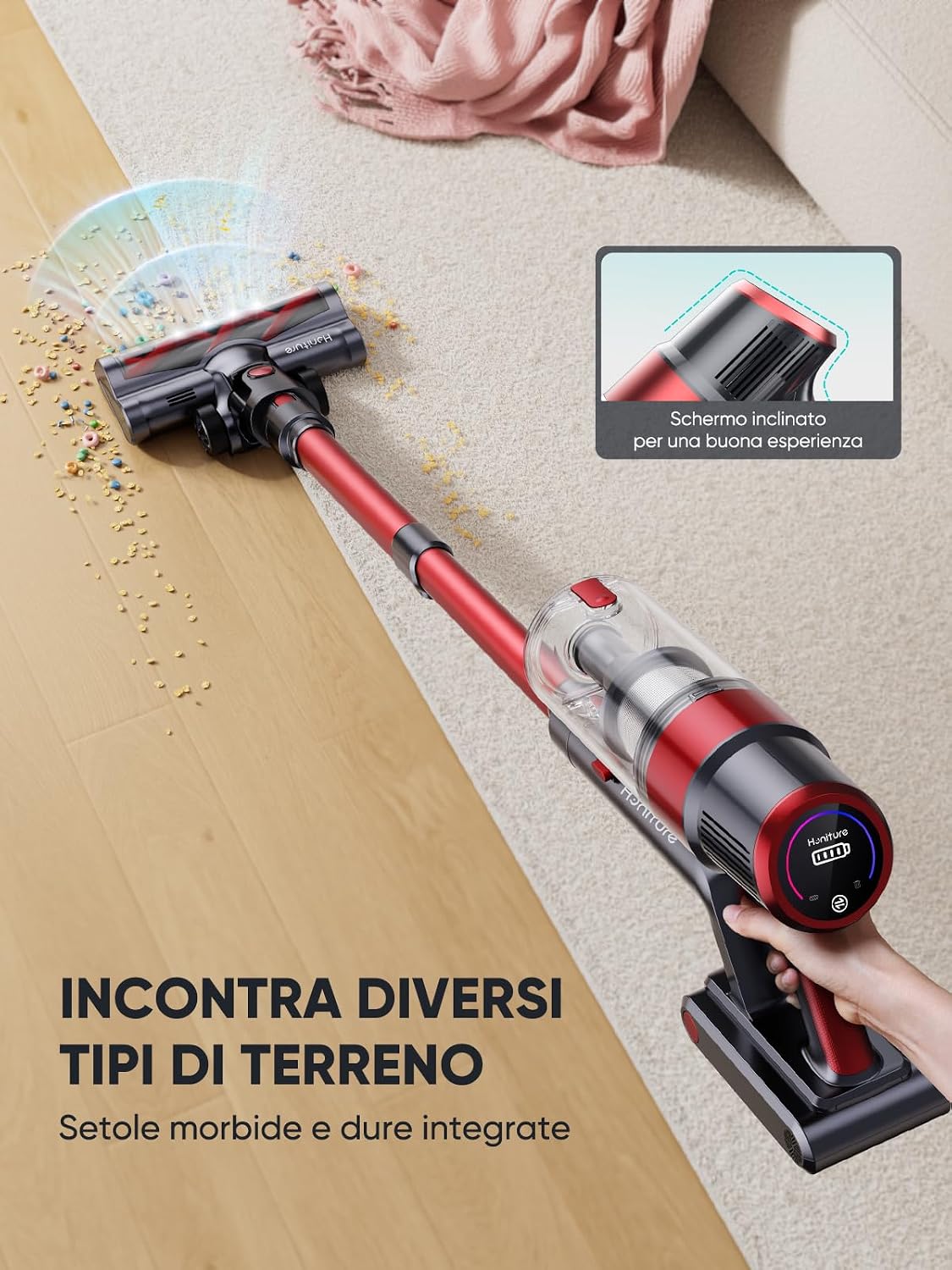
Image: The vacuum's floor brush demonstrating its ability to clean various floor types, from hard surfaces to carpets, with an inclined screen for better user experience.
3. Using Accessories
Your HONITURE S13 Pro comes with various accessories for specialized cleaning. Attach them directly to the main motor unit or the extension wand as needed. Refer to your product packaging for a list of included accessories and their recommended uses.
Maintenance
Regular maintenance ensures optimal performance and extends the lifespan of your HONITURE S13 Pro vacuum cleaner.
1. Emptying the Dustbin
The 1.5-liter dustbin should be emptied regularly, especially when the 'Max' fill line is reached. To empty:
- Ensure the vacuum is turned off.
- Hold the main unit over a trash can.
- Press the one-touch release button on the dustbin to open the bottom flap and release the contents.
- Close the flap securely after emptying.

Image: Demonstrating the convenient one-touch dust removal feature, emptying the 1.5L dustbin into a waste receptacle.
2. Cleaning the Filters
The HEPA filter and other internal filters should be cleaned periodically to maintain suction power. Frequency depends on usage.
- Twist and pull to remove the filter assembly from the dustbin.
- Tap the filters gently over a trash can to remove loose dust.
- Rinse the filters under cold running water. Ensure they are completely dry before reassembling (allow 24-48 hours for air drying).
- Reinsert the dry filters into the dustbin and reattach to the main unit.
3. Cleaning the Brush Roll
Hair and debris can get tangled in the brush roll. Clean it regularly to prevent reduced performance.
- Turn off the vacuum and detach the floor brush from the wand.
- Locate the brush roll release mechanism (usually a latch or button) and remove the brush roll.
- Use scissors or a cleaning tool to cut and remove any tangled hair or fibers.
- Reinsert the brush roll and secure it in place.
Troubleshooting
If you encounter any issues with your HONITURE S13 Pro, refer to the following common problems and solutions.
| Problem | Possible Cause | Solution |
|---|---|---|
| Vacuum does not turn on. | Battery is not charged or not properly installed. | Ensure battery is fully charged and securely clicked into place. |
| Low suction power. | Dustbin is full, filters are clogged, or brush roll is tangled. | Empty dustbin, clean filters, and remove any tangles from the brush roll. Check for blockages in the wand or nozzle. |
| Brush roll not spinning. | Brush roll is tangled with hair/debris or obstructed. | Turn off the vacuum, remove the brush roll, and clear any obstructions. Ensure it is reinstalled correctly. |
| Vacuum stops unexpectedly. | Battery is depleted or motor is overheating. | Recharge the battery. If overheating, turn off the vacuum and allow it to cool down for at least 30 minutes. Check for blockages. |
| Error message on touchscreen. | Specific error condition (e.g., blockage, filter issue). | Refer to the specific error code displayed on the screen and consult the full manual (if available) or contact customer support for detailed instructions. |
Specifications
Technical specifications for the HONITURE S13 Pro Cordless Vacuum Cleaner.
| Brand | HONITURE |
| Model Number | S13 Pro |
| Suction Power | Up to 38 Kpa |
| Motor Power | 450W Brushless Digital Motor |
| Battery Type | 7 x 2500 mAh Lithium-ion (Detachable) |
| Max Runtime | Up to 55 minutes |
| Dustbin Capacity | 1.5 Liters |
| Filter Type | HEPA Filter |
| Noise Level | 65 Decibels |
| Control Method | Touchscreen |
| Surface Recommendation | Carpet, Hard Floors |
| Special Features | LED Display, LED Headlights, Anti-tangle Brush, Detachable Battery |
Warranty and Support
HONITURE is committed to providing high-quality products and excellent customer service.
Warranty Information
This HONITURE S13 Pro Cordless Vacuum Cleaner comes with a 3-year warranty from the date of purchase, covering manufacturing defects and material faults under normal household use. Please retain your proof of purchase for warranty claims. The warranty does not cover damage caused by misuse, neglect, accident, unauthorized repair, or normal wear and tear.
Customer Support
For any questions, technical assistance, or warranty claims, please contact HONITURE customer support. Our support team is available to assist you.
- Email: support@honiture.com (placeholder)
- Phone: +1-800-XXX-XXXX (placeholder)
- Online Support: Visit our official website www.honiture.com (placeholder)
We aim to provide support within 24 hours for all inquiries.

Image: Visual representation of HONITURE's commitment to a 3-year warranty and 24-hour customer support.


