
Introduction
Thank you for purchasing the ORDRO HDR-AE20 5K Camcorder. This manual provides detailed instructions for the proper setup, operation, and maintenance of your device. Please read this manual thoroughly before use to ensure optimal performance and to prevent damage.
Package Contents
- ORDRO HDR-AE20 Camcorder x 1
- NP180 Battery (1800 mAh) x 2
- ORDRO 32GB SD Card x 1
- Card Reader x 1
Note: For first-time use, please format the memory card with this camcorder. The SD card is included in this package.
Product Overview and Key Features
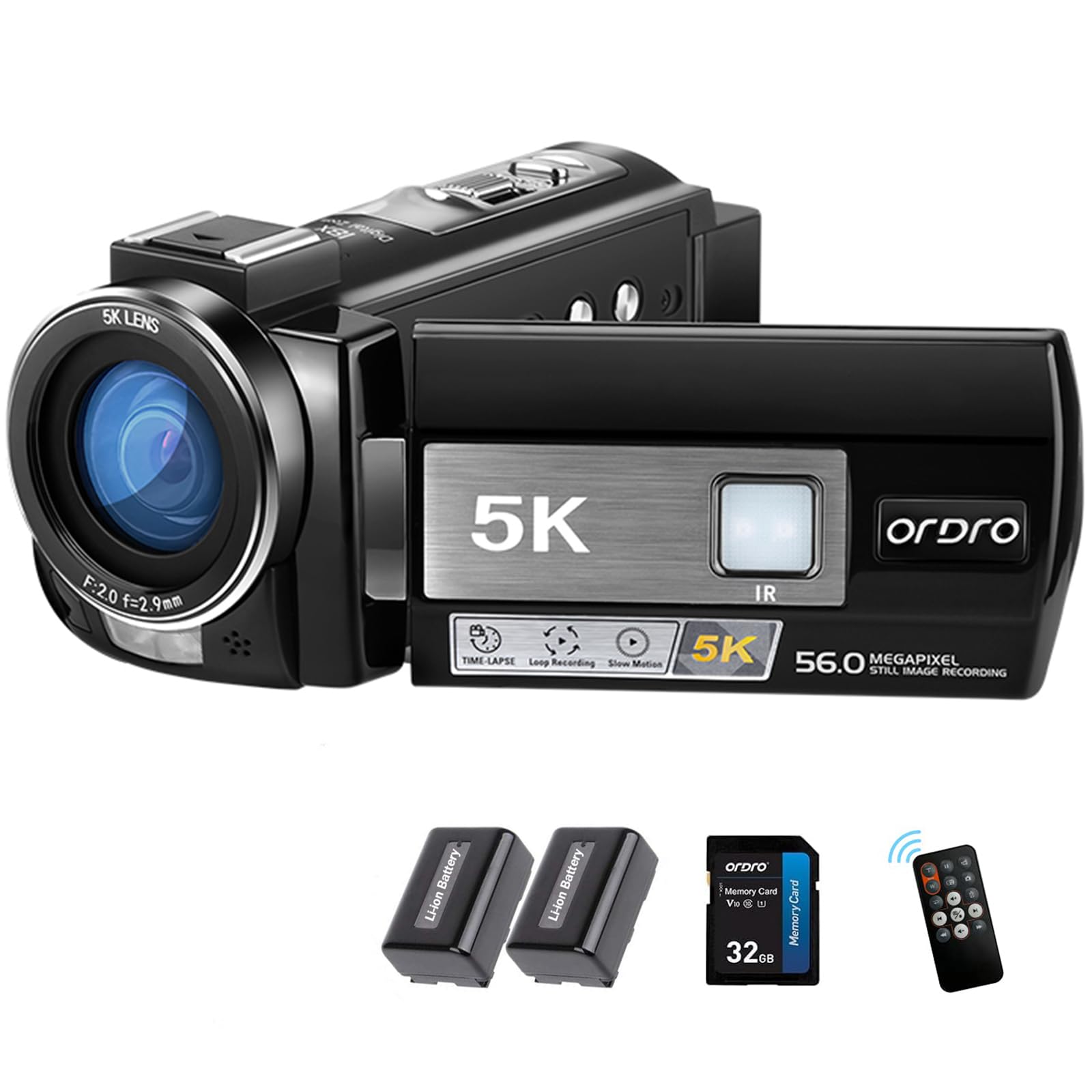
Image: Top-down view of the ORDRO HDR-AE20 5K Camcorder, highlighting its 5K video and 56.0 Megapixel still image recording capabilities.
The ORDRO HDR-AE20 is a versatile 5K camcorder designed for capturing high-quality video and photos. It features a high-sensitivity CMOS sensor, advanced image stabilization, and convenient connectivity options.
- 5K Resolution: Capture stunning videos with exceptional detail and clarity.
- 18x Digital Zoom: Perfect for close-ups and distant subjects, ideal for creative photography and videography.
- IR Night Vision: Ensures clear and stable recordings even in low-light and dark conditions.
- Electronic Image Stabilization (EIS): Provides stable footage by compensating for camera shake.
- WiFi Connectivity: Share and transfer your recordings instantly with built-in WiFi.
- 3.0-inch Rotatable Touchscreen: Flexible 270° rotatable IPS screen for easy operation and versatile shooting angles.
- Wide Dynamic Range (WDR): Captures more details in both shadows and highlights.
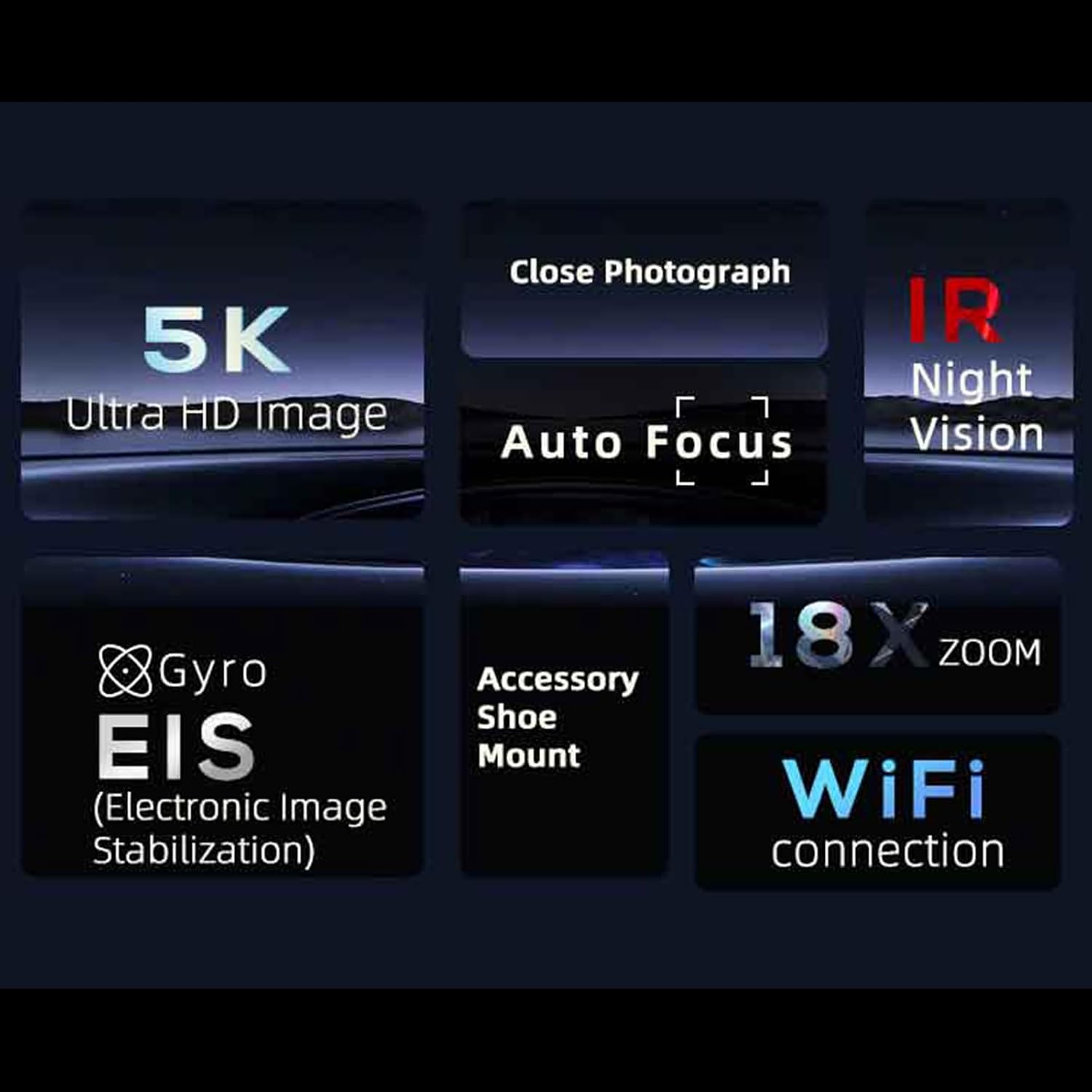
Image: Key features of the ORDRO HDR-AE20 camcorder, highlighting 5K Ultra HD, IR Night Vision, Auto Focus, Gyro EIS, 18x Zoom, Accessory Shoe Mount, and WiFi connection.
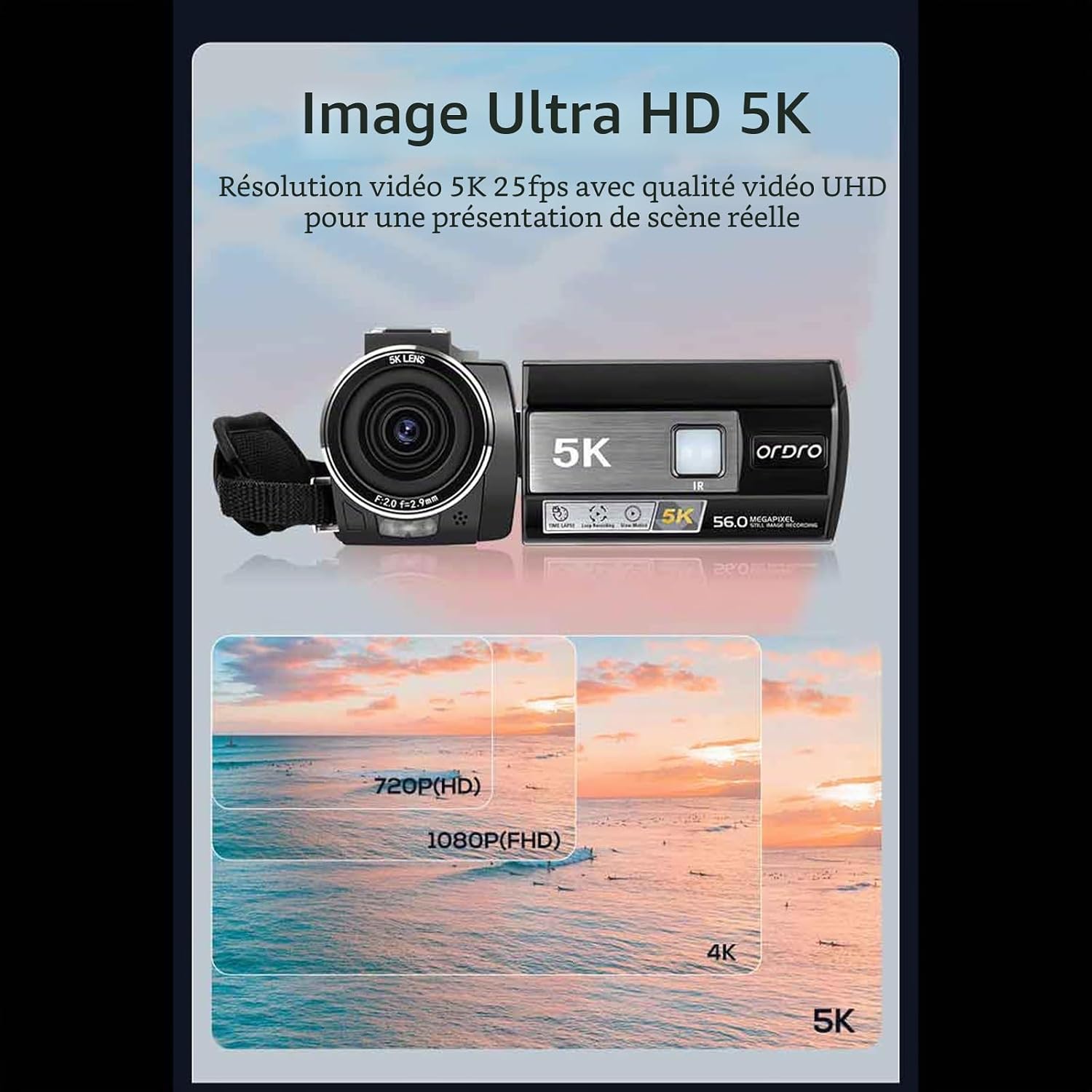
Image: Visual comparison of video resolutions, illustrating the enhanced detail provided by 5K Ultra HD at 25fps compared to lower resolutions.

Image: Diagram illustrating the 1/2.7 inch high-sensitivity CMOS sensor, emphasizing improved image quality, color reproduction, and sharpness.
Setup Guide
1. Battery Installation
- Open the battery compartment cover located on the bottom of the camcorder.
- Insert the NP180 lithium-ion battery, ensuring the correct polarity.
- Close the battery compartment cover securely.

Image: Illustration of the external battery compartment and the integrated fill light on the ORDRO HDR-AE20 camcorder.
2. SD Card Installation and Formatting
- Locate the SD card slot, usually on the side or bottom of the camcorder.
- Insert the provided 32GB SD card until it clicks into place.
- Power on the camcorder.
- Navigate to the system settings menu on the touchscreen.
- Select the "Format" option for the SD card and confirm. This prepares the card for optimal use with the camcorder.
3. Initial Power On
Press and hold the power button until the screen illuminates. The camcorder is now ready for use.
Operating Instructions
Basic Recording (Video/Photo)
- To Record Video: Switch the mode dial to video mode. Press the Record button to start recording, and press it again to stop.
- To Take Photos: Switch the mode dial to photo mode. Press the Shutter button to capture a still image.
Zoom Function
Use the T (Telephoto) and W (Wide-angle) buttons, typically located near the top of the camcorder, to adjust the 18x digital zoom. Press T to zoom in and W to zoom out.
IR Night Vision
To activate IR Night Vision, navigate through the menu settings to find the IR function. Enable it for recording in dark environments. The camcorder will automatically switch to monochrome (black and white) for optimal low-light performance.

Image: Demonstration of infrared night vision, showing a clearer image of a squirrel in darkness when IR is activated.
Wide Dynamic Range (WDR)
The WDR function helps capture more detail in both bright highlights and deep shadows. Activate WDR in the settings menu to improve image quality in high-contrast scenes.
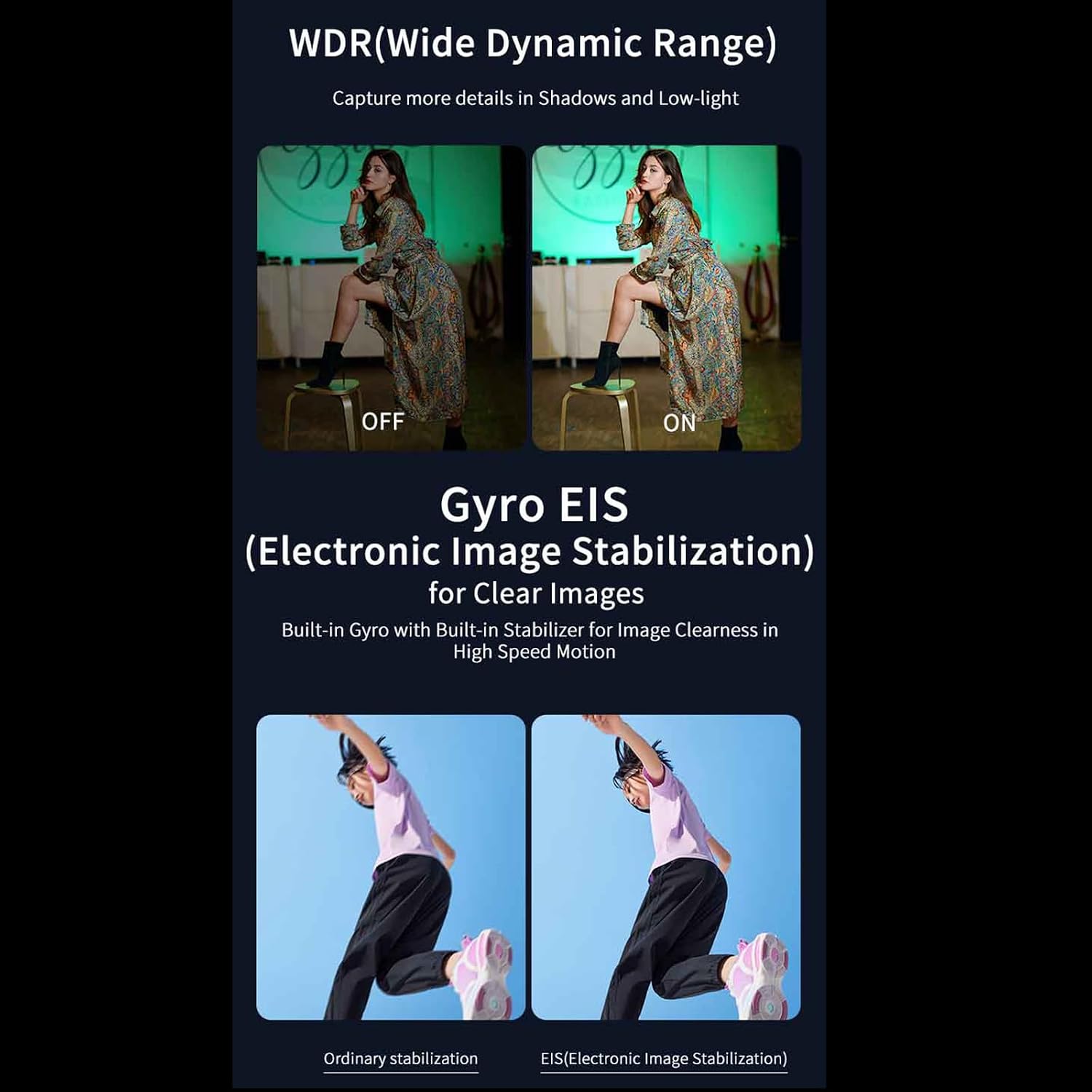
Image: Visual comparison of Wide Dynamic Range (WDR) function, showing enhanced detail when active. Also illustrates the effect of Electronic Image Stabilization (EIS).
WiFi Connection
To connect your camcorder to a smartphone or tablet via WiFi:
- Enable WiFi on the camcorder through the settings menu.
- On your smartphone/tablet, search for the camcorder's WiFi network and connect using the provided password (if any).
- Download the dedicated ORDRO app (if available) to control the camcorder remotely, view live footage, and transfer files.

Image: The ORDRO camcorder connected to a laptop, illustrating its use as a webcam for live streaming and video calls, and for vlogging.
Touchscreen Operation
The 3.0-inch IPS touchscreen allows for intuitive navigation. Tap icons to select options, swipe to browse menus, and use pinch-to-zoom gestures (if supported) for playback.
Exposure and White Balance
- Exposure Correction: Adjust the exposure value (EV) from -3.0 EV to +3.0 EV in the settings to brighten or darken your recordings.
- White Balance: Select from Auto, Daylight, Cloudy, Tungsten, or Fluorescent presets to ensure accurate color reproduction under different lighting conditions.
Maintenance
Cleaning
- Use a soft, dry cloth to clean the camcorder body.
- For the lens, use a specialized lens cleaning cloth and solution. Avoid touching the lens directly with your fingers.
- Do not use strong detergents or solvents, as they may damage the camcorder's finish.
Storage
- Store the camcorder in a cool, dry place away from direct sunlight and extreme temperatures.
- Remove the battery if the camcorder will not be used for an extended period to prevent leakage.
Troubleshooting
| Problem | Possible Cause | Solution |
|---|---|---|
| Camcorder does not power on. | Battery is depleted or incorrectly installed. | Charge the battery or ensure it is correctly inserted. |
| Cannot record video/take photos. | SD card is full, not formatted, or missing. | Insert/format the SD card, or delete unnecessary files. |
| Poor image quality. | Lens is dirty, incorrect lighting, or settings. | Clean the lens. Adjust exposure, white balance, or enable WDR/IR as needed. |
| WiFi connection issues. | WiFi is disabled, incorrect password, or app issue. | Ensure WiFi is enabled on camcorder. Re-enter password. Check ORDRO app for updates. |
Technical Specifications
| Feature | Detail |
|---|---|
| Image Sensor | 8-megapixel CMOS sensor, up to 56 million pixels (software interpolation) |
| Storage Media | Supports SD card extension (up to 256GB) |
| Sensitivity | Auto/100/200/400/800/1600/3200/6400 |
| Lens | f=2.9mm / Fn R: 2.0 |
| Focus Range | 0.4m ~ INF |
| Photo Format/Pixels | JPEG; 56M/48M/36M/24M/20M/16M/12M/8M/5M |
| Video Format/Resolution | MP4; UHD(5K): 5120x2160 (25fps), 4K: 3840x2160 (30fps), QHD(2.7K): 2688x1512 (30fps), FHD(1080P): 1920x1080 (30fps/60fps), HD(720P): 1280x720 (30fps/60fps) |
| Zoom | 18x Digital Zoom |
| Color Screen | 3.0-inch IPS 16:9 Touchscreen |
| Exposure Correction | -3.0 EV to +3.0 EV |
| Anti-Shake Function | On/Off (EIS) |
| White Balance | Auto/Daylight/Cloudy/Tungsten/Fluorescent |
| Wide Dynamic Range (WDR) | On/Off |
| Fill Light | On/Off (Visible Light) |
| Hot Shoe Interface | Can connect external microphone and LED light |
| I/O Interface | USB/MIC/HDMI |
| Wi-Fi | Supports real-time image transmission |
| Battery Power | Lithium-ion battery (NP180) |
| Dimensions (L x W x H) | 117 x 57 x 61 mm |
| Weight (without battery) | 250 ± 5 g |
Warranty and Support
For warranty information and technical support, please refer to the official ORDRO website or contact your retailer. Keep your purchase receipt as proof of purchase.
Important Note: This camcorder is designed for amateur use and does not support optical zoom or advanced professional autofocus features.
Video Information
No official product videos from the seller were found in the provided data to embed in this manual.


