
1. Product Overview
The Docooler IPX7 Waterproof Bluetooth Portable Shower Speaker is designed for audio playback in various environments, including wet conditions. It features Bluetooth 5.0 connectivity, an LED display, FM radio, and a light show function. The speaker is equipped with a removable suction cup for versatile placement.

Image: Docooler IPX7 Waterproof Bluetooth Portable Shower Speaker, showcasing its design and features.
2. Package Contents
Verify that all items are present in the package:
- Docooler IPX7 Waterproof Bluetooth Portable Shower Speaker
- USB-C Charging Cable
- Removable Suction Cup
- User Manual
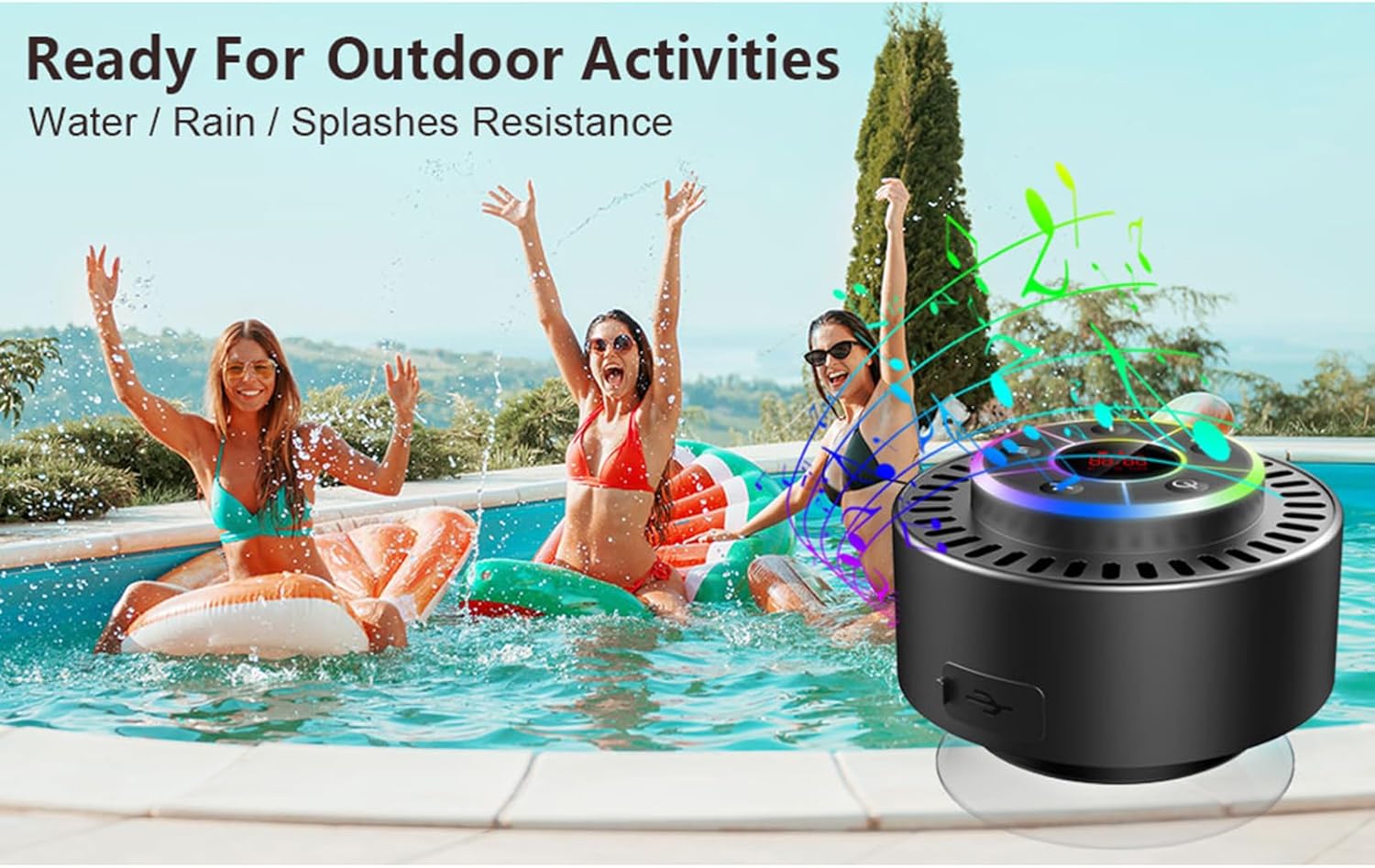
Image: The speaker, USB-C charging cable, and user manual as included in the package.
3. Setup
3.1 Charging the Speaker
Before initial use, fully charge the speaker. Connect the provided USB-C charging cable to the speaker's charging port and the other end to a USB power adapter (not included) or a computer's USB port. The LED display will indicate charging status.
3.2 Attaching the Suction Cup
To attach the suction cup, ensure both the speaker's back surface and the desired mounting surface are clean and dry. Press the suction cup firmly against the surface until it adheres securely. For best results, slightly moisten the suction cup before application.
3.3 Powering On/Off
- To Power On: Press and hold the Power button (
 ) for approximately 3 seconds until the LED display illuminates.
 - To Power Off: Press and hold the Power button for approximately 3 seconds until the LED display turns off.
4. Operating Instructions
4.1 Button Functions
Image: Detailed view of the speaker's control panel, indicating the function of each button.
| Button | Function (Short Press) | Function (Long Press) |
|---|---|---|
| Power Button () | Toggle LED light show modes | Power On/Off |
| M Button | Switch between Bluetooth and FM Radio modes | N/A |
| Play/Pause Button () | Play/Pause music; Answer/End calls; Auto-scan in FM mode | Reject incoming call |
| Previous Song / Volume Down (-) | Previous song (Bluetooth); Previous station (FM) | Decrease volume |
| Next Song / Volume Up (+) | Next song (Bluetooth); Next station (FM) | Increase volume |
4.2 Bluetooth Pairing
When powered on, the speaker automatically enters Bluetooth pairing mode. The LED display will show 'BT'.
- Ensure Bluetooth is enabled on your device (smartphone, tablet, laptop).
- Search for available Bluetooth devices and select "Docooler Speaker" from the list.
- Once connected, the speaker will emit an audible confirmation, and the 'BT' indicator on the LED display will stabilize.

Image: The speaker demonstrating connectivity with a phone, tablet, and computer via Bluetooth.
4.3 True Wireless Stereo (TWS) Pairing
To achieve 3D stereo sound, two Docooler speakers can be paired together.
- Ensure both speakers are powered on and not connected to any other Bluetooth device.
- On one speaker (this will be the primary speaker), press and hold the Play/Pause button for 2-3 seconds until you hear a pairing tone.
- The two speakers will automatically connect to each other.
- Once paired, connect your device to the primary speaker via Bluetooth as described in section 4.2. Audio will now play through both speakers in stereo.

Image: Two Docooler speakers wirelessly connected to a computer, illustrating the True Wireless Stereo (TWS) feature.
4.4 FM Radio Mode
To switch to FM Radio mode:
- Press the M button to cycle through modes until 'FM' appears on the LED display.
- Auto-scan: In FM mode, short press the Play/Pause button to automatically scan and save available radio stations.
- Change Station: Use the Previous Song / Volume Down (-) and Next Song / Volume Up (+) buttons to navigate through saved stations.
- Adjust Volume: Long press the Previous Song / Volume Down (-) or Next Song / Volume Up (+) buttons to adjust the volume.
4.5 LED Light Show
The speaker features a beat-driven LED light show with seven colors.
- Change Light Mode: Short press the Power button to cycle through different light show patterns or to lock a single color.
- Turn Off Lights: Continue pressing the Power button until the lights turn off.
4.6 Hands-free Calling
When connected via Bluetooth, the built-in microphone allows for hands-free calls.
- Answer Call: Short press the Play/Pause button.
- End Call: Short press the Play/Pause button during a call.
- Reject Call: Long press the Play/Pause button.
4.7 LED Display Information
The LED display shows the current time and battery level in Bluetooth mode. In FM radio mode, it displays the frequency.
5. Maintenance
5.1 Water Resistance (IPX7)
The speaker is IPX7 waterproof, meaning it can be submerged in up to 1 meter (3 feet) of water for up to 30 minutes. Ensure the charging port cover is securely closed before exposing the speaker to water. After exposure to water, wipe the speaker dry with a soft cloth.
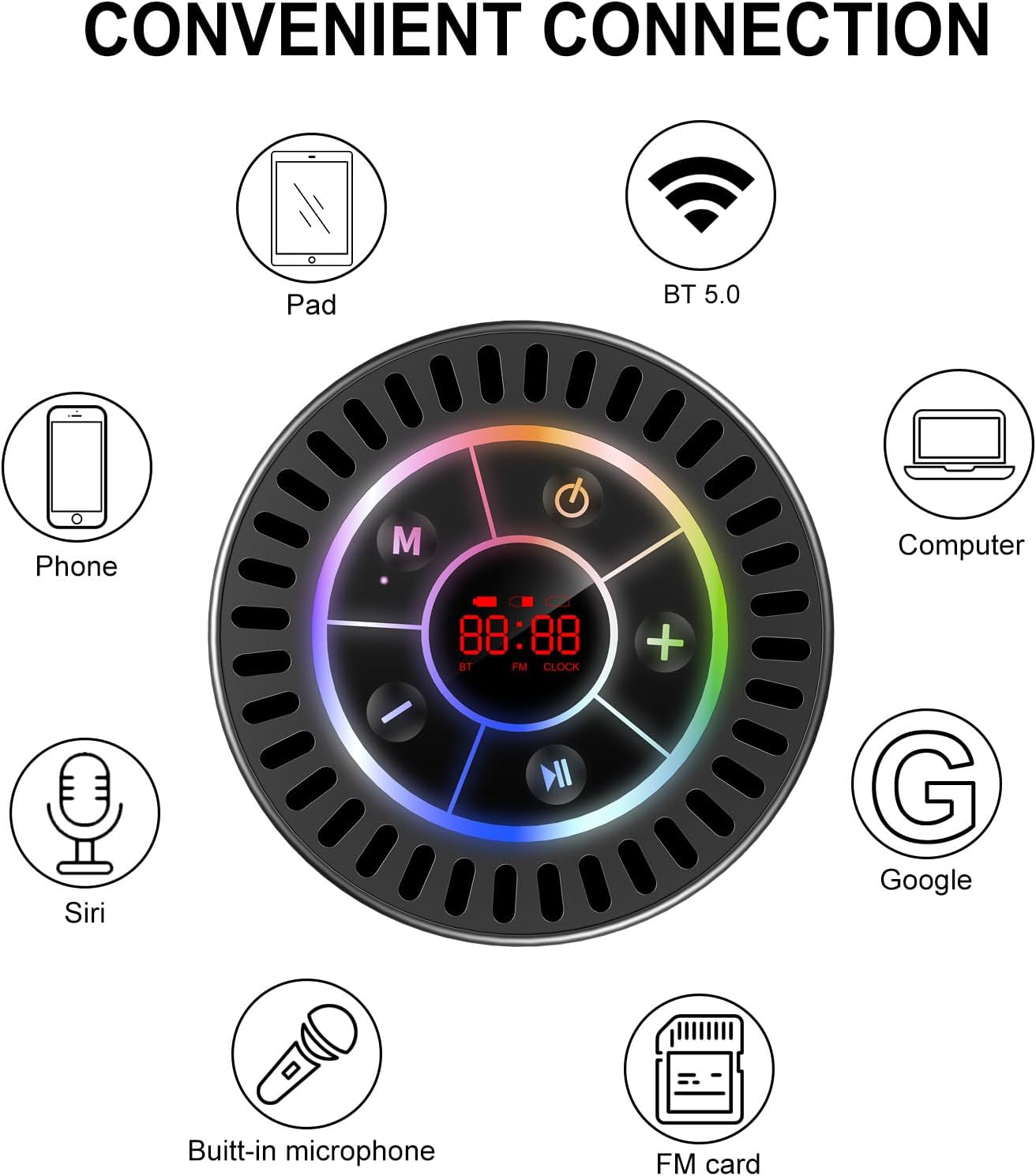
Image: The Docooler speaker attached to a shower wall, demonstrating its waterproof capability.
5.2 Cleaning
Clean the speaker with a soft, damp cloth. Do not use abrasive cleaners, alcohol, or chemical solvents, as these may damage the surface or internal components.
5.3 Storage
Store the speaker in a cool, dry place away from direct sunlight and extreme temperatures. If storing for an extended period, charge the battery periodically to maintain its lifespan.
6. Troubleshooting
- Speaker does not power on: Ensure the battery is charged. Connect the speaker to a power source using the USB-C cable and try again.
- Cannot pair via Bluetooth:
- Ensure the speaker is in Bluetooth pairing mode ('BT' flashing on display).
- Make sure Bluetooth is enabled on your device and it is within 15 meters of the speaker.
- If previously paired, try forgetting the device on your phone and re-pairing.
- Restart both the speaker and your Bluetooth device.
- Poor FM radio reception: FM radio reception can be affected by location and environmental factors. Try repositioning the speaker or using it in an open area. The charging cable can sometimes act as an antenna to enhance signal.
- No sound or low volume:
- Check the volume level on both the speaker and your connected device.
- Ensure the speaker is properly paired and not connected to another device.
- If using TWS, ensure both speakers are correctly paired to each other and then to your device.
- Speaker starts at full volume: Some units may default to a high volume upon power-on. Immediately adjust the volume using the '-' button to a comfortable level after turning the speaker on.
- Suction cup does not hold: Ensure the mounting surface is clean, smooth, and dry. Slightly moisten the suction cup before pressing it firmly onto the surface. Avoid porous or textured surfaces.
7. Specifications

Image: An exploded view showing the internal components of the Docooler speaker, highlighting its sound technology.
| Feature | Detail |
|---|---|
| Brand | Docooler |
| Model Number | SMT4782513347516YX |
| Connectivity Technology | Bluetooth 5.0 |
| Bluetooth Range | Up to 15 meters |
| Water Resistance Level | IPX7 (Waterproof) |
| Speaker Maximum Output Power | 5 Watts |
| Frequency Response | 100 Hz |
| Audio Output Mode | Stereo, Surround (with TWS) |
| Signal-to-Noise Ratio | 95 dB |
| Number of Microphones | 1 (Built-in) |
| Power Source | Battery Powered |
| Control Method | Button |
| Item Weight | 300 Grams |
| Compatible Devices | Laptop, MP3 Player, Smartphone, Tablet, Television |
8. Warranty and Support
8.1 Warranty Information
This Docooler speaker comes with a limited warranty. For specific terms and conditions, please refer to the warranty card included in your package or contact Docooler customer support.
8.2 Customer Support
For further assistance, technical support, or warranty claims, please visit the official Docooler website or contact their customer service department. Contact information can typically be found on the product packaging or the brand's online store.