Fachixy FC300 Wireless Gaming Headset User Manual
Model: FC-300
Introduction
Thank you for choosing the Fachixy FC300 Wireless Gaming Headset. This manual provides detailed instructions for setting up, operating, and maintaining your headset to ensure optimal performance and longevity. The FC300 offers a seamless gaming experience with its 2.4GHz lossless wireless and Bluetooth connectivity, long-lasting battery, and immersive audio.
Safety Information
- Do not expose the headset to extreme temperatures, humidity, or liquids.
- Avoid dropping or subjecting the headset to strong impacts.
- Do not attempt to disassemble or modify the headset. This will void the warranty.
- Listen at moderate volume levels to prevent hearing damage.
- Keep out of reach of children.
Package Contents
Please check the package for the following items:
- Fachixy FC300 Wireless Gaming Headset
- 2.4GHz USB Dongle
- USB-C Charging Cable
- User Manual (this document)

Image: The Fachixy FC300 Wireless Gaming Headset in white and purple, shown with its accompanying USB dongle.
Product Overview
Familiarize yourself with the various components and controls of your FC300 headset.

Image: A detailed diagram highlighting the control buttons on the left earcup of the Fachixy FC300 headset, including power, volume, mic, and RGB controls.
- Power/Multi-function Button: Turn on/off, play/pause, answer/reject calls.
- Volume Down/Previous Track: Decrease volume, skip to previous track.
- Volume Up/Next Track: Increase volume, skip to next track.
- Microphone Mute/Bluetooth Pairing: Mute/unmute microphone, initiate Bluetooth pairing.
- RGB Light Control: Turn RGB lights on/off.
Setup
1. Charging the Headset
Before first use, fully charge the headset. Connect the USB-C charging cable to the headset's charging port and the other end to a USB power source (e.g., computer USB port, wall adapter). The LED indicator will show charging status.
- Battery Capacity: 1200mAh
- Full Charge Time: Approximately 2.5 hours
- Playtime: Up to 50 hours (without RGB), 40 hours (with RGB)

Image: Visual representation of the headset's 1200mAh battery capacity and up to 50 hours of playtime on a 2.5-hour charge.
2. Connecting via 2.4GHz Wireless (for PC, PS5, PS4, Switch, Mac, Laptops)
- Insert the 2.4GHz USB dongle into an available USB port on your device.
- Power on the headset by long-pressing the Power button (1) for 3 seconds.
- The headset will automatically connect to the dongle. A stable connection is indicated by the LED light on the headset.
- Ensure the headset is selected as the audio output/input device in your system settings.

Image: A user wearing the headset connected wirelessly to a gaming PC via the 2.4GHz USB dongle, illustrating low-latency connectivity.
3. Connecting via Bluetooth (for Mobile Phones, Tablets, iPad)
Note: Bluetooth mode is not compatible with PS4 or PS5.
- Ensure the headset is powered on.
- Long-press the Microphone Mute/Bluetooth Pairing button (4) for 3 seconds to enter Bluetooth pairing mode. The LED indicator will flash rapidly.
- On your device, enable Bluetooth and search for "Fachixy FC300" in the list of available devices.
- Select "Fachixy FC300" to connect. The LED indicator will become solid once connected.
Operating Instructions
Power On/Off
- Power On: Long-press the Power button (1) for 3 seconds.
- Power Off: Long-press the Power button (1) for 3 seconds.
Volume Control
- Volume Up: Single click the Volume Up button (3).
- Volume Down: Single click the Volume Down button (2).
Microphone Control
- Mute/Unmute Mic: Single click the Microphone Mute button (4).
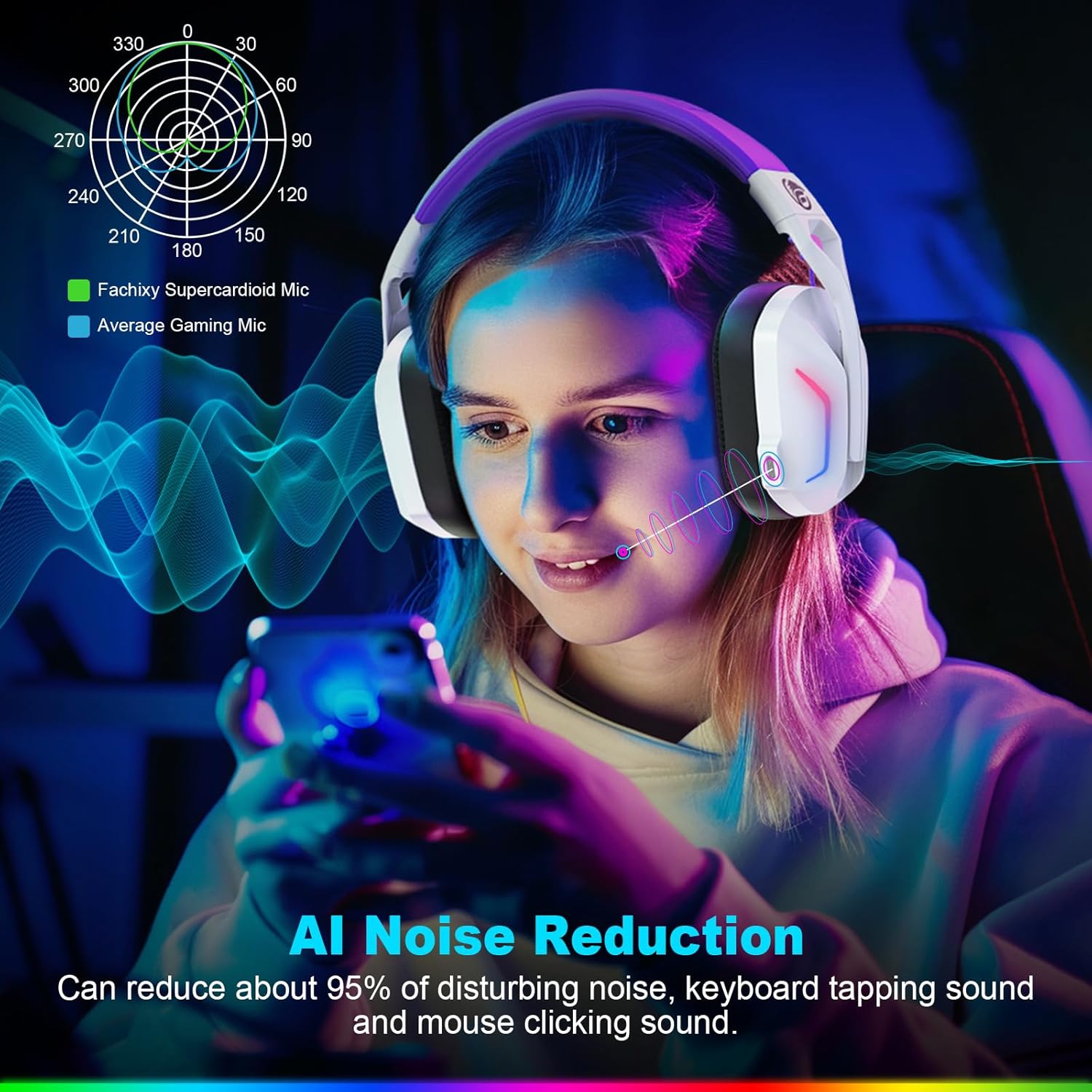
Image: A graphic illustrating the AI Noise Reduction capability of the Fachixy Supercardioid Mic, showing reduction of background noise like keyboard tapping and mouse clicking.
RGB Lighting Control
- Turn RGB On/Off: Single click the RGB Light Control button (5).

Image: A person wearing the Fachixy FC300 headset, showcasing its vibrant RGB lighting effects on the earcups.
Call Management (in Bluetooth mode)
- Answer/Hang up Call: Single click the Power button (1).
- Reject Call: Long-press the Power button (1) for 2 seconds.
Music Playback Control (in Bluetooth mode)
- Play/Pause: Single click the Power button (1).
- Next Track: Long-press the Volume Up button (3) for 2 seconds.
- Previous Track: Long-press the Volume Down button (2) for 2 seconds.
- Traceback (Redial last number): Double click the Power button (1).

Image: An exploded view diagram illustrating the 50mm Neodymium magnet driver and Titanium Coat Diaphragm responsible for the headset's immersive 3D surround sound quality.
Maintenance
- Cleaning: Use a soft, dry cloth to clean the headset. Do not use abrasive cleaners or solvents.
- Storage: Store the headset in a cool, dry place away from direct sunlight and extreme temperatures.
- Battery Care: To prolong battery life, avoid fully discharging the battery frequently. Charge it regularly, even if not in use for extended periods.

Image: A close-up of the headset's earcup and headband, highlighting features like soft protein earmuffs, memory foam, foldable structure, and adjustable slider for all-day comfort.
Troubleshooting
| Problem | Possible Cause | Solution |
|---|---|---|
| Headset does not power on. | Low battery. | Charge the headset fully. |
| No sound or poor sound quality. | Incorrect audio output selected; headset not connected; volume too low. | Check system audio settings; ensure headset is properly connected (2.4GHz dongle or Bluetooth); increase volume. |
| Microphone not working. | Microphone muted; incorrect input device selected. | Unmute microphone (single click button 4); check system audio input settings. |
| Cannot connect via 2.4GHz wireless. | Dongle not properly inserted; interference. | Ensure dongle is fully inserted; try a different USB port; move closer to the dongle. |
| Cannot connect via Bluetooth. | Headset not in pairing mode; device Bluetooth off; incompatible device. | Long-press button 4 to enter pairing mode; enable Bluetooth on your device; note that Bluetooth is not compatible with PS4/PS5. |
| RGB lights not working. | RGB lights turned off. | Single click button 5 to turn RGB lights on. |
Clear All Devices (Reset Pairing): Press Volume Up (3) and Volume Down (2) buttons together for 6 seconds while in Bluetooth mode. The headset will auto turn off after this operation.
Specifications
| Feature | Detail |
|---|---|
| Brand | Fachixy |
| Model Number | FC-300 |
| Color | White/Purple |
| Headset Type | Over-Ear |
| Connectivity | 2.4GHz Wireless, Bluetooth |
| Special Features | Fast Charge, RGB Lighting, AI Noise Reduction Mic |
| Battery Composition | Lithium-ion |
| Battery Capacity | 1200 mAh |
| Charging Time | Approx. 2.5 hours |
| Playtime (without RGB) | Up to 50 hours |
| Playtime (with RGB) | Up to 40 hours |
| Weight | Approx. 360g |
| Driver Size | 50mm Neodymium |
| Compatibility | 2.4GHz: PS5, PC, PS4, Switch, Mac, Laptops. Bluetooth: Mobile phones, tablets, iPad. |
Warranty and Support
Fachixy products are designed and manufactured to the highest quality standards. For warranty information or technical support, please refer to the contact details provided on the product packaging or the official Fachixy website. Please retain your proof of purchase for warranty claims.


