
Introduction
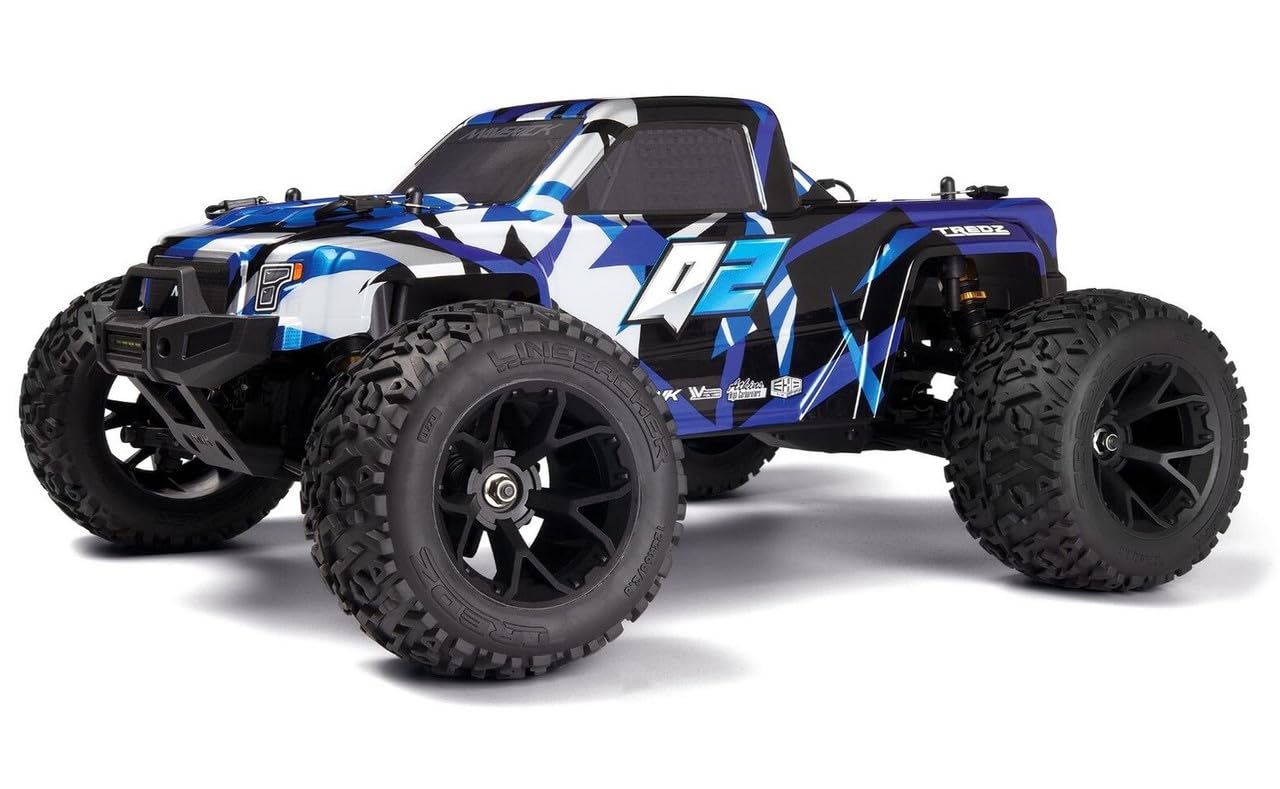
Congratulations on your purchase of the Maverick Quantum2 1/10 Electric Ready-to-Run (RTR) Monster Truck. This 4WD off-road vehicle is designed for thrilling performance and durability. This manual provides essential information for setting up, operating, and maintaining your new RC truck to ensure a safe and enjoyable experience.
Safety Information
Always operate your RC vehicle responsibly. Failure to do so may result in injury or damage to the product or property. Read and understand all instructions before use.
- Keep hands, face, and loose clothing away from moving parts.
- Do not operate near people, pets, or other RC vehicles.
- Avoid operating in wet conditions or near water unless the product is specifically designed for it.
- Always use caution when charging and handling batteries. Follow all battery manufacturer instructions.
- Ensure the vehicle is turned off when not in use and during transport.
What's in the Box
- (1) Maverick Quantum2 1/10 4WD MT (Ready-to-Run Vehicle)
- (1) Remote Control Transmitter
- (1) Vehicle Battery
Needed to Complete
The following items are required to operate your Maverick Quantum2 and are not included in the box:
- (4) AA Batteries for the Remote Control Transmitter
Setup
1. Remote Control Battery Installation
- Locate the battery compartment on the back of the remote control transmitter.
- Open the battery compartment cover.
- Insert (4) AA batteries, ensuring correct polarity (+/-).
- Close the battery compartment cover securely.
2. Vehicle Battery Installation & Connection
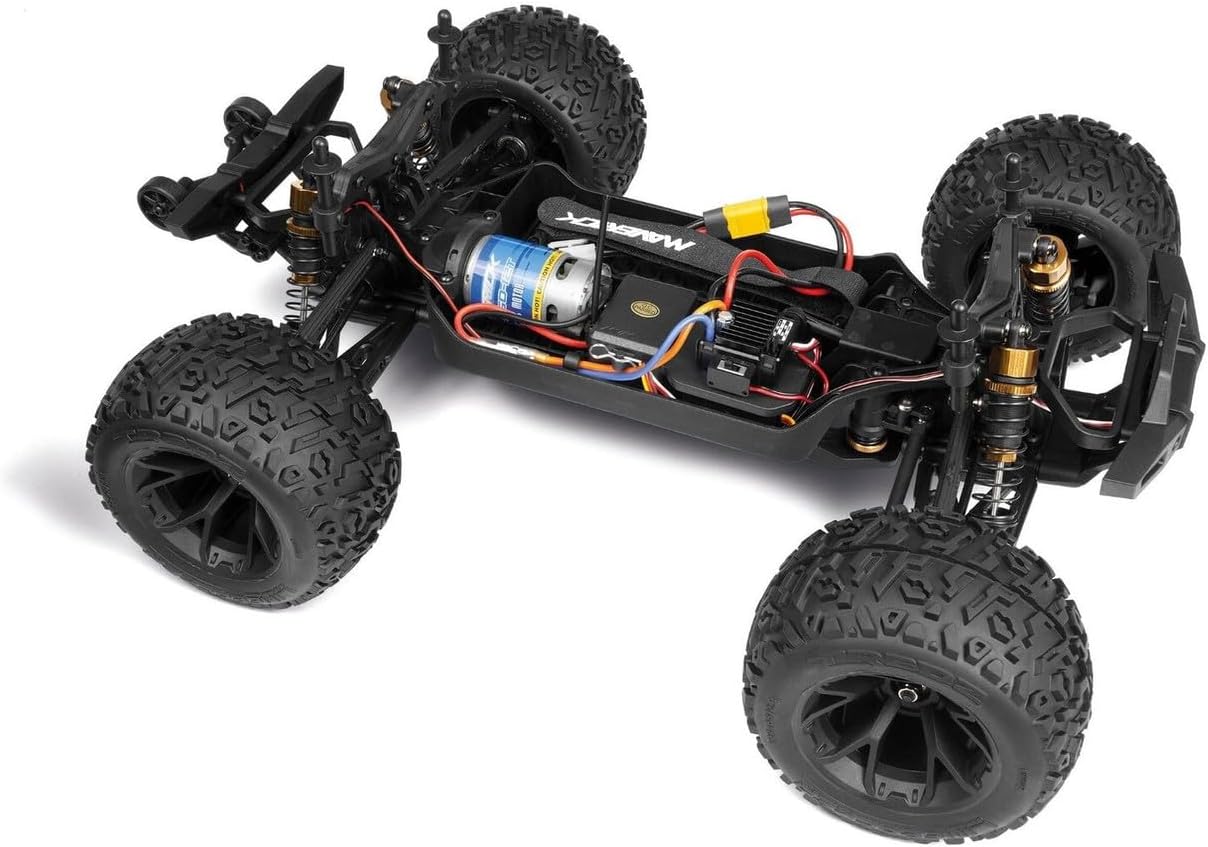
- Remove the body clips and lift the truck body to access the chassis.
- Place the included vehicle battery into the battery tray.
- Secure the battery using the provided straps or clips.
- Connect the battery to the Electronic Speed Controller (ESC) connector. Ensure a firm connection.
- Replace the truck body and secure it with the body clips.
3. Initial Pairing/Binding
Your Maverick Quantum2 is Ready-to-Run (RTR) and should come pre-bound from the factory. If re-binding is necessary, refer to the detailed instructions in the separate full manual or contact customer support.
Operating
1. Basic Controls
- Throttle Trigger: Pull the trigger to accelerate forward. Push the trigger forward for reverse and brake.
- Steering Wheel: Turn the wheel left or right to steer the vehicle.
2. Driving Tips
- Start with slow speeds to get accustomed to the controls.
- Practice steering and throttle control in an open, safe area.
- The Quantum2 is designed for off-road terrain, including dirt, grass, and gravel.

Maintenance
Regular maintenance will extend the life and performance of your Maverick Quantum2.
- Cleaning: After each run, clean dirt and debris from the chassis, suspension, and wheels using a soft brush or compressed air. Avoid using water directly on electronics.
- Inspections: Regularly check all screws, nuts, and bolts for tightness. Inspect suspension components, driveshafts, and gears for wear or damage.
- Battery Care: Always store batteries in a cool, dry place. Do not overcharge or over-discharge. Follow all manufacturer guidelines for battery safety and charging.
Troubleshooting
- No Power: Check if batteries are fully charged and correctly installed in both the vehicle and remote. Ensure all connections are secure and the vehicle's power switch is ON.
- No Steering/Throttle: Verify the remote control is powered on and properly bound to the vehicle. Check for any obstructions in the steering mechanism or damage to the servo.
- Erratic Behavior: Ensure you are within the operating range of the remote control. Check for interference from other electronic devices.
Specifications
| Feature | Detail |
|---|---|
| Scale Size | 1:10 |
| Terrain | Off-Road |
| Body Style | Monster Truck |
| Drive | 4WD |
| Length | 18.7 in (475 mm) |
| Width | 13.9 in (355 mm) |
| Wheelbase | 11.2 in (285 mm) |
| Power Source | Electric |
| Assembly Level | RTR (Ready-to-Run) |
| Item Weight | 7.65 Pounds |
| Item Dimensions | 20.7 x 14.25 x 8.5 inches |

Warranty & Support
For warranty information, technical support, or replacement parts, please refer to the official Maverick website or contact your retailer. Keep your proof of purchase for warranty claims.
Additional Resources
No official product videos from the seller were available for direct embedding in this manual. Please check the product page or manufacturer's website for any available video content.


