Introduction
This manual provides essential information for setting up, operating, and maintaining your Lenovo V15 G4 laptop. Please read these instructions carefully to ensure proper use and longevity of your device.
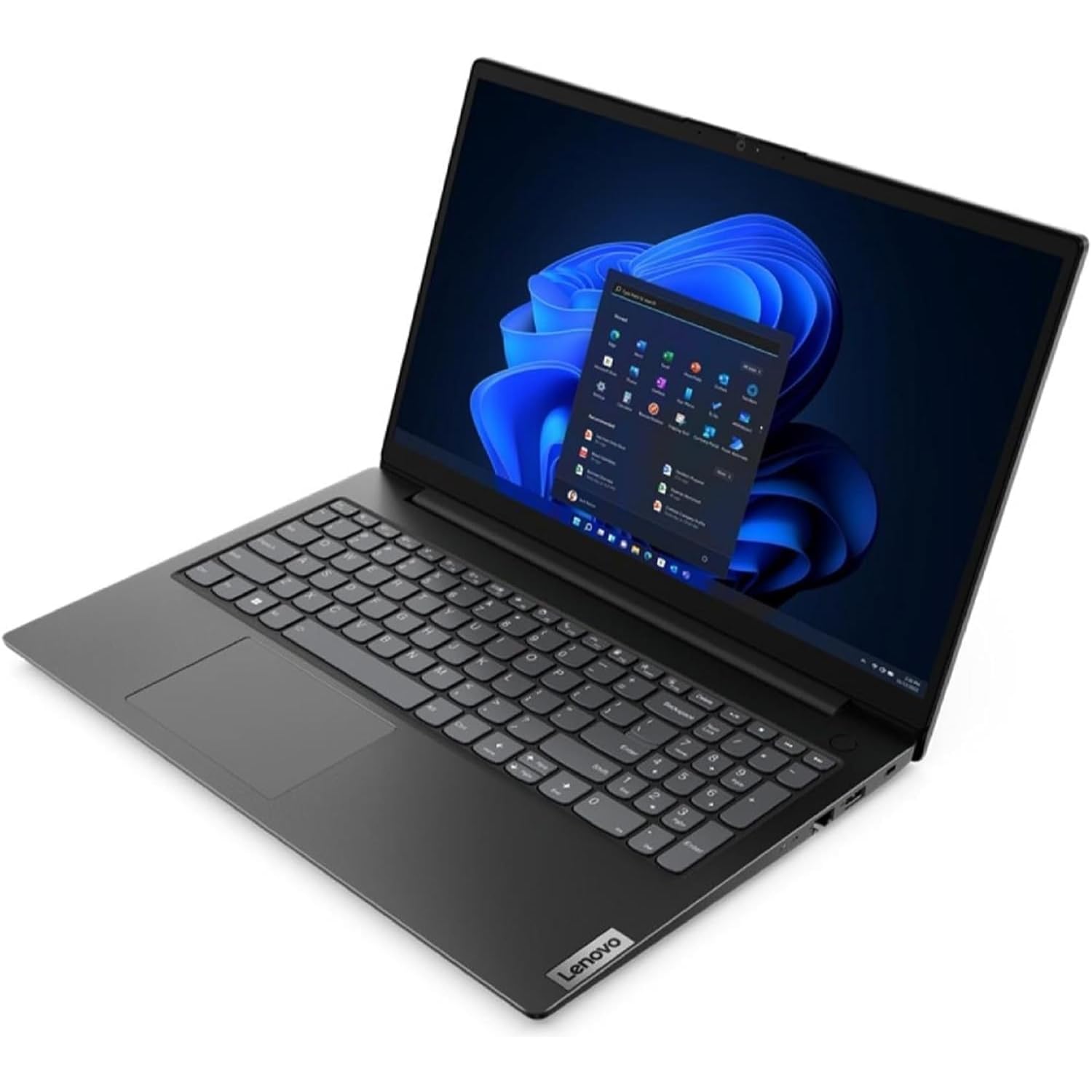
Figure 1: Lenovo V15 G4 Laptop (closed view).
Setup
Follow these steps to set up your new Lenovo V15 G4 laptop:
- Unpack the Laptop: Carefully remove the laptop and all accessories from the packaging. Ensure all components listed in the "What's in the Box" section are present.
- Connect Power: Connect the provided 65W Round Tip (3-pin) power adapter to the power connector on the laptop and then to a power outlet. Allow the battery to charge fully before first use.
- Initial Boot: Open the laptop lid and press the power button. The system will guide you through the initial Windows 11 Pro setup process.
- Connect Peripherals:
- USB Devices: Use the 2x USB 3.2 Gen 1 ports or the 1x USB-C 3.2 Gen 1 port for external devices like mice, keyboards, or external storage.
- External Display: Connect an external monitor using the 1x HDMI 1.4b port.
- Network: For a wired connection, use the 1x Ethernet (RJ-45) port. For wireless, connect to a Wi-Fi network during the Windows setup or via the operating system settings.
- Audio: Use the 1x Headphone / microphone combo jack (3.5mm) for headphones or external microphones.
Operating Instructions
Your Lenovo V15 G4 laptop comes pre-installed with Windows 11 Pro. Here are some basic operating guidelines:
- Power On/Off: Press the power button to turn on the laptop. To shut down, click the Start button in Windows, then Power > Shut down.
- Keyboard and Touchpad: The laptop features a Qwerty Italian keyboard with a numeric keypad and a precision touchpad for navigation.
- Webcam: The integrated HD 720p webcam includes a privacy shutter. Slide the shutter to cover or uncover the camera lens as needed.
- Audio: The laptop is equipped with stereo speakers (1.5W x2) with Dolby Audio and 2x array microphones. Adjust volume using the function keys or Windows settings.
- Connectivity:
- Wi-Fi: Connect to wireless networks via Windows settings (Settings > Network & internet > Wi-Fi).
- Bluetooth: Pair Bluetooth devices (e.g., headphones, mouse) via Windows settings (Settings > Bluetooth & devices).
Maintenance
Proper maintenance ensures the longevity and optimal performance of your laptop:
- Cleaning: Use a soft, lint-free cloth slightly dampened with water or a screen cleaner to clean the display. For the keyboard and chassis, use a dry, soft cloth. Avoid harsh chemicals.
- Ventilation: Ensure the ventilation openings are not blocked to prevent overheating. Do not operate the laptop on soft surfaces like beds or sofas that can obstruct airflow.
- Battery Care: To maximize battery life, avoid fully discharging the battery frequently. Store the laptop in a cool, dry place if not used for extended periods.
- Software Updates: Regularly update your Windows operating system and drivers to ensure security and performance.
Troubleshooting
Here are solutions to common issues you might encounter:
| Problem | Possible Solution |
|---|---|
| Laptop does not power on. | Ensure the power adapter is securely connected to both the laptop and a working power outlet. Check if the power outlet is functional. Try pressing and holding the power button for 10-15 seconds. |
| Display is blank or black. | Check if the laptop is powered on. Adjust screen brightness using function keys. If an external monitor is connected, ensure it is properly connected and selected as the display output. |
| Wi-Fi connection issues. | Ensure Wi-Fi is enabled in Windows settings. Restart your router and the laptop. Check for updated Wi-Fi drivers. |
| Slow performance. | Close unnecessary applications. Check for sufficient free space on the SSD. Run a virus scan. Ensure Windows and drivers are up to date. |
Specifications
Detailed technical specifications for the Lenovo V15 G4 (Model: 82YU00TYIX):
- Processor: AMD Ryzen 3 7320U (4C / 8T, 2.4 / 4.1GHz, 2MB L2 / 4MB L3)
- Display: 15.6" Full HD (1920x1080) TN, 250 nits, Anti-glare
- Memory (RAM): 8GB LPDDR5-5500 (Soldered, non-expandable)
- Storage: 256GB SSD M.2 PCIe 4.0x4 NVMe
- Operating System: Windows 11 Pro 64-bit
- Graphics: Integrated AMD Radeon 610M Graphics
- Webcam: HD 720p with Privacy Shutter, Fixed Focus
- Audio: High Definition (HD) Audio, Realtek ALC3287 codec, Stereo speakers (1.5W x2, Dolby Audio), 2x Array Microphones
- Ethernet: 100/1000M (RJ-45)
- Wireless: WLAN 11ac 2x2 (Wi-Fi 5)
- Bluetooth: BT5.1
- Ports:
- 1x Ethernet (RJ-45)
- 1x HDMI 1.4b
- 1x Headphone / microphone combo jack (3.5mm)
- 1x Power connector
- 1x USB-C 3.2 Gen 1
- 2x USB 3.2 Gen 1
- Battery: Integrated 38Wh
- Power Adapter: 65W Round Tip (3-pin)
- Case Color: Business Black
- Dimensions (WxDxH): 359.2 x 235.8 x 19.9 mm
- Weight: 1.65 kg


