
Baseus Eli Sport 1
Baseus Eli Sport 1 Open Ear Headphones User Manual
Model: Eli Sport 1
Brand: Baseus
1. Introduction
The Baseus Eli Sport 1 Open Ear Headphones are designed to provide a comfortable and high-quality audio experience while maintaining awareness of your surroundings. Featuring a non-in-ear design, these headphones mitigate discomfort and protect hearing, making them ideal for exercise, driving, and work. Advanced directional acoustics ensure privacy by minimizing sound leakage, while 16.2mm large drivers and Baseus Bass Enhancement Algorithm deliver rich, powerful audio. The ultra-lightweight design and optional detachable neckband provide a stable and comfortable fit for prolonged use.

Image: Baseus Eli Sport 1 Open Ear Headphones with their charging case and detachable neckband.
2. What's in the Box
Please verify that all items are present upon unboxing:
- Baseus Eli Sport 1 Open Ear Headphones
- Charging Case
- Detachable Neckband
- USB-C Charging Cable
- User Manual

Image: The Baseus Eli Sport 1 headphones neatly placed within their transparent-lid charging case.
3. Setup Guide
3.1 Initial Use & Charging
Before first use, ensure you remove all insulation stickers from the earbuds. Failure to do so may prevent proper pairing with your devices. Place the earbuds into the charging case to begin charging. The charging case itself can be recharged using the provided USB-C cable.
3.2 Pairing with Your Device
- Open the charging case and remove both earbuds. They will automatically power on and enter pairing mode.
- On your device (smartphone, tablet, laptop), navigate to the Bluetooth settings.
- Select "Baseus Eli Sport 1" from the list of available devices to connect.
- Once connected, a voice prompt will confirm successful pairing.
3.3 Wearing Guide
For optimal sound and comfort, follow these steps to properly wear your Baseus Eli Sport 1 headphones:
- Step 1: Prepare your earbuds. Hold the earbud with the speaker facing towards your ear.
- Step 2: Align the end of the earhook with the top of your ear. Gently place the earhook over the top of your ear.
- Step 3: Rotate the earbuds clockwise until the earhook is firmly sited behind your ear. Adjust until it feels secure and comfortable.
- Step 4: Adjust its angle and ensure the earbud is tilted upward to achieve the optimal wearing experience. The 20° angled outlet is designed to fit snugly outside your ear canal for perfect audio transmission.

Image: Step-by-step visual guide for correctly positioning the open-ear headphones on the ear.

Image: A man cycling outdoors, illustrating the non-in-ear design that allows for awareness of surroundings.
4. Operating Instructions
4.1 Power On/Off
To power on the headphones, simply remove them from the charging case. To power them off, place them back into the charging case.
4.2 Touch Controls
The Baseus Eli Sport 1 headphones feature intuitive touch controls on the outer surface of each earbud. The touch-sensitive area is located on the main body of the earbud, as indicated in the diagram below.

Image: Visual representation of the touch control area on the earbud.
| Action | Gesture | Function |
|---|---|---|
| Play / Pause | Double-tap L or R | Toggles playback. |
| Previous Track | Triple-tap L | Skips to the beginning of the current track or the previous track. |
| Next Track | Triple-tap R | Skips to the next track. |
| Volume + | Long-press R (gradually increase) | Increases audio volume. |
| Volume - | Long-press L (gradually decrease) | Decreases audio volume. |
| Answer / Hang up Call | Double-tap L or R | Answers an incoming call or ends an active call. |
| Decline Call | Long-press L or R for 1.5s | Rejects an incoming call. |
4.3 App Customization
Unlock the full potential of your Baseus Eli Sport 1 headphones by downloading the official Baseus app. The app allows for:
- Custom Button Controls: Personalize touch gestures to your preference.
- Custom EQ: Adjust audio equalization settings for a tailored listening experience.
- Locate Your Earbuds: Use the app to help find misplaced earbuds within Bluetooth range.

Image: Screenshots demonstrating the Baseus app's interface for custom button controls, custom EQ, and earbud location features.
5. Maintenance
5.1 Cleaning
Regularly clean your headphones with a soft, dry cloth. Avoid using harsh chemicals or abrasive materials. Ensure no moisture enters the speaker grilles or charging ports.
5.2 Water Resistance
The Baseus Eli Sport 1 headphones are IPX4 waterproof, meaning they are resistant to splashing water from any direction. This makes them suitable for workouts and light rain. However, they are not designed for submersion in water. Avoid exposing them to strong jets of water or prolonged immersion.
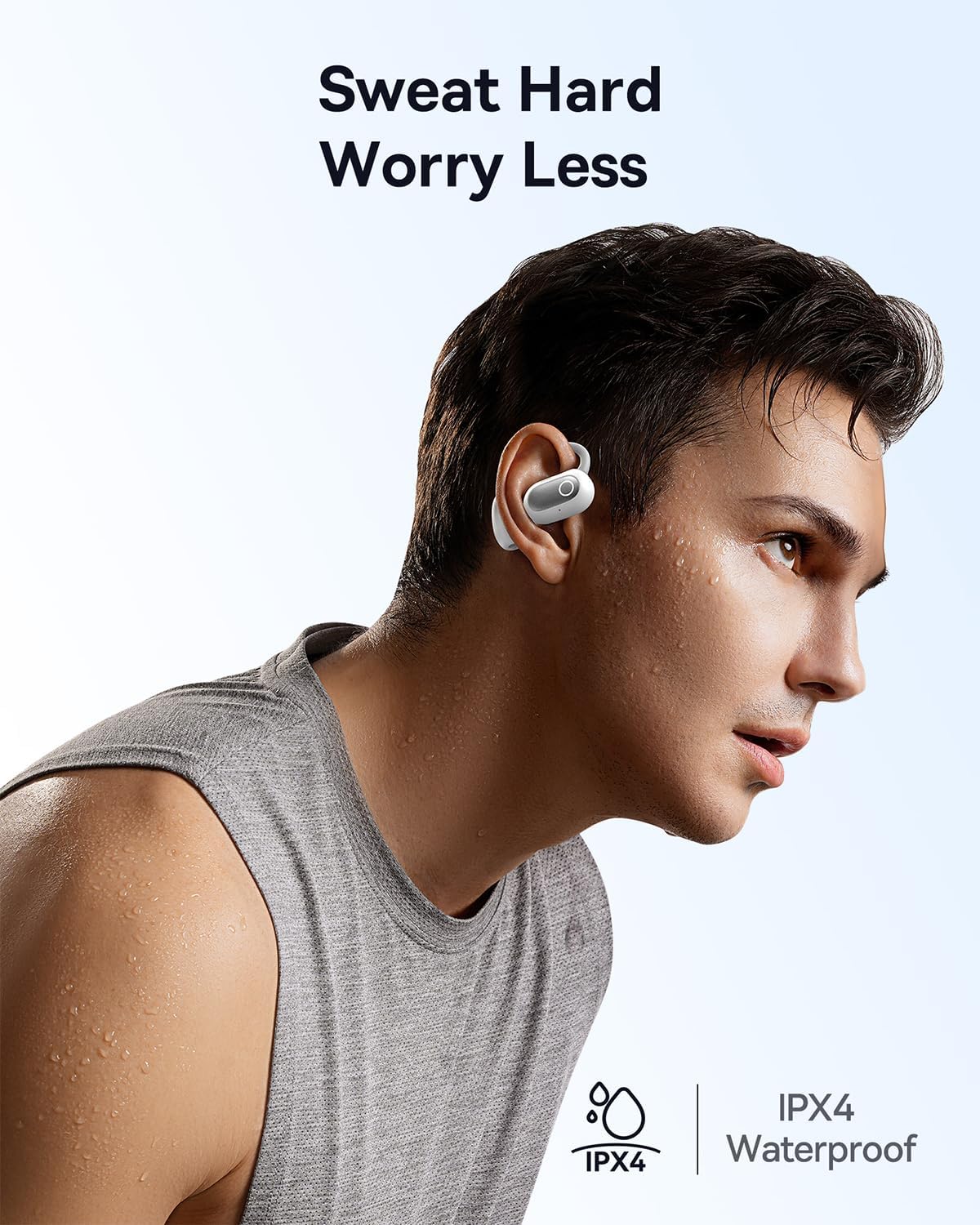
Image: A man engaged in physical activity, demonstrating the IPX4 waterproof feature of the headphones.
6. Troubleshooting
If you encounter issues with your Baseus Eli Sport 1 headphones, please refer to the following common solutions:
- Headphones not pairing/connecting:
- Ensure all insulation stickers have been removed from the earbuds before first use.
- Make sure the earbuds are charged.
- Verify Bluetooth is enabled on your device and the headphones are within range.
- Try resetting the headphones by placing them back in the case, closing it, and then reopening it.
- No sound or low volume:
- Check the volume levels on both your headphones and your connected device.
- Ensure the headphones are properly seated on your ears, with the speakers aligned with your ear canal.
- Reconnect the headphones to your device.
- Poor call quality:
- Ensure the microphones are not obstructed.
- Move closer to your connected device to improve signal strength.
- Check for excessive background noise; the ENC mics work best in moderate noise environments.
7. Specifications
| Feature | Detail |
|---|---|
| Model Name | Baseus Eli Sport 1 |
| Connectivity Technology | Wireless (Bluetooth 5.3) |
| Ear Placement | Open Ear |
| Water Resistance Level | IPX4 Waterproof |
| Audio Driver Size | 16.2 Millimeters |
| Impedance | 16 Ohm |
| Control Type | Volume Control, App, Touch |
| Microphones | 4 ENC Mics with AI Noise Cancellation |
| Battery Life (Single Charge) | Up to 7.5 hours |
| Total Battery Life (with Charging Case) | Up to 30 hours |
| Charging Case Material | Hard |
| Item Weight | 9.6 ounces |
| Product Dimensions | 1.34 x 1.1 x 3.82 inches |
| UPC | 850060076251 |
8. Warranty and Support
Baseus products come with a standard manufacturer's warranty. For detailed warranty information, product support, or to inquire about repairs, please visit the official Baseus website or contact their customer service. Keep your purchase receipt as proof of purchase for warranty claims.
For further assistance, please refer to the contact information provided on the Baseus official website or within the product packaging.
Related documentsEli Sport 1


Ask a question about this manual
Ask about setup, troubleshooting, compatibility, parts, safety, or missing instructions. Manuals+ will review the question and use this page’s manual context to help answer it.