
Product Overview
The ANJIELO SMART 1080P Video Doorbell Camera with 7-inch Touchscreen Intercom System (Model 94202) provides advanced security and communication for your home. This system allows connection to various 12V electronic door locks, such as electric, electromagnetic, cathode, and anode locks. It supports screen monitoring, key-based door unlocking, and remote unlocking via a mobile application.
Key features include PIR motion detection for accurate human recognition, real-time video calls, 1080P HD video quality with wide-angle viewing and infrared night vision, and multiple operating modes for enhanced security and convenience.
Setup Guide
1. Unboxing and Component Check
Before installation, ensure all components are present. The package includes the indoor monitor, memory card, user access card, manual, installation kit, product manual, and outdoor doorbell.

Image: Various components of the ANJIELO SMART Video Doorbell System laid out, including the indoor monitor, outdoor doorbell, wiring, and mounting hardware.
2. Mounting the Outdoor Doorbell
The outdoor doorbell can be mounted using screws or 3M adhesive tape. For a secure installation, screw mounting is recommended.
- Choose Location: Select a suitable location near your door, ensuring clear visibility and accessibility.
- Prepare Surface: Clean the mounting surface thoroughly to remove any dust or debris.
- Mark Drill Holes: Use the mounting bracket as a template to mark the positions for drilling.
- Drill Holes: Drill pilot holes at the marked positions. Insert wall anchors if necessary.
- Secure Bracket: Attach the mounting bracket to the wall using the provided screws.
- Attach Doorbell: Secure the outdoor doorbell unit to the mounted bracket.
Video: Installation guide for the outdoor doorbell unit, showing how to mount it to a wall.
Video: Detailed instructions for mounting the doorbell camera, including preparing the surface and securing the device.
3. Wiring Connections
Connect the outdoor doorbell to the indoor monitor and any electronic door locks using the provided 4-wire cable. Ensure correct polarity and secure connections.
- Purple Brown: Door Exit
- Red Black: Lock+
- Yellow Green: Gate

Image: Diagram illustrating the 4-wire connection for the video doorbell, showing connections for two-way audio and power.
4. Indoor Monitor Installation
Mount the 7-inch touchscreen indoor monitor at a convenient height inside your home. Connect the wiring from the outdoor unit to the monitor. Power on the system once all connections are secure.
Video: Demonstration of the indoor monitor installation and power-up process.
Operating Instructions
1. Real-time Video Call and Two-Way Communication
When a visitor presses the doorbell, the system sends an immediate call notification to your mobile phone via the app. You can then view and speak with the visitor through the monitor or your smartphone.
- Answer Call: Tap the answer button on the monitor or app to initiate two-way communication.
- Missed Calls: If you cannot answer, the system automatically records the video for later review.
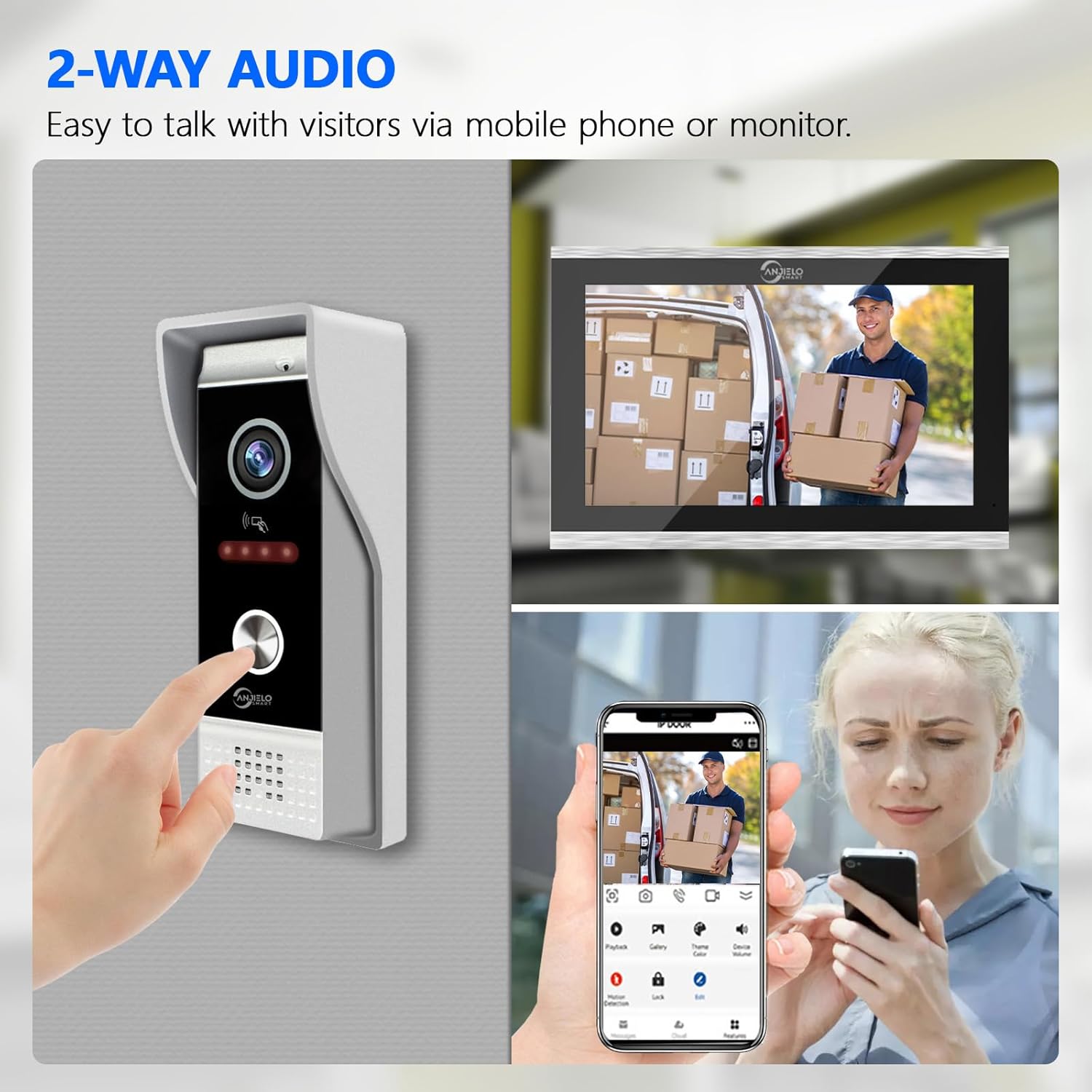
Image: Illustrates two-way audio communication between a visitor at the door and a user viewing from the indoor monitor and a mobile phone.
2. Door Unlocking Options
The system offers multiple ways to unlock connected electronic door locks:
- Card Unlock: Use an IC card to unlock the door directly at the outdoor unit.
- Monitor Unlock: Unlock the door from the indoor 7-inch touchscreen monitor.
- App Remote Unlock: Use the mobile application on your iOS/Android smartphone or tablet to unlock the door remotely.
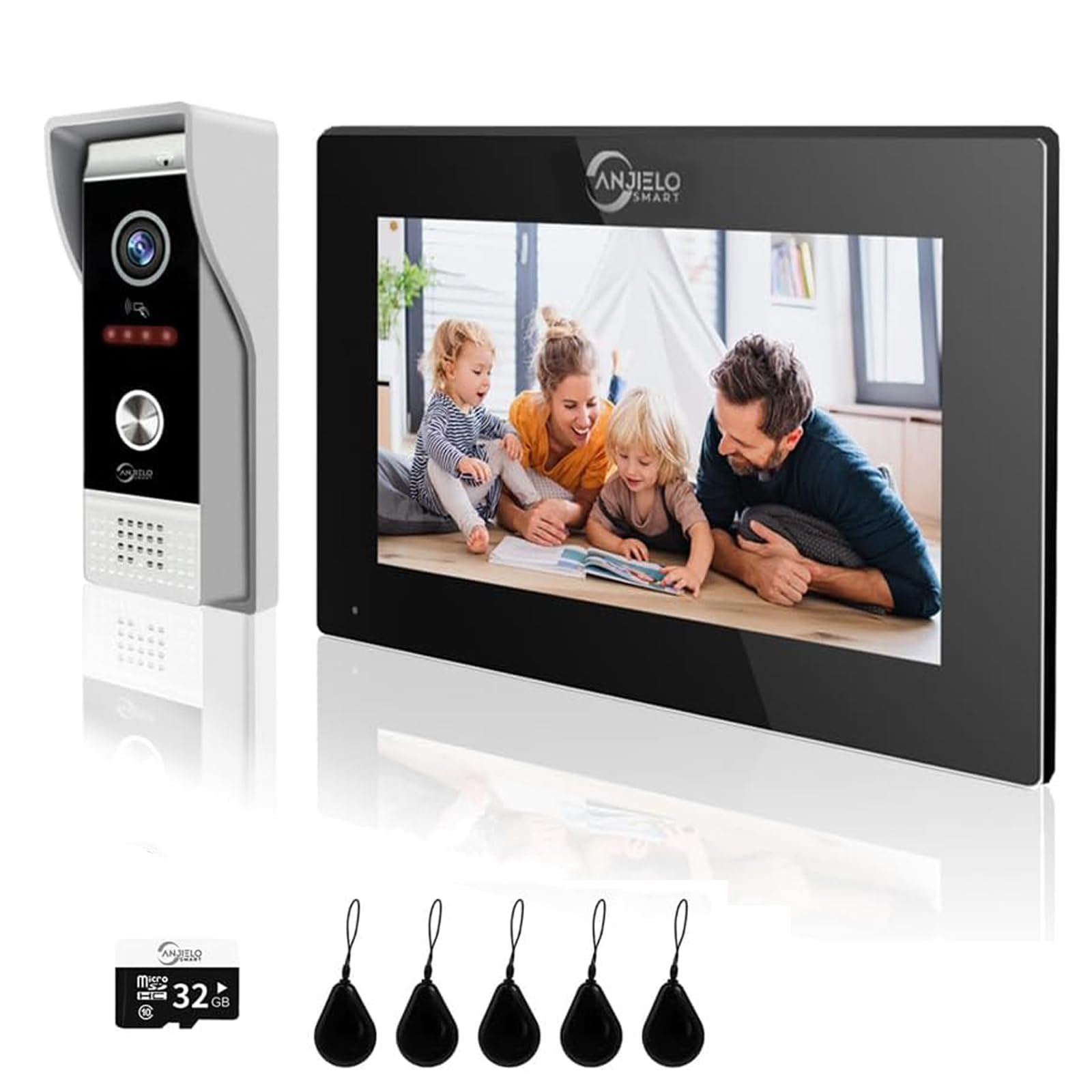
Image: Shows three methods of unlocking: Card Unlock, Monitor Unlock, and App Remote Unlock, with the outdoor doorbell unit in the center.

Image: A hand holding a smartphone displaying the mobile app interface with a "Lock" button for one-key remote unlocking.
3. PIR Motion Detection and Night Vision
The integrated PIR motion detection accurately identifies human body contours near your home, sending instant notifications to your device. The 1080P HD camera provides clear images day and night, supported by intelligent infrared night vision with 4 enhanced IR lights.
- Notifications: Receive immediate alerts on your phone when motion is detected.
- Recording: Motion detection events are recorded and can be played back via the monitor, enhancing home security.

Image: Depicts the PIR motion detection feature, showing a person detected by the doorbell camera and a notification appearing on a smartphone.

Image: Compares day and night vision capabilities of the 1080P HD camera, highlighting the wide-angle view and IR LEDs for clear night vision.
4. Monitor Modes
The indoor monitor offers three selectable modes:
- Residence Mode: Standard operating mode.
- Not Home Mode: When selected, the doorbell camera automatically records visitor video calls to inform you of visits.
- Silent Mode: The doorbell and monitor will not produce sound, providing a quiet environment.
Maintenance
- Cleaning: Regularly wipe the outdoor doorbell camera and indoor monitor with a soft, damp cloth. Avoid abrasive cleaners.
- Weather Protection: The outdoor doorbell is IP65 waterproof, designed to withstand rain, heat, and snow. However, avoid direct high-pressure water exposure.
- Software Updates: Check the mobile application regularly for firmware updates to ensure optimal performance and security.
- Memory Card: The included 32GB Micro SD card provides local storage. Periodically review and manage recorded footage to ensure sufficient space.

Image: Highlights the IP65 waterproof rating of the outdoor doorbell, showing its resilience to various weather conditions.
Troubleshooting
- No Power: Ensure all power connections are secure and the power adapter is functioning correctly.
- No Video/Audio: Check all wiring connections between the outdoor unit and indoor monitor. Ensure the mobile app is updated and has necessary permissions.
- Motion Detection Issues: Verify PIR sensor is clean and unobstructed. Adjust sensitivity settings in the app if receiving too many or too few alerts.
- Remote Unlock Failure: Check network connectivity for both the monitor and your mobile device. Ensure the electronic lock is properly connected and powered.
- Poor Image Quality: Clean the camera lens. Ensure adequate lighting, especially at night (IR lights should activate automatically).
Product Specifications
| Brand | ANJIELO SMART |
| Model Number | 94202 |
| Product Dimensions | 22 x 2 x 17 cm; 1.18 kg |
| Color | Black |
| Material | Metal |
| Included Components | Indoor monitor, Memory card and user access card, Manual, Installation kit, Product manual, Outdoor doorbell |
| Switch Installation Type | Wall Mount |
| Batteries Required | No |
| ASIN | B0CT2LTDD6 |
| First Available Date | January 23, 2024 |

Image: Shows the dimensions of both the outdoor doorbell unit and the indoor monitor.
Warranty & Support
For warranty information, technical support, or service inquiries, please contact ANJIELO SMART customer service. Refer to the product packaging or the official ANJIELO SMART website for contact details.
Guaranteed software updates until: Unknown (as per product specifications).


