
Taiyo TYS-160011C
Taiyo 1:8 Radio Control Land Shark Car Toy Instruction Manual
Model: TYS-160011C
Introduction
Thank you for choosing the Taiyo 1:8 Radio Control Land Shark Car Toy. This manual provides essential information for the safe and optimal use of your new remote-controlled vehicle. The Land Shark is designed for versatile play, offering durable performance for both indoor and outdoor environments. Please read this manual thoroughly before operating the product.

Image: The Taiyo 1:8 Radio Control Land Shark Car Toy displayed in its red and black retail packaging, showcasing the car and its remote control.
Safety Information
To ensure safe operation and prevent damage, please observe the following safety guidelines:
- Keep away from naked flame or direct heat sources.
- Do not operate near water or in wet conditions to avoid electrical damage.
- Avoid operating in crowded areas or near people and pets to prevent accidents.
- Adult supervision is recommended for children operating the toy.
- Do not attempt to modify or disassemble the product, as this may cause damage or injury.
- Ensure batteries are inserted with correct polarity.
- Remove batteries from the toy and remote control when not in use for extended periods.
Package Contents
Verify that all items listed below are included in your package:
- 1 x Taiyo 1:8 Radio Control Land Shark Car Toy (Red/Black)
- 1 x Remote Control Transmitter
- Batteries (for car and remote control)
- Instruction Manual (this document)
Setup
1. Battery Installation
The Taiyo Land Shark Car Toy and its remote control require batteries for operation. Batteries are included with the product.
For the Remote Control:
- Locate the battery compartment on the back of the remote control.
- Use a screwdriver (not included) to open the battery compartment cover.
- Insert the required batteries (typically AA or AAA, refer to the compartment markings) ensuring correct polarity (+/-).
- Replace the battery compartment cover and secure it with the screw.

Image: A direct front view of the Taiyo Land Shark RC Car, highlighting its black and red body, shark-mouth decal, and robust track system.
For the Land Shark Car:
- Locate the battery compartment on the underside of the car.
- Open the battery compartment cover.
- Connect the car's battery pack to the vehicle's power connector, ensuring a secure fit.
- Place the battery pack neatly into the compartment and close the cover.
2. Charging the Car Battery (if applicable)
If your car uses a rechargeable battery pack, ensure it is fully charged before first use.
- Connect the battery pack to the provided charger.
- Plug the charger into a suitable power outlet.
- Observe the charger's indicator light (if any) for charging status. Charge until the light indicates a full charge or for the recommended duration specified on the charger or battery pack.
- Once charged, disconnect the battery from the charger.
Note: Always supervise charging and do not leave charging batteries unattended.
Operating Instructions
1. Powering On and Pairing
- Ensure both the car and the remote control have fresh or fully charged batteries installed.
- Turn on the power switch on the Land Shark car (usually located on the underside or side).
- Turn on the power switch on the remote control.
- The car and remote should automatically pair. An indicator light on the remote or car may change from flashing to solid once paired.

Image: An angled side view of the Taiyo Land Shark RC Car, showcasing its red and black body, track system, and suspension details.
2. Basic Controls
The remote control typically features joysticks or buttons for movement:
- Forward/Backward: Push the left joystick (or designated lever) forward to move the car forward, and pull it backward to move the car in reverse.
- Turn Left/Right: Use the right joystick (or designated lever) to steer the car left or right.
- Spin/Pivot: Some models allow for pivot turns by moving one track forward and the other backward simultaneously. Experiment with the controls to discover full maneuverability.
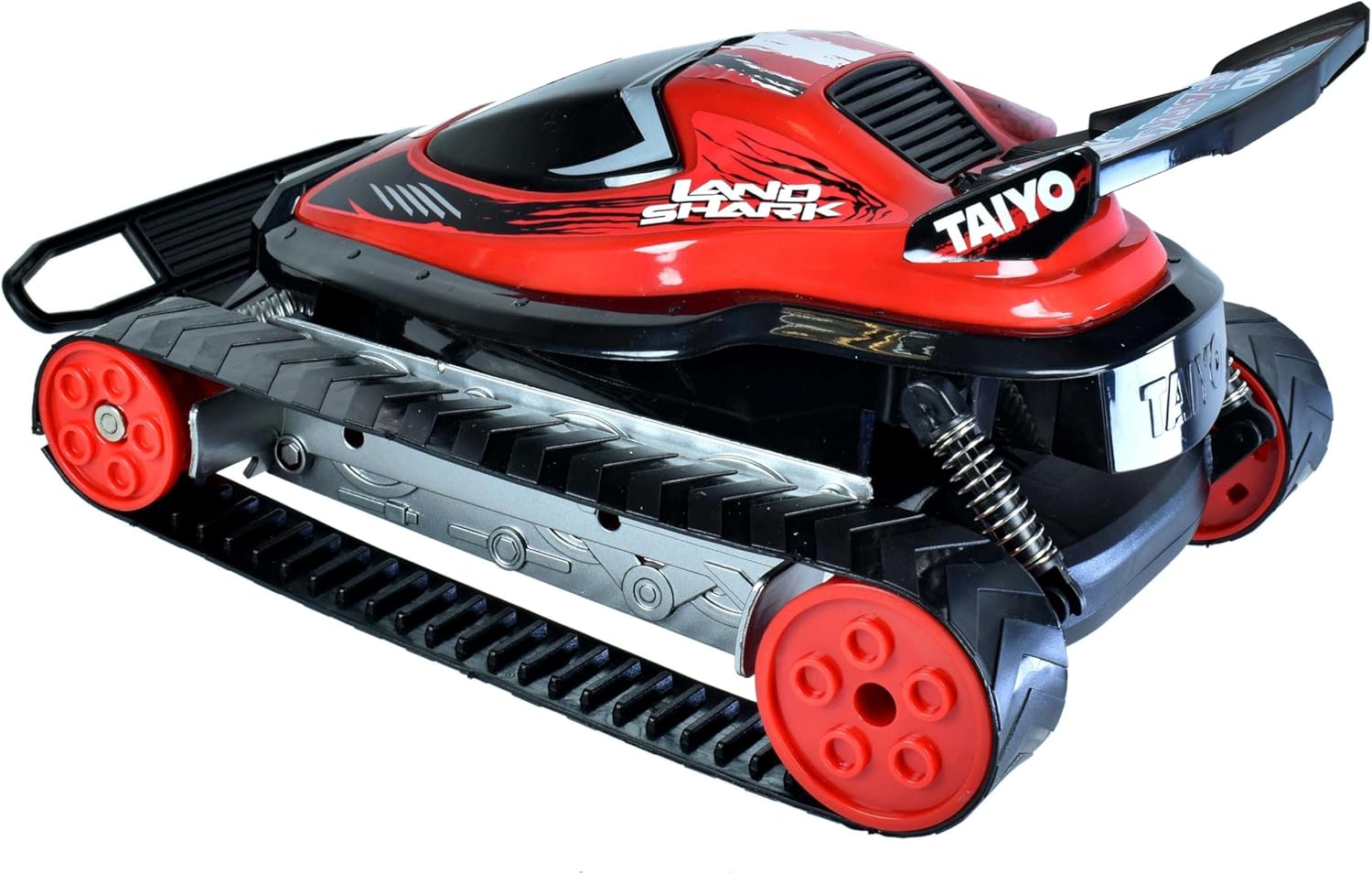
Image: A rear angled view of the Taiyo Land Shark RC Car, showing its spoiler, track system, and the red and black color scheme.
3. Driving Tips
- Start in an open area to get accustomed to the controls.
- The Land Shark is designed for various terrains. Experiment with different surfaces like grass, dirt, or pavement.
- Avoid driving into obstacles at high speed to prevent damage.
- When the car's performance decreases, it's usually an indication that the battery needs recharging or replacement.
Maintenance
1. Cleaning
- After each use, especially outdoors, gently wipe down the car with a soft, dry cloth to remove dirt and dust.
- For stubborn dirt, a slightly damp cloth can be used, but ensure no water enters electronic components.
- Do not use harsh chemicals or solvents, as these can damage the plastic and paint.

Image: An angled front view of the Taiyo Land Shark RC Car, emphasizing its robust track system and front bumper.
2. Storage
- Store the car and remote control in a cool, dry place away from direct sunlight and extreme temperatures.
- Remove all batteries from both the car and the remote control if storing for an extended period to prevent leakage and damage.
3. Battery Care
- Always use the charger provided with the product for rechargeable batteries.
- Do not mix old and new batteries, or different types of batteries.
- Dispose of used batteries responsibly according to local regulations.

Image: A slightly different angled front view of the Taiyo Land Shark RC Car, showcasing its aggressive design and track-based propulsion system.
Troubleshooting
If you encounter issues with your Taiyo Land Shark Car Toy, refer to the following common problems and solutions:
| Problem | Possible Cause | Solution |
|---|---|---|
| Car does not respond to remote. |
|
|
| Car moves slowly or inconsistently. |
|
|
| Short control range. |
|
|
Specifications
Key technical details for the Taiyo 1:8 Radio Control Land Shark Car Toy:
- Model Number: TYS-160011C
- Scale: 1:8
- Product Dimensions: 18.5 x 35 x 27 cm (L x W x H)
- Item Weight: 1.14 kg
- Material Type: Plastic
- Color: Red/Black
- Recommended Age: 4 - 10 years
- Batteries: Required (Yes), Included (Yes)
- Control Frequency: 2.4 GHz
Warranty and Support
Specific warranty information for the Taiyo 1:8 Radio Control Land Shark Car Toy is not provided within the product details. For any product inquiries, technical support, or questions regarding potential warranty coverage, please contact the retailer or manufacturer directly using the contact information provided at the point of purchase.
Please retain your proof of purchase for any support claims.
Related documentsTYS-160011C


Ask a question about this manual
Ask about setup, troubleshooting, compatibility, parts, safety, or missing instructions. Manuals+ will review the question and use this page’s manual context to help answer it.