
1. Introduction
This manual provides detailed instructions for the LAWOHO Bisecur BS 868 MHz 3-button garage door remote control. Please read this guide thoroughly before attempting to set up or operate your new remote control to ensure proper function and safety. This remote is designed for convenience and durability, offering reliable control for your garage door or gate system.

Image 1.1: LAWOHO Bisecur BS 868 MHz Remote Control.
2. Compatibility
This remote control is specifically designed to be compatible with Hormann 868MHz BS Bisecur Series models. It is crucial that your existing Hormann remote or receiver model includes "BS" at the end of its designation.
Compatible Models:
- HS1-868-BS
- HS4-868-BS
- HS5-868-BS
- HSS4-868-BS
- HSE1-868-BS
- HSE2-868-BS
- HSE4-868-BS
- HSP4-868-BS
- HSD2-868-BS
Important Note: This remote control is not compatible with Hormann models that do not have "BS" at the end of their model number. For example, it is compatible with "HSE1-868-BS" but not with "HSE1-868".

Image 2.1: Visual guide to compatible Hormann BS series remote controls.
3. Package Contents
Upon opening your package, please verify that all the following items are included:
- 2 x LAWOHO Bisecur BS 868 MHz Remote Controls
- 2 x Reinforced Metal Keychains
- 2 x Programming Instructions (integrated into this manual)
4. Product Features
The LAWOHO Bisecur BS remote control offers the following features:
- Frequency: 868 MHz
- Buttons: 3 gray buttons for controlling up to 3 different garage doors or gates.
- Indicator: Blue LED light indicator for operational feedback.
- Material: Durable metal and ABS construction with a reinforced metal keychain frame.
- Battery: CR2032 3V lithium battery (included).
- Range: Maximum range of up to 100 meters (unobstructed).
- Design: Compact, mini-size design for easy portability on a keychain, in a bag, or pocket.
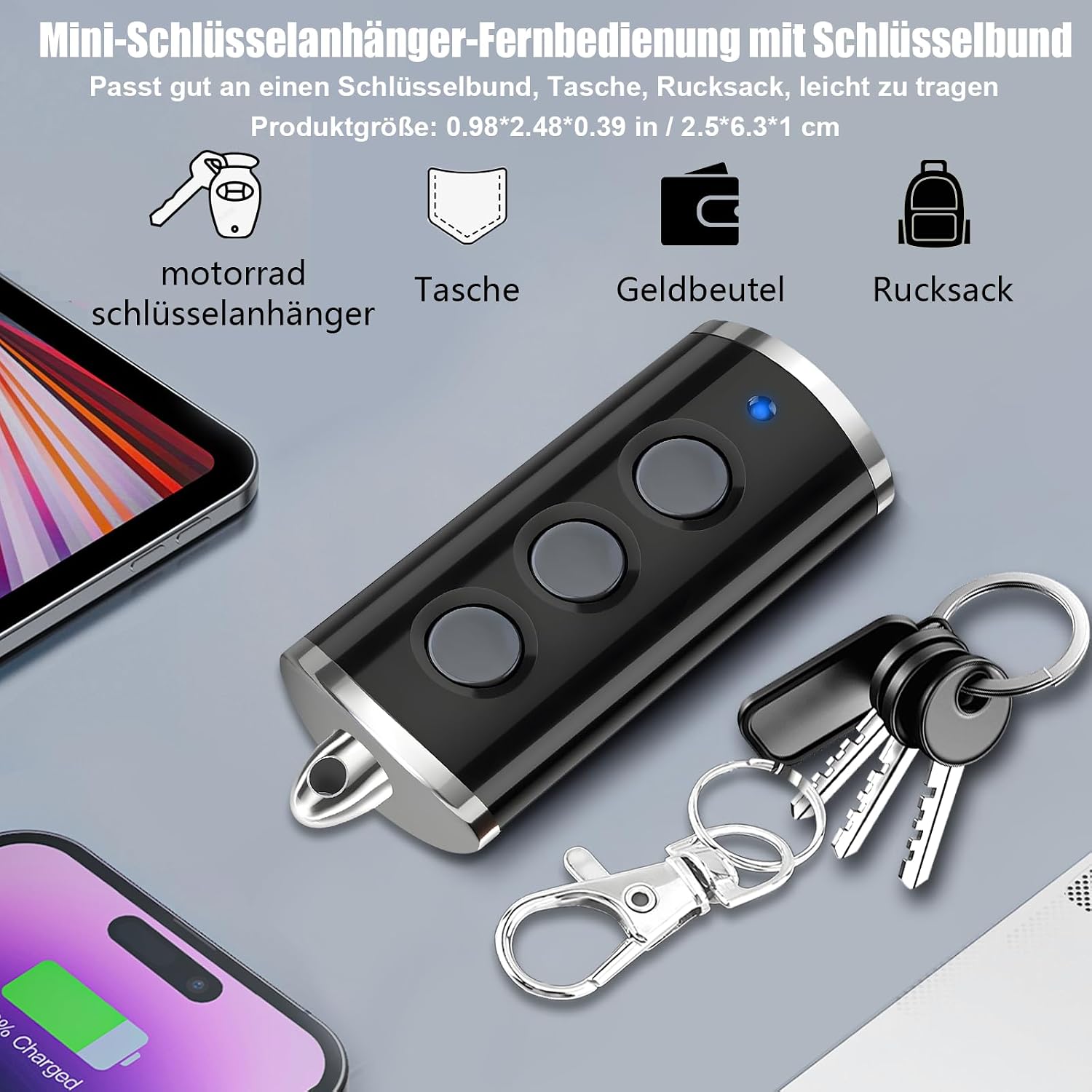
Image 4.1: Compact design of the remote control, suitable for keychains.

Image 4.2: Internal view highlighting the CR2032 battery and sensitive buttons.
5. Setup and Programming
Programming your LAWOHO Bisecur BS remote control typically involves two main methods: cloning from an existing remote or programming directly to your garage door opener's receiver. Refer to your garage door opener's manual for specific instructions on entering programming mode.
Method 1: Cloning from an Existing Remote (Remote-to-Remote)
- Clear Existing Codes: Press and hold buttons 1 and 2 (top two buttons) simultaneously on the new LAWOHO remote until the blue LED flashes rapidly, then release. This clears any pre-existing codes.
- Enter Cloning Mode: Press and hold the button on the new LAWOHO remote that you wish to program (e.g., button 1). The LED will flash slowly.
- Position Remotes: Hold your original, working Hormann BS remote control close to the new LAWOHO remote (typically back-to-back or side-by-side, within 1-2 cm).
- Transmit Signal: While holding the button on the new remote, press and hold the corresponding button on your original Hormann remote.
- Confirmation: Continue holding both buttons until the blue LED on the new LAWOHO remote flashes rapidly, then stays solid. This indicates successful cloning. Release both buttons.
- Test: Test the newly programmed button with your garage door opener. If it doesn't work, repeat the process.
- Repeat for Other Buttons: Repeat steps 2-6 for any other buttons you wish to program.
Method 2: Programming Directly to the Receiver (If Cloning Fails or Not Applicable)
This method requires access to your garage door opener's receiver unit. The exact steps may vary depending on your specific Hormann opener model.
- Access Receiver: Locate the programming button (often labeled "P", "Learn", or "Code") on your garage door opener's motor unit.
- Enter Programming Mode: Press and release the programming button on the receiver. An indicator light on the receiver will usually illuminate or flash, signifying it's in programming mode.
- Transmit Signal: Within a few seconds, press the desired button on your new LAWOHO remote control. Hold it for 1-2 seconds, then release.
- Confirmation: The receiver's indicator light may flash, change color, or turn off to confirm successful programming.
- Test: Test the newly programmed button with your garage door opener.
- Exit Programming Mode: Some receivers automatically exit programming mode after a short period, while others may require pressing the programming button again.
If you encounter difficulties, consult the original manual for your Hormann garage door opener or contact customer support.
6. Operating Instructions
Once programmed, operating your LAWOHO Bisecur BS remote control is straightforward:
- Open/Close: Press the programmed button corresponding to your garage door or gate. The blue LED will illuminate during transmission.
- Multiple Devices: If you have programmed multiple devices, press the specific button assigned to each device.
- Range: Ensure you are within the operational range (up to 100 meters, line of sight) of your garage door opener. Obstructions can reduce effective range.

Image 6.1: Demonstrating the remote control in use with a garage door.
7. Maintenance (Battery Replacement)
The remote control is powered by a CR2032 3V lithium battery. If the remote's range decreases significantly or the LED indicator does not light up, it may be time to replace the battery.
Battery Replacement Steps:
- Open the Casing: Use a small screwdriver to gently pry open the remote control casing. There is usually a small notch or seam where the two halves meet.
- Locate Battery: Carefully separate the circuit board from the casing to access the CR2032 coin cell battery.
- Remove Old Battery: Gently remove the old CR2032 battery. Note its orientation (positive side up/down).
- Insert New Battery: Insert a new CR2032 battery with the correct polarity.
- Reassemble: Carefully place the circuit board back into the casing and snap the two halves of the remote control back together until secure.

Image 7.1: Visual instructions for battery replacement.
8. Troubleshooting
| Problem | Possible Cause | Solution |
|---|---|---|
| Remote does not work. | Battery is dead or low. | Replace the CR2032 battery. |
| Remote does not work. | Not programmed correctly. | Repeat the programming steps (Section 5). Ensure compatibility. |
| Short operating range. | Low battery. | Replace the CR2032 battery. |
| Short operating range. | Obstructions between remote and receiver. | Ensure clear line of sight. Move closer to the receiver. |
| LED does not light up. | Dead battery. | Replace the CR2032 battery. |
9. Specifications
| Feature | Detail |
|---|---|
| Brand | LAWOHO |
| Model Name | 868MHz Bisecur BS Remote Control |
| Frequency | 868 MHz |
| Number of Buttons | 3 |
| Battery Type | 1 x CR2032 3V Lithium (included) |
| Material | Metal and ABS |
| Maximum Range | 100 Meters (unobstructed) |
| Weight | 30 Grams |
| Supported Devices | Up to 3 |
10. Warranty and Support
LAWOHO is committed to providing excellent customer service. If you encounter any issues with your remote control, either before or after purchase, please contact our professional customer support team. We offer a comprehensive solution, which may include a full refund or a new replacement within 90 days of purchase.
For support, please refer to the contact information provided with your product packaging or visit the official LAWOHO website.