
VGR V-901
VGR Premium Metal Body Hair Clipper
Model: V-901 User Manual
Important Safety Information
Please read all safety instructions carefully before using the VGR V-901 Hair Clipper. Keep this manual for future reference.
- Always keep the trimmer away from water sources. Do not use near bathtubs, showers, basins, or other vessels containing water.
- Avoid contact with skin and eyes.
- Allow the trimmer to cool down after use, especially after using the Turbo Power Function, to prevent overheating.
- Do not use on infants or children without proper supervision and care.
- Follow recommended cleaning and maintenance procedures as outlined in this manual.
- Always unplug the trimmer from the power source before charging or cleaning.
- Keep the charging cable away from water and heat sources to prevent damage.
- Do not use the trimmer if the cord or plug is damaged, or if the device itself is malfunctioning or has been dropped.
Product Overview
The VGR Premium Metal Body Hair Clipper V-901 is designed for precise and efficient hair cutting. It features a durable metal body, an LED display, and a powerful motor for professional-grade performance.

Image: The VGR V-901 Hair Clipper, showcasing its full package contents including the clipper, various guide combs (1mm, 3mm, 5mm, 7mm), cleaning brush, lubricating oil, USB-C charging cable, and product packaging.
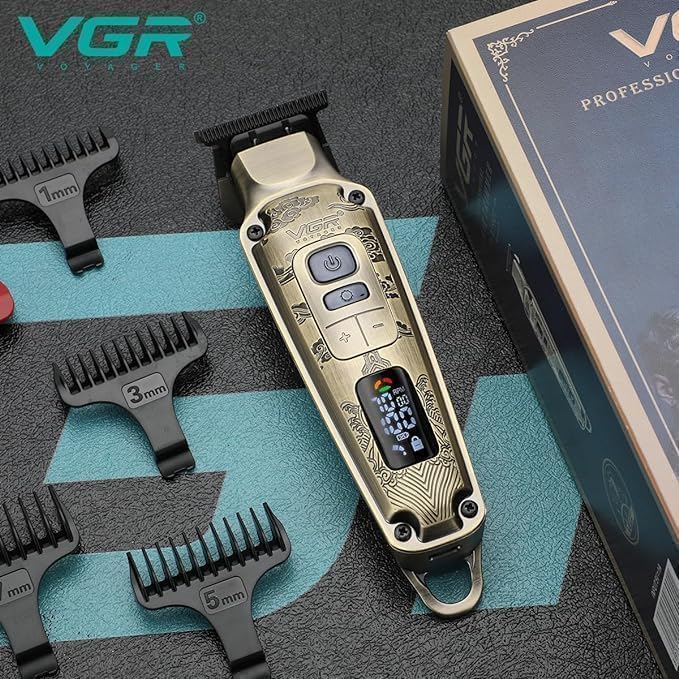
Image: A detailed view of the VGR V-901 Hair Clipper, highlighting its metal body, LED display, and the various guide combs positioned around it. The display shows battery percentage and RPM.
Key Components:
- Metal Body: Durable and ergonomic design.
- LED Digital Display: Shows battery charge level and current RPM.
- Self-Sharpening Ceramic and Metal Powder Blades: Designed for smooth and precise cutting.
- Adjustable Taper Lever: For fine-tuning cutting length.
- On/Off and Speed Buttons: Control power and motor speed.
- Guide Combs: Four included sizes (1mm, 3mm, 5mm, 7mm) for various hair lengths.
- USB-C Charging Port: For convenient charging.
- Portable Hook: For easy storage.
Setup and Charging
Before first use, ensure the clipper is fully charged. The LED display will indicate the battery status.
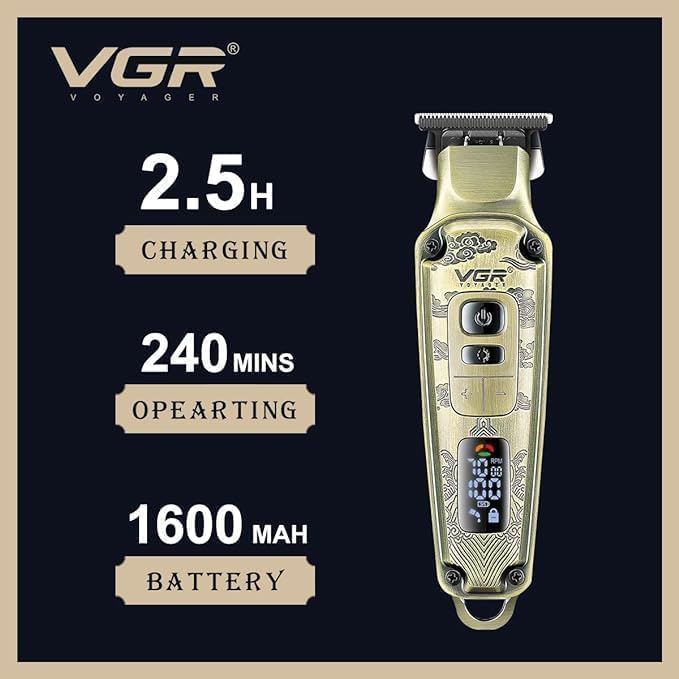
Image: Visual representation of the VGR V-901's battery specifications, showing 2.5 hours charging time, 240 minutes operating time, and a 1600mAh battery capacity.
- Initial Charge: Connect the USB-C charging cable to the clipper and plug the other end into a compatible USB power source (e.g., laptop, low-power phone charger). Avoid high-power mobile phone chargers to protect the battery.
- Charging Indicator: The LED display will show the charging progress. A full charge typically takes approximately 2.5 hours.
- Battery Life: A fully charged clipper provides up to 240 minutes of cordless operation.
- Attaching Guide Combs: Select the desired guide comb (1mm, 3mm, 5mm, or 7mm) and align it with the clipper blade. Gently push until it clicks securely into place. Ensure it is firmly attached before use.
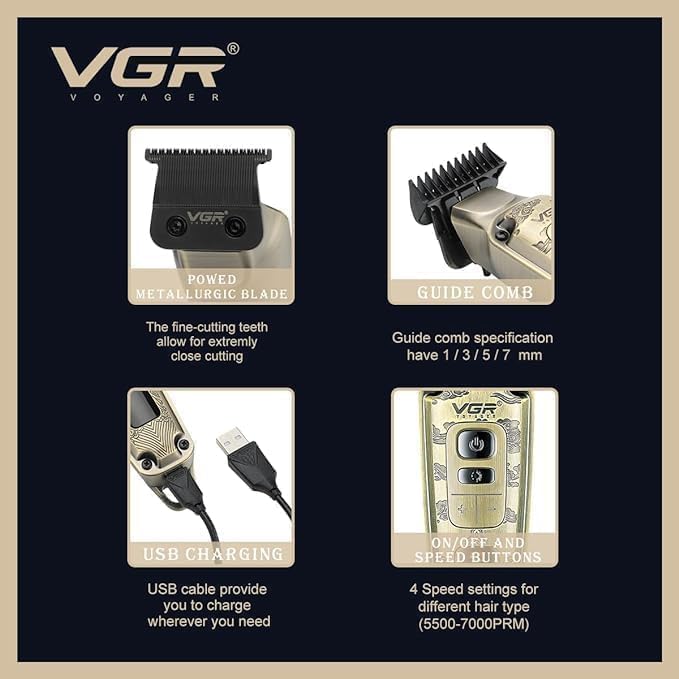
Image: A composite image detailing key features: the fine-cutting metallurgic blade, guide comb specifications (1/3/5/7 mm), the USB charging port, and the on/off and speed control buttons.
Operating Instructions
The VGR V-901 can be used cordlessly or while plugged in.
- Power On/Off: Press the On/Off button to turn the clipper on or off. The LED display will illuminate upon activation.
- Adjusting Speed: The clipper features a 4-speed power motor (5500-7000 RPM). Use the speed control buttons to adjust the motor speed according to hair type and desired cutting efficiency. The Turbo function provides extra power when needed for thicker hair.
- Selecting Cutting Length: Attach one of the four guide combs (1mm, 3mm, 5mm, 7mm) to achieve the desired hair length. For closer cuts, the clipper can be used without a guide comb.
- Using the Taper Lever: The adjustable taper lever allows for precise blending and fading without changing guide combs. Move the lever up or down to adjust the closeness of the cut.
- Hair Cutting: Hold the clipper firmly and move it against the direction of hair growth. For best results, ensure hair is clean and dry.
Maintenance and Cleaning
Regular cleaning and maintenance will ensure optimal performance and extend the life of your clipper.
- Cleaning the Blades: After each use, turn off and unplug the clipper. Use the provided cleaning brush to remove loose hair from the blades.
- Oiling the Blades: Apply a small drop of the included lubricating oil to the blades after every few uses, or if the clipper starts to pull hair. Turn the clipper on for a few seconds to distribute the oil evenly. This helps maintain blade sharpness and smooth operation.
- Wipe Down: Use a soft, dry cloth to wipe the body of the clipper. Do not use abrasive cleaners or immerse the clipper in water.
- Storage: Store the clipper in a cool, dry place, away from direct sunlight and moisture. Use the portable hook for convenient storage.

Image: A close-up view of the VGR V-901 Hair Clipper, highlighting the integrated portable hook at the base for convenient storage.
Troubleshooting
If you encounter issues with your VGR V-901 Hair Clipper, refer to the following common problems and solutions:
| Problem | Possible Cause | Solution |
|---|---|---|
| Clipper does not turn on. | Battery is depleted. | Charge the clipper for 2.5 hours. Ensure the charging cable and adapter are working correctly. |
| Clipper pulls hair or cuts unevenly. | Blades are dull or not oiled; hair buildup. | Clean the blades thoroughly and apply lubricating oil. Ensure guide comb is properly attached. |
| Motor sounds weak or slows down. | Low battery; excessive hair buildup; incorrect speed setting. | Recharge the clipper. Clean the blades. Increase the motor speed using the speed buttons. |
| LED display is not working. | Device malfunction. | Ensure the device is charged and powered on. If the issue persists, contact customer support. |
If the problem persists after trying these solutions, please contact VGR customer support or your point of purchase for further assistance.
Product Specifications
| Feature | Specification |
|---|---|
| Brand | VGR |
| Model | V-901 |
| Blade Material | Ceramic, Metal Powder |
| Motor Speed | 5500-7000 RPM (4 speeds) |
| Battery Type | Lithium Ion |
| Battery Capacity | 1600mAh |
| Charging Time | Approx. 2.5 hours |
| Runtime | Up to 240 minutes |
| Charging Interface | USB-C |
| Guide Combs Included | 4 (1mm, 3mm, 5mm, 7mm) |
| Special Features | LED Display, Adjustable Taper Lever, Corded/Cordless Use, Turbo Power Function, Portable Hook |
| Item Weight | 0.57 Kilograms |
| Power Source | Plug-in Electric |
Warranty and Support
VGR products are designed for quality and performance. For specific warranty details and support, please refer to the warranty card included with your product or contact the retailer from whom you purchased the clipper.
You may also visit the official VGR website for the most up-to-date warranty information and customer service contact details.
For any technical assistance or inquiries, please have your product model number (V-901) and purchase information ready.
Ask a question about this manual
Ask about setup, troubleshooting, compatibility, parts, safety, or missing instructions. Manuals+ will review the question and use this page’s manual context to help answer it.