
1. Introduction
Thank you for choosing the Gueray HJGP5MP3 Bluetooth MP3 Player. This device is designed to provide a versatile and high-quality audio experience. It combines multiple functions into one compact unit, including music playback, voice recording, FM radio, e-book reading, and more. This manual will guide you through the setup, operation, and maintenance of your new MP3 player.

Image: The Gueray HJGP5MP3 MP3 Player displaying its multifunctional capabilities, including Bluetooth, music, tools, e-book, images, radio, and recording.
2. Product Overview
2.1 Key Features
- Versatile Functions: MP3 music player, voice recorder, FM radio, e-book reader, calendar, stopwatch, and alarm.
- Large Storage Capacity: 64GB built-in memory, plus a 64GB TF card included, providing a total of 128GB. Expandable up to 128GB via TF card.
- Bluetooth 5.0: For faster transmission, more stable connection, and seamless music streaming to Bluetooth headphones or speakers.
- HiFi Lossless Sound: Delivers high-fidelity audio quality.
- Built-in Speakers: Enjoy music without headphones.
- Long Battery Life: Up to 40 hours of music playback (via wired earphones) and 6 hours of video playback. Fast charging in 2 hours.
- Compact Design: Lightweight at 85 grams with a 2.4-inch LCD screen.
2.2 Device Layout

Image: Front and side views of the Gueray HJGP5MP3 MP3 Player, highlighting the speaker grilles, USB jack, TF card slot, headphone jack/reset button, volume buttons, and navigation controls (Return, Power ON/OFF, Confirm/Play/Pause, Last, Menu, Up Selection, Next, Down Selection).
Familiarize yourself with the buttons and ports:
- Speaker Grilles: For audio output without headphones.
- USB Jack: For charging and data transfer.
- TF Card Slot: Insert your MicroSD card for expanded storage.
- Headphone Jack / Reset Button: 3.5mm audio output; a small pinhole for device reset.
- Volume Up/Down: Adjust audio volume.
- Return Button: Go back to the previous menu.
- Power ON/OFF: Long press to power on or off.
- Confirm/Play/Pause: Select items or control media playback.
- Last/Next Buttons: Navigate through menus or tracks.
- Menu Button: Access options within a specific function.
- Up/Down Selection Buttons: Navigate vertically through menus.
3. Setup
3.1 Charging the Device
Before first use, fully charge the MP3 player. Connect the provided USB cable to the device's USB jack and the other end to a USB power adapter (not included) or a computer's USB port. The device takes approximately 2 hours to fully charge.
3.2 Inserting a TF Card
The player comes with 64GB of internal storage and an additional 64GB TF card. To insert or replace a TF card, locate the TF card slot on the side of the device. Gently push the card into the slot until it clicks into place. Ensure the card is inserted correctly to avoid damage.

Image: The Gueray HJGP5MP3 MP3 Player with a 64GB TF card being inserted into its slot, illustrating the expandable storage capability.
3.3 Powering On/Off
To power on the device, long-press the Power ON/OFF button until the screen lights up. To power off, long-press the same button until the screen turns off.
4. Operating Instructions
4.1 Music Playback
- Transferring Music: Connect the MP3 player to your computer using the USB cable. The device will appear as a removable disk. Drag and drop your music files into the 'Music' folder on the device.
- Supported Formats: The player supports MP3, WMA, WAV, APE, FLAC, AAC-LC, M4A, and OGG audio formats.
- Playing Music: From the main menu, select 'Music'. Browse your files and select a song to play. Use the Confirm/Play/Pause button to control playback, and the Last/Next buttons to skip tracks. Adjust volume with the Volume Up/Down buttons.

Image: A woman enjoying music with the Gueray HJGP5MP3 MP3 Player, with an overlay listing supported HiFi lossless music file formats: MP3, FLAC, WMA, AAC-LC, WAV, M4A, APE, and OGG.
4.2 Bluetooth Connection
- From the main menu, select 'Bluetooth'.
- Ensure your Bluetooth headphones or speaker are in pairing mode.
- The player will scan for available devices. Select your device from the list to pair.
- Once connected, audio will stream wirelessly to your paired device.

Image: The Gueray HJGP5MP3 MP3 Player screen showing the time and date, with illustrations of connecting to a Bluetooth speaker, wireless earphones, and headphones, emphasizing Bluetooth 5.0 connectivity.
4.3 FM Radio
To use the FM radio function, you must connect wired headphones to the 3.5mm jack. The wired headphones act as an antenna. Navigate to 'FM Radio' from the main menu, then use the options to scan for stations and select your desired frequency.
4.4 Voice Recorder
The device includes a built-in voice recorder. Select 'Recorder' from the main menu. Use the Confirm/Play/Pause button to start and stop recordings. Recorded files are saved in the device's memory.

Image: The Gueray HJGP5MP3 MP3 Player displaying its recording interface, shown in contexts of learning, interviews, and conferences, highlighting its simple recorder function.
4.5 E-book Reader
The player supports TXT format e-books. Transfer your TXT files to the 'E-book' folder on the device. Select 'E-book' from the main menu to browse and read your files.
4.6 Video Playback
The player supports AVI and AMV video formats. Transfer video files to the 'Video' folder. Select 'Video' from the main menu to watch. The device offers up to 6 hours of video playback on a full charge.
4.7 Photo Viewer
View your images in JPG, BMP, or GIF formats. Transfer photo files to the 'Pictures' folder. Select 'Pictures' from the main menu to browse your photos.
4.8 Built-in Speakers
The device features built-in HD speakers, allowing you to enjoy music without headphones. Simply ensure no headphones are connected, and the audio will play through the internal speakers.
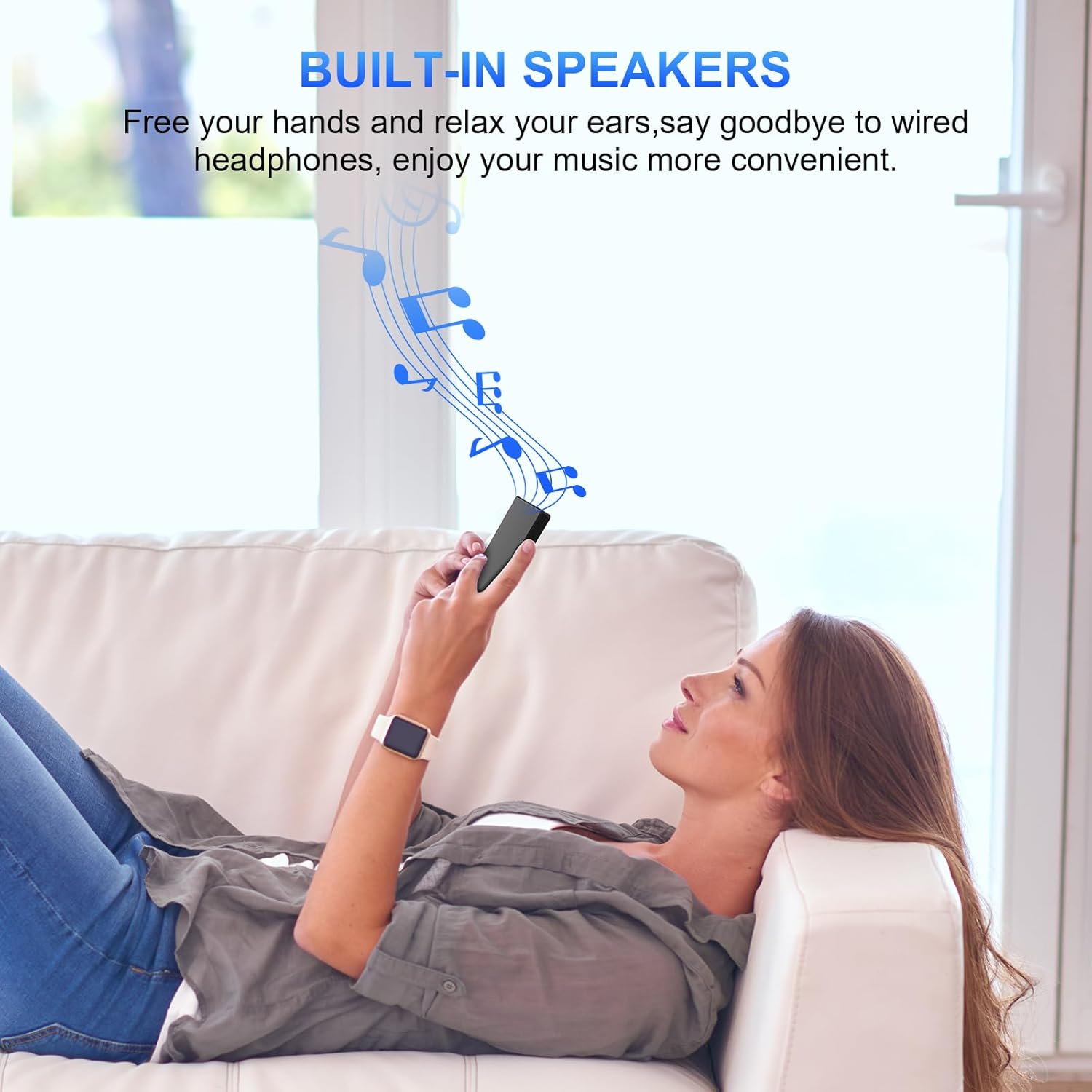
Image: A woman relaxing on a couch, listening to music from the Gueray HJGP5MP3 MP3 Player, illustrating the convenience of its built-in speakers.
4.9 System Settings
Access 'Settings' from the main menu to configure various options such as language, date and time, display brightness, backlight timer, and more. Refer to the on-screen prompts for specific setting adjustments.
5. Maintenance
- Cleaning: Use a soft, dry, lint-free cloth to clean the device. Avoid using liquid cleaners or aerosols.
- Storage: Store the MP3 player in a cool, dry place away from direct sunlight and extreme temperatures.
- Battery Care: To prolong battery life, avoid fully discharging the battery frequently. Charge the device regularly, even if not in use for extended periods.
- Water Exposure: This device is not waterproof. Avoid exposure to water or high humidity.
6. Troubleshooting
- Device will not turn on: Ensure the battery is charged. Connect the player to a power source and try again. If unresponsive, locate the reset pinhole (often near the headphone jack) and gently press it with a thin object (e.g., a paperclip) to reset the device.
- Cannot connect via Bluetooth: Ensure Bluetooth is enabled on both the MP3 player and the target device (headphones/speaker). Make sure both devices are in pairing mode and within range. Try restarting both devices.
- No sound: Check the volume level. Ensure headphones are properly plugged in or Bluetooth is correctly paired. If using built-in speakers, ensure headphones are disconnected.
- Files not appearing: Ensure files are transferred to the correct folders (e.g., 'Music' for audio, 'Pictures' for images). Verify file formats are supported by the device.
- FM Radio not working: Ensure wired headphones are connected, as they serve as the antenna.
7. Specifications
| Feature | Specification |
|---|---|
| Model Number | HJGP5MP3 |
| Dimensions | 0.97 x 4.95 x 0.97 cm |
| Weight | 159 g |
| Connectivity | Bluetooth 5.0 |
| Internal Storage | 64 GB |
| Included TF Card | 64 GB |
| Max. TF Card Expansion | 128 GB |
| Color | Black |
| Screen Size | 2.4 Inches |
| Display Technology | LCD |
| Compatible Devices | Headphones, Bluetooth Speakers, Car Systems |
| Supported Audio Formats | AAC, APE, FLAC, M4A, MP3, OGG, WAV, WMA |
| Supported Video Formats | AVI, AMV |
| Supported Image Formats | JPG, BMP, GIF |
| Supported E-book Format | TXT |
| Music Playback Time | Up to 40 hours (via wired earphones) |
| Video Playback Time | Up to 6 hours |
| Charging Time | 2 hours |
| Components Included | USB Cable |
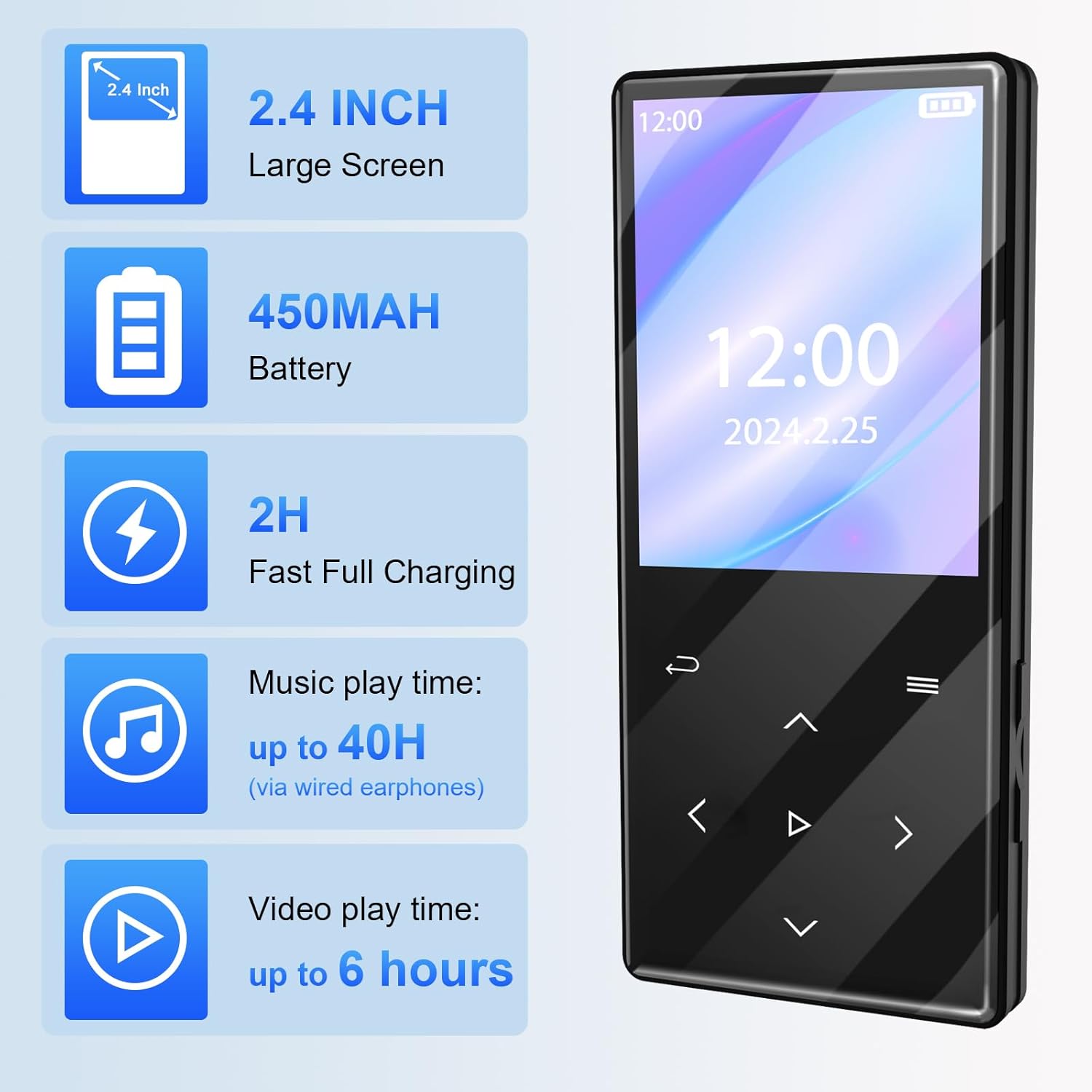
Image: The Gueray HJGP5MP3 MP3 Player alongside a summary of its key specifications: 2.4-inch large screen, 450mAh battery, 2 hours fast full charging, up to 40 hours music play time, and up to 6 hours video play time.
8. Warranty and Support
8.1 Warranty Information
This Gueray HJGP5MP3 MP3 Player comes with a 90-day warranty from the date of purchase. This warranty covers manufacturing defects under normal use. It does not cover damage caused by misuse, accidents, unauthorized modifications, or normal wear and tear.
8.2 Customer Support
For any questions, technical assistance, or warranty claims, please contact Gueray customer support through the platform where you purchased the product. Provide your model number (HJGP5MP3) and purchase details for efficient service.