
ESR Air 13 zoll(2024&2025) Noir
ESR Keyboard Case for iPad Air 13" (M3/M2, 2025/2024)
User Instruction Manual
Introduction
Thank you for choosing the ESR Keyboard Case for your iPad Air 13" (M3/M2, 2025/2024). This manual provides detailed instructions on how to set up, operate, and maintain your new keyboard case, ensuring optimal performance and longevity.
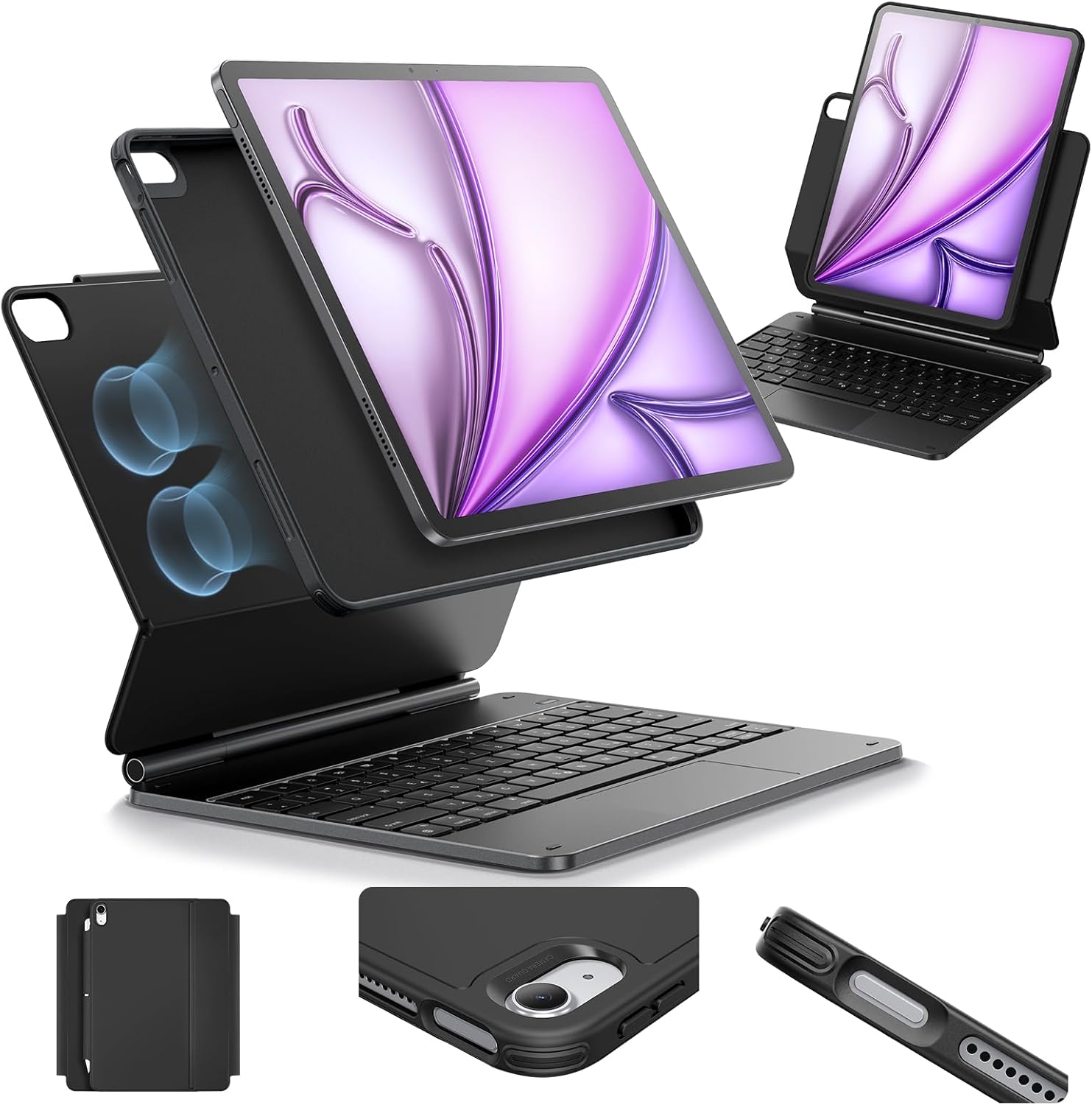
Image: The ESR Keyboard Case with an iPad Air 13 inch, showcasing its magnetic attachment and keyboard.
Compatibility
This ESR Keyboard Case is specifically designed for the following iPad models:
- iPad Air 13" (M3, 2025) - Model Numbers: A3268, A3269, A3271
- iPad Air 13" (M2, 2024) - Model Numbers: A2898, A2899, A2900
Please verify your iPad model number before use to ensure proper fit and functionality. The model number is typically found on the back of your iPad.
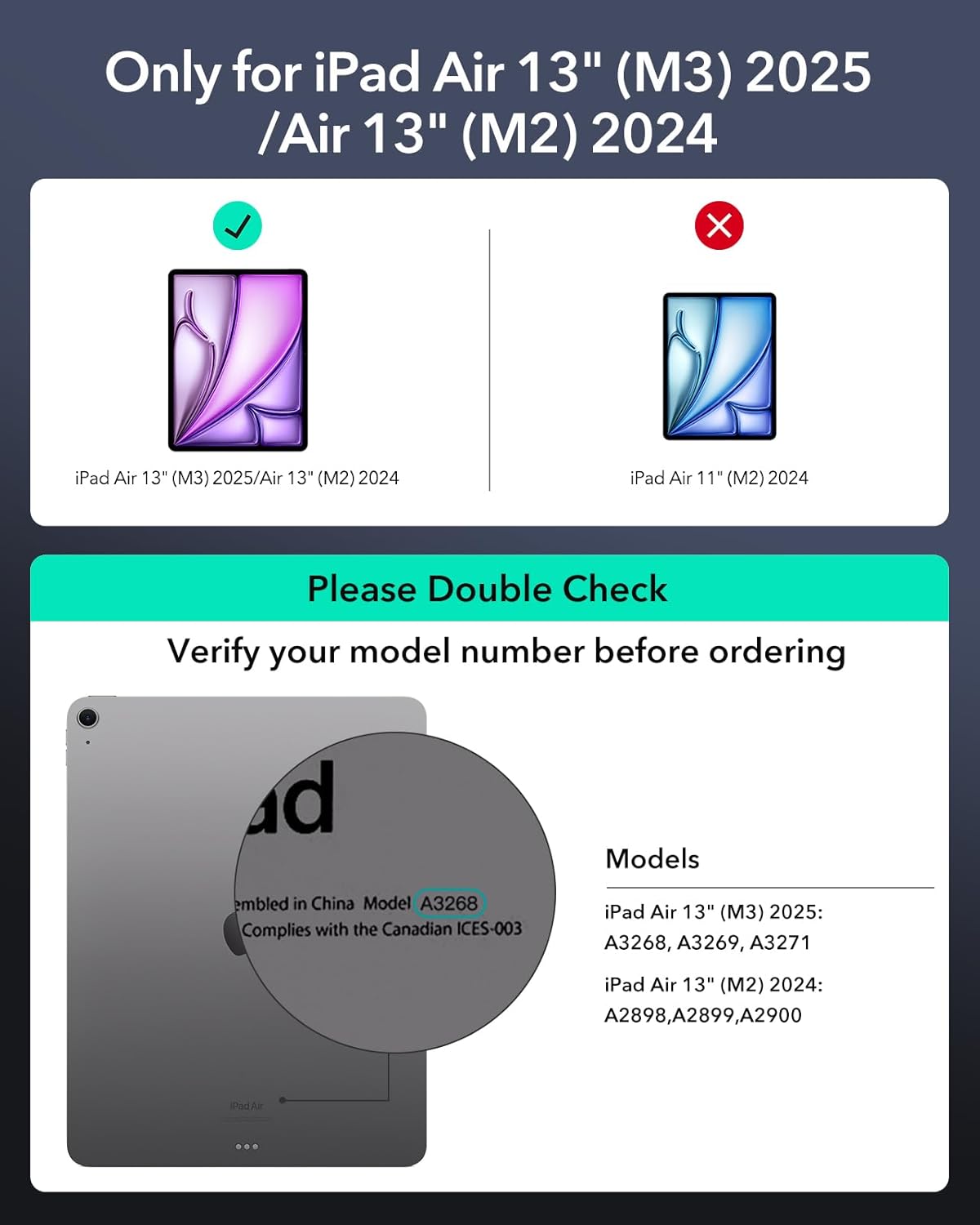
Image: A visual guide indicating compatibility with iPad Air 13" (M3) 2025 and iPad Air 13" (M2) 2024 models, with instructions on how to check your iPad's model number.
Key Features
- Quick-Set Magnetic Stand: Ultra-powerful magnets securely attach your iPad to the case, allowing for easy adjustment to the perfect viewing or typing angle.
- Versatile Detachable Back Case: The protective back case can be used independently of the keyboard, offering flexible protection.
- Multifunctional Trackpad: Navigate your iPad with precision using the advanced, high-sensitivity multi-touch trackpad, supporting gestures like tapping, pinching, and swiping.
- Secure Magnetic Lock: Ensures your iPad remains firmly in place when attached to the keyboard case.
- Extended Battery Life: Designed for efficiency, offering long standby and usage times.
- Integrated Pencil Protection: Features a secure magnetic clasp to protect your Apple Pencil.

Image: Demonstrates the case's versatility for typing, viewing, and browsing, highlighting its adaptability for various tasks.

Image: Shows the detachable back case, emphasizing its ability to protect the iPad with or without the keyboard attached.

Image: Illustrates the Quick-Set Magnetic Stand, showing how to achieve a raised screen view for ergonomic use.

Image: Highlights the multifunctional trackpad and the smooth, accurate typing experience provided by the keyboard.
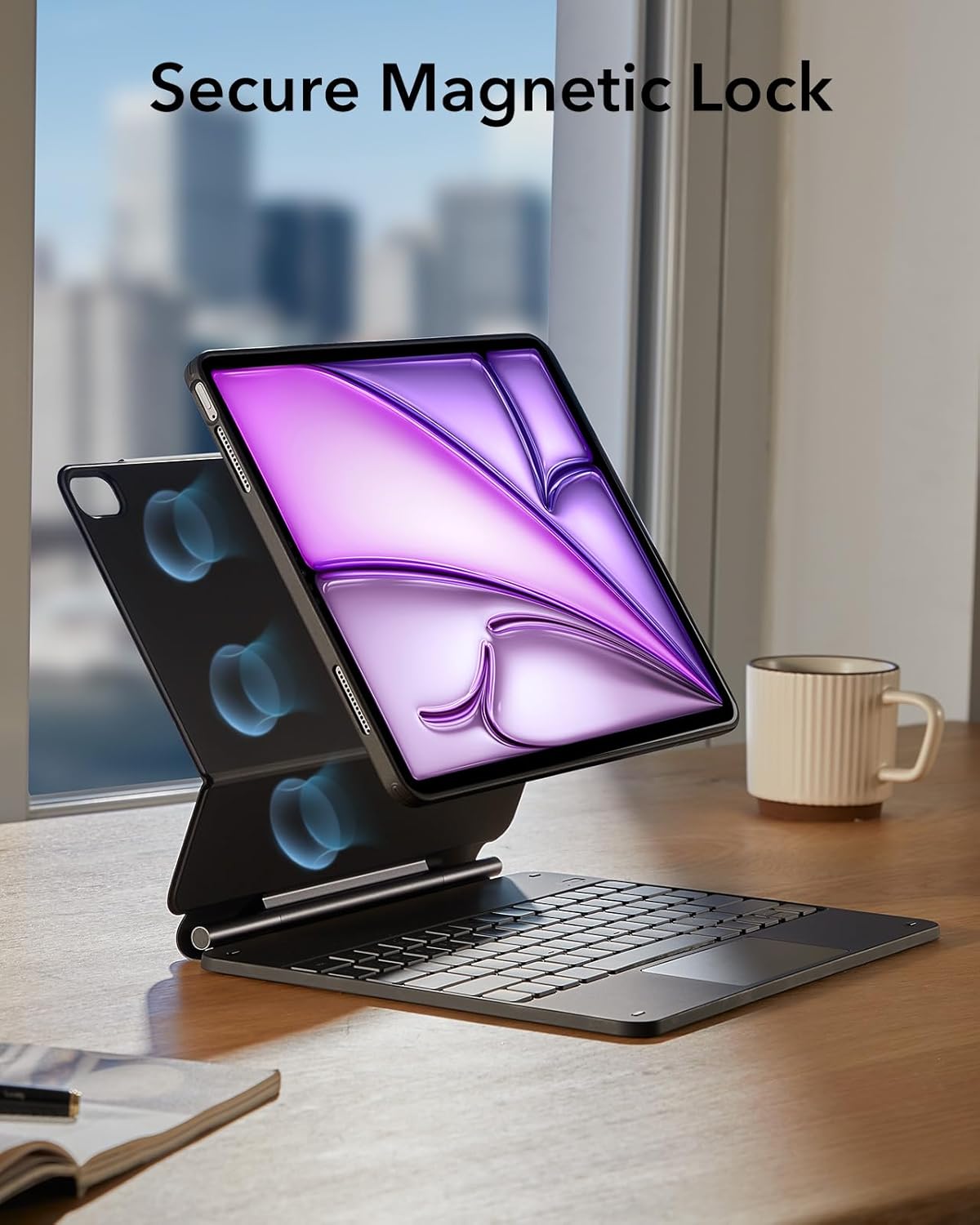
Image: Depicts the secure magnetic lock mechanism that holds the iPad firmly in place within the keyboard case.

Image: Illustrates the impressive battery life of the keyboard case, showing standby, day use, and night use durations.

Image: Shows the dedicated magnetic clasp for securely storing and protecting your Apple Pencil.
Setup Guide
1. Attaching Your iPad
- Gently align your iPad Air 13" with the magnetic back case.
- The powerful magnets will automatically snap the iPad into place, ensuring a secure fit.
- To detach, simply pull the iPad away from the magnetic connection.
2. Bluetooth Pairing
- Ensure your keyboard case is charged.
- Turn on the keyboard using the power switch (usually located on the side or back of the keyboard).
- On your iPad, go to Settings > Bluetooth.
- Turn on Bluetooth.
- The keyboard will appear in the "Other Devices" list (e.g., "ESR Keyboard"). Tap on it to connect.
- If prompted, enter the pairing code displayed on your iPad using the keyboard and press Enter.
- Once connected, the keyboard status indicator will show a stable light, and it will appear as "Connected" on your iPad.
Operating Instructions
Keyboard Usage
The keyboard functions like a standard QWERTY keyboard. Utilize the function keys for quick access to iPad features such as volume control, media playback, and screen brightness.
Trackpad Usage
The multi-touch trackpad supports various gestures for intuitive navigation:
- Single Finger Tap: Click or select items.
- Two Finger Scroll: Scroll through documents or web pages.
- Pinch to Zoom: Zoom in or out on content.
- Three Finger Swipe: Switch between open applications or access the App Switcher.
Adjusting Viewing Angles
The magnetic stand allows for flexible adjustment of your iPad's viewing angle. Simply open the stand to your desired position. The "Raised screen view" provides an ergonomic angle for typing and extended use.
Maintenance and Care
- Cleaning: Use a soft, dry, lint-free cloth to clean the keyboard and case. Avoid using harsh chemicals or abrasive materials.
- Storage: When not in use, store the keyboard case in a cool, dry place away from direct sunlight and extreme temperatures.
- Charging: Charge the keyboard regularly to maintain battery health. Avoid fully depleting the battery frequently.
- Handling: Handle the case and keyboard with care to prevent damage from drops or impacts.
Troubleshooting
| Problem | Solution |
|---|---|
| Keyboard not connecting via Bluetooth. |
|
| Trackpad not responding. |
|
| Keys are not responding. |
|
| iPad not securely attaching to the case. |
|
Specifications
| Feature | Detail |
|---|---|
| Brand | ESR |
| Compatible Devices | iPad Air 13" (M3/M2, 2025/2024) |
| Connectivity Technology | Bluetooth |
| Keyboard Description | Precise and customizable keyboard with multi-touch trackpad and magnetic support |
| Recommended Uses | Multimedia, Mobility, Productivity |
| Special Features | Quick-Set Magnetic Stand, High-sensitivity multi-touch trackpad |
| Color | Black |
| Number of Keys | 78 |
| Style | Professional |
| Material | Plastic |
Warranty and Support
ESR provides comprehensive customer support for this product, including:
- Detailed installation videos and FAQs.
- A full 12-month warranty.
- Lifetime support.
- Personalized assistance.
For further assistance, please visit the official ESR support website or contact their customer service team.
Related documentsAir 13 zoll(2024&2025) Noir


Ask a question about this manual
Ask about setup, troubleshooting, compatibility, parts, safety, or missing instructions. Manuals+ will review the question and use this page’s manual context to help answer it.