Introduction
This manual provides essential instructions for the safe and efficient use of your RL LIVE YOUR LIGHT Suarez R57706131 LED Outdoor Battery Table Lamp. Please read this manual thoroughly before operating the lamp and retain it for future reference.
The Suarez LED battery table lamp is designed for both indoor and outdoor use, featuring a durable metal construction, a 1.5 Watt LED light source, and a 4-way touch dimmer. It includes a USB-C charging station for convenient recharging.

Image: The RL LIVE YOUR LIGHT Suarez LED Outdoor Battery Table Lamp in matte white.
Safety Instructions
- Ensure the lamp is placed on a stable, level surface to prevent tipping.
- Do not expose the charging station to water or moisture. The lamp itself has an IP44 rating, making it suitable for outdoor use, but the charging station is for indoor use only.
- Use only the provided charging station and USB-C cable. Using unauthorized accessories may damage the lamp or pose a safety risk.
- Do not attempt to disassemble or modify the lamp or its internal components. This will void the warranty and could lead to electric shock or injury.
- Keep the lamp away from direct heat sources, open flames, and flammable materials.
- If the lamp or charging station appears damaged, discontinue use immediately and contact customer support.
- The integrated LED light source is not replaceable by the user.
Package Contents
Please check the package for the following items:
- Suarez LED Outdoor Battery Table Lamp (Model R57706131)
- Charging Station with USB-C port
- USB-C Charging Cable
- 1 AA Battery (pre-installed or included separately)

Image: The Suarez LED Table Lamp shown alongside its charging station and USB-C cable.
Setup
- Unpacking: Carefully remove all components from the packaging. Retain packaging for future storage or transport.
- Initial Charge: Before first use, fully charge the lamp. Connect the USB-C cable to the charging station, then connect the charging station to a suitable USB power adapter (not included) or USB port. Place the lamp onto the charging station. The charging indicator (if present) will show charging status. A full charge takes approximately 4.5 hours.
- Placement: Place the lamp on a stable surface. Its IP44 rating allows for outdoor use, protecting it against splashes of water from any direction and solid objects larger than 1mm.

Image: Technical drawing illustrating the dimensions and components of the Suarez LED Table Lamp.
Operating Instructions
The Suarez table lamp features a touch sensor for easy operation and brightness adjustment.
- Turning On/Off: Gently touch the designated sensor area on the lamp (usually on the top or base) to turn the lamp on. Touch it again to cycle through brightness levels and turn off.
- Adjusting Brightness: The lamp offers 4-way touch dimming. Each subsequent touch will cycle through three different brightness levels (low, medium, high) and then turn the lamp off.
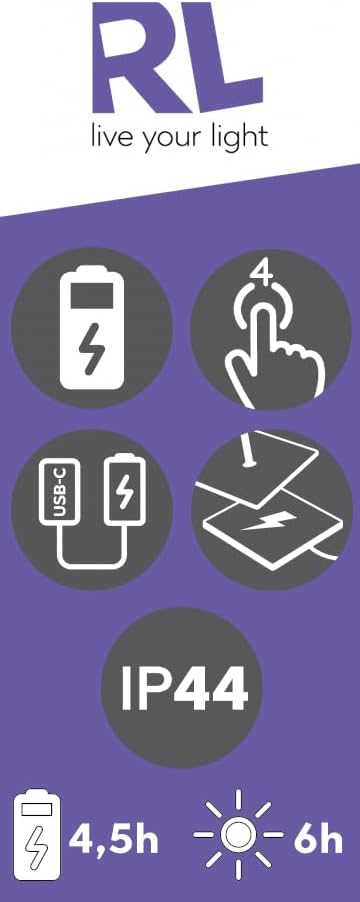
Image: Infographic detailing the 4-way touch control, battery charging, and IP44 rating of the lamp.
Charging
To ensure optimal performance and battery life, follow these charging guidelines:
- Connect the USB-C cable to the charging station and a compatible USB power source.
- Place the lamp securely onto the charging station. Ensure proper contact is made.
- A full charge takes approximately 4.5 hours.
- When fully charged, the lamp provides approximately 6 hours of light, depending on the brightness level selected.
- Only charge the lamp indoors using the provided charging station.
Maintenance
- Cleaning: Wipe the lamp with a soft, dry or slightly damp cloth. Do not use abrasive cleaners, solvents, or harsh chemicals, as these can damage the finish.
- Storage: If storing the lamp for an extended period, ensure it is fully charged and then store it in a cool, dry place. Recharge periodically to maintain battery health.
- Battery: The lamp contains an integrated battery. Do not attempt to replace it yourself.
Troubleshooting
| Problem | Possible Cause | Solution |
|---|---|---|
| Lamp does not turn on. | Battery is depleted. | Place the lamp on the charging station and allow it to charge for 4.5 hours. |
| Lamp does not charge. | Charging cable or station not properly connected; faulty USB power source. | Ensure the USB-C cable is securely connected to both the charging station and the power source. Verify the power source is functional. Ensure the lamp is correctly seated on the charging station. |
| Short battery life. | Lamp used on highest brightness setting; battery degradation over time. | Reduce brightness level for longer operation. Battery capacity naturally decreases over many charge cycles. |
| Touch sensor unresponsive. | Moisture or dirt on sensor; internal malfunction. | Ensure the sensor area is clean and dry. If the issue persists after charging, contact customer support. |
Specifications
- Model: R57706131
- Brand: RL LIVE YOUR LIGHT
- Product Dimensions: 13.5D x 13.5W x 39.1H cm
- Item Weight: 1.05 kg
- Light Source: Integrated 1.5 Watt LED
- Lumen Output: Maximum 200 lumens
- LED Life: Approximately 25,000 hours
- Battery: 1 AA battery (included)
- Charging Time: Approx. 4.5 hours
- Operating Time: Approx. 6 hours (on full charge)
- Protection Class: IP44 (suitable for indoor and outdoor use)
- Switch Type: 4-Way Touch Dimmer
- Material: Metal
- Included Components: Charging station with USB-C port
- Energy Efficiency Class: F

Image: Visual representation of the lamp's suitability for indoor/outdoor use and key features like IP44, touch control, and battery life.
Warranty and Support
This product comes with a standard manufacturer's warranty. For specific warranty terms and conditions, please refer to the documentation provided with your purchase or contact the retailer.
For technical support, troubleshooting assistance, or to inquire about replacement parts, please contact RL LIVE YOUR LIGHT customer service through their official website or the retailer where the product was purchased. Please have your model number (R57706131) and proof of purchase ready.


