
1. Product Overview
The OSCAL PowerMax 3600 is a high-capacity portable power station designed to provide reliable power for various applications, from home backup to outdoor adventures. Featuring a robust LiFePO4 battery and advanced safety systems, it offers versatile charging options and a wide range of output ports.
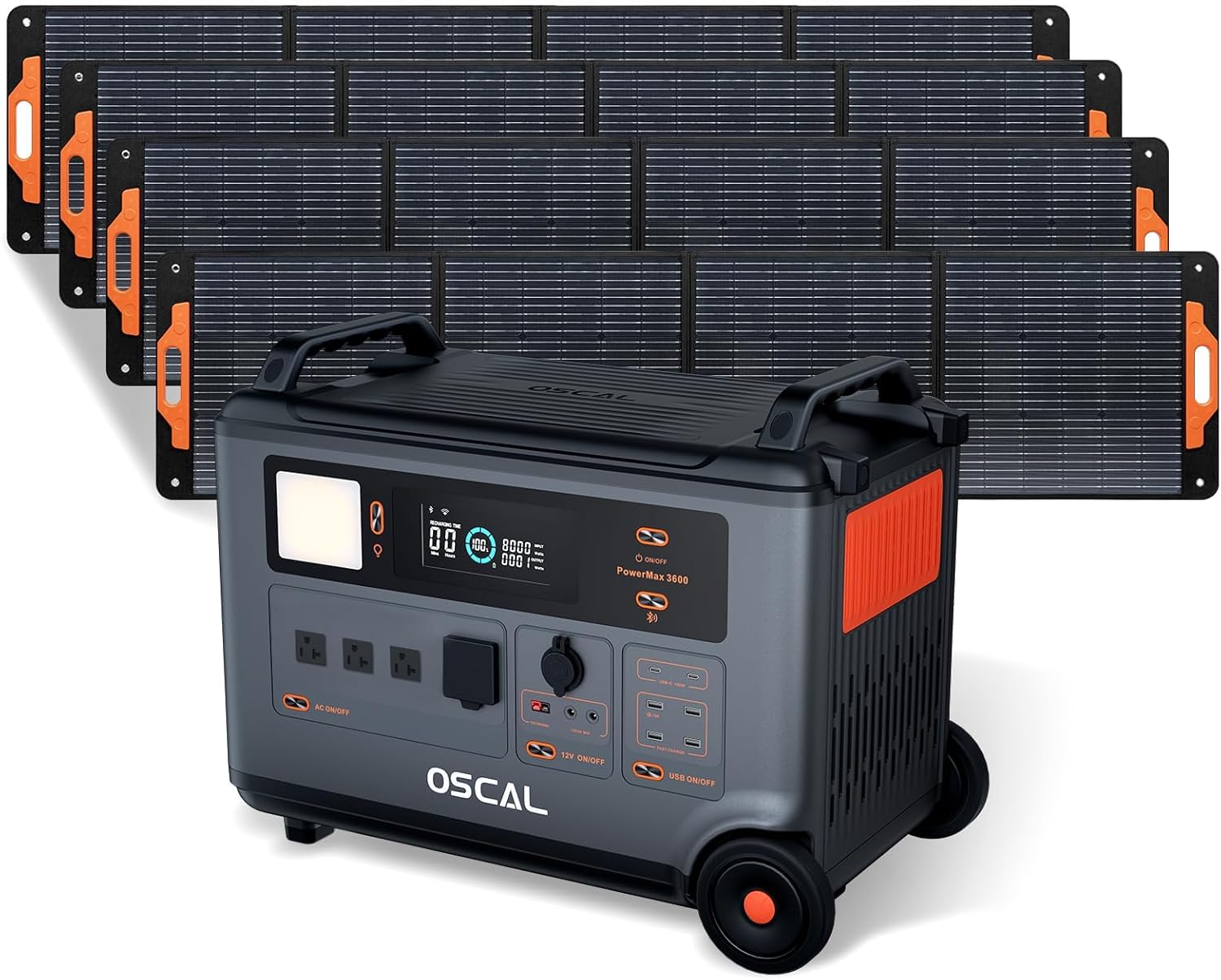
Figure 1: OSCAL PowerMax 3600 Portable Power Station with accompanying solar panels.
Video 1: Official product video showcasing the features and uses of the OSCAL PowerMax 3600 Portable Power Station.
2. Safety Instructions
To ensure safe operation and prolong the lifespan of your PowerMax 3600, please adhere to the following safety guidelines:
- Do not expose the device to extreme temperatures outside its operating range (-20°C to 55°C).
- Avoid dropping the unit from heights exceeding 0.8 meters.
- Keep the unit away from water and excessive dust to prevent damage, despite its IP21-rated splash and dust resistance.
- Do not disassemble, repair, or modify the unit yourself. Contact authorized service personnel for assistance.
- Ensure proper ventilation during use to prevent overheating.
- The LiFePO4 battery is supported by an advanced eight-layer safety BMS, providing protection against overcharge, over-discharge, over-voltage, over-current, short-circuit, and temperature fluctuations.
- The UL94V-0 rated fire-retardant casing effectively reduces the risk of fires.
- A loud built-in low battery beeping alarm provides timely alerts to ensure safety during emergencies.

Figure 2: Durability features of the PowerMax 3600, including splash-proof, dust-proof, drop-proof, and fire-retardant properties.
3. Package Contents
Verify that all items are included in your package:
- OSCAL PowerMax 3600 Portable Power Station
- AC Charging Cable
- Car Charging Cable
- Solar Charging Cable
- User Manual
- Warranty Card
- PM200 Portable Solar Panel (if included in bundle)
- MC4 to Anderson Cable
- MC4 to Anderson, 7909, 6530, XT60, 5521 Cable (multi-function charging cable)
4. Setup
4.1 Initial Charging
Before first use, fully charge the PowerMax 3600. Connect the AC charging cable to a standard wall outlet and to the AC input port on the power station. The intuitive LED display will show the charging status.
4.2 Connecting Solar Panels
To charge using solar energy, unfold the PM200 portable solar panels and position them to receive maximum sunlight. Connect the solar panels to the PowerMax 3600 using the provided solar charging cable (MC4 to Anderson cable). The unit supports up to 1600W max solar input for fast recharging.

Figure 3: PowerMax 3600 being charged by a solar panel in an outdoor environment.
4.3 Expanding Capacity
The PowerMax 3600's battery capacity can be expanded from 3600Wh up to 57.6kWh by connecting additional BP3600 batteries (sold separately). This allows for extended power supply, suitable for whole-home backup during outages.

Figure 4: PowerMax 3600 units connected to expand total power capacity.
5. Operating Instructions
5.1 Control Panel Overview
The PowerMax 3600 features a foolproof control panel with larger buttons and an intuitive LED display. The display provides instant knowledge of detailed battery information, from power levels to charge or discharge status.
5.2 Turning On/Off and Connecting Devices
Press the main power button to turn the unit on or off. Connect your devices to the appropriate output ports: 4 AC outlets (3000W rated, 6000W surge), 4 USB-A outputs, and 2 100W fast USB-C outputs. The PowerMax 3600 supports over 99% of common appliances.

Figure 5: PowerMax 3600 providing power to essential devices in a home setting.
5.3 UPS Function
Equipped with an Uninterruptible Power Supply (UPS) feature, the PowerMax 3600 automatically switches to its built-in battery power supply within 5-8 milliseconds during a power outage or interruption. This ensures your connected equipment, such as network devices or medical equipment like CPAP machines, remains operational.

Figure 6: PowerMax 3600's UPS feature ensuring continuous power for critical applications.
5.4 Smart APP Control
Monitor and control your PowerMax 3600 remotely using the dedicated smart app via Wi-Fi or Bluetooth. The app provides real-time status updates and allows you to manage settings from your smartphone.
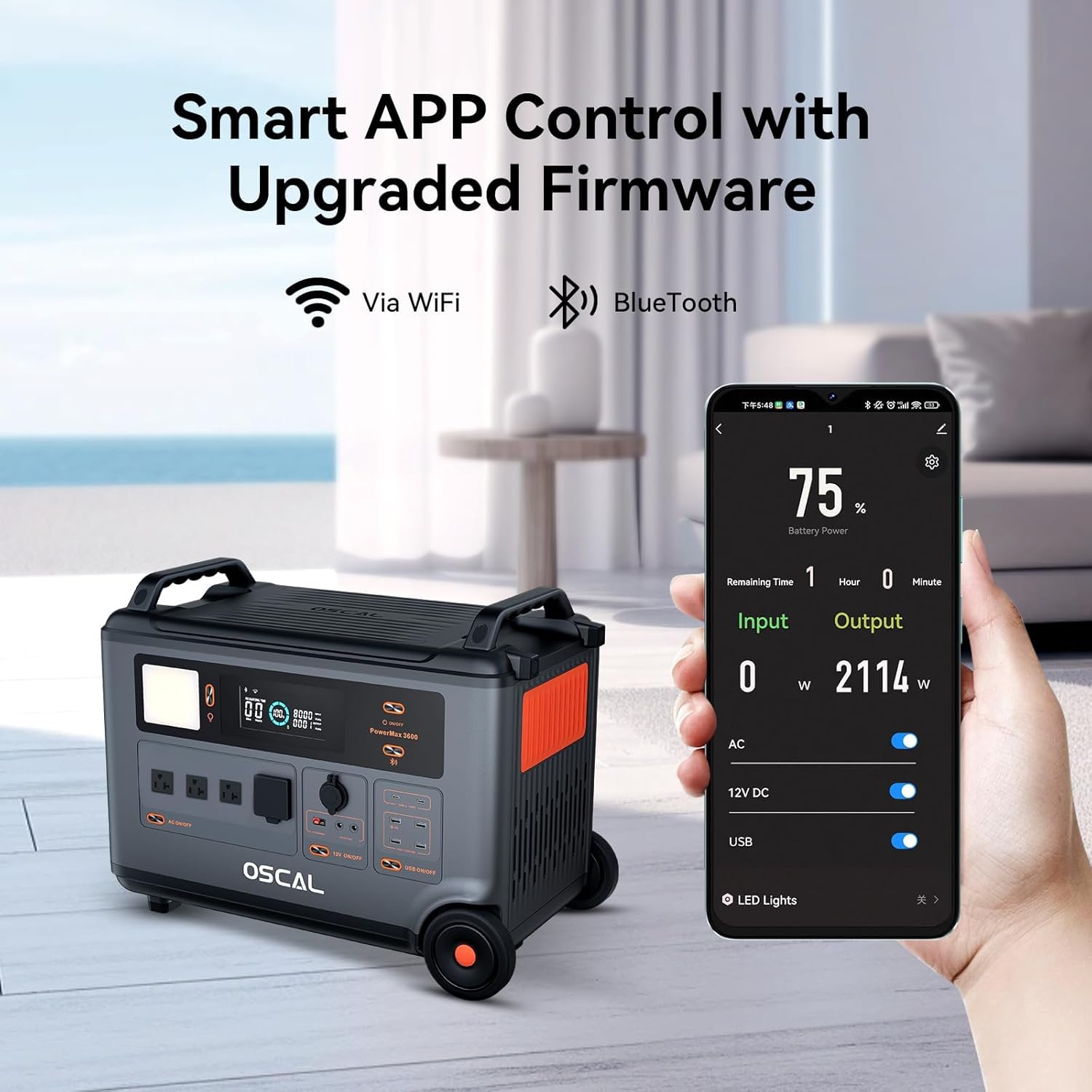
Figure 7: Smart APP interface for remote monitoring and control of the PowerMax 3600.
5.5 Lighthouse-like Signal Light
The PowerMax 3600 features a signal light that can blink in Morse code for numbers 0-9 and alphabets A-Z. This function can be activated and controlled via the smart app, providing a useful communication tool, especially in emergencies.
6. Charging the Power Station
The PowerMax 3600 supports multiple charging methods:
- AC Charging: Achieves a full charge in just 1.2 hours when combined with solar input, or 1.96 hours with AC charging alone.
- Solar Charging: Compatible with PM100/PM200 solar panels, offering up to 1600W max solar input.
- Car Charging: Use the provided car charging cable for convenient power supply during travel.
- Other Methods: Supports charging via EV stations, diesel generators, and lead-acid batteries (2200W max input for these methods, 1.96 hours recharging time).

Figure 8: Multi-function charging cable compatibility for diverse charging needs.
7. Maintenance
Proper maintenance ensures the longevity and optimal performance of your PowerMax 3600:
- Cleaning: Use a dry, soft cloth to clean the exterior. Avoid using harsh chemicals or abrasive materials.
- Storage: Store the unit in a cool, dry place away from direct sunlight and extreme temperatures. For long-term storage, ensure the battery is charged to approximately 50-80% and recharge every 3-6 months.
- Battery Care: The LiFePO4 battery is designed for durability, offering up to 3500 charge and discharge cycles to 80% capacity, ensuring a service life of up to 10 years. Follow charging guidelines to maximize battery health.
8. Troubleshooting
If you encounter issues with your PowerMax 3600, refer to the following common problems and solutions:
| Problem | Possible Cause | Solution |
|---|---|---|
| Unit does not turn on | Battery is completely drained; Power button not pressed correctly. | Charge the unit using AC or solar power; Press and hold the power button for 3 seconds. |
| No output from AC/USB ports | Output port not activated; Device power exceeds output limit; Overload protection activated. | Ensure AC/USB output buttons are ON; Check device wattage; Disconnect device and restart unit. |
| Slow charging speed | Low input power; High ambient temperature; Cable issue. | Ensure charger is fully connected; Use recommended charging cables; Charge in a cooler environment. |
| Abnormal noise/smell | Internal component issue. | Immediately turn off the unit and disconnect all devices. Contact customer support. |
If the problem persists after attempting these solutions, please contact OSCAL customer support.
9. Specifications
| Feature | Detail |
|---|---|
| Model Name | PowerMax 3600 |
| Capacity | 3600Wh (Expandable up to 57.6kWh) |
| Rated AC Output | 3000W (Surge 6000W) |
| AC Voltage | 120 Volts (AC) |
| Battery Type | LiFePO4 |
| Cycle Life | 3500+ cycles to 80% capacity |
| Full Charge Time (AC+Solar) | 1.2 Hours |
| UPS Switchover Time | 5-8 ms |
| Dimensions (L x W x H) | 23.23" x 13.78" x 17.36" |
| Item Weight | 44.45 kg (97.8 lbs) |
| Material | ABS |
| Dust/Splash Resistance | IP21-rated |
| Shock Resistance | Up to 0.8m Vertically |
| Operating Frequency | 60 Hz (Pure Sine Wave) |
10. Warranty and Support
The OSCAL PowerMax 3600 comes with a 5-year manufacturer's warranty, ensuring your satisfaction and peace of mind. For any technical support, warranty claims, or inquiries, please contact OSCAL customer service through the official website or your point of purchase. OSCAL is committed to providing 24-hour after-sales support.
For more information and support, visit the OSCAL Store on Amazon.


