
1. Product Overview
The ZVGREEN XL-4L is a heavy-duty four-wheel mobility scooter designed for enhanced comfort and reliable performance. It features a powerful motor, long-lasting battery, and various safety and convenience features to support independent mobility.
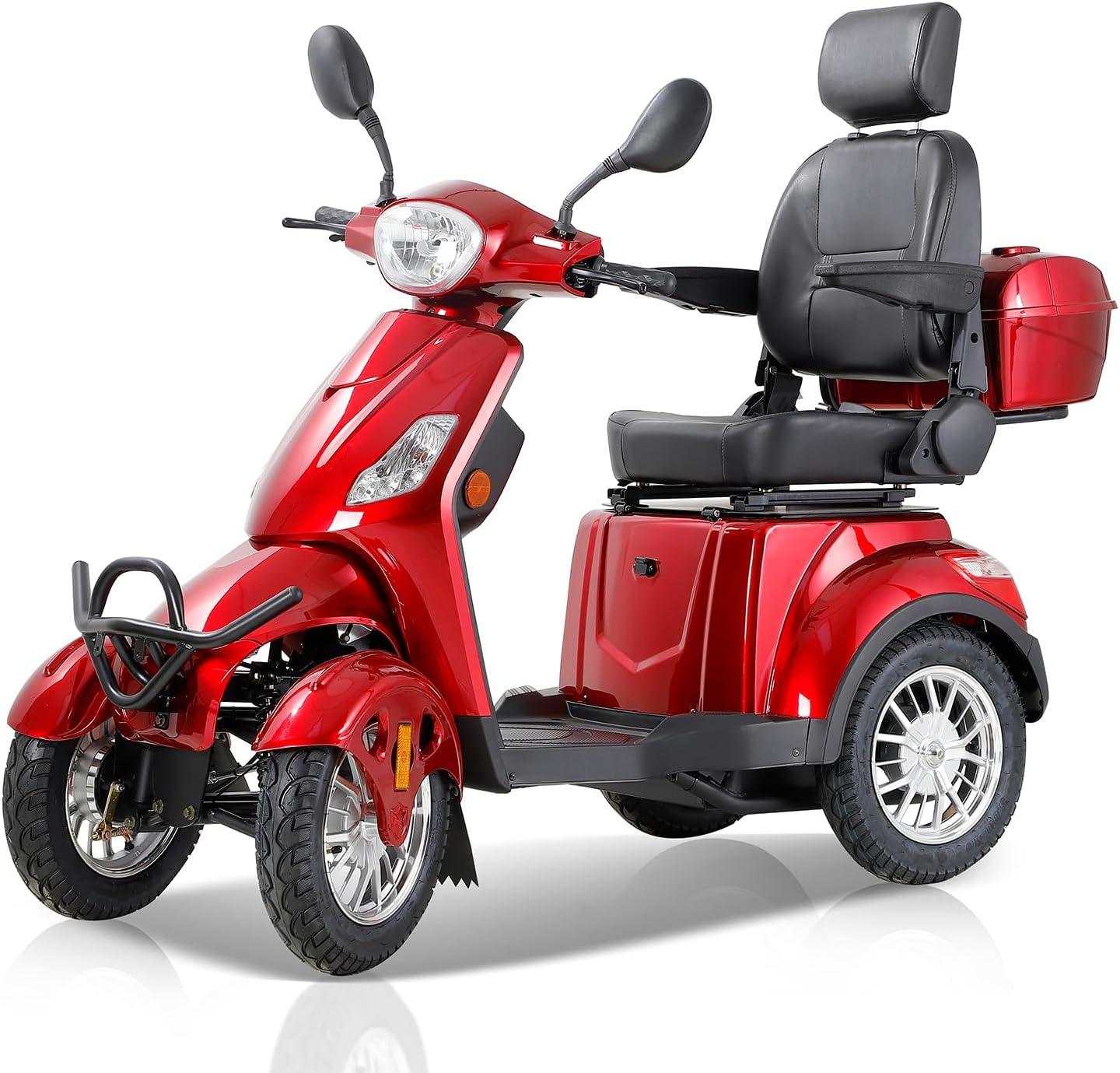
Figure 1: Front-side view of the ZVGREEN XL-4L Mobility Scooter.
2. Setup and Assembly
Before operating your ZVGREEN XL-4L Mobility Scooter, ensure all components are correctly assembled and secured. Refer to the following instructions and video for guidance.
2.1 Initial Assembly Steps
- Unpacking: Carefully remove all components from the packaging. Verify that all parts listed in the packing list are present.
- Seat Installation: Securely attach the captain seat to the scooter base. Ensure it clicks into place.
- Rear Basket Attachment: If included, attach the rear storage basket to the designated mounting points behind the seat.
- Mirror Installation: Screw the rearview mirrors into their respective sockets on the handlebars. Adjust for optimal visibility.
Video 1: Installation tutorial for the mobility scooter. This video demonstrates the assembly process, including attaching the seat, basket, and mirrors.
3. Operating Instructions
Familiarize yourself with the scooter's controls and operating procedures for a safe and comfortable ride.
3.1 Control Panel Overview
The intuitive control panel provides essential information and access to key functions:
- LED Light Switch: Activates the headlight for visibility.
- High-Low Beam Switch: Toggles between high and low beam settings for the headlight.
- Turn Signal Switch: Engages left or right turn signals.
- Horn: Activates the horn for alerting others.
- Throttle: Controls the scooter's speed.
- Three-Speed Gear: Allows selection of different speed modes.
- Reverse Button: Engages reverse gear.
- USB Charging Port: Provides power for charging mobile devices.

Figure 2: Detailed view of the scooter's control panel, highlighting various switches and indicators.
3.2 Starting and Driving
- Power On: Insert the key into the ignition and turn it to the 'ON' position.
- Safety Belt: Fasten the safety belt securely before driving.
- Release Parking Brake: Disengage the parking brake.
- Select Speed: Choose your desired speed gear using the three-speed gear switch.
- Accelerate: Gently twist the throttle to begin moving.
- Braking: Use the brake levers to slow down or stop.
Video 2: Operation Guide for the XL-4L Mobility Scooter. This video demonstrates how to power on, engage safety features, and drive the scooter.
Video 3: XL-4L Major Functions. This video highlights key features such as remote power, USB charging, seat adjustments, and climbing capability.
4. Maintenance
Regular maintenance ensures the longevity and optimal performance of your mobility scooter.
4.1 Battery Charging
The scooter is equipped with a 60V20Ah lead acid battery. To charge, locate the charging port and connect the provided charger. Ensure the scooter is turned off during charging. The charging indicator on the charger will typically show a red light when charging and turn green when fully charged.
For optimal battery life, avoid completely draining the battery before recharging and do not leave it uncharged for extended periods.
5. Troubleshooting
This section provides general guidance for common issues. For more complex problems, please contact customer support.
- Scooter not powering on: Check if the battery power switch (located under the seat) is in the 'ON' position. Ensure the key is fully inserted and turned. Verify the battery is charged.
- Reduced range or power: This may indicate a low battery charge. Fully charge the battery. If the issue persists, the battery may need servicing or replacement.
- Lights not working: Check the LED light switch on the control panel. If individual lights are out, they may require replacement.
6. Specifications
| Feature | Specification |
|---|---|
| Model | XL-4L |
| Motor | 800W Brushless Motor |
| Max Speed | 15 mph |
| Battery | 60V20Ah Lead Acid Battery |
| Max Range | Up to 31 miles per charge |
| Weight Capacity | 500 lbs |
| Climbing Ability | 20° Incline |
| Product Dimensions (L x W x H) | 66.5"D x 54.3"W x 27.2"H |
| Seat Width | 17.7 Inches |
| Tires | 3.00-10 Tubeless Tires (approx. 16-inch diameter) |
7. Warranty and Support
For warranty information, please refer to the documentation provided with your purchase. If you encounter any issues or require assistance, please contact ZVGREEN customer support. Contact details can typically be found on the product packaging or the official ZVGREEN website.


