
Introduction
The Therasage TheraO3 Ozone Module is a portable device designed for air purification and sanitization. This manual provides essential information for the safe and effective use of your device, including setup, operation, maintenance, and troubleshooting.
Important Safety Instructions
Please read and understand all safety instructions before operating the TheraO3 Ozone Module. Failure to follow these instructions may result in electric shock, fire, or serious injury.
- Always keep the device away from water or other liquids. Do not operate with wet hands.
- Do not attempt to disassemble, repair, or modify the device. Refer all servicing to qualified personnel.
- Use the device in well-ventilated areas. Avoid direct and prolonged inhalation of ozone.
- Keep out of reach of children and pets.
- Use only the specified power source (DC5V 1500MA) for charging.
- Do not block the air inlet or outlet during operation.
- If the device emits unusual odors, smoke, or sounds, immediately turn it off and disconnect the power.
Product Overview
Familiarize yourself with the components of your TheraO3 Ozone Module.
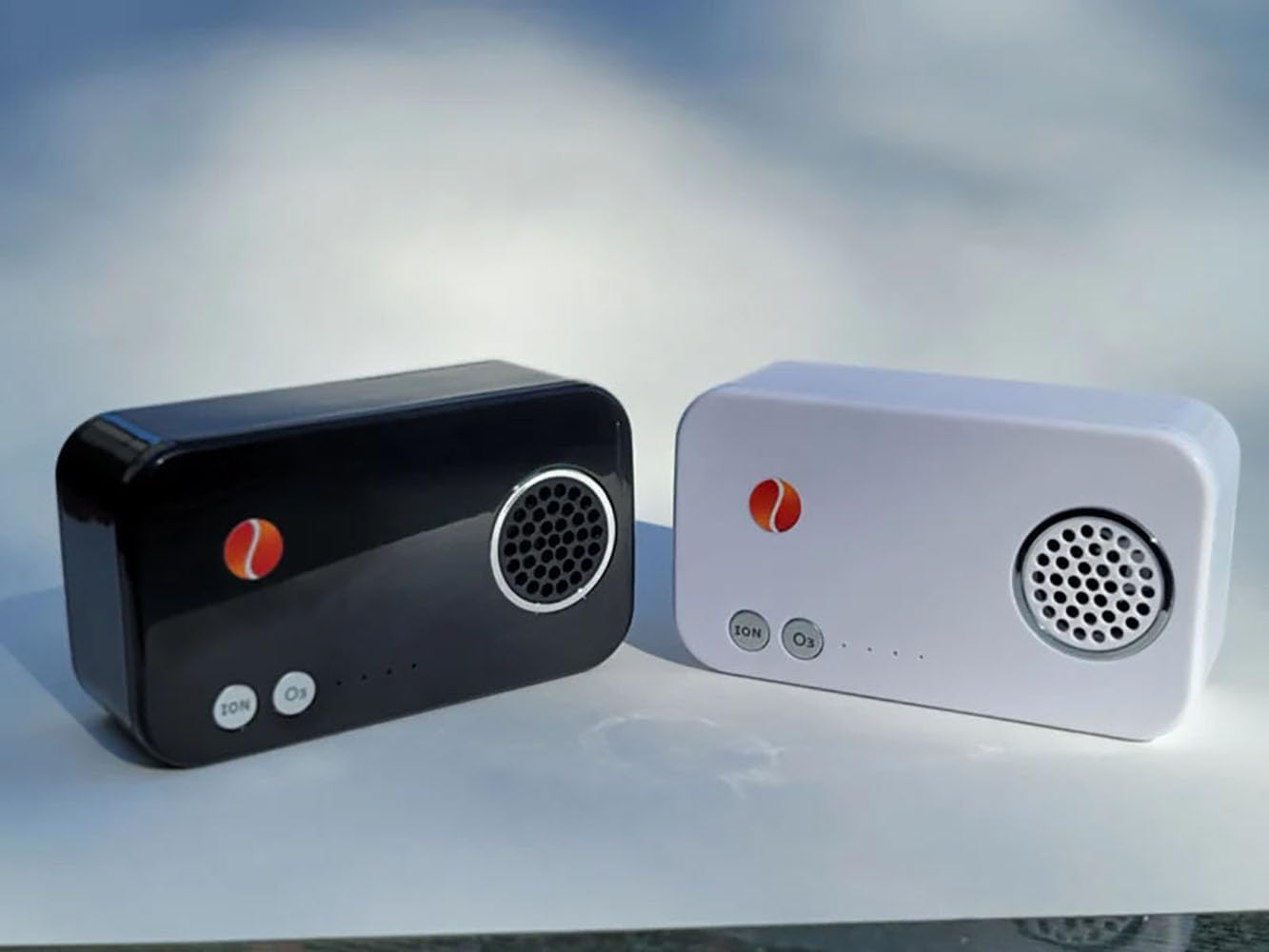
Figure 1: Therasage TheraO3 Ozone Modules (Black and White models). The image displays two compact, rectangular devices. Each device features a circular grille for air output, an 'ION' button, an 'O3' button, and a series of small indicator lights.

Figure 2: Close-up view of the black Therasage TheraO3 Ozone Module. This image highlights the 'ION' and 'O3' control buttons, the indicator lights, and the ozone/ion output grille.
The device features an ozone output grille, control buttons for 'ION' (ionization) and 'O3' (ozone generation), and LED indicator lights to show operational status and battery level.
Setup
Charging the Device
- Before first use, fully charge the TheraO3 Ozone Module.
- Connect the provided charging cable to the device's charging port and to a DC5V 1500MA power source.
- The indicator lights will show the charging status. Once fully charged, the lights will indicate completion or turn off.
Initial Placement
Place the device on a stable, flat surface in the area you wish to treat. Ensure there is adequate air circulation around the unit and that the air inlet and outlet are not obstructed.
Operating Instructions
Powering On/Off
- To power on the device, press and hold either the 'ION' or 'O3' button for a few seconds until the indicator lights illuminate.
- To power off, press and hold the active mode button (either 'ION' or 'O3') until the lights turn off.
Ozone Generation Mode (O3)
- With the device powered on, press the 'O3' button to activate ozone generation.
- The corresponding indicator light will illuminate, indicating that ozone is being produced.
- The maximum continuous working time for ozone generation is 8 hours. After this period, the device may enter standby mode for 12.5 hours to conserve battery.
Ionization Mode (ION)
- With the device powered on, press the 'ION' button to activate ionization.
- The corresponding indicator light will illuminate, indicating that negative ions are being released.
Care and Maintenance
Cleaning
- Ensure the device is powered off and disconnected from the power source before cleaning.
- Wipe the exterior of the device with a soft, dry cloth. Do not use abrasive cleaners, solvents, or immerse the device in water.
- Gently clean the air inlet and outlet grilles to remove any dust or debris that may accumulate.
Storage
When not in use, store the TheraO3 Ozone Module in a cool, dry place, away from direct sunlight and extreme temperatures.
Troubleshooting Guide
| Problem | Possible Cause | Solution |
|---|---|---|
| Device does not turn on | Low or depleted battery | Charge the device fully using the provided power adapter. |
| No ozone/ion output | Air inlet/outlet blocked | Ensure air grilles are clear of obstructions. Clean if necessary. |
| Short operating time | Battery not fully charged or aging battery | Ensure the device is fully charged before use. If the issue persists, contact customer support. |
| Unusual noise or smell | Internal malfunction | Immediately power off the device and disconnect from power. Do not attempt to repair. Contact customer support. |
Technical Specifications
- Model: Therasage_TH03-19
- Dimensions: 1 x 1 x 1 inches (W x H x D)
- Weight: 10 oz
- Power Source: DC5V 1500MA
- Battery Type: 18650 Lithium Battery
- Max Working Time: 8 Hours
- Standby Time: 12.5 Hours
Warranty and Customer Support
For detailed warranty information, product registration, or customer support, please contact the manufacturer, Therasage, directly through their official website or designated customer service channels. Please have your model number (Therasage_TH03-19) and purchase date available when contacting support.
Legal Disclaimer: Statements regarding dietary supplements have not been evaluated by the FDA and are not intended to diagnose, treat, cure, or prevent any disease or health condition.

