
1. Product Overview
The OUPES Mega 3 Portable Power Station is a high-capacity solar generator designed to provide reliable power for various applications, from powering high-demand home appliances during outages to supporting off-grid adventures in RVs or during camping trips. Featuring a durable LiFePO4 battery, smart app control, and versatile charging options, it offers a robust and user-friendly energy solution.

Figure 1: Front view of the OUPES Mega 3 Portable Power Station, showing the display, AC outlets, DC ports, and USB ports.
2. Key Features
- High Power Output: Provides 3600W continuous output with a 7000W surge capability, suitable for powering a wide range of appliances including coffee makers, kettles, refrigerators, hair dryers, and air conditioners.
- Expandable Capacity: The base unit has a 3072Wh (3.07kWh) capacity, which can be expanded up to 15.36kWh by connecting OUPES B2 Extra Batteries.
- Fast Recharging: Achieve a full recharge in as little as 0.8 hours using 3900W AC + Solar dual charging. Wall outlets provide 1800W charging, and solar input supports up to 2100W.
- Durable LiFePO4 Battery: Equipped with an upgraded LiFePO4 battery, offering over 3500 charge and discharge cycles, ensuring a long lifespan of at least 10 years.
- Smart App Control: Monitor real-time status, battery level, estimated running time, and customize settings via the OUPES app using Wi-Fi or Bluetooth connectivity.
- Portable Design: Equipped with wheels and an extendable handle for easy transport, despite its robust capacity.

Figure 2: The power station can run multiple high-demand appliances simultaneously, such as microwaves, washers, and air conditioners, with estimated runtimes.
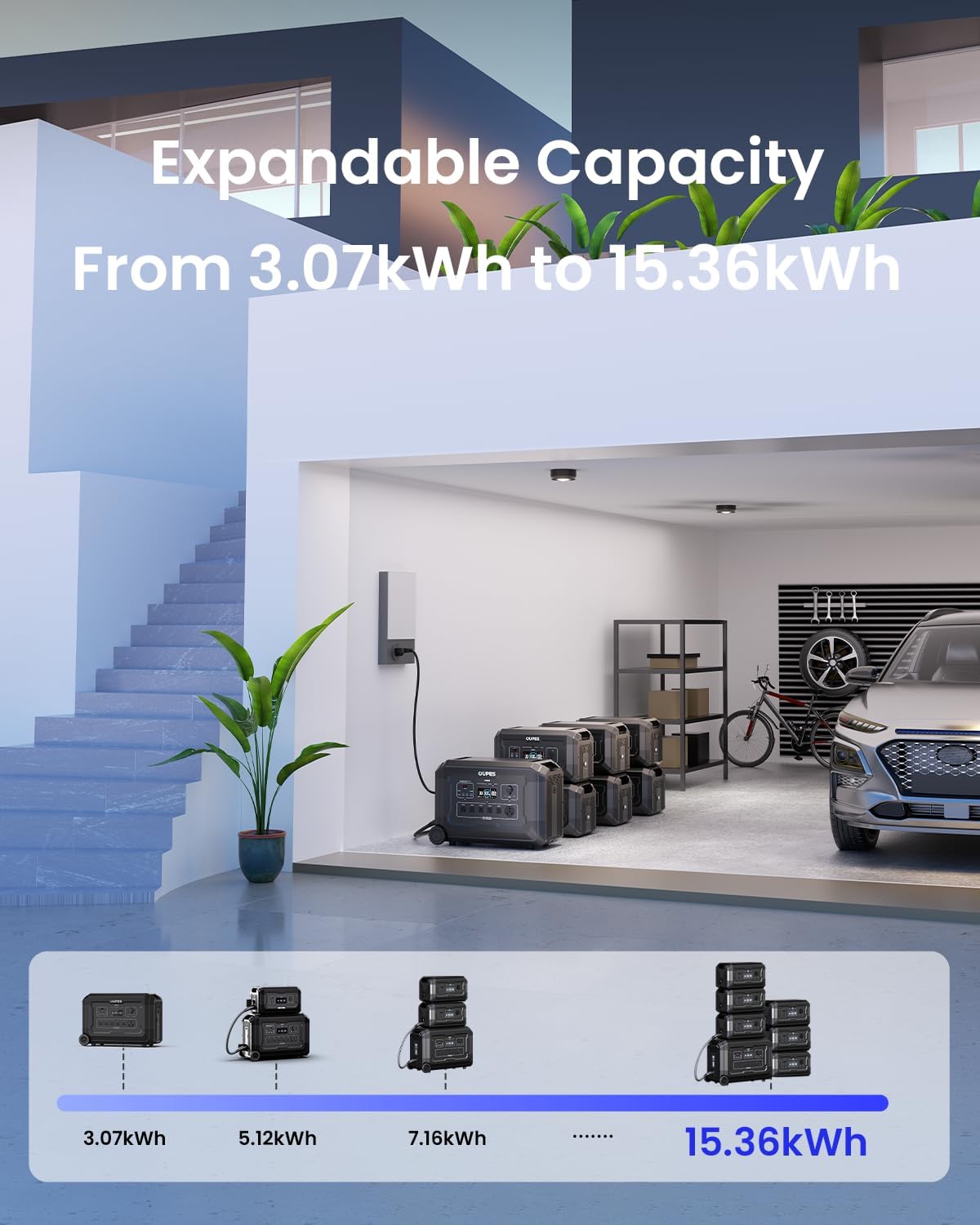
Figure 3: The modular design allows for significant capacity expansion by adding B2 external battery packs.

Figure 4: Multiple charging methods are available, including solar, wall, and generator, for rapid power replenishment.
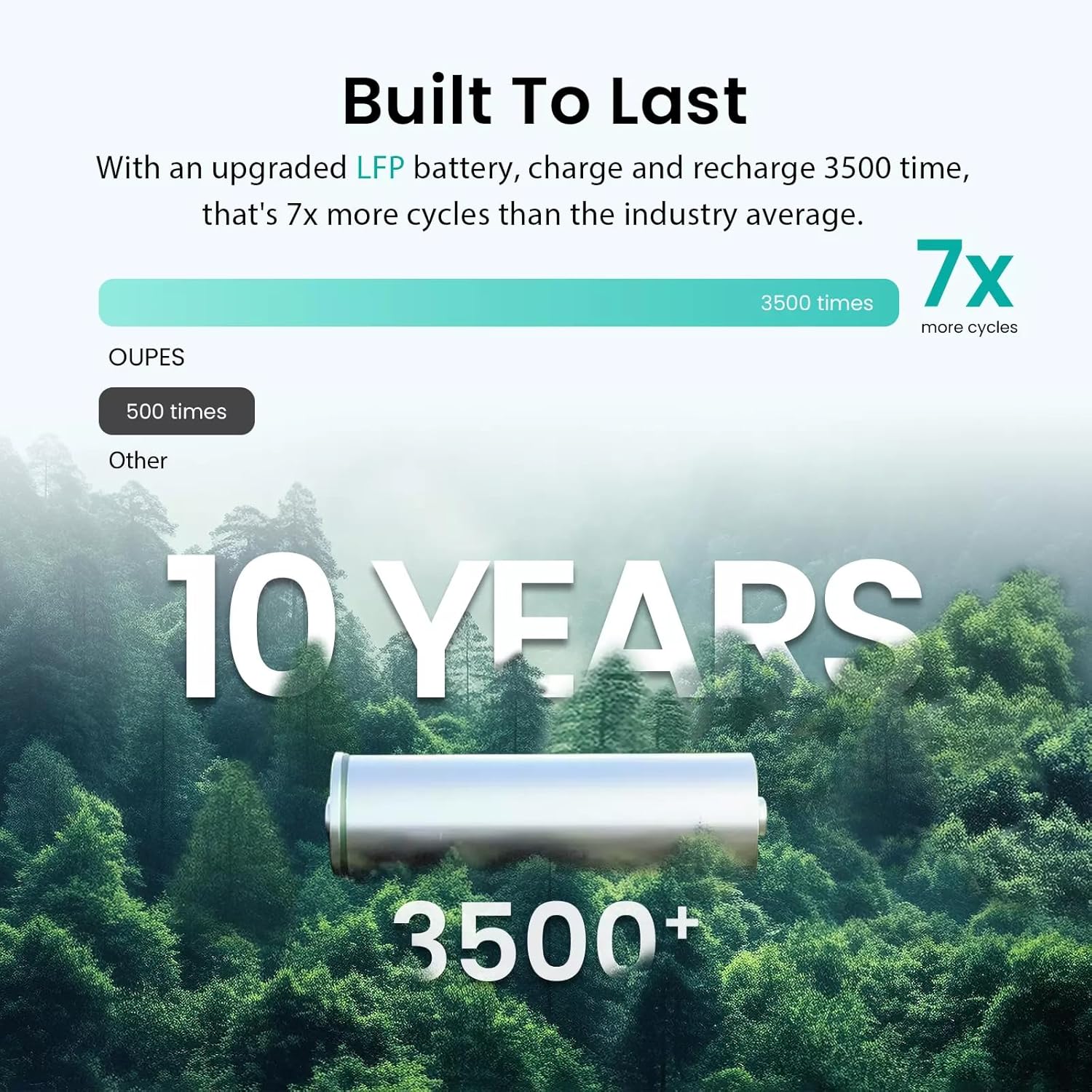
Figure 5: The advanced LiFePO4 battery technology provides extended durability and cycle life compared to industry averages.
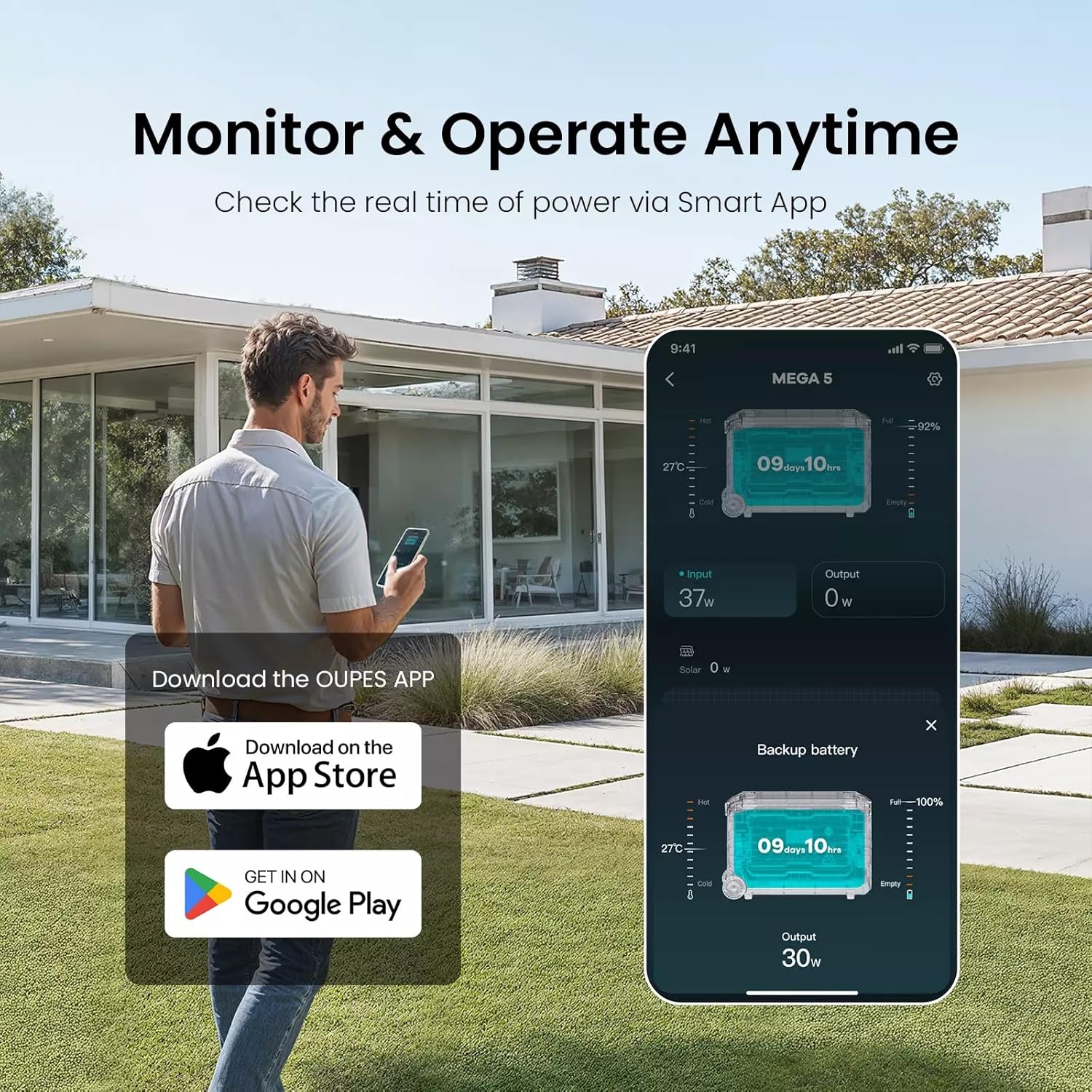
Figure 6: The OUPES app allows for convenient remote monitoring and management of the power station's functions.
3. Setup
3.1 Initial Charging
Before first use, it is recommended to fully charge your OUPES Mega 3. You can use the included AC charging cable to plug it into a standard wall outlet. For faster charging, consider combining AC and solar input if solar panels are available.
3.2 Connecting Solar Panels
The OUPES Mega 3 supports up to 2100W of solar input. Connect your solar panels to the PV (Anderson) input port on the back of the unit. Ensure correct polarity. For connecting multiple panels, refer to the diagrams below.
Video 1: This video demonstrates how to connect solar panels to the OUPES Mega Series power station.
Video 2: This video provides instructions on how to connect multiple solar panels in series for optimal charging.
3.3 Connecting to Home Circuits (Optional)
For home backup, the Mega 3 can be integrated with your home's electrical system using a compatible transfer switch kit (e.g., Reliance Controls Pro/Tran 2). This allows the power station to supply power directly to selected home circuits during an outage. Consult a qualified electrician for proper installation.
4. Operation
4.1 Basic On/Off
To turn on the OUPES Mega 3, press and hold the main POWER button until the display illuminates. To turn off, press and hold the POWER button again until the display shuts down.
4.2 Using Outputs (AC, DC, USB)
Once the unit is powered on, press the respective AC, DC, or USB buttons on the front panel to activate those output ports. The display will show the active outputs and real-time power consumption. Ensure the total wattage of connected devices does not exceed the power station's rated output.
4.3 Smart App Usage
Download the OUPES app from your device's app store. Connect the power station via Wi-Fi or Bluetooth as instructed in the app. The app provides comprehensive monitoring of battery status, input/output wattages, and allows for remote control of various settings, including charging speed.
Video 3: This video demonstrates how to adjust the charging speed of the OUPES Mega 3 using the mobile app.
5. Maintenance
5.1 Battery Care
To maximize battery lifespan, it is recommended to fully charge the OUPES Mega 3 every three months, even if not in active use. This helps maintain battery health and extends its overall cycle life.
5.2 Cleaning
Use a soft, dry cloth to clean the exterior of the power station. Do not use abrasive cleaners or immerse the unit in water. Ensure ventilation ports are free from dust and debris.
5.3 Storage
Store the power station in a cool, dry place away from direct sunlight and extreme temperatures. If storing for extended periods, ensure the battery is charged to approximately 50-80% before storage.
6. Troubleshooting
| Problem | Possible Cause | Solution |
|---|---|---|
| Unit does not power on. | Battery is fully depleted; Power button not pressed correctly. | Connect to AC power for charging. Press and hold the POWER button for a few seconds. |
| No output from AC/DC/USB ports. | Output ports not activated; Overload protection triggered. | Press the corresponding AC/DC/USB button to activate. Reduce connected load; restart the unit. |
| Slow charging speed. | Charging speed setting is low; Insufficient solar input. | Adjust charging speed via the OUPES app. Ensure solar panels are in direct sunlight and correctly connected. |
| Display shows an error code. | Internal fault or specific operational issue. | Note the error code and refer to the detailed troubleshooting section in the full manual or contact customer support. |
For more detailed troubleshooting steps and error code explanations, please refer to the complete user manual or contact OUPES customer support.
7. Specifications
| Feature | Detail |
|---|---|
| Brand | OUPES |
| Model Name | Mega 3 (S3) |
| Battery Type | LiFePO4 |
| Capacity | 3072Wh (3.07kWh) |
| Expandable Capacity | Up to 15.36kWh with B2 Extra Batteries |
| AC Output (Rated) | 3600W (Pure Sine Wave) |
| AC Output (Surge) | 7000W |
| AC Voltage | 120V (AC) |
| Max Solar Input | 2100W |
| AC Charging Input | 1800W |
| Full Recharge Time (AC+Solar) | 0.8 hours (3900W) |
| Battery Cycle Life | 3500+ cycles to 80% capacity |
| Dimensions (L x W x H) | 25.2" x 11.9" x 17.2" |
| Item Weight | 88 Pounds |
| Total Power Outlets | 5 AC Outlets, USB-A, USB-C, DC, Car Output, Anderson |
8. Warranty and Support
8.1 Warranty Information
The OUPES Mega 3 Portable Power Station comes with a 5-Year Warranty, providing comprehensive coverage for manufacturing defects and malfunctions under normal use. Please retain your proof of purchase for warranty claims.
8.2 Customer Support
For any questions, technical assistance, or warranty inquiries, please contact OUPES customer support. You can typically find contact information on the official OUPES website or through your purchase platform. Please have your product model and serial number ready when contacting support.
- Visit the OUPES Store on Amazon
- Customer Support: Available through the seller "OUPES-US" on Amazon.