
1. Introduction
The Sony FE 16–35mm F2.8 GM (SEL1635GM) is a professional ultra-wide-angle zoom lens designed for Sony E-mount cameras. It features G Master optical excellence, a constant F2.8 aperture, and versatile performance for both still photography and video production. This manual provides essential information for the proper use and care of your lens, ensuring optimal performance and longevity.
2. What's in the Box
Verify that all the following items are included in your package:
- Sony FE 16-35mm f/2.8 GM Lens
- Sony ALC-F82S 82mm Front Lens Cap
- Sony ALC-R1EM Rear Lens Cap
- Sony ALC-SH149 Lens Hood
- Lens Case
- 82mm 3 Piece Filter Kit
- Lens Cap Keeper
- Cleaning Kit
3. Setup
3.1 Attaching the Lens to the Camera
- Ensure both the camera and lens are powered off.
- Remove the rear lens cap from the lens and the body cap from the camera.
- Align the white index dot on the lens barrel with the white index dot on the camera's lens mount.
- Insert the lens into the camera mount and rotate it clockwise until it clicks into place. Do not force the lens.
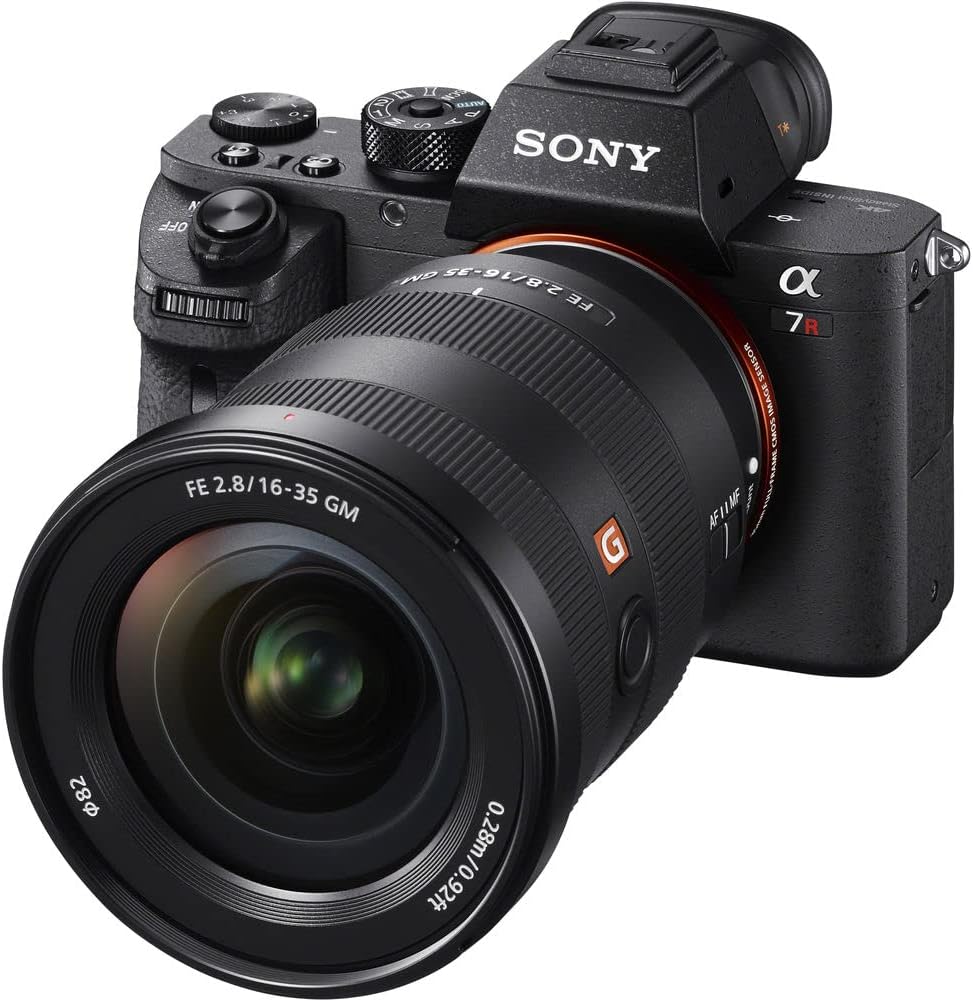
Image: The Sony FE 16-35mm F2.8 GM lens securely attached to a compatible Sony E-mount camera body, ready for use.
3.2 Removing the Lens
- Ensure the camera is powered off.
- While pressing the lens release button on the camera body, rotate the lens counter-clockwise until it stops.
- Gently pull the lens straight off the camera.
- Attach the rear lens cap to the lens and the body cap to the camera to protect the sensor and lens elements.
3.3 Attaching and Removing Lens Caps
The lens comes with a front lens cap (ALC-F82S) and a rear lens cap (ALC-R1EM). Always use these caps when the lens is not in use to protect the optical elements from dust, scratches, and impact.
- To attach the front cap: Pinch the sides of the cap and place it onto the front of the lens, then release.
- To remove the front cap: Pinch the sides of the cap and lift it off.
- To attach the rear cap: Align the cap with the lens mount and twist clockwise until it locks.
- To remove the rear cap: Twist counter-clockwise and pull off.
3.4 Attaching the Lens Hood
The supplied lens hood (ALC-SH149) helps to block unwanted light, reducing flare and ghosting, and provides physical protection for the front element.
- Align the red dot on the lens hood with the red dot on the front of the lens barrel.
- Insert the hood and rotate it clockwise until it clicks into place.
- To remove, press the release button on the hood and rotate counter-clockwise.
3.5 Installing Filters
This lens accepts 82mm screw-on filters. The included 3-piece filter kit can be used to enhance your photography.
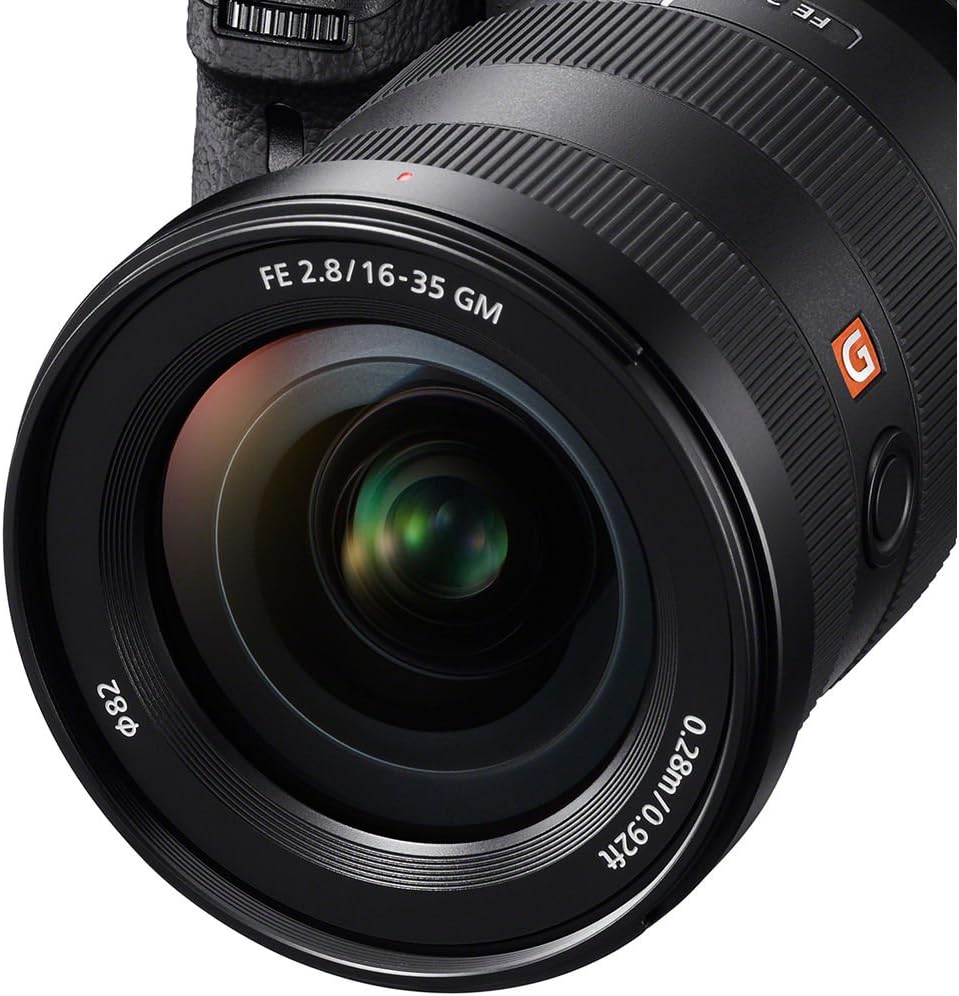
Image: A close-up view of the front element of the Sony FE 16-35mm F2.8 GM lens, highlighting the 82mm filter thread for accessory attachment.
- Carefully screw the filter onto the 82mm filter thread at the front of the lens.
- Do not overtighten.
- To remove, unscrew the filter counter-clockwise.
4. Operating the Lens
4.1 Focus Mode Switch (AF/MF)
The lens features a switch to select between Autofocus (AF) and Manual Focus (MF).

Image: A detailed view of the AF/MF (Autofocus/Manual Focus) switch located on the side of the lens barrel, allowing quick mode selection.
- AF (Autofocus): The camera automatically focuses on the subject. This mode is suitable for most shooting situations.
- MF (Manual Focus): You manually adjust the focus ring to achieve focus. This is useful for precise focusing or in situations where autofocus struggles.
4.2 Focus Hold Button
The lens is equipped with a customizable focus hold button.

Image: A close-up of the circular focus hold button on the lens barrel, which can be customized for various functions.
- When pressed, this button locks the focus at the current distance. This is useful for recomposing shots without losing focus.
- The function of this button can often be customized via your camera's menu settings. Refer to your camera's instruction manual for details.
4.3 Zoom Ring
Rotate the zoom ring to adjust the focal length between 16mm (wide-angle) and 35mm (standard wide-angle).
- Rotating the ring towards the camera body zooms in (increases focal length).
- Rotating the ring away from the camera body zooms out (decreases focal length).
4.4 General Shooting Tips
The 16-35mm F2.8 GM lens is highly versatile:
- Landscapes and Architecture: Use the wide-angle range (16-24mm) to capture expansive scenes and dramatic perspectives.
- Astrophotography: The F2.8 constant aperture and wide focal length make it excellent for capturing night skies and stars.
- Interiors: Ideal for shooting in confined spaces, allowing you to capture more of the environment.
- Video Production: The fast, quiet autofocus and constant F2.8 aperture ensure consistent exposure and smooth operation during video recording.
5. Maintenance
5.1 Cleaning the Lens
Regular cleaning helps maintain image quality and extends the life of your lens. Use the included cleaning kit.
- Dust Removal: Use a blower brush to remove loose dust and debris from the lens surfaces. Avoid wiping dry lens elements, as this can cause scratches.
- Smudges and Fingerprints: Apply a small amount of lens cleaning solution to a clean microfiber cloth (never directly to the lens) and gently wipe the lens surface in a circular motion from the center outwards.
- Clean the lens barrel with a soft, dry cloth.
5.2 Storage
When not in use, store the lens with both front and rear caps attached in a cool, dry place away from direct sunlight and extreme temperatures. The included lens case provides additional protection during transport.
5.3 Weather Sealing
The Sony FE 16-35mm F2.8 GM lens features a dust and moisture-resistant design. While this provides enhanced protection in challenging environments, it is not waterproof. Avoid exposing the lens to heavy rain or direct water spray.
6. Troubleshooting
If you encounter issues with your lens, refer to the following common problems and solutions:
| Problem | Possible Cause | Solution |
|---|---|---|
| Lens not attaching to camera | Incorrect alignment; obstruction; lens release button not fully pressed. | Ensure white dots are aligned. Check for debris. Press lens release button firmly. |
| Autofocus not working | Lens set to MF; camera settings incorrect; insufficient light; dirty contacts. | Set lens to AF. Check camera focus mode. Ensure adequate lighting. Clean lens and camera contacts. |
| Images are blurry | Incorrect focus; camera shake; dirty lens element; incorrect camera settings. | Check focus mode and focus point. Use a faster shutter speed or tripod. Clean lens. Review camera's aperture and ISO settings. |
| Lens hood does not attach | Incorrect alignment; not rotated fully. | Align red dots. Rotate clockwise until it clicks. |
If the problem persists, consult your camera's instruction manual or contact Sony customer support.
7. Specifications
Key technical specifications for the Sony FE 16–35mm F2.8 GM lens:
- Brand: Sony
- Model Name: SEL1635GM
- Focal Length: 16-35mm
- Maximum Aperture: F2.8 (Constant)
- Lens Mount: Sony E-Mount
- Filter Size: 82mm
- Optical Design: 2 Extreme Aspherical (XA) elements, 3 Aspherical elements, 2 ED (Extra-low Dispersion) elements, 1 Super ED element
- Lens Coating: Nano AR Coating
- Autofocus System: Direct Drive SSM (Super Sonic wave Motor)
- Image Stabilization: No (Lens does not feature built-in optical image stabilization)
- Number of Diaphragm Blades: 11 (Rounded)
- Minimum Focus Distance: 0.28m (0.92ft)
- Weight: Approximately 680g (24 oz) - Note: Product listing weight of 3.37 lbs likely includes accessories.
8. Warranty and Support
8.1 Warranty Information
This Sony lens comes with a 1-Year Limited Warranty from the date of purchase. This warranty covers manufacturing defects and workmanship. Please retain your proof of purchase for warranty claims. For full terms and conditions, refer to the warranty card included with your product or visit the official Sony website.
8.2 Customer Support
For technical assistance, service, or further inquiries, please contact Sony customer support or visit their official website. You can find contact information and support resources at www.sony.com/electronics/support.


