
1. Introduction
This manual provides detailed instructions for the safe and efficient use of your Baseus A2 Pro Cordless Vacuum Cleaner and Blower. Please read this manual thoroughly before operating the device and retain it for future reference.
2. Safety Instructions
- Do not use the device near flammable liquids or gases.
- Keep the device away from water and moisture.
- Do not allow children to operate the device.
- Ensure the filter is properly installed before use.
- Use only the provided charging cable.
- Do not block the air inlets or outlets during operation.
- Turn off the device before cleaning or maintenance.
3. Product Components
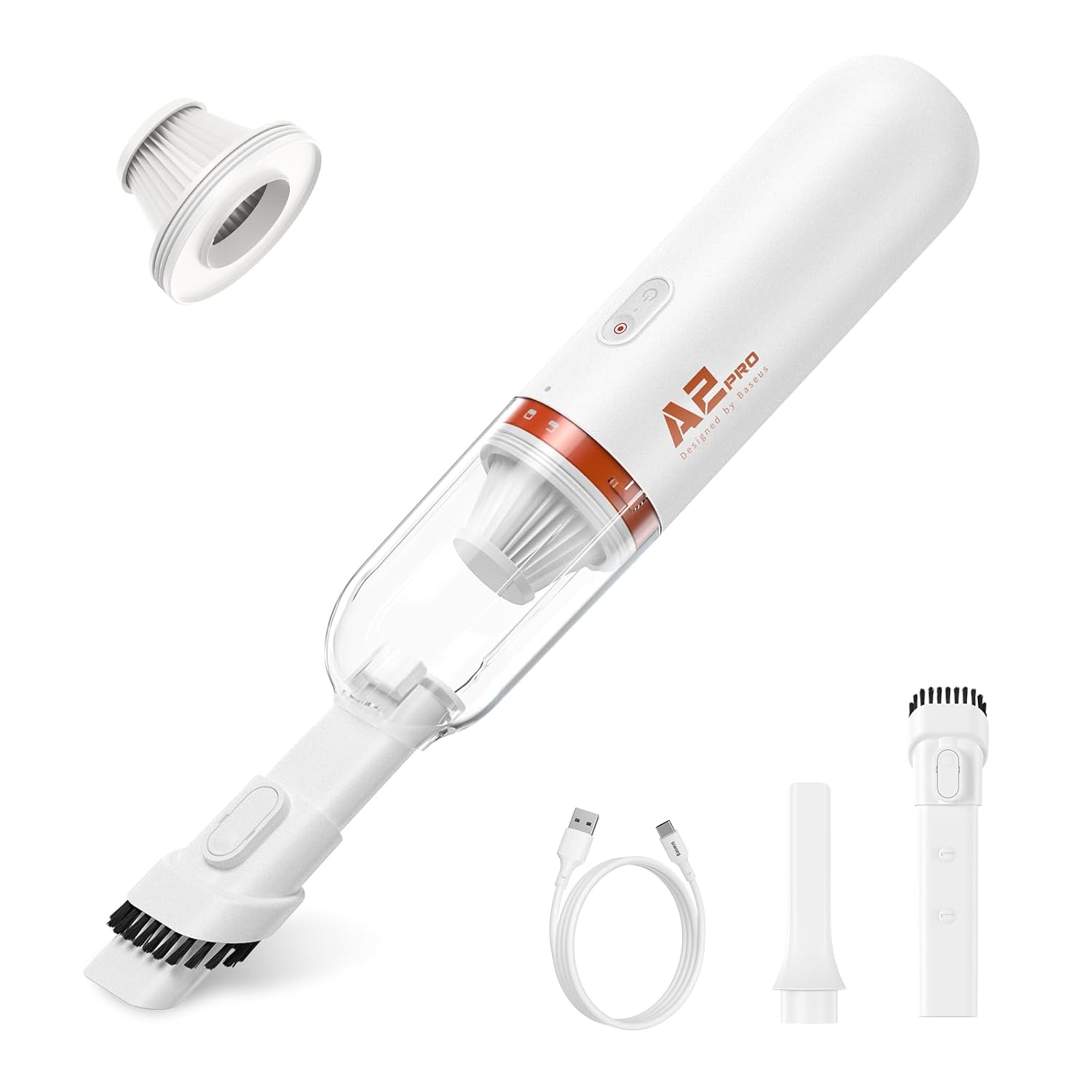
The Baseus A2 Pro includes the following components:
- Main Vacuum/Blower Unit
- Brush Nozzle
- Crevice Nozzle
- Blow Nozzle
- USB-C Charging Cable
- HEPA Filter (pre-installed)

4. Setup and Initial Charging
4.1. Assembly
- Ensure the HEPA filter is securely placed inside the dustbin.
- Attach the dustbin to the main unit by twisting it clockwise until it locks into place.
- Select the desired nozzle (brush, crevice, or blow) and firmly attach it to the suction/blower port.
4.2. Initial Charging
Before first use, fully charge the device.
- Connect the USB-C charging cable to the charging port on the device.
- Plug the other end of the USB-C cable into a compatible USB power adapter (not included).
- The charging indicator light will illuminate. A full charge typically takes approximately 3 hours.
- Once fully charged, disconnect the charging cable.

5. Operating Instructions
5.1. Powering On/Off
Press and hold the power button for 2 seconds to turn the device on or off.
5.2. Vacuuming Function
- Ensure the desired vacuum nozzle (brush or crevice) is attached to the front suction port.
- Turn on the device.
- Direct the nozzle towards the area to be cleaned. The device provides 6,000 Pa suction power for effective cleaning.
- After use, turn off the device.


5.3. Blower Function
- Attach the blow nozzle to the rear air outlet port.
- Turn on the device.
- Direct the blow nozzle towards the area where air dusting or blowing is required.
- After use, turn off the device.
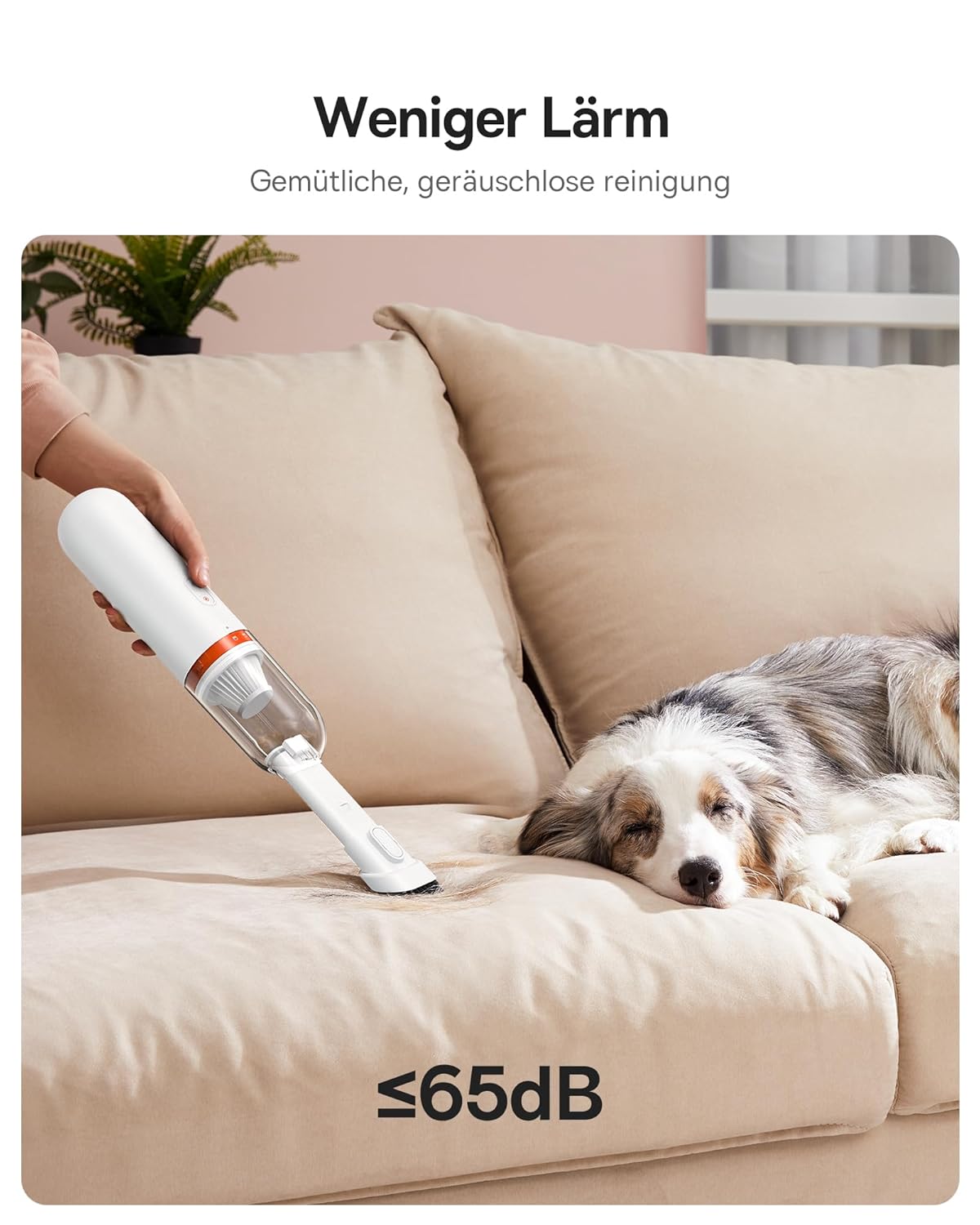
5.4. Quiet Operation
The device is designed for quiet operation, producing approximately 60 dB of noise during use.

6. Maintenance
6.1. Emptying the Dustbin
- Ensure the device is turned off.
- Twist the dustbin counter-clockwise to detach it from the main unit.
- Empty the collected debris into a waste bin.
- Reattach the dustbin by twisting it clockwise until it locks.
6.2. Cleaning the HEPA Filter
The HEPA filter should be cleaned regularly to maintain optimal suction performance.
- Remove the dustbin as described above.
- Carefully remove the HEPA filter from the dustbin.
- Tap the filter gently to dislodge dust and debris. For thorough cleaning, rinse the filter under running water.
- Allow the filter to air dry completely before reinserting it. Do not use the device with a wet filter.
- Replace the filter if it shows signs of damage or significant wear.
6.3. General Cleaning
Wipe the exterior of the device with a soft, damp cloth. Do not use harsh chemicals or abrasive cleaners.
7. Troubleshooting
| Problem | Possible Cause | Solution |
|---|---|---|
| Device does not turn on | Low battery; Device not charged | Charge the device fully. |
| Weak suction power | Dustbin full; Filter clogged; Nozzle blocked | Empty the dustbin. Clean or replace the HEPA filter. Check and clear any blockages in the nozzle or suction path. |
| Device stops during operation | Low battery; Overheating protection activated | Charge the device. Allow the device to cool down before resuming use. |
| Charging not working | Faulty cable or adapter; Loose connection | Ensure the USB-C cable is securely connected. Try a different USB power adapter or cable. |
8. Specifications
- Brand: Baseus
- Model: A2 Pro (VCAQ040002)
- Suction Power: 6,000 Pa
- Filter Type: HEPA Filter
- Cordless: Yes
- Dustbin Capacity: 120 Milliliters
- Wattage: 80 Watts
- Form Factor: Handheld
- Color: White
- Product Dimensions: 28L x 10W x 28H Centimeters
- Noise Level: 60 dB
- Charging: USB-C, approximately 3 hours for full charge
- Item Weight: 454 g
9. Warranty Information
The Baseus A2 Pro Cordless Vacuum Cleaner + Blower comes with an 18-month warranty from the date of purchase. This warranty covers manufacturing defects and malfunctions under normal use. Please retain your proof of purchase for warranty claims. The warranty does not cover damage caused by misuse, accidents, unauthorized repairs, or normal wear and tear.
10. Customer Support
For technical assistance, warranty claims, or any questions regarding your Baseus A2 Pro, please contact your retailer or visit the official Baseus support website. Please have your model number (VCAQ040002) and proof of purchase ready when contacting support.


