
1. Introduction
This manual provides essential information for the safe and efficient operation of your Baseus 300W Car Power Inverter. This device converts 12V-24V DC power from your vehicle's battery or cigarette lighter socket into 200V-240V AC power, allowing you to power various electronic devices and small appliances on the go. Please read this manual thoroughly before use and retain it for future reference.
2. Safety Instructions
Adhering to these safety guidelines is crucial to prevent injury and damage to the inverter or connected devices.
- Ventilation: Ensure the inverter is placed in a well-ventilated area. Do not block ventilation openings.
- Dry Environment: Keep the inverter away from water, moisture, and rain. Operate only in dry conditions.
- Correct Voltage: Connect the inverter only to a 12V or 24V DC power source as specified. Connecting to other voltages may cause damage.
- Avoid Overloading: Do not exceed the inverter's rated output power of 300W. The peak surge power is 600W. Exceeding these limits can damage the inverter and connected devices.
- Proper Connection: Ensure all connections are secure and correct polarity is observed when connecting to a battery.
- Children and Pets: Keep the inverter out of reach of children and pets.
- Heat: The inverter generates heat during operation. Avoid placing it on heat-sensitive surfaces or near flammable materials.
- Disassembly: Do not attempt to disassemble or modify the inverter. This voids the warranty and can lead to electric shock or fire.
3. Package Contents
Verify that all items are present in the package:
- Baseus 300W Car Power Inverter
- Cigarette Lighter Plug Cable
- Battery Clamp Cables (Alligator Clips)
- Spare Fuse
- User Manual (this document)

Image: The Baseus 300W Car Power Inverter shown with its cigarette lighter plug cable and battery clamp cables.
4. Product Overview
Familiarize yourself with the components and features of your inverter.
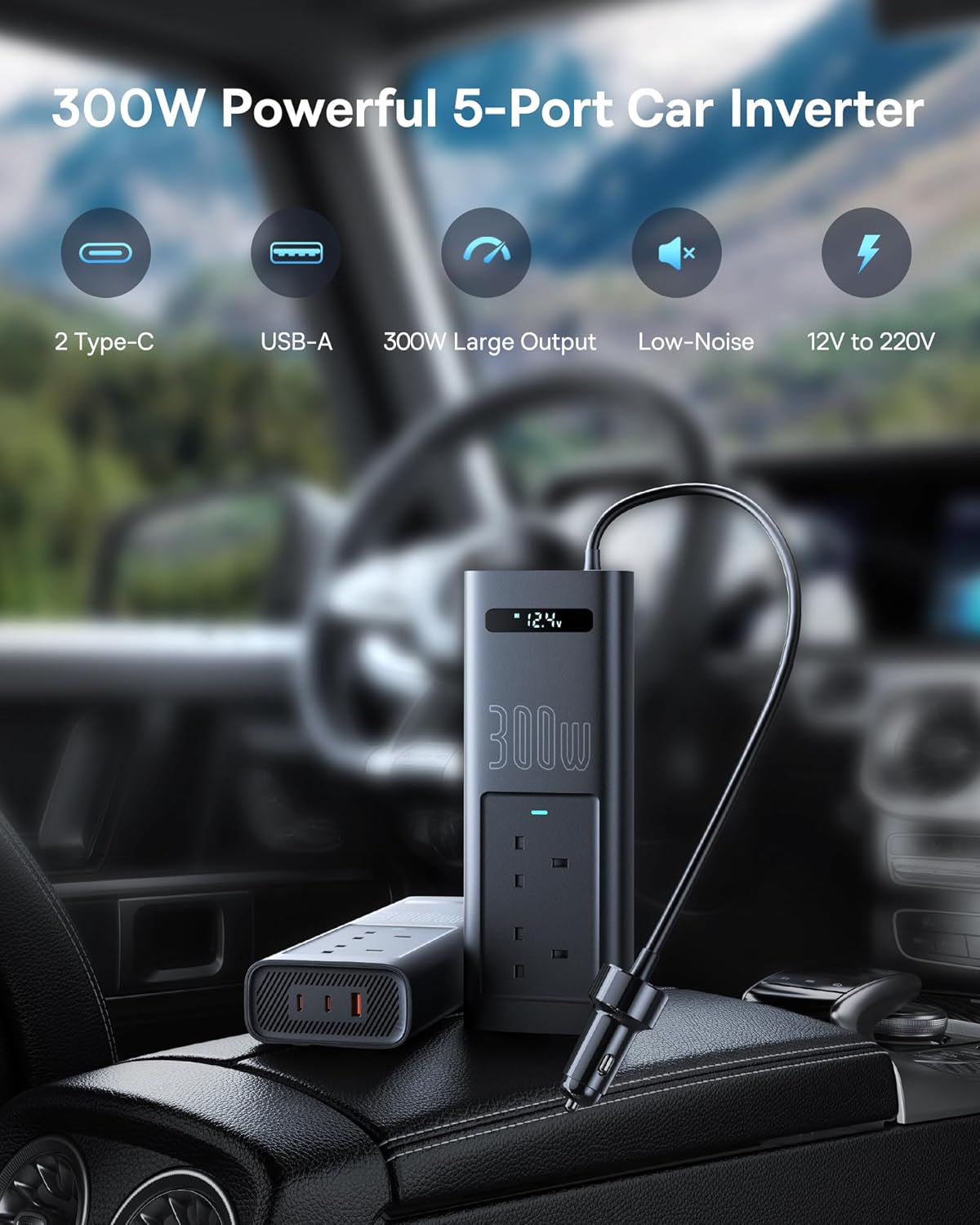
Image: The inverter's output panel, highlighting the two AC outlets, two USB-C ports, and one USB-A port.
4.1. Output Ports
- Dual AC Outlets: Provide 200V-240V AC power for standard household appliances.
- Two Type-C Ports: For fast charging compatible USB-C devices.
- One USB 3.0 Port: For fast charging compatible USB-A devices.
4.2. Digital Display
The integrated digital display provides real-time monitoring of the input voltage and output status.

Image: Close-up of the inverter's digital display, indicating input voltage and output voltage status.
4.3. Intelligent Core and Cooling
The inverter features a built-in smart chip (BPS2.0) for intelligent power distribution and a low-noise cooling fan to maintain optimal operating temperature.

Image: An internal view highlighting the BPS2.0 intelligent power split chip, which manages individual power output for connected devices.

Image: The inverter positioned in a car interior, illustrating its low-noise cooling fan operation, designed for quiet use.
5. Setup
The inverter can be connected to your vehicle's power system in two ways:
5.1. Connecting via Cigarette Lighter Socket (12V Only)
- Ensure your vehicle's engine is running or the ignition is in the ACC position.
- Insert the cigarette lighter plug cable firmly into your vehicle's 12V cigarette lighter socket.
- The inverter's digital display should illuminate, indicating it is receiving power.
- This method is suitable for lower power consumption (typically up to 150W, depending on vehicle fuse).
5.2. Connecting via Battery Clamp Cables (12V or 24V)
This method is recommended for higher power draw, up to the full 300W capacity, and for 24V systems.
- Ensure your vehicle's engine is off before connecting directly to the battery.
- Connect the red battery clamp to the positive (+) terminal of your vehicle's battery.
- Connect the black battery clamp to the negative (-) terminal of your vehicle's battery.
- Ensure connections are secure and there is no short circuit.
- Start your vehicle's engine if you plan to draw significant power to prevent draining the battery.

Image: The inverter connected to a vehicle battery using the provided clamp cables, demonstrating its use for powering various devices.

Image: The inverter shown alongside various vehicle types, illustrating its compatibility with both 12V and 24V automotive power systems.
6. Operating Instructions
6.1. Powering On and Off
- Once connected to a power source, the inverter will automatically power on, and the digital display will show the input voltage.
- To power off, disconnect the inverter from the vehicle's power source.
6.2. Connecting Devices
- Ensure the total wattage of all connected devices does not exceed 300W.
- For AC devices, plug them into the AC outlets.
- For USB-C or USB-A devices, connect them to the respective ports using appropriate cables.
- The inverter's intelligent chip will distribute power efficiently among connected devices.

Image: The inverter in use within a car, demonstrating its capability to charge a smartphone via USB and power a small vacuum cleaner via an AC outlet.
7. Maintenance
- Cleaning: Regularly wipe the exterior of the inverter with a dry, soft cloth. Do not use liquid cleaners or solvents.
- Ventilation: Keep the ventilation openings clear of dust and debris to ensure proper airflow.
- Storage: When not in use, store the inverter in a cool, dry place, away from direct sunlight and extreme temperatures.
- Fuse Replacement: If the inverter stops working, check the fuse. Refer to the specifications for the correct fuse type and rating. Disconnect all power before replacing the fuse.
8. Troubleshooting
If you encounter issues with your inverter, refer to the following common problems and solutions:
| Problem | Possible Cause | Solution |
|---|---|---|
| No power output / Inverter not turning on |
|
|
| Low power output / Devices not charging |
|
|
| Inverter overheating |
|
|
9. Specifications
| Feature | Detail |
|---|---|
| Brand | Baseus |
| Model Name | 300W Car Power Inverter |
| Input Voltage | 12 Volts - 24 Volts DC |
| Output Voltage | 200V-240V AC |
| Rated Power | 300 Watts |
| Peak Surge Power | 600 Watts |
| Waveform | Modified Sine Wave |
| Total Power Outlets | 2 AC Outlets, 2 USB-C Ports, 1 USB 3.0 Port (Total 5 Ports) |
| Conversion Rate | Maximum 80% |
| Included Components | Fuse |
| Package Dimensions | 29 x 17 x 5.5 cm |
| Weight | 900 g |
10. Warranty and Support
For warranty information or technical support, please refer to the documentation provided with your purchase or contact Baseus customer service directly. Keep your purchase receipt as proof of purchase for warranty claims.
You can typically find support contact information on the official Baseus website or through your retailer.

