
Deeyaple S207
Deeyaple S207 Cell Phone Stand with Wireless Bluetooth Speaker and 12H Time Display User Manual
Introduction
This manual provides comprehensive instructions for the Deeyaple S207 Cell Phone Stand with Wireless Bluetooth Speaker and 12H Time Display. Please read this manual thoroughly before using the product to ensure proper operation and to maximize its features. Keep this manual for future reference.
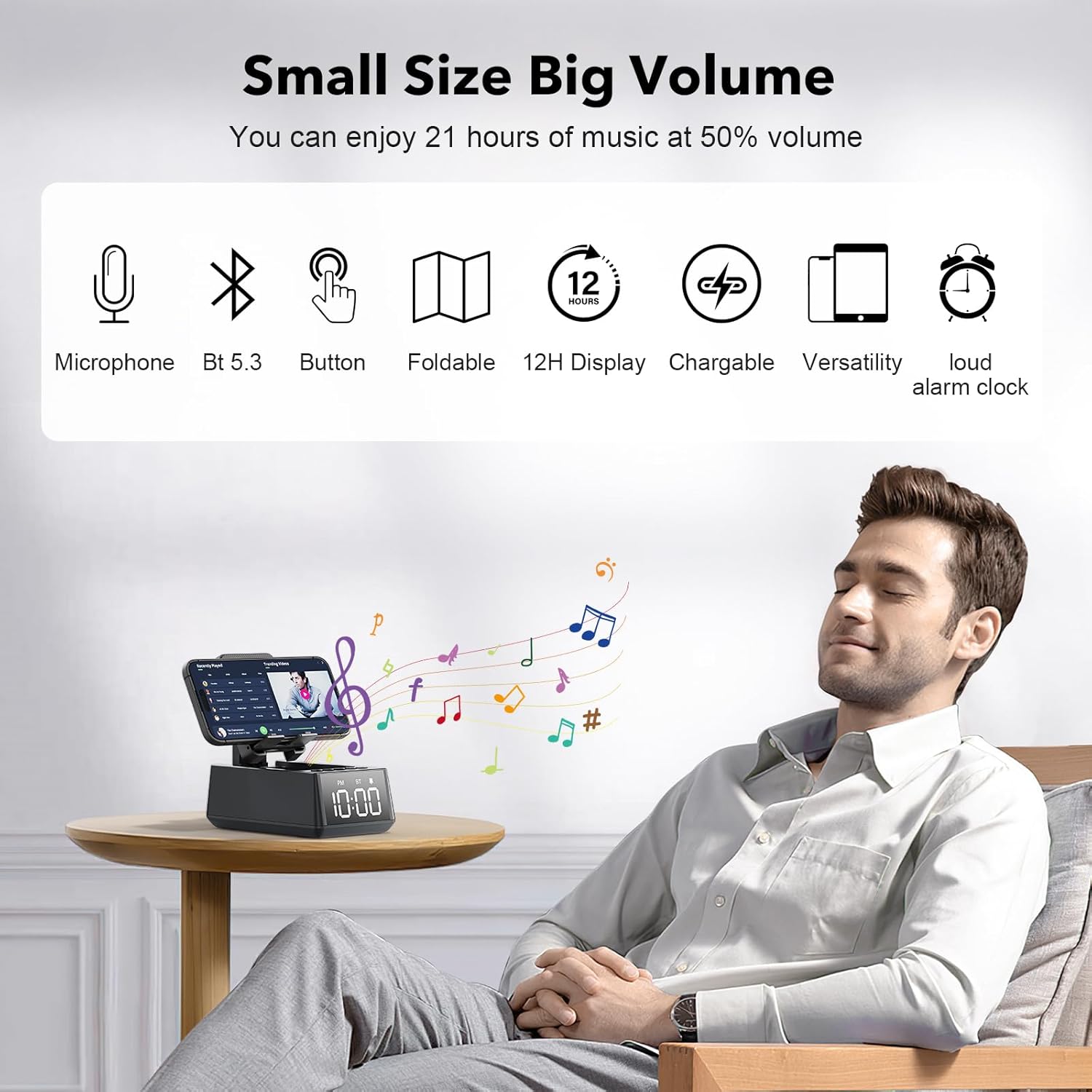
Figure 1: The Deeyaple S207 multi-functional device.
Product Overview
The Deeyaple S207 is a versatile device combining a cell phone stand, a wireless Bluetooth speaker, and a 12-hour time display. It is designed for convenience and enhanced audio experience.

Figure 2: The Deeyaple S207 functions as a stand, speaker, and digital clock.
Key Features:
- Multi-functional Design: Integrates a Bluetooth speaker, phone stand, and time display.
- Bluetooth 5.3 Connectivity: Ensures quick and stable connection to smartphones, tablets, and laptops.
- HD Surround Sound: Delivers clear and powerful audio with low distortion across all frequencies.
- Foldable Stand: Adjustable angle for optimal viewing of mobile phones and tablets.
- 12H Time Display: Clear LED digital display.
- Built-in Microphone: Supports hands-free calling.
- TF Card Reader: For playing music directly from a memory card.
- Loud Alarm Clock: Gradually increases volume up to 100 decibels.
- Rechargeable Battery: 1200mAh battery provides 12-21 hours of use at 50% volume.
- Type-C Charging Port: Convenient charging for the device.
- USB Output Port: Allows charging of external devices like mobile phones.

Figure 3: Overview of Deeyaple S207 features, including battery capacity, charging ports, audio capabilities, and stand design.
Package Contents
Please check the package for the following items:
- Deeyaple S207 Cell Phone Stand with Wireless Bluetooth Speaker
- USB Charging Cable
- User Manual
Controls and Indicators
Familiarize yourself with the device's buttons and display:

Figure 4: Detailed view of the device's adjustable bracket, base, and non-slip mat.
- Power Button: Press and hold to turn on/off. Short press to switch modes.
- Volume Down / Previous Track: Short press for volume down, long press for previous track.
- Play/Pause / Answer Call: Short press to play/pause, short press to answer/end call.
- Volume Up / Next Track: Short press for volume up, long press for next track.
- Mode Button: Short press to cycle through Bluetooth, TF Card, and AUX modes.
- Time Display: LED screen shows current time and mode indicators (PM, BT).
Setup
Charging the Device:
- Connect the provided USB charging cable to the Type-C port on the side of the Deeyaple S207.
- Connect the other end of the USB cable to a compatible USB power adapter (not included) or a computer's USB port.
- The LED display will indicate charging status. A full charge typically takes approximately 2-3 hours.
Video 1: Demonstration of the Deeyaple S207 speaker's display and basic operation, including volume adjustment and mode switching.
Operation
Bluetooth Pairing:
- Turn on the Deeyaple S207 by pressing and holding the Power button. The device will enter Bluetooth pairing mode, indicated by a flashing "BT" on the display.
- On your smartphone, tablet, or laptop, enable Bluetooth and search for available devices.
- Select "Deeyaple S207" from the list of devices.
- Once paired, the "BT" indicator will stop flashing and remain solid. You can now play audio through the speaker.

Figure 5: Bluetooth 5.3 technology allows quick and easy connection to smart devices.
Setting the Time and Alarm:
- The device features a 12-hour time display. For iPhone users, the clock will automatically sync with your phone's time upon Bluetooth connection.
- To manually adjust the time or set an alarm, refer to the specific button functions described in the "Controls and Indicators" section. (Note: Detailed manual time setting steps are not provided in the product data.)

Figure 6: The LED digital display shows the current time.
Using as a Phone/Tablet Stand:
- The integrated stand is foldable and adjustable. Gently pull the stand upwards to deploy it.
- Place your smartphone or tablet (4-13 inches) onto the stand.
- Adjust the angle of the stand for optimal viewing.
- A small hole at the bottom of the phone holder allows for charging your device while it is on the stand.

Figure 7: The stand is highly adaptable for various mobile phones and tablets.

Figure 8: A small hole at the base of the stand allows for charging your phone while in use.
TF Card Playback:
- Insert a TF (MicroSD) card with music files into the designated slot.
- Press the Mode button to switch to TF Card mode. The device will automatically begin playing music from the card.
- Use the Volume/Track buttons to control playback.
Hands-Free Calling:
- When connected via Bluetooth to your phone, incoming calls can be answered by pressing the Play/Pause button.
- Speak into the built-in microphone for your conversation.
- Press the Play/Pause button again to end the call.
Specifications
| Feature | Detail |
|---|---|
| Model Name | S207 |
| Brand | Deeyaple |
| Connectivity Technology | Bluetooth 5.3 |
| Speaker Type | Surround Sound |
| Special Feature | Built-in Microphone, 12H Time Display, Foldable Stand, TF Card Reader |
| Product Dimensions | 6.61"D x 2.46"W x 3.54"H |
| Item Weight | 15.8 ounces (0.45 Kilograms) |
| Battery | 1 Lithium Ion battery (included), 1200mAh |
| Battery Life | 12-21 hours at 50% volume |
| Compatible Devices | Smartphones (iPhone 4S to 15 Pro Max), Tablets (iPad, iPad Air, iPad Mini, iPad Pro, Microsoft Surface series), e-readers (Kindle) |
| UPC | 728990656310 |
Troubleshooting
| Problem | Possible Solution |
|---|---|
| Device does not turn on. | Ensure the device is fully charged. Connect to a power source using the USB charging cable. |
| Cannot pair via Bluetooth. | Make sure the device is in Bluetooth pairing mode (flashing "BT"). Ensure your phone's Bluetooth is enabled and within range. Forget previous pairings on your phone and try again. |
| No sound or low volume. | Check the volume levels on both the Deeyaple S207 and your connected device. Ensure the device is not muted. |
| Time display is incorrect. | For iPhones, ensure Bluetooth is connected for automatic sync. Manual adjustment steps are not detailed in product information, refer to device buttons for potential setting options. |
| Bluetooth connection drops frequently. | Ensure there are no obstructions between the speaker and your device. Move closer to the speaker. Reduce interference from other wireless devices. |
Maintenance
- Clean the device with a soft, dry cloth. Do not use abrasive cleaners or solvents.
- Keep the device away from water, moisture, and extreme temperatures.
- Store in a cool, dry place when not in use for extended periods.
- Avoid dropping the device or subjecting it to strong impacts.
Warranty and Support
For warranty information or technical support, please contact Deeyaple customer service through the retailer where the product was purchased. Please retain your proof of purchase for warranty claims.
Related documentsS207

Ask a question about this manual
Ask about setup, troubleshooting, compatibility, parts, safety, or missing instructions. Manuals+ will review the question and use this page’s manual context to help answer it.