
1. Introduction
Thank you for choosing the Charmast 20000mAh Portable Charger. This device is designed to provide convenient and fast charging for your mobile devices, featuring built-in cables and an integrated wall plug for ultimate portability. Please read this manual carefully before using the product to ensure safe and optimal performance.

Image: Front and back view of the Charmast 20000mAh Portable Charger, highlighting its compact design and built-in cables.
2. What's in the Box
Upon opening the package, please verify that all items listed below are included and in good condition:
- Charmast Portable Charger (Model C2046S)
- User Manual
- Mesh Pouch

Image: The Charmast Portable Charger, user manual, and mesh pouch as they appear in the product packaging.
3. Product Features
The Charmast Portable Charger is equipped with several features designed for convenience and efficiency:
- Built-in Cables: Includes integrated USB-C and Lightning cables, eliminating the need to carry extra charging cords.
- Integrated Wall Plug: Features a foldable AC wall plug for direct recharging from any standard wall outlet.
- High Capacity: A 20000mAh battery capacity provides multiple charges for various devices.
- Fast Charging: Supports 20W Power Delivery (PD) and 18W Quick Charge (QC 3.0) for rapid device charging.
- Digital Display: An LED screen clearly shows the remaining battery percentage.
- Multiple Output Ports: In addition to built-in cables, it includes a USB-A port and a USB-C port (for recharging only) for versatile charging options.
- Compact and Portable: Weighing approximately 12.99 ounces, its slim profile is designed for easy transport.

Image: Key features of the portable charger, including the built-in wall plug, integrated cables, and digital LED display.

Image: The 6-in-1 functionality of the charger, demonstrating its ability to charge multiple devices simultaneously using its various ports and built-in cables.
4. Setup and Recharging the Power Bank
Before first use, it is recommended to fully charge your Charmast Portable Charger.
Recharging Options:
- Using the Built-in Wall Plug:
Extend the foldable AC prongs from the side of the power bank. Plug the power bank directly into a standard wall outlet. The digital display will show the charging progress.

Image: The two methods for recharging the power bank: directly via the built-in wall plug or using a 9V-2A charger (not included).
- Using a USB-C Charger (Not Included):
Connect a USB-C charging cable (not included) to the USB-C input port on the power bank and plug the other end into a compatible USB wall adapter. For faster recharging, a 9V-2A charger is recommended.
The digital display will indicate "100%" when fully charged.
5. Operating Instructions
Charging Your Devices:
- Using Built-in Cables:
Select the appropriate built-in cable (USB-C or Lightning) for your device. Connect the cable directly to your device's charging port. The power bank will automatically begin charging.
- Using the USB-A Output Port:
Connect your device's USB charging cable (not included) to the USB-A output port on the power bank. Connect the other end to your device. The power bank will automatically begin charging.
The digital display will show the remaining battery percentage of the power bank during use.

Image: Demonstrating the 20W fast charging capability, showing a smartphone being charged rapidly by the power bank.
Checking Battery Level:
Briefly press the power button on the side of the power bank. The digital display will illuminate, showing the current battery percentage.
6. Maintenance and Safety
To ensure the longevity and safe operation of your Charmast Portable Charger, please observe the following guidelines:
- Avoid exposing the power bank to extreme temperatures (hot or cold), direct sunlight, or high humidity.
- Do not drop, disassemble, or attempt to repair the device yourself.
- Keep away from water and flammable materials.
- Clean the surface with a soft, dry cloth. Do not use harsh chemicals or abrasive cleaners.
- Store in a cool, dry place when not in use.
- The power bank features multiple safety protections, including Over-Discharge Protection, Short-Circuit Protection, Over Current Protection, and Over Voltage Protection.
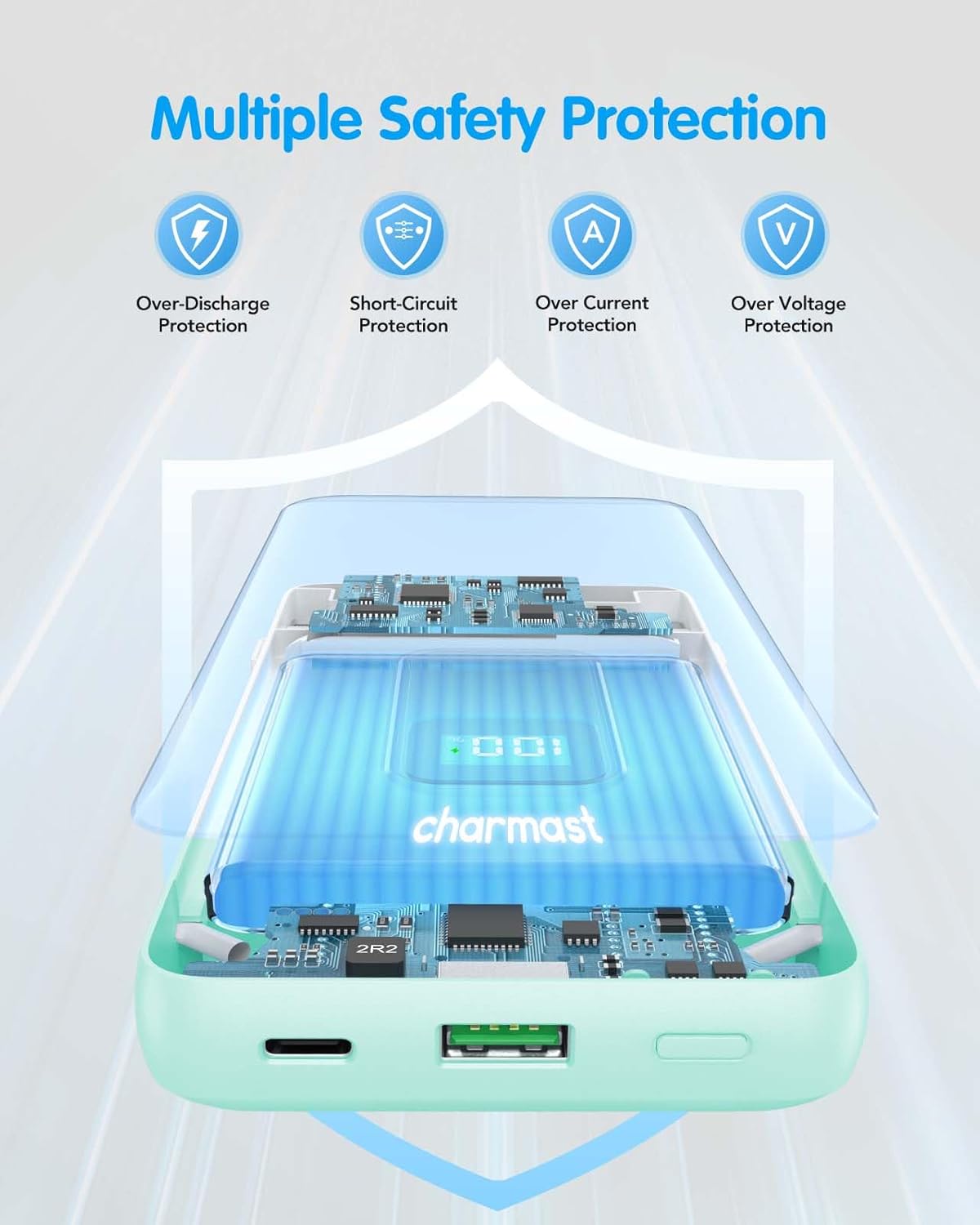
Image: Visual representation of the multiple safety protections integrated into the Charmast Portable Charger, ensuring safe operation.
Travel Information:
This 20000mAh power bank is generally allowed in carry-on bags for air travel. However, regulations may vary by airline and country. Always check with your airline before traveling.

Image: Guidance on air travel with the power bank, indicating it is suitable for carry-on luggage.
7. Troubleshooting
If you encounter issues with your Charmast Portable Charger, please refer to the following common problems and solutions:
- Power Bank Not Charging:
- Ensure the wall plug is fully extended and securely inserted into a working wall outlet.
- If using a USB-C cable, ensure both ends are properly connected and the wall adapter is functional.
- Try a different wall outlet or USB-C cable/adapter.
- Device Not Charging from Power Bank:
- Ensure the power bank has sufficient charge (check the digital display).
- Verify that the built-in cable or external USB cable is securely connected to both the power bank and your device.
- Try a different built-in cable or external USB cable if available.
- Ensure your device's charging port is clean and free of debris.
- Slow Charging:
- Ensure your device supports fast charging (PD/QC 3.0) and that the cable used is compatible with fast charging.
- Avoid using your device heavily while charging.
If the issue persists after trying these steps, please contact Charmast Customer Service for further assistance.
8. Specifications
| Feature | Detail |
|---|---|
| Model Number | C2046S |
| Battery Capacity | 20000 Milliamp Hours (mAh) |
| Product Dimensions | 5.91 x 2.83 x 1.09 inches |
| Item Weight | 15.5 ounces |
| Connector Type | USB Type C (input/output), USB Type A (output), Built-in Lightning, Built-in USB-C/Micro |
| Special Features | 20W Fast Charging, Built-in Cables, Built-in Wall Plug, Digital Display, Over Charging Protection |
| Color | Cyan |
| Batteries | 2 Lithium Polymer batteries (included) |
9. Warranty and Support
Charmast provides comprehensive support for its products:
- 24-Month Support: Your Charmast Portable Charger is covered by a 24-month support period from the date of purchase.
- Customer Service: We offer 7-day/24-hour friendly customer service.
If you encounter any problems or have questions regarding your product, please do not hesitate to contact us. We are committed to resolving your issues within 24 hours.
For support, please visit the official Charmast store or contact us through the platform where you purchased the product.


