1. Introduction
Welcome to the roborock S8 MaxV Ultra User Manual. This guide provides detailed instructions on how to set up, operate, maintain, and troubleshoot your new robot vacuum and sonic mop. Please read this manual thoroughly before using the product to ensure safe and optimal performance.
2. Safety Information
Always adhere to the following safety precautions to prevent injury or damage to the product:
- Do not allow children to operate the robot.
- Ensure the power cord is not damaged and is properly connected.
- Keep hair, loose clothing, fingers, and all body parts away from openings and moving parts.
- Do not use the robot to pick up large objects, sharp objects, or burning/smoking materials.
- Only use the official roborock charging dock and accessories.
- Do not expose the robot or dock to water or moisture.
3. Product Overview
The roborock S8 MaxV Ultra is an advanced robot vacuum and sonic mop designed for comprehensive floor cleaning. It features an all-in-one dock for automated maintenance and powerful cleaning capabilities.

Figure 3.1: The roborock S8 MaxV Ultra robot vacuum and its accompanying RockDock Ultra, shown with a smartphone and smartwatch displaying the control app.

Figure 3.2: Overview of the 8-in-1 RockDock Ultra, highlighting features such as Intelligent Dirt Detection, Auto Detergent Dispenser, Heated Air Drying, Hot Water Mop Washing, Auto Dust Emptying, Dock Self-cleaning, Auto Tank Refilling, and 30% Faster Charging & Off-Peak Charging.
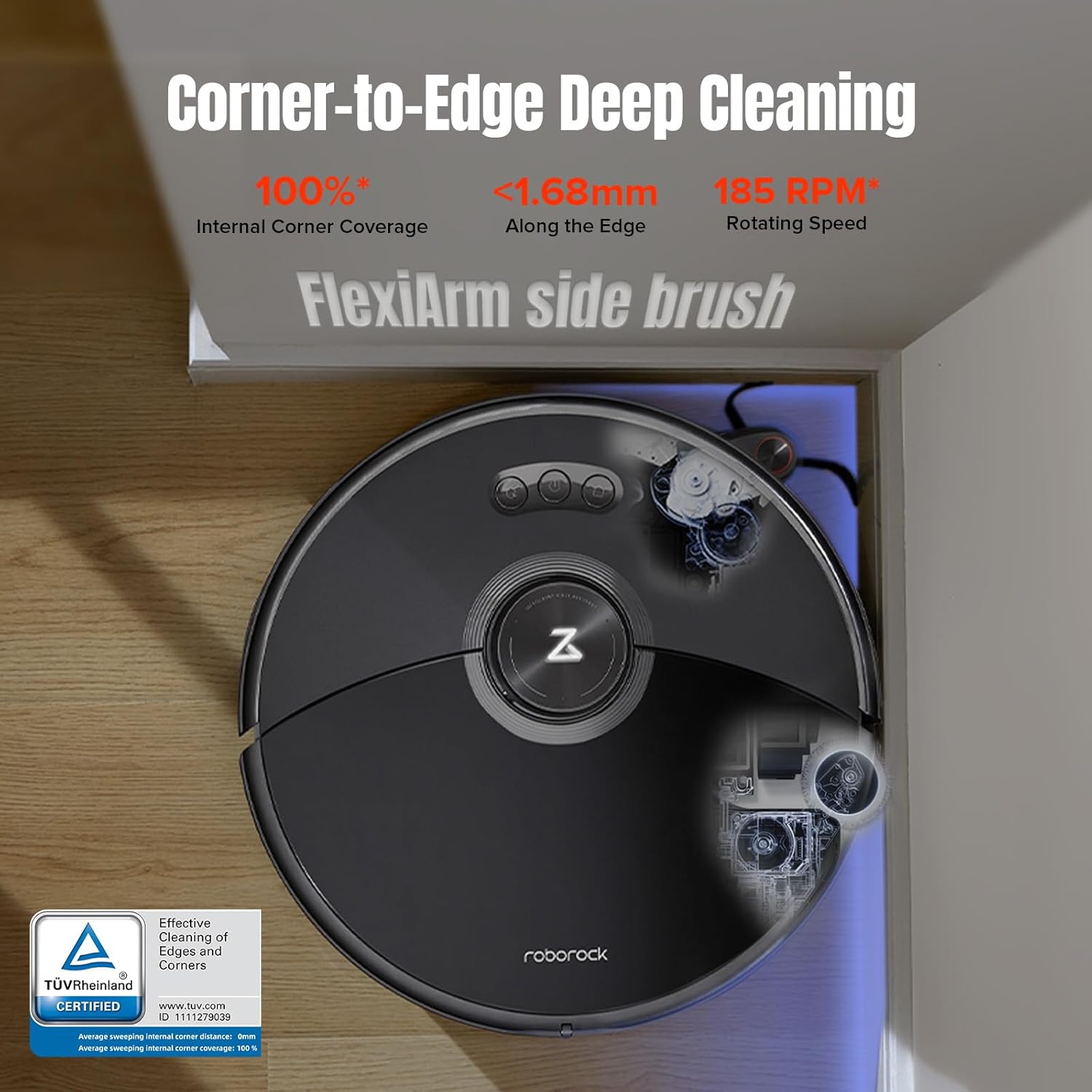
Figure 3.3: The robot demonstrating its Corner-to-Edge Deep Cleaning capability, featuring the FlexiArm side brush for 100% internal corner coverage and cleaning within 1.68mm of edges at 185 RPM.
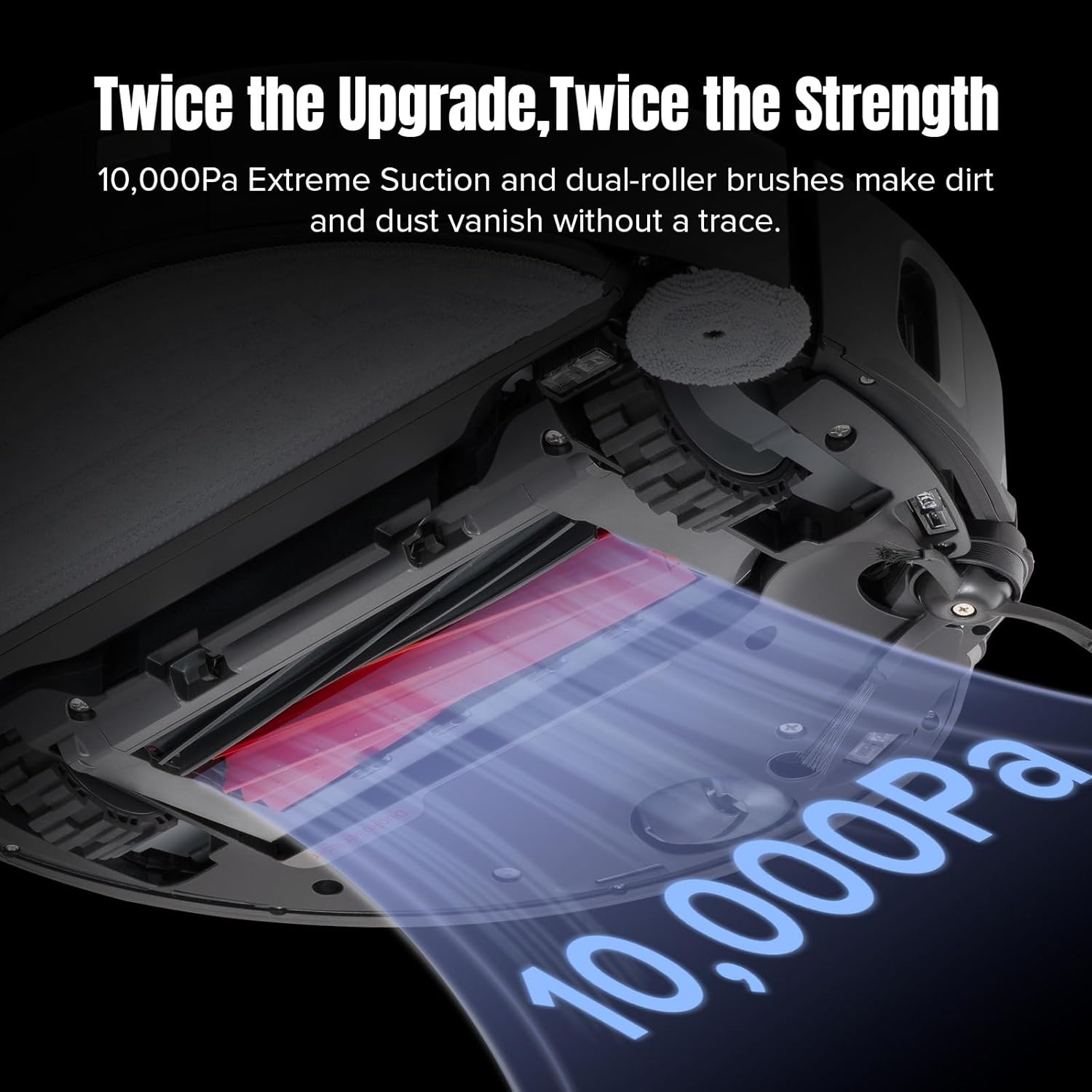
Figure 3.4: Illustration of the robot's powerful 10,000Pa extreme suction and dual-roller brushes, designed for effective dirt and dust removal.
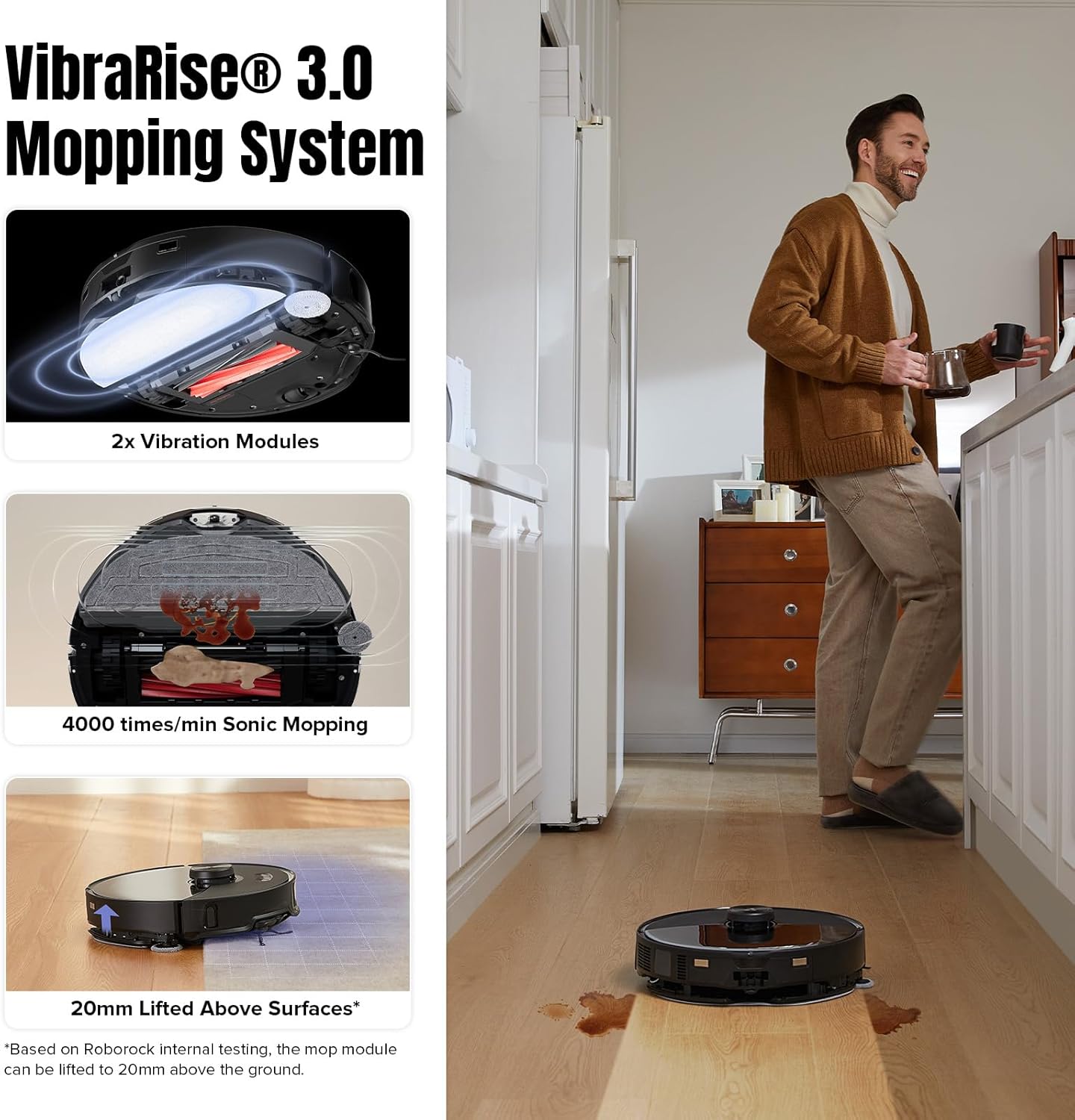
Figure 3.5: Details of the VibraRise 3.0 Mopping System, showing its 2x vibration modules, 4000 times/min sonic mopping, and 20mm lifted mop capability for carpet avoidance.

Figure 3.6: The robot's Reactive AI 2.0 Obstacle Recognition system, identifying objects like shoes and slippers, and its smart navigation capabilities including Quick Mapping, 3D Map Display, and Multi-level Mapping System.
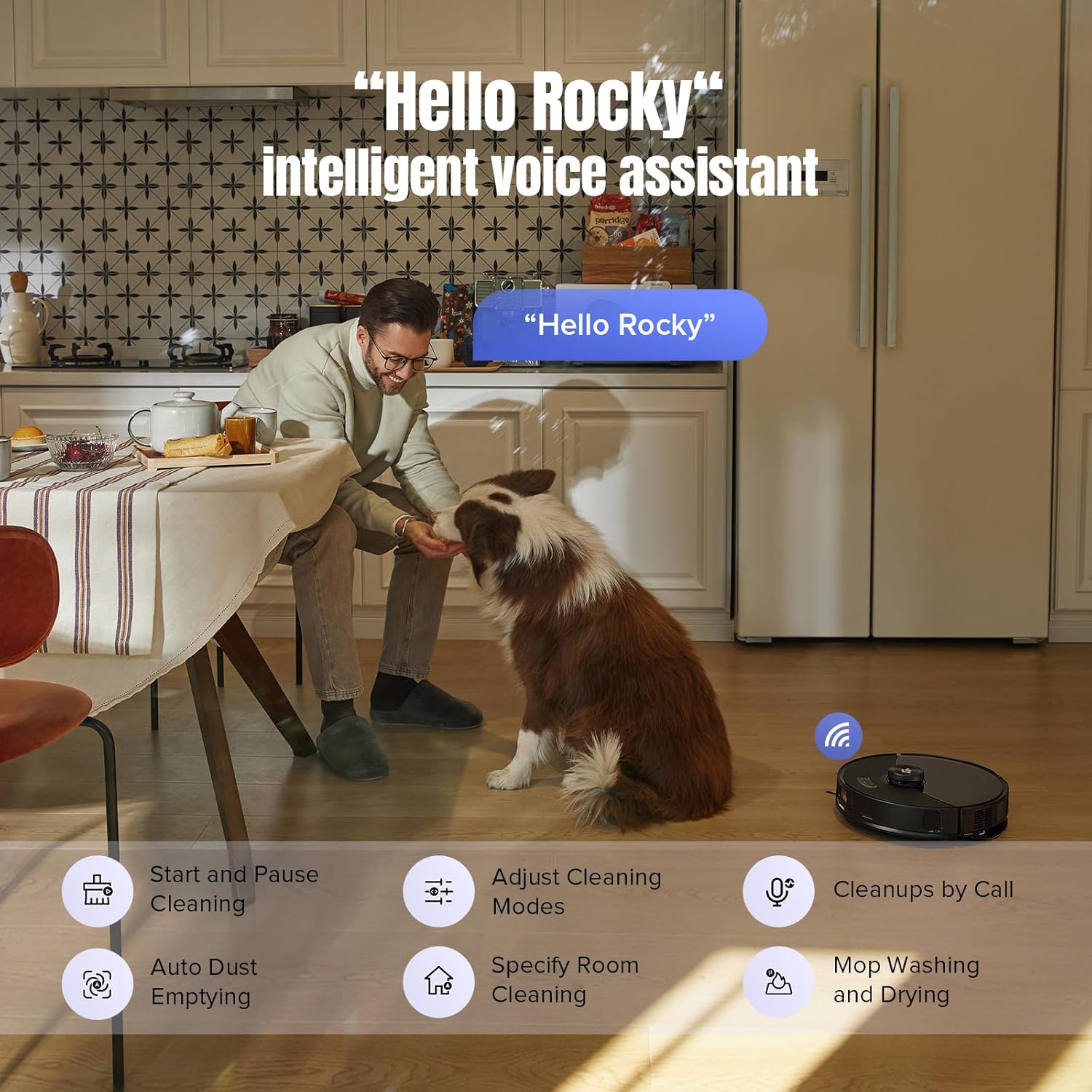
Figure 3.7: The 'Hello Rocky' intelligent voice assistant feature, allowing users to control the robot with voice commands for tasks like starting cleaning, adjusting modes, and initiating mop washing.
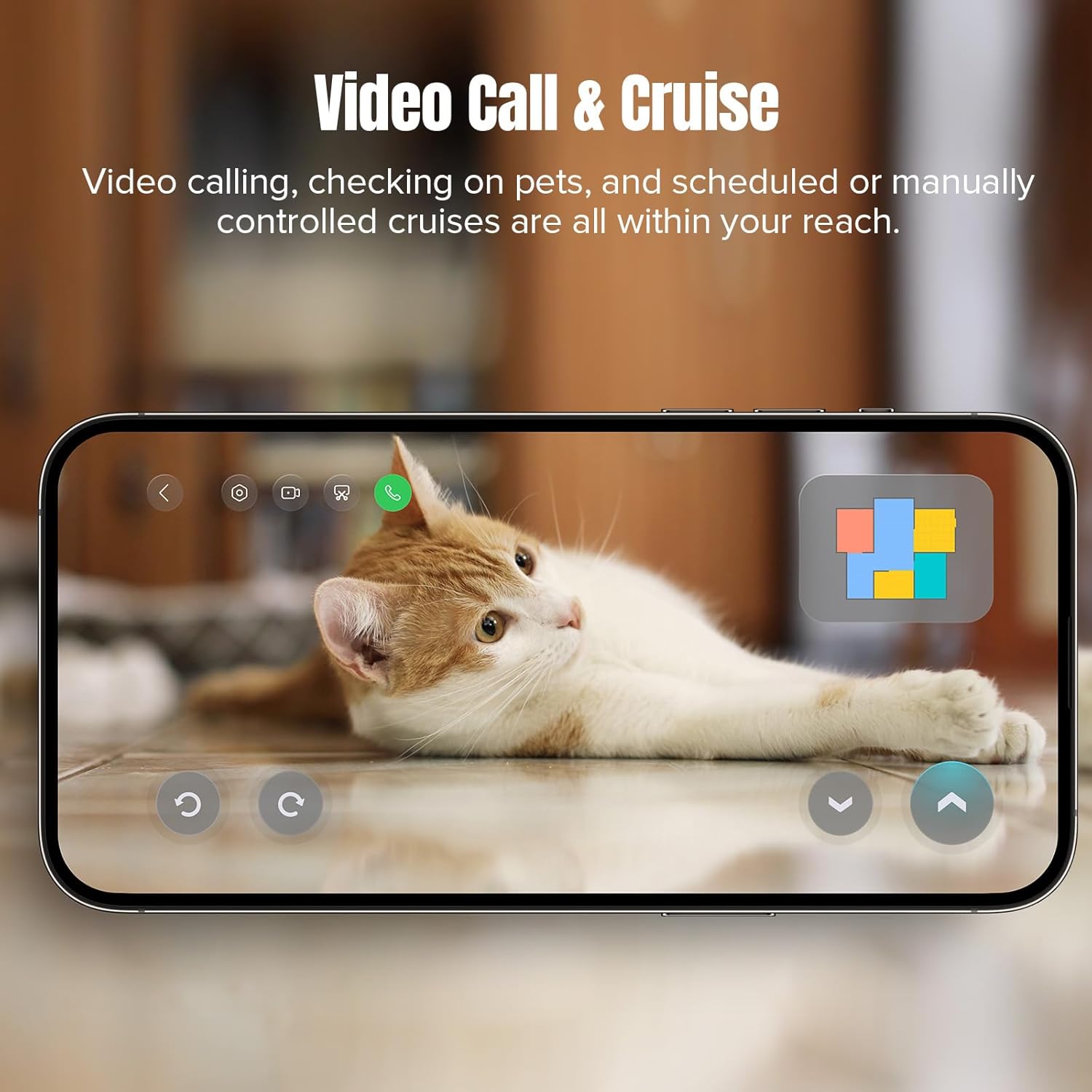
Figure 3.8: The Video Call & Cruise feature, enabling users to remotely check on pets and schedule or manually control cruises through the robot's integrated camera.
Key Features:
- All-in-One Dock: Features automatic emptying, hot water mop washing and drying, intelligent dirt detection, self-refilling, detergent dispensing, fast charging, and off-peak charging.
- Unmatched Vacuuming Performance: 10,000 Pa suction power and dual-roller design for deep cleaning and reduced hair tangles.
- Corner to Edge Cleaning: FlexiArm Design Side Brush and liftable Extra Edge Mop for thorough cleaning along edges and in tight spots.
- VibraRise 3.0 Sonic Mopping System: Double vibration modules for 4000 times per minute scrubbing, tackling stubborn stains, with mop lifting up to 20mm for carpet protection.
- Intelligent Dirt Detection: System monitors mop dirtiness and re-mops dirty areas for optimal cleanliness.
- Reactive AI 2.0 Obstacle Recognition and PreciSense LiDAR Navigation: Advanced 3D structured light and RGB camera identify up to 73 objects, ensuring efficient navigation and obstacle avoidance.
- Built-in Intelligent Voice Assistant: "Hello Rocky" feature allows hands-free control and task initiation.
- Pet-Friendly Features: Video Call for checking on pets, Pet Snaps for capturing moments, and a 'Find your pets' function via the app.
4. Setup
- Unboxing and Placement: Carefully remove all components from the packaging. Place the RockDock Ultra on a hard, level surface against a wall, ensuring at least 0.5 meters of clear space on both sides and 1.5 meters in front.
- Connect Power: Plug the power cord into the dock and then into a wall outlet. Ensure the dock is powered on.
- Install Robot: Place the robot onto the dock. It will automatically begin charging.
- Fill Water Tanks and Detergent Dispenser: Open the clean water tank and fill it with clean tap water. Fill the detergent dispenser with roborock brand detergent.
- Download and Connect App: Download the roborock app from your device's app store. Follow the in-app instructions to connect your robot to your Wi-Fi network and complete the initial mapping of your home.
5. Operating Instructions
Your roborock S8 MaxV Ultra can be controlled via the physical buttons on the robot, the mobile app, or voice commands.
5.1. Starting a Cleaning Cycle
- Via Robot: Press the Power button once to start a full cleaning cycle.
- Via App: Open the roborock app, select your robot, and tap 'Clean'. You can also set specific rooms or zones to clean.
- Via Voice: Say "Hello Rocky, start cleaning."
5.2. Cleaning Modes
The robot supports various cleaning modes, including Vacuum Only, Mop Only, and Vacuum & Mop. These can be adjusted in the roborock app.
5.3. Advanced App Features
- Map Management: Create and manage multiple maps, set no-go zones, virtual walls, and invisible mop zones.
- Scheduling: Set daily or weekly cleaning schedules.
- Custom Cleaning: Adjust suction power, mop intensity, and cleaning sequence for different rooms.
- Video Call & Cruise: Use the robot's camera for remote monitoring or two-way communication.
6. Maintenance
Regular maintenance ensures the longevity and optimal performance of your roborock S8 MaxV Ultra.
6.1. Dustbin and Filter
- Emptying: The dock automatically empties the robot's dustbin. Replace the disposable dust bag in the dock approximately every 7 weeks, or when indicated by the app.
- Filter Cleaning: The washable filter in the robot's dustbin should be rinsed with water every two weeks and air-dried completely before reinstallation.
6.2. Brushes and Mop Pads
- Main Brush: Remove and clean the main brush weekly. Use the cleaning tool to remove tangled hair.
- Side Brush: Check the side brush monthly for debris and ensure it rotates freely.
- Mop Pads: The dock automatically washes and dries the mop pads. For deeper cleaning, remove and hand wash the mop pads as needed.
6.3. Water Tanks and Dock
- Clean Water Tank: Refill as needed. Clean the tank periodically to prevent buildup.
- Dirty Water Tank: Empty the dirty water tank in the dock weekly or when full. Rinse it thoroughly.
- Dock Self-cleaning: The dock has a self-cleaning function for its base. Periodically wipe down the dock's exterior and charging contacts.
7. Troubleshooting
If you encounter issues with your roborock S8 MaxV Ultra, refer to the following common problems and solutions:
| Problem | Possible Cause | Solution |
|---|---|---|
| Robot not charging | Charging contacts dirty; Power cord disconnected | Clean charging contacts on robot and dock; Ensure power cord is securely plugged in. |
| Poor cleaning performance | Dustbin full; Brushes tangled; Filter clogged | Empty dustbin/replace dust bag; Clean main and side brushes; Clean or replace filter. |
| Robot gets stuck frequently | Obstacles in path; Dark surfaces/cliffs | Clear obstacles; Use no-go zones in app for problem areas. |
| App connectivity issues | Weak Wi-Fi signal; Incorrect Wi-Fi password | Ensure strong Wi-Fi signal; Re-enter Wi-Fi password in app; Restart router and robot. |
| Mop not cleaning effectively | Mop pads dirty/worn; Water tank empty | Clean or replace mop pads; Refill clean water tank. |
For more detailed troubleshooting or issues not listed here, please refer to the official roborock support resources.
8. Specifications
| Feature | Detail |
|---|---|
| Brand | roborock |
| Model Name | S8 MaxV Ultra |
| Suction Power | 10,000 Pa |
| Battery Life | 180 minutes |
| Product Dimensions | 16.1"L x 17.56"W x 18.5"H |
| Item Weight | 29.1 pounds |
| Filter Type | Washable Filter |
| Control Method | Push Button, App Control, Voice Control |
| Compatible Devices | Amazon Echo, Google Home, Siri, Smartphones, Smartwatches |
9. Warranty and Support
Your roborock S8 MaxV Ultra comes with a manufacturer's warranty. Please refer to the warranty card included in your product packaging for specific terms and conditions. For technical support, service, or to purchase genuine replacement parts, please visit the official roborock website or contact their customer service.
You can also find the official User Manual PDF here.


