
1. Introduction
This manual provides detailed instructions for the safe and efficient operation of your Lapcare Laplay LLP-006 Projector. Please read this manual thoroughly before using the product and retain it for future reference.
The Lapcare Laplay LLP-006 is an 85W LED projector featuring 6500 lumens brightness, 1920x1080 Full HD native resolution with 4K support, auto-focus, dual-band WiFi (2.5GHz+5GHz), a quad-core processor, and built-in 5W x 2 speakers. Its dust-proof design and LED lamp ensure long-lasting performance.
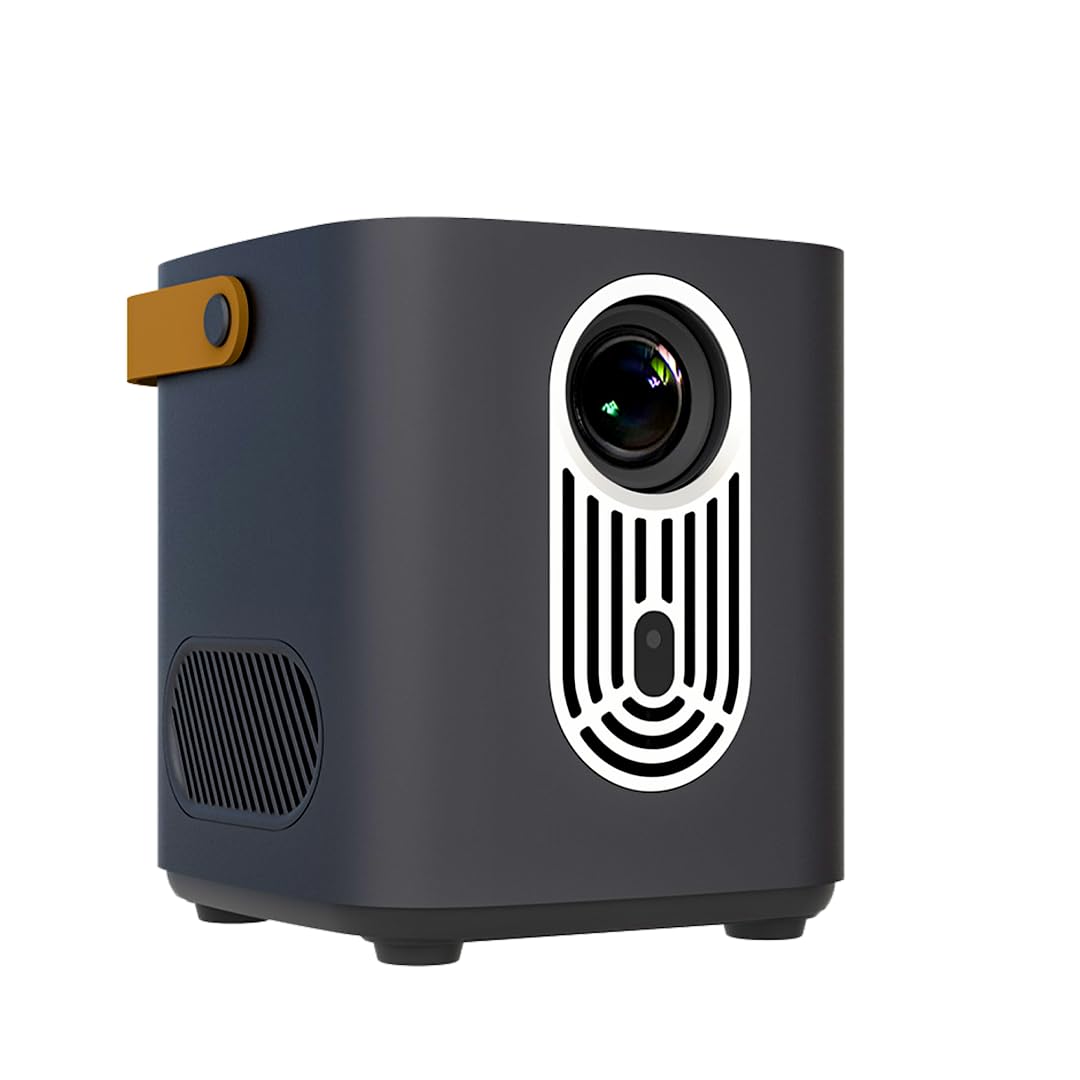
Figure 1: Front view of the Lapcare Laplay LLP-006 Projector.
2. Package Contents
Verify that all items are present in the package:
- Lapcare Laplay LLP-006 Projector
- Remote Control
- Power Adapter (not explicitly listed but implied)
- User Manual (this document)

Figure 2: The projector features an easy carry-on handle for portability.
3. Setup Instructions
3.1 Placement
Place the projector on a stable, flat surface. Ensure adequate ventilation around the device. For optimal viewing, position the projector between 1.5 to 5 meters from the projection surface to achieve screen sizes up to 200 inches. The projector can also be ceiling-mounted.

Figure 3: Projection distances and corresponding screen sizes.
3.2 Power Connection
- Connect the power adapter to the DC IN port on the projector.
- Plug the power adapter into a suitable electrical outlet.
- Press the power button on the projector or remote control to turn on the device.
3.3 Connectivity
The projector offers multiple connectivity options:
- HDMI 1.4 Input: Connect external devices like laptops, gaming consoles, or Blu-ray players.
- USB 2.0 Type-A: For media playback from USB drives.
- Audio Output Port: Connect external speakers or headphones.
- Dual Band WiFi (2.5GHz + 5GHz): For wireless network connectivity and streaming.
- Bluetooth V5.0: For wireless audio connections.

Figure 4: Rear panel with USB, Audio, AV, and HDMI ports.
4. Operating Instructions
4.1 Powering On/Off
Press the power button on the top panel of the projector or on the remote control to turn the device on or off.

Figure 5: Top control panel of the projector.
4.2 Auto Focus and Keystone Correction
The projector features automatic focus and keystone correction. Upon startup or movement, the projector will automatically adjust the image for clarity and correct trapezoidal distortion. Manual adjustments can also be made via the remote control if needed.

Figure 6: Auto Focus Technology ensures a clear image.
4.3 Navigating the Interface
Use the directional buttons and 'OK' button on the top panel or remote control to navigate the projector's smart interface. The projector runs on an Android-based system, providing access to various streaming applications.

Figure 7: Android interface for simplified entertainment.
4.4 Audio Output
The projector includes powerful in-built 5W x 2 speakers. For external audio, connect headphones or external speakers to the audio output port, or pair Bluetooth audio devices.
5. Features and Specifications
5.1 Key Features
- Display: Full HD & 4K 1920p Native Resolution
- Brightness: 6500 Lumens
- Contrast Ratio: 5000:1
- Lamp Lifespan: 50,000 Hours (LED Lamp)
- Processor: Quad Core Processor
- Audio: In-Built 5W x 2 Speakers
- Connectivity: HDMI 1.4, USB 2.0, Audio Output, Dual Band WiFi (2.4GHz+5GHz), Bluetooth V5.0
- Special Features: 4" LCD fully-sealed Optical Engine (Dust Proof), Auto Focus, Auto Keystone, Ceiling Mountable, Digital Focus, Remote Control, Easy Setup.
- Power: 85W Projector Power
5.2 Technical Specifications
| Specification | Value |
|---|---|
| Brand | Lapcare |
| Model Name | LLP-006 |
| Recommended Uses | Business, Education, Home |
| Display Resolution | 1920 x 1080 (Native) |
| Maximum Display Resolution | 1920 x 1080 Pixels (4K Supported) |
| Display Type | LED |
| Lumens | 6500 lumen |
| Contrast Ratio | 5000:1 |
| Light Source Operating Life | 50000 Hours |
| Wattage | 85 Watts |
| Form Factor | Portable |
| Mounting Type | Ceiling Mount |
| Minimum Throw Distance | 1.5 Metres |
| Maximum Throw Distance | 5 Metres |
| Item Weight | 2500 Grams |
| Item Dimensions L x W x H | 5L x 5W x 8H Centimeters |
6. Maintenance
To ensure the longevity and optimal performance of your projector, follow these maintenance guidelines:
- Cleaning the Lens: Use a soft, lint-free cloth specifically designed for optical lenses. Avoid abrasive materials or harsh chemicals.
- Dust Prevention: The projector features a 4" LCD fully-sealed optical engine to prevent dust entry. However, regularly clean the exterior with a soft, dry cloth.
- Ventilation: Ensure the ventilation ports are clear of obstructions to prevent overheating.
- Storage: When not in use for extended periods, store the projector in a cool, dry place, protected from dust and direct sunlight.
7. Troubleshooting
If you encounter issues with your projector, refer to the following common solutions:
- No Power:
- Ensure the power cable is securely connected to both the projector and the power outlet.
- Verify the power outlet is functional.
- No Image:
- Check if the correct input source (HDMI, USB) is selected.
- Ensure the connected device is powered on and sending a signal.
- Verify the lens cap is removed.
- Blurry Image:
- Allow the auto-focus feature to adjust. If needed, manually adjust focus using the remote control.
- Ensure the projection surface is flat and the projector is stable.
- No Sound:
- Check the volume settings on both the projector and the connected source device.
- Ensure external speakers or headphones are properly connected or Bluetooth is paired correctly.
- Remote Control Not Working:
- Check and replace the batteries in the remote control.
- Ensure there are no obstructions between the remote and the projector's IR receiver.
8. Product Videos
Watch this official product video for visual guidance on the projector's features and connectivity.
Video: A short preview demonstrating the physical features, connectivity, and basic operation of the Lapcare Laplay LLP-006 Projector.
9. Warranty and Support
The Lapcare Laplay LLP-006 Projector comes with a 1-year manufacturer warranty. For warranty claims or technical support, please contact RX Infotech Pvt. Ltd., the manufacturer.
Manufacturer: RX Infotech Pvt. Ltd.
For further information, visit the Lapcare Store on Amazon.