
1. Product Overview
The Charmast 10000mAh Wired Portable Charger (Model C11S) is a compact and efficient power bank designed to provide fast charging for a wide range of mobile devices. It features a built-in input/output cable for convenience, a digital display to show battery status, and a slim, lightweight design for portability.
Key Features:
- Built-in Input/Output Cable: Simplifies charging by integrating both charging and discharging cables, reducing the need to carry multiple accessories.
- 20W PD Fast Charging: Delivers rapid power to compatible devices and recharges the power bank quickly.
- Compact and Lightweight Design: Measures 4.44 x 2.72 x 0.64 inches and weighs only 0.4 pounds, making it easy to carry.
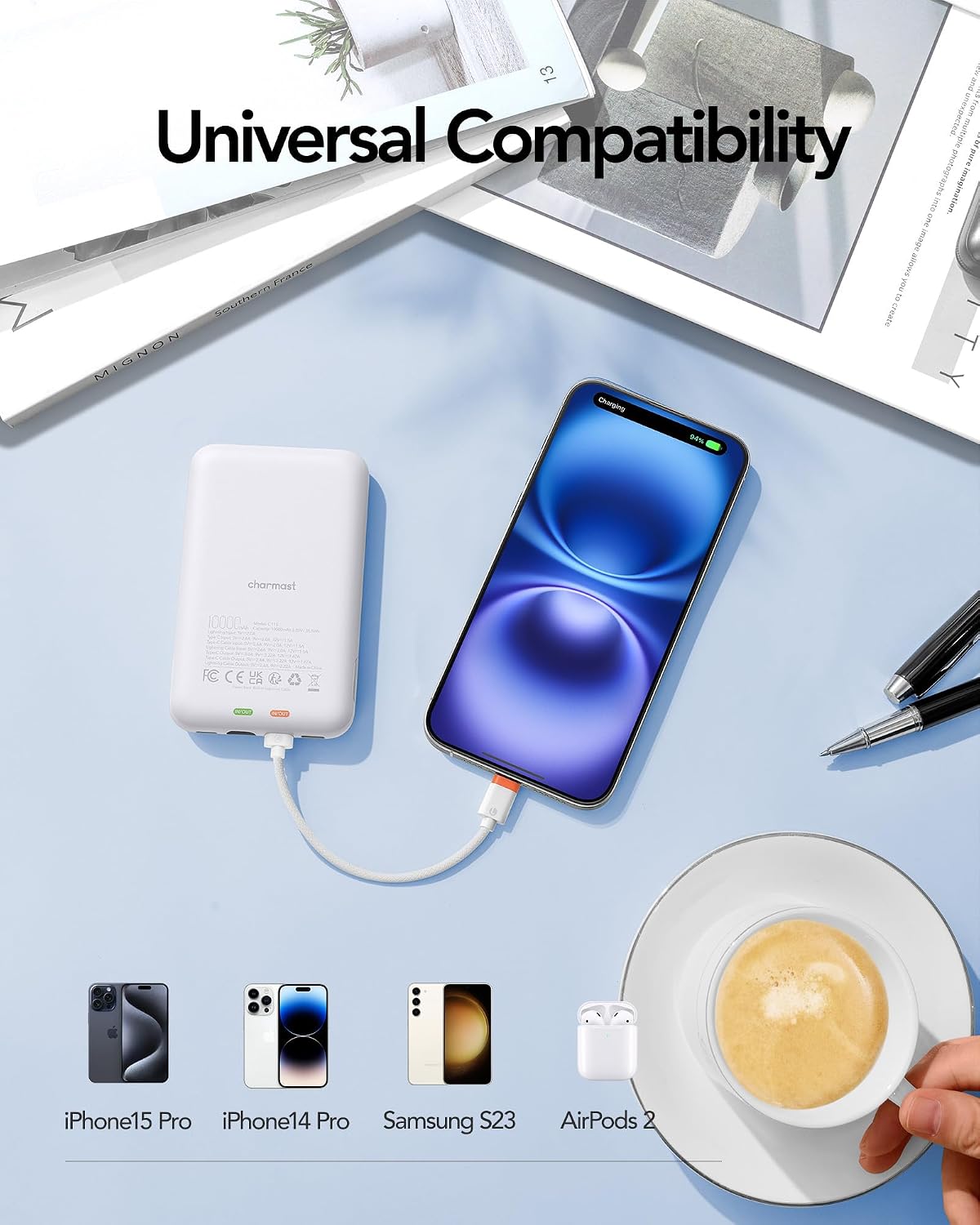
- Universal Compatibility: Supports iPhone (16/15/14/13/12/11/8/7 series), Samsung (S24/S23/S22/S21/S20), Google Pixel, other Android phones, and low-current devices.
- 10000mAh Capacity: Provides approximately 1.5 charges for an iPhone 15 Pro Max or 1.9 for an iPhone 14.
- Digital Display: Clearly shows the remaining battery percentage.

2. Setup
Initial Charging of the Power Bank:
Before first use, it is recommended to fully charge your Charmast power bank. This ensures optimal performance and battery longevity.
- Locate the built-in input/output cable on the power bank.
- Unplug the appropriate connector (USB-C or Lightning) from its storage slot.
- Connect the cable to a compatible USB wall adapter (not included).
- Plug the wall adapter into a power outlet.
- The digital display will show the charging progress. The power bank is fully charged when the display reads 100%. Charging typically takes 2 to 4 hours.

3. Operating Instructions
Charging Your Device:
- Identify the correct connector (Lightning for iPhone, USB-C for Android) on the built-in cable.
- Unplug the required connector from its slot.
- Insert the connector into your device's charging port.
- The power bank will automatically begin charging your device. The digital display will show the power bank's remaining battery percentage.


Checking Battery Level:
The digital display on the side of the power bank shows the remaining battery percentage. If the display is off, press the on/off button located on the other side to activate it.

4. Maintenance
- Keep the power bank away from extreme temperatures (hot or cold) and direct sunlight.
- Avoid dropping or subjecting the device to strong impacts.
- Do not expose the power bank to water or excessive moisture.
- Clean the surface with a soft, dry cloth. Do not use harsh chemicals or abrasive materials.
- Store the power bank in a cool, dry place when not in use for extended periods. It is advisable to charge it to about 50% before long-term storage.
5. Troubleshooting
| Problem | Possible Cause | Solution |
|---|---|---|
| Digital display is off or not showing percentage. | Display may be in standby mode. | Press the on/off button on the side of the power bank to reactivate the display. |
| Power bank is not charging connected device. | Low battery on power bank, incorrect cable connection, or device incompatibility. | Ensure the power bank is charged. Verify the cable is securely connected to both the power bank and your device. Confirm your device is compatible. |
| Slow charging speed. | Device not supporting fast charging, or cable/adapter not optimized for fast charging. | Ensure your device supports 20W PD fast charging. Use a compatible wall adapter for recharging the power bank. |
| Power bank not recharging. | Faulty wall adapter or cable, or power outlet issue. | Try a different wall adapter or power outlet. Check the built-in cable for any damage. |
6. Specifications
| Feature | Detail |
|---|---|
| Brand | charmast |
| Model Number | C11S |
| Battery Capacity | 10000 Milliamp Hours (mAh) |
| Product Dimensions | 4.44 x 2.72 x 0.64 inches |
| Item Weight | 6.2 ounces |
| Special Features | Digital Display, Auto Shut-Off, Built-In Cable, Fast Charging, Pocket Size |
| Connector Type | For iPhone, Android (Built-in Lightning and USB-C cables) |
| Manufacturer | Dong guan Utopia-Originality Technology Co., Ltd |
7. Warranty and Support
Charmast provides 24-month support for this product. If you encounter any issues or have questions, please contact our customer service team through the Amazon platform. We are committed to resolving any problems within 24 hours.
For further assistance, please refer to the contact information provided in the product packaging or visit the official Charmast store on Amazon.