
Introduction
Thank you for choosing the TAGRY X08 Bluetooth Headphones. These true wireless earbuds are designed to provide a superior audio experience with advanced features like LED power display, wireless charging, IPX5 waterproofing, and intuitive touch controls. This manual will guide you through the setup, operation, and maintenance of your new earbuds to ensure optimal performance and longevity.
Product Overview
What's in the Box
- TAGRY X08 True Wireless Earbuds (Left & Right)
- Wireless Charging Case
- USB-C Charging Cable
- Ear Tips (Small, Medium, Large)
- User Manual
Key Features
- Dual Digital LED Power Display: Shows battery levels for both the charging case and earbuds.
- 60 Hours Playback: Up to 6 hours on a single charge, with the charging case providing an additional 4 full charges.
- Wireless & USB-C Charging: Flexible charging options for convenience.
- IPX5 Waterproof: Nano-coating protects against sweat and water splashes, ideal for sports.
- One-Step Pairing: Automatic connection to your device after initial setup.
- Easy Touch Control: Manage music, calls, and voice assistant directly from the earbuds.
- Superior Clear Call & Immersive Stereo Sound: 13mm speakers with triple-layer composite diaphragms and CVC noise reduction for clear audio.
- Ergonomic Design: Lightweight and comfortable fit with multiple ear tip sizes.
Setup
1. Initial Charging
Before first use, fully charge the earbuds and the charging case. Place the earbuds into the charging case. Connect the USB-C cable to the charging case and a power source, or place the case on a wireless charging pad. The LED display on the case will show the charging progress. A full charge is indicated by '100' on the case display.
The charging case has a 470mAh battery capacity, providing approximately 4 full charges for both earbuds.
2. Selecting Ear Tips
The TAGRY X08 earbuds come with three different sizes of ear tips (Small, Medium, Large). Choose the size that provides the most comfortable and secure fit for your ears to ensure optimal sound quality and passive noise isolation.
3. Pairing with Your Device (One-Step Auto Pairing)
- Ensure the earbuds are charged and placed inside the charging case.
- Open the lid of the charging case. The earbuds will automatically enter pairing mode.
- On your device (smartphone, tablet, computer), go to Bluetooth settings and turn on Bluetooth.
- Look for "X08" in the list of available devices and select it to connect.
- Once connected, the earbuds will automatically pair with your device whenever you open the charging case.
Image: Digital Power Display
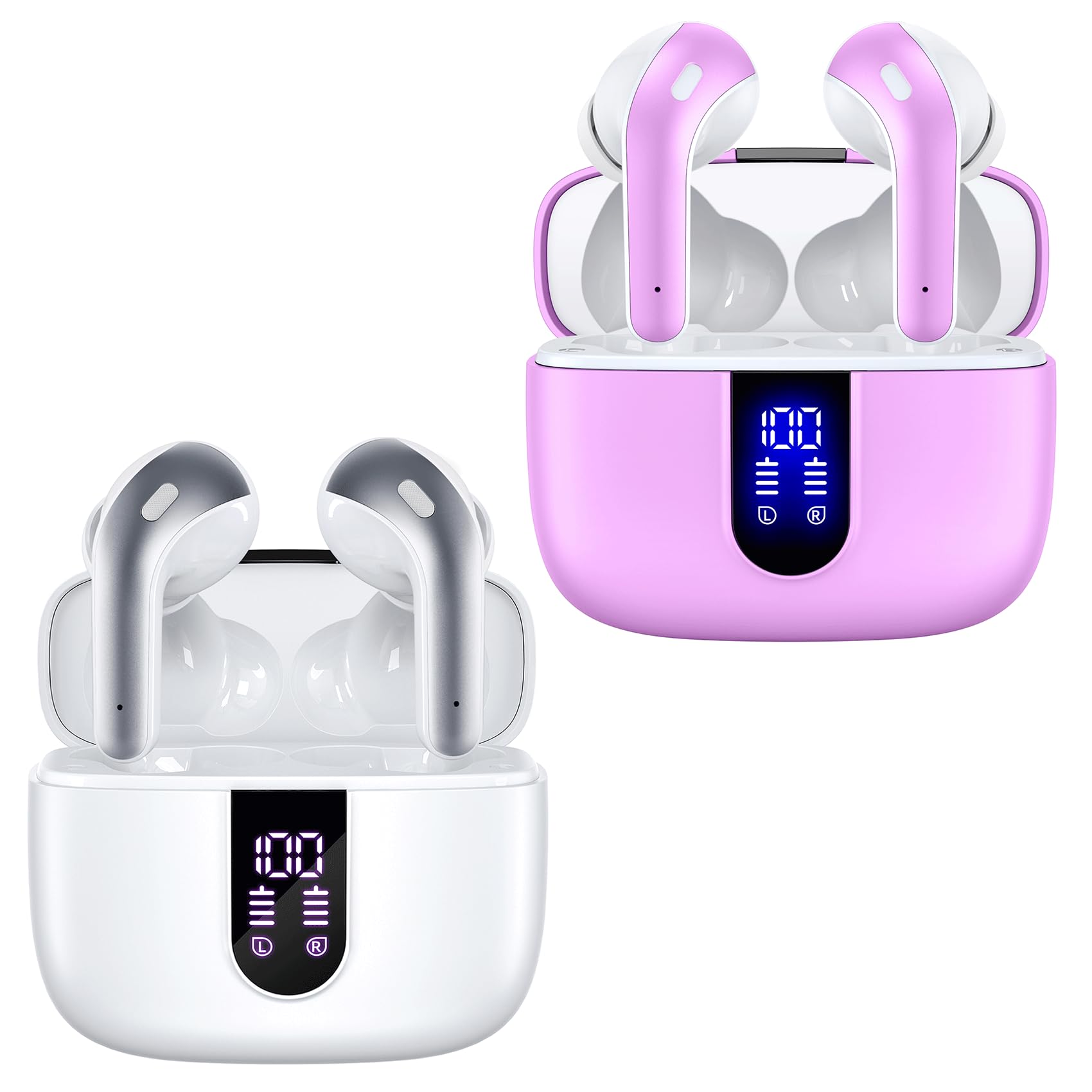
The digital LED display clearly shows the power percentage of the charging case and the individual charge status of the left (L) and right (R) earbuds.
Image: One-Step Auto Pairing (White Earbuds)

After the initial pairing, the earbuds automatically connect to your phone when the charging case is opened, streamlining the connection process.
Image: One-Step Auto Pairing (Pink Earbuds)

The pink version of the TAGRY X08 earbuds also features one-step auto pairing for quick and convenient connection to your devices.
Operating Instructions
Touch Controls
The TAGRY X08 earbuds feature intuitive touch controls on each earbud. Refer to the diagram below for specific functions:
Image: Smart Touch Control Diagram

Control music playback, manage calls, and activate your device's voice assistant with simple taps on the earbuds.
- Play/Pause: Single tap on either earbud.
- Next Track: Double tap on the right earbud.
- Previous Track: Double tap on the left earbud.
- Volume Up: Triple tap on the right earbud.
- Volume Down: Triple tap on the left earbud.
- Answer/End Call: Single tap on either earbud.
- Reject Call: Press and hold either earbud for 2 seconds.
- Activate Voice Assistant: Press and hold either earbud for 3 seconds.
Mono and Twin Stereo Modes
The earbuds support both mono and twin stereo modes. You can use a single earbud independently for calls or listening, or use both earbuds together for an immersive stereo audio experience. This allows for sharing audio with a friend or maintaining environmental awareness when needed.
Charging
The TAGRY X08 charging case offers two convenient charging methods:
- USB-C Cable Charging: Connect the provided USB-C cable to the charging port on the case and a compatible power adapter.
- Wireless Charging: Place the charging case on a Qi-compatible wireless charging pad.
The LED power display on the case will show the current battery level of the case and the charging status of each earbud. When charging the case, the LED light will flash from 1 to 100. When earbuds are placed in the case, they will begin charging automatically.
Image: USB-C and Wireless Charging (White Case)

The charging case supports both traditional USB-C cable charging and convenient wireless charging.
Image: USB-C and Wireless Charging (Pink Case)

The pink charging case also offers dual charging options: USB-C and wireless charging.
Video: TAGRY X08 Wireless Earbuds Overview
This video provides a comprehensive overview of the TAGRY X08 Wireless Earbuds, highlighting their features and functionality.
Maintenance
To ensure the longevity and optimal performance of your TAGRY X08 earbuds, follow these maintenance guidelines:
- Cleaning: Regularly clean the earbuds and charging case with a soft, dry, lint-free cloth. Avoid using abrasive materials or harsh chemicals.
- Water Resistance: The earbuds are IPX5 waterproof, meaning they are resistant to sweat and light splashes of water. Do not submerge them in water or expose them to heavy rain. Ensure they are dry before placing them back in the charging case.
- Storage: Store the earbuds in their charging case when not in use to protect them from dust and damage.
- Temperature: Avoid exposing the earbuds to extreme temperatures (hot or cold) or direct sunlight for extended periods.
Troubleshooting
If you encounter any issues with your TAGRY X08 earbuds, try the following steps:
- No Sound/Connection Issues:
- Ensure both earbuds are charged.
- Turn off and on your device's Bluetooth.
- Forget "X08" from your device's Bluetooth list and re-pair.
- Place earbuds back in the case, close the lid, wait a few seconds, then open and try again.
- Only One Earbud Working:
- Ensure both earbuds are charged.
- Try resetting the earbuds (refer to manufacturer's specific reset instructions if available, or place both in case, close, and reopen).
- Charging Issues:
- Check the USB-C cable and power adapter for damage.
- Ensure the wireless charging pad is functioning correctly and the case is properly aligned.
- Clean the charging contacts on the earbuds and inside the case.
- Poor Sound Quality:
- Ensure ear tips are correctly sized and seated in your ear.
- Clean any debris from the earbud speakers.
- Move closer to your connected device to reduce interference.
If these steps do not resolve the issue, please contact TAGRY customer support.
Specifications
| Feature | Detail |
|---|---|
| Model Name | TAGRY X08 |
| Connectivity Technology | Bluetooth 5.0, Wireless |
| Wireless Range | 10 Meters |
| Ear Placement | In Ear |
| Form Factor | In Ear |
| Control Type | Touch Control, Voice |
| Audio Driver Size | 13 Millimeters |
| Total Playback Time | Up to 60 Hours (with charging case) |
| Single Charge Playback | 6 Hours |
| Charging Case Capacity | 470mAh |
| Water Resistance Level | IPX5 (Water Resistant) |
| Noise Control Features | Passive Noise Isolation, CVC Noise Reduction (for calls) |
| Special Feature | Built-in Voice Assistant, Lightweight |
| Compatible Devices | Smart Phones, Computers, Laptops, TVs |
| Material | Plastic |
Warranty and Support
For warranty information and customer support, please refer to the documentation included with your product or visit the official TAGRY website. You may also contact the seller directly for assistance.


