
1. Introduction
Thank you for purchasing the Jsdoin Mini Handheld Fan. This manual provides essential information for the safe and efficient operation, maintenance, and troubleshooting of your new fan. Please read this manual thoroughly before use and retain it for future reference.
2. Safety Instructions
- Do not insert fingers or any objects into the fan blades or protective grille.
- Keep the fan away from water and other liquids. Do not use in wet environments.
- Do not disassemble, repair, or modify the fan yourself. Contact qualified personnel for service.
- Keep out of reach of small children and pets.
- Use only the provided USB charging cable.
- Do not expose the fan to extreme temperatures or direct sunlight for prolonged periods.
- Ensure the fan is placed on a stable surface when used as a desk fan.
3. Product Overview and Features
The Jsdoin Mini Handheld Fan is a versatile and portable cooling device designed for personal use. It features a powerful brushless motor, multiple speed settings, and a rechargeable battery for convenience.

Figure 3.1: Front and side view of the Jsdoin Mini Handheld Fan, showcasing its compact design and integrated buckle.
Key Features:
- 3 Speed Settings: Equipped with a brushless motor, offering low, medium, and high wind speeds for quick cooling.
- Rechargeable Battery: Powered by a built-in rechargeable battery, ensuring portability and extended use. Charges via USB.
- Dual Functionality: Can be used as a handheld fan or converted into a stable desk fan using its integrated ring buckle as a base.
- Compact and Lightweight: Measuring approximately 15 cm long, 6 cm wide, and 3.5 cm thick, making it highly portable.
- Versatile Use: Ideal for travel, outdoor activities, office work, or studying.

Figure 3.2: Diagram illustrating key features such as strong wind output, three-speed control, USB charging capability, and 500mAh battery capacity.
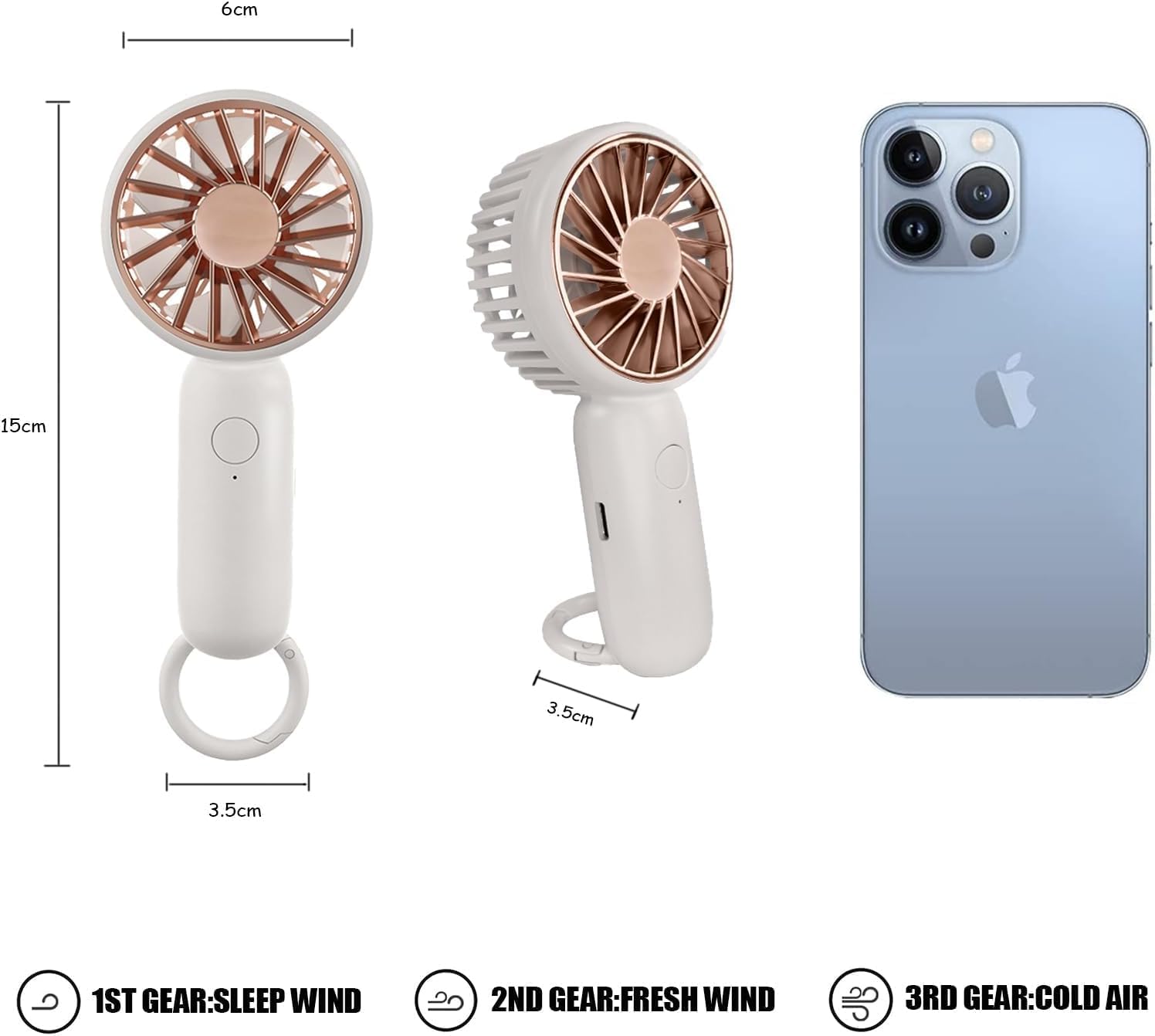
Figure 3.3: Product dimensions: 15cm length, 6cm width, and 3.5cm thickness, shown next to a smartphone for scale.

Figure 3.4: Chart detailing battery life at different speed settings: 5 hours on low (1st gear), 3.5 hours on medium (2nd gear), and 2 hours on high (3rd gear).
4. Setup
4.1 Charging the Fan
Before first use, fully charge the fan. The fan is powered by a rechargeable battery and comes with a USB charging cable.
- Locate the USB charging port on the fan.
- Connect the smaller end of the USB cable to the fan's charging port.
- Connect the larger end of the USB cable to a compatible USB power source (e.g., power adapter, computer USB port, power bank, car charger).
- The charging indicator light will illuminate (color may vary) to show that charging is in progress.
- A full charge typically takes 2.5-3 hours. The indicator light will change or turn off when fully charged.

Figure 4.1: Various USB power sources compatible with the fan, including power adapters, power banks, car chargers, and laptops.
5. Operating Instructions
5.1 Power On/Off and Speed Adjustment
The fan features a single power button for controlling power and fan speed.
- To Turn On: Press the power button once. The fan will start at the lowest speed (1st gear).
- To Adjust Speed:
- Press the button a second time for medium speed (2nd gear).
- Press the button a third time for high speed (3rd gear).
- To Turn Off: Press the button a fourth time to turn the fan off.
5.2 Using as a Handheld Fan
Hold the fan by its handle for portable cooling. Its lightweight design makes it comfortable for extended use.

Figure 5.1: The fan's integrated buckle allows it to be easily attached to bags or other items for convenient carrying.
5.3 Using as a Desk Fan
The integrated ring buckle can serve as a stable base, allowing the fan to be placed on a flat surface for hands-free operation.
- Extend the ring buckle outwards to form a stable stand.
- Place the fan on a flat, stable surface.
- Adjust the fan head angle slightly if needed for optimal airflow.
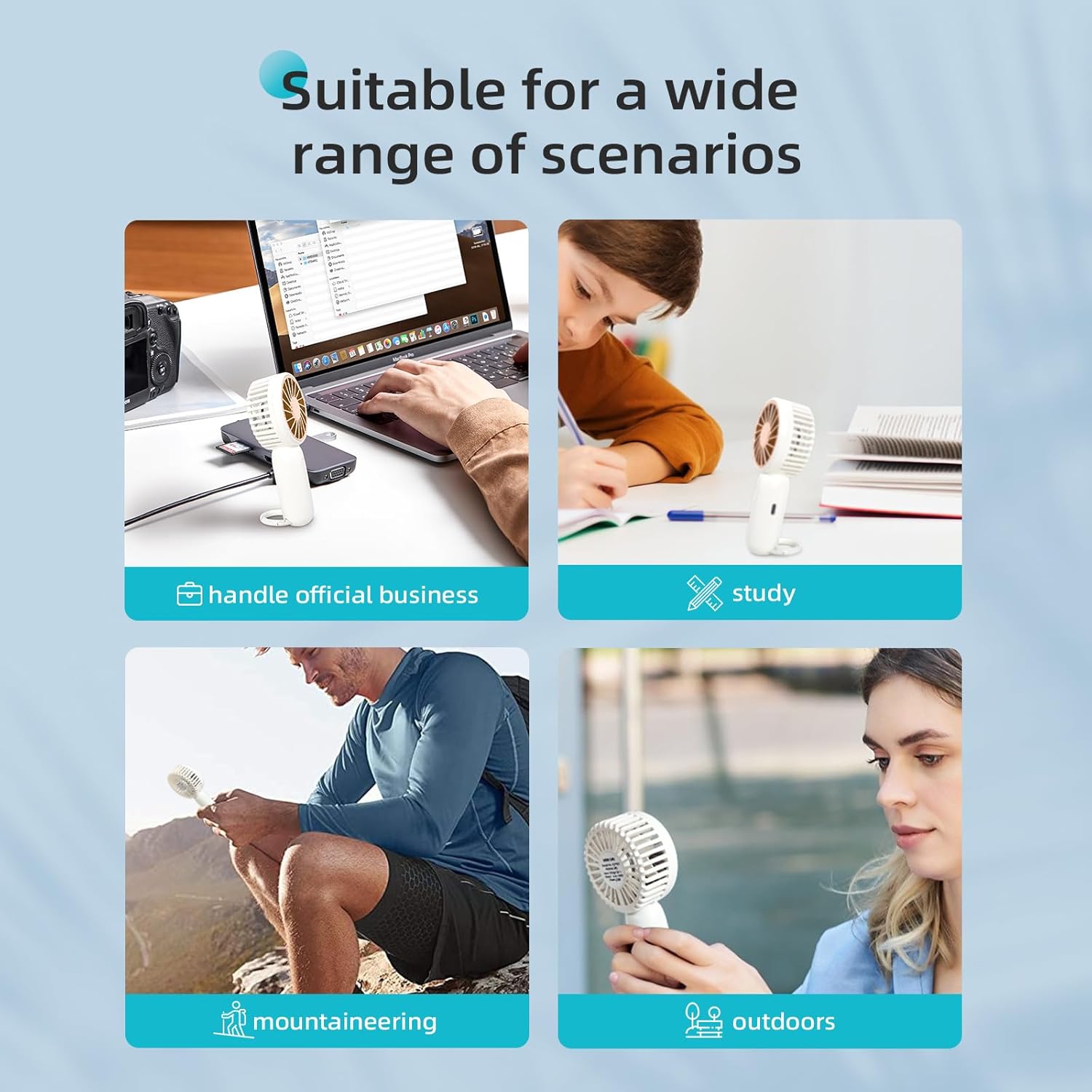
Figure 5.2: Examples of the fan's versatile use, including on a desk for work or study, and for outdoor activities like mountaineering.
6. Maintenance
6.1 Cleaning
- Ensure the fan is turned off before cleaning.
- Use a soft, dry cloth to wipe the exterior of the fan.
- For dust accumulation on the fan blades or grille, use a soft brush or compressed air.
- Do not use abrasive cleaners, solvents, or immerse the fan in water.
6.2 Storage
When not in use for extended periods, store the fan in a cool, dry place, away from direct sunlight and extreme temperatures. It is recommended to charge the battery every 3 months to maintain its lifespan.
7. Troubleshooting
| Problem | Possible Cause | Solution |
|---|---|---|
| Fan does not turn on. | Battery is depleted. | Charge the fan fully using the USB cable. |
| Fan stops unexpectedly. | Low battery. | Recharge the fan. |
| Weak airflow. | Fan is on low speed setting. | Press the power button to cycle to a higher speed. |
| Charging indicator not lighting up. | Loose connection or faulty cable/charger. | Ensure USB cable is securely connected. Try a different USB port or charger. |
8. Specifications
| Feature | Detail |
|---|---|
| Brand | Jsdoin |
| Model | B0CPSRRQC5 |
| Colour | white us |
| Electric fan design | Wearable Fan |
| Power source | Battery Powered |
| Style | Modern |
| Product dimensions (as per specifications) | 10D x 10W x 1H centimetres |
| Special feature | 3 speed settings, portable, rechargeable battery |
| Mounting type | Tabletop Mount |
| Number of speeds | 3 |
| Wattage | 20 watts |
Note: The product description and visual aids indicate approximate dimensions of 15 cm (length) x 6 cm (width) x 3.5 cm (thickness), which may differ from the listed specification.
9. Warranty and Support
Specific warranty information for the Jsdoin Mini Handheld Fan is not provided within this manual. Please refer to the product packaging, the retailer's return policy, or the manufacturer's official website for detailed warranty terms and conditions.
For technical support or customer service inquiries, please contact the seller or manufacturer through the contact information provided at the point of purchase or on the product packaging.