
VTech ES2050
VTech ES2050 DECT Cordless Phone User Manual
Model: ES2050
1. Product Overview
The VTech ES2050 is a DECT cordless phone designed for home and office use, featuring an integrated digital answering machine, call blocking capabilities, and enhanced audio functions. This manual provides detailed instructions for setting up, operating, and maintaining your phone.

The VTech ES2050 DECT Cordless Phone with its base unit, showcasing the handset's backlit display and keypad, and the base unit's answering machine controls.

The VTech ES2050 DECT Cordless Phone positioned in a contemporary living space, highlighting its sleek design and integration into a home environment.

Illustration of the VTech ES2050's Nuisance Call Blocker feature, showing how it helps prevent unwanted calls from ringing through. Up to 100 numbers can be blacklisted.

The VTech ES2050's Digital Answering System, capable of recording up to 30 minutes of messages, with a digital message counter on the base unit.

Depiction of the VTech ES2050's easy one-touch features, including Mute/Alarm, adjustable ring volume and melodies, and a high-quality handsfree speakerphone.

Visual representation of the VTech ES2050's Volume Booster function, which amplifies incoming sounds for enhanced clarity and loudness, beneficial for hearing-impaired users.

The VTech ES2050 handset with its backlit display and keypad illuminated, demonstrating improved visibility in low-light conditions.

A composite image illustrating key features: 100 name and number phonebook, calling numbers displayed with 20 call list records, 10 last number redial, and up to 18 hours talk time / 250 hours standby time.
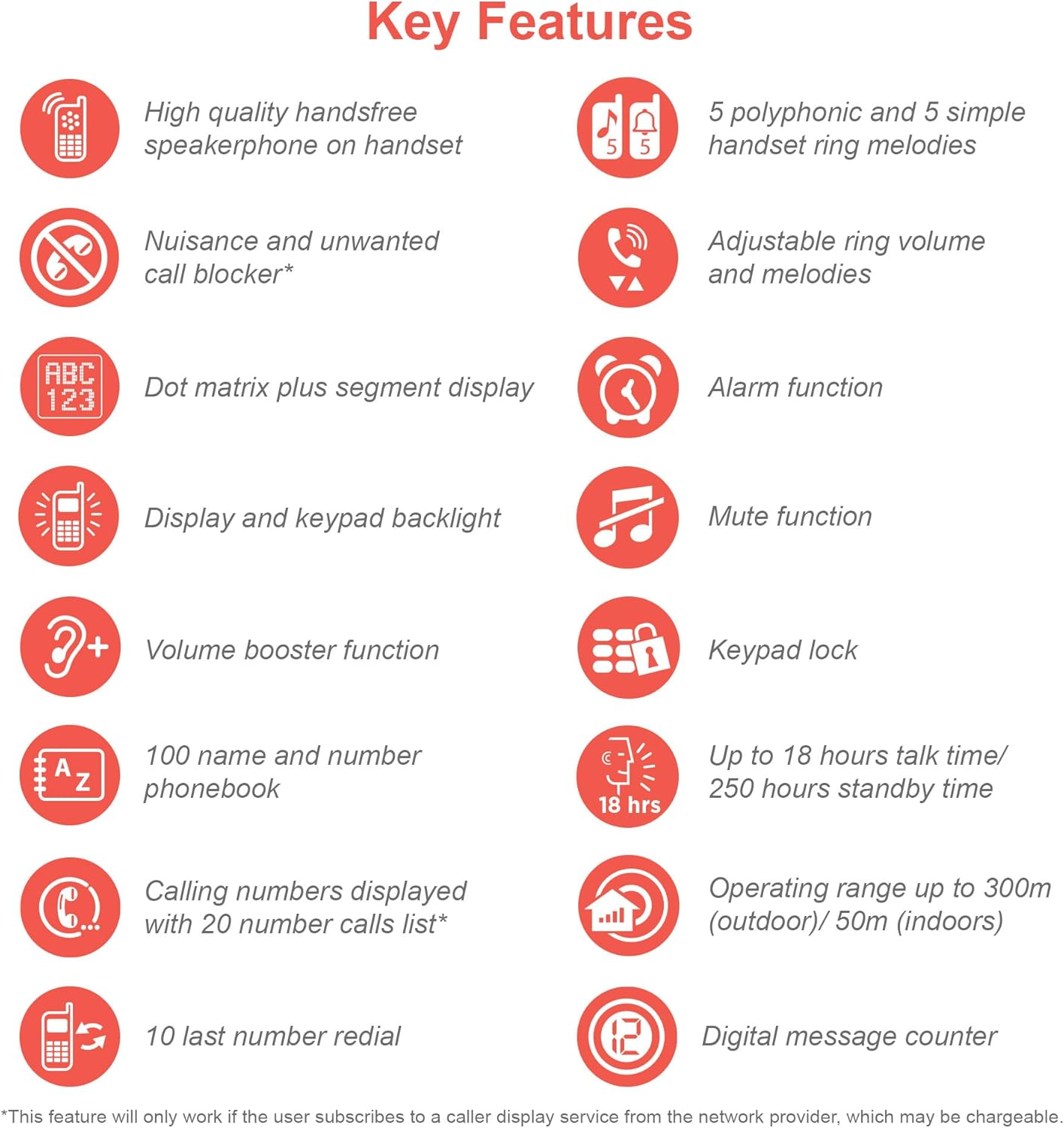
An infographic summarizing the VTech ES2050's key features, including speakerphone, call blocker, polyphonic ringtones, alarm, mute, keypad lock, volume booster, phonebook, call list, redial, talk time, operating range, and digital message counter.
Key Features:
- Digital Answering Machine: 30 minutes recording time.
- Nuisance Call Blocker: Block up to 100 blacklisted numbers.
- Volume Booster: Amplifies incoming sounds for enhanced clarity.
- Long Battery Life: Up to 18 hours talk time / 250 hours standby time.
- Backlit Display & Keypad: Easy viewing in dim light.
- Handsfree Speakerphone: High-quality speakerphone on handset.
- Phonebook: 100 name and number capacity.
- Speed Dial: 3 speed dial numbers.
- ECO Mode: For reduced power consumption.
- Caller ID / Call Waiting: Stores 20 records.
- Redial: 10 last number redial.
- Alarm Function: Integrated alarm.
- Mute Function: For privacy during calls.
- Keypad Lock: Prevents accidental dialing.
2. What's in the Box
Before you begin, ensure all components are present:
- 1 Base Unit
- 1 Cordless Handset
- 1 Charger (for handset)
- 1 Battery Pack (2 AAA batteries included)
- Telephone Line Cord
- Quick Start Guide (refer to this manual for full details)
3. Setup Guide
3.1. Battery Installation and Charging
- Locate the battery compartment cover on the back of the handset. Slide it open.
- Connect the battery pack plug securely into the jack inside the compartment.
- Place the 2 AAA batteries (included) into the compartment, ensuring correct polarity (+ and -).
- Replace the battery compartment cover.
- Place the handset on the base unit or charger. The charging indicator light on the handset should illuminate.
- Allow the handset to charge for at least 16 hours before initial use to ensure full battery capacity.
3.2. Connecting the Base Unit
- Connect one end of the telephone line cord to the TEL LINE jack on the back of the base unit.
- Connect the other end of the telephone line cord to your telephone wall jack.
- Plug the small end of the power adapter into the POWER jack on the back of the base unit.
- Plug the large end of the power adapter into a standard electrical outlet.
- Ensure all cables are securely connected and routed to prevent tripping hazards.
3.3. Initial Setup (Date and Time)
After the handset is charged, you will need to set the date and time. Follow the on-screen prompts on the handset display. If prompted multiple times, ensure each step is confirmed before proceeding.
- Press the MENU/OK button.
- Navigate to Date & Time using the arrow keys.
- Press MENU/OK to select.
- Enter the current date and time using the keypad.
- Press MENU/OK to save.
4. Operating Instructions
4.1. Making and Receiving Calls
- To Make a Call: Pick up the handset or press the TALK button. Dial the number.
- To Receive a Call: When the phone rings, pick up the handset or press the TALK button.
- To End a Call: Place the handset back on the base unit/charger or press the END button.
4.2. Using the Speakerphone
During a call, press the SPEAKER button to activate the handsfree speakerphone. Press it again to switch back to the handset earpiece.
4.3. Digital Answering Machine
- Playing Messages: On the base unit, press PLAY/STOP.
- Deleting Messages: During message playback, press DELETE on the base unit.
- Recording Outgoing Message (OGM): Refer to the handset menu for OGM recording options.
4.4. Nuisance Call Blocker
This feature allows you to block unwanted calls. You can add numbers to a blacklist.
- To Block a Number from Call History: Access the Call History, select the number, and choose the "Block" option.
- To Manually Add a Number to Blacklist: Navigate to the Call Blocker menu in the handset settings and add the number.
- The phone can store up to 100 blacklisted numbers.
4.5. Volume Booster
To amplify the incoming sound during a call, press the BOOST button (often marked with a speaker icon or "+") on the handset. Press it again to deactivate.
4.6. Phonebook and Speed Dial
- Adding Contacts: Access the Phonebook menu, select "Add New Entry", and enter the name and number.
- Dialing from Phonebook: Press the PHONEBOOK button, scroll to the desired contact, and press TALK.
- Speed Dial: Assign frequently called numbers to speed dial keys (e.g., 1, 2, 3). Refer to the handset menu for speed dial setup.
4.7. ECO Mode
The phone automatically enters ECO mode when the handset is close to the base unit, reducing power consumption and transmission power. This mode is indicated by an ECO icon on the display.
5. Maintenance
- Cleaning: Wipe the phone and base unit with a soft, damp cloth. Do not use abrasive cleaners or solvents.
- Battery Care: For optimal battery life, avoid overcharging by leaving the handset off the charger for extended periods once fully charged. If the phone will not be used for a long time, remove the batteries.
- Location: Place the base unit in a central location away from other electronic devices that may cause interference.
6. Troubleshooting
If you experience issues with your VTech ES2050 phone, try the following solutions:
| Problem | Possible Solution |
|---|---|
| No dial tone / Cannot make or receive calls. |
|
| Poor sound quality / Static. |
|
| Answering machine not recording messages. |
|
| Handset display is blank or unresponsive. |
|
| Difficulty with menu navigation or settings. |
|
7. Specifications
| Feature | Detail |
|---|---|
| Model Number | ES2050 |
| Telephone Type | Cordless DECT |
| Answering System Type | Digital |
| Recording Capacity | 30 minutes |
| Phone Talk Time | Up to 18 Hours |
| Phone Standby Time | Up to 250 Hours |
| Batteries | 2 AAA batteries (included) |
| Power Source | Battery Powered |
| Dialler Type | Single Keypad |
| Compatible Devices | Standard Landline Telephone Networks |
| Colour | Black |
| Manufacturer | VTech |
| Country of Origin | China |
8. Warranty and Support
For warranty information and technical support, please refer to the official VTech website or contact VTech customer service. Keep your purchase receipt as proof of purchase.
Manufacturer: VTech
For the most up-to-date support resources, visit the VTech support page or refer to the contact information provided with your product packaging.
Related documentsES2050


Ask a question about this manual
Ask about setup, troubleshooting, compatibility, parts, safety, or missing instructions. Manuals+ will review the question and use this page’s manual context to help answer it.