
Tymate TM7
Tymate TM7 Tire Pressure Monitoring System User Manual
Model: TM7
Brand: Tymate
Introduction
The Tymate TM7 Tire Pressure Monitoring System (TPMS) is designed to provide real-time monitoring of your vehicle's tire pressure and temperature. This system enhances driving safety by alerting you to potential tire issues such as high/low pressure, fast leakage, and high temperature. It is suitable for a wide range of vehicles including sedans, SUVs, MPVs, pickup trucks, RVs, and travel trailers.
Package Contents
- Tire Pressure Monitoring System Display
- 4 External Sensors
- User Manual
Setup Guide
1. Initial Setup of the Display
The Tymate TM7 display unit is designed for plug-and-play convenience. Simply plug the display directly into your vehicle's cigarette lighter socket. The unit will power on automatically.
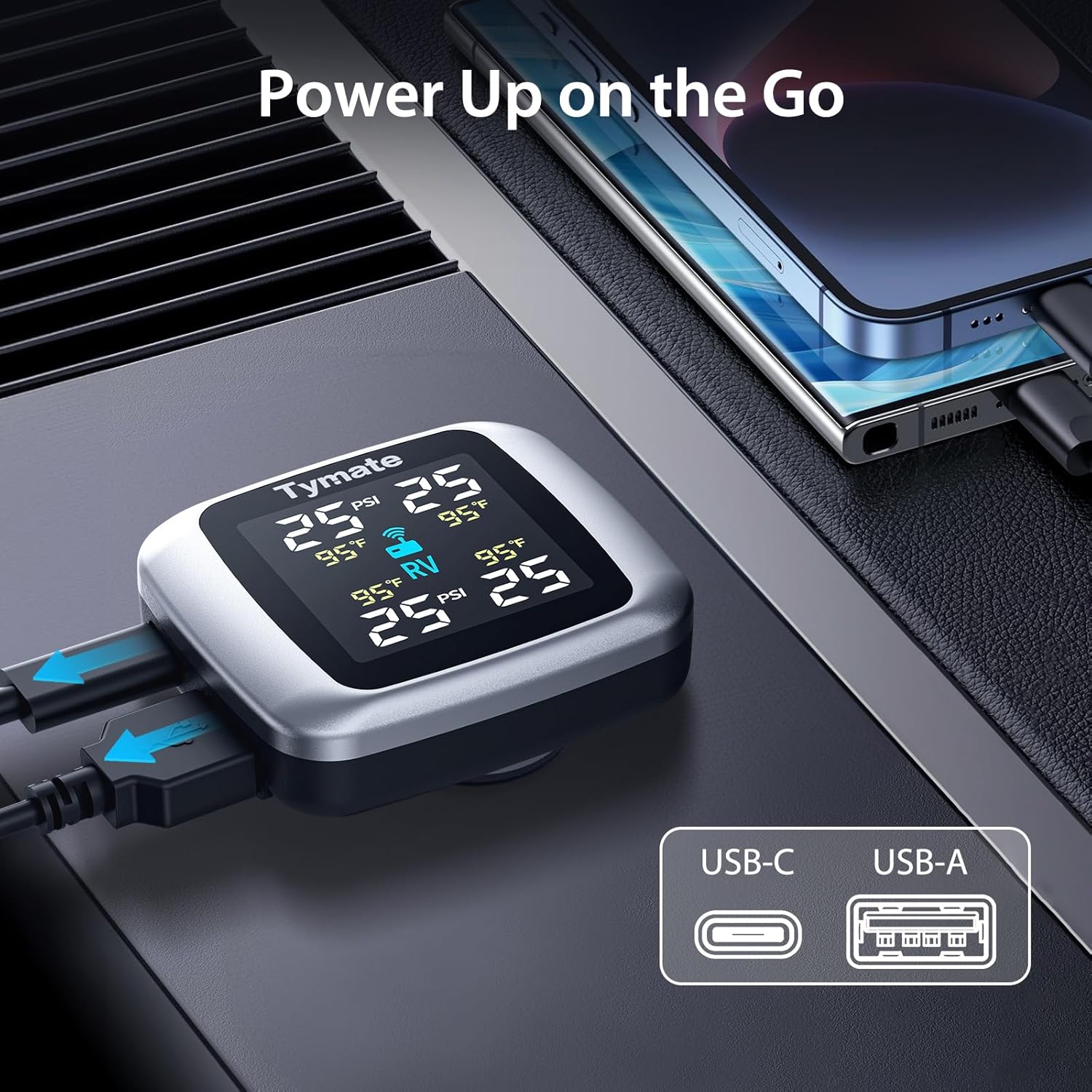
Figure 1: Plugging in the Tymate TM7 display unit.
2. Sensor Installation
The external sensors are pre-paired at the factory for ease of installation. Each sensor is labeled (LF, RF, LR, RR) for its corresponding tire position (Left Front, Right Front, Left Rear, Right Rear). Screw each sensor onto the valve stem of the respective tire. Ensure they are tightened securely to prevent air leakage.
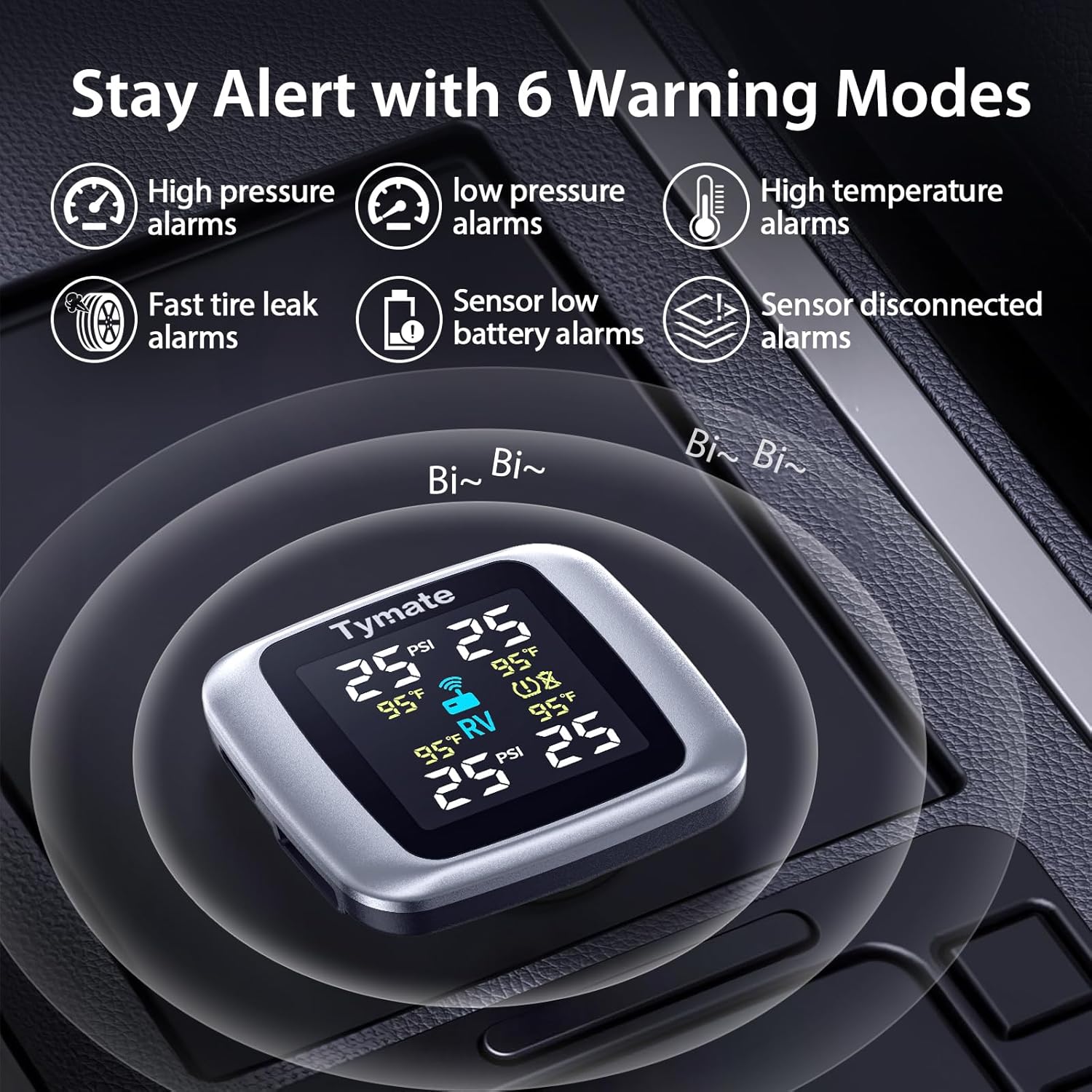
Figure 2: Overview of Tymate TM7 components and installation concept.
For detailed visual instructions on sensor installation, please refer to the video below:
Video 1: Installation and removal of sensors for Tymate TPMS. This video demonstrates the step-by-step process of attaching and detaching the external tire pressure sensors.
Video 2: How Easy Is This Tire Pressure Monitoring System to Install? This video provides a user-friendly guide to the quick and simple installation of the Tymate TM7 TPMS.
Operating the Tymate TM7
1. Real-time Monitoring
Once installed and powered on, the Tymate TM7 display will automatically begin receiving real-time pressure and temperature data from each tire. The display shows individual tire readings, allowing for precise monitoring.

Figure 3: Real-time tire data displayed on the Tymate TM7 monitor.
2. Alarm Modes
The system is equipped with six distinct alarm modes to alert you to critical tire conditions:
- High/Low Pressure Alarm: Alerts when tire pressure falls outside the safe range.
- Fast Leakage Alarm: Notifies you of rapid air loss from a tire.
- High Temperature Alarm: Warns if a tire's temperature exceeds safe limits.
- Sensor Low Battery: Indicates when a sensor's battery needs replacement.
- Sensor Signal Lost: Alerts if communication with a sensor is lost.

Figure 4: The six warning modes of the Tymate TM7 TPMS.
3. Display Features
The color LCD provides clear and easy-to-read data. The adjustable backlight ensures optimal visibility in various lighting conditions, day or night.
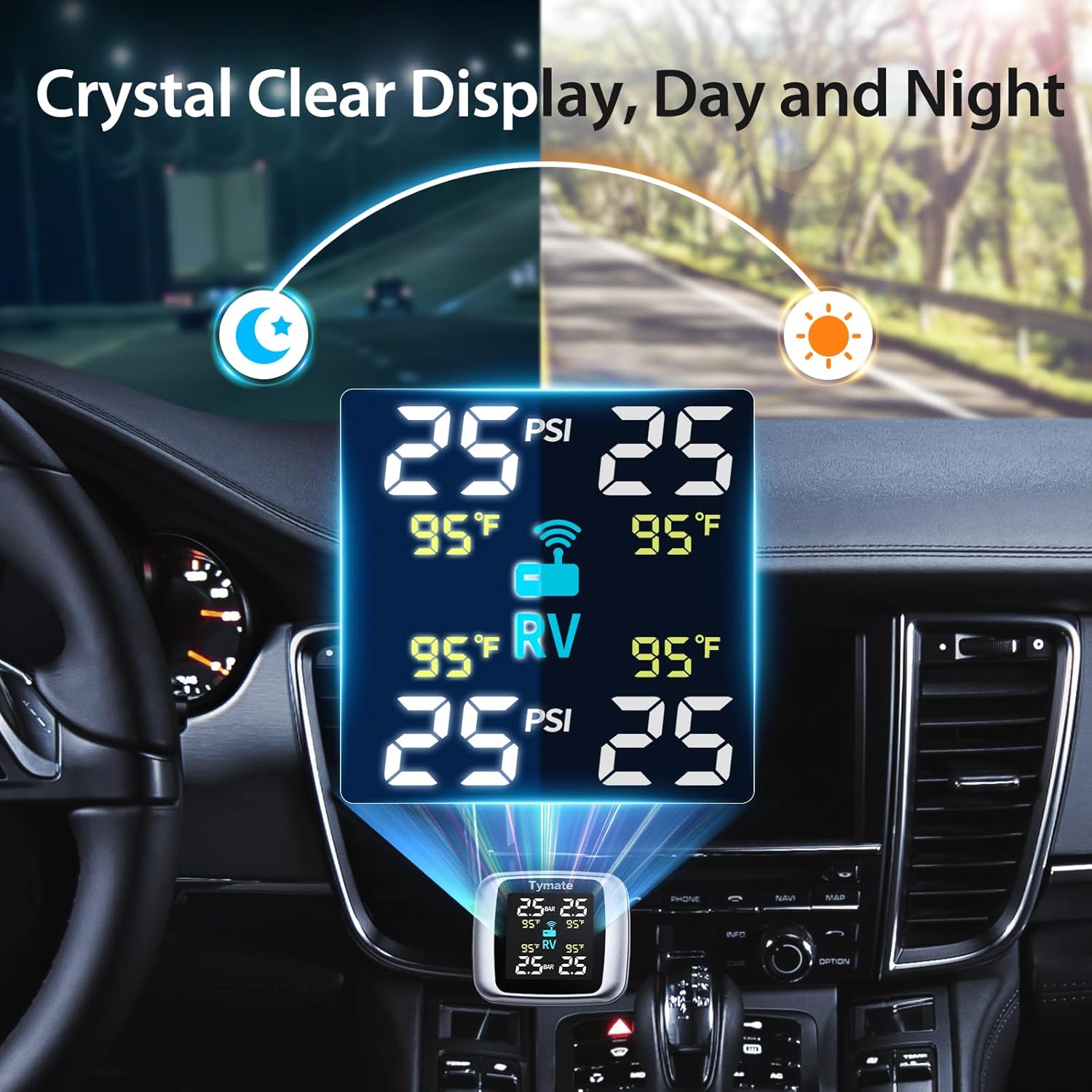
Figure 5: Clear display visibility of Tymate TM7 in different lighting.
4. Dual USB Charging
The display unit features two USB outlets (USB-C and USB-A) for convenient charging of mobile devices while on the go.
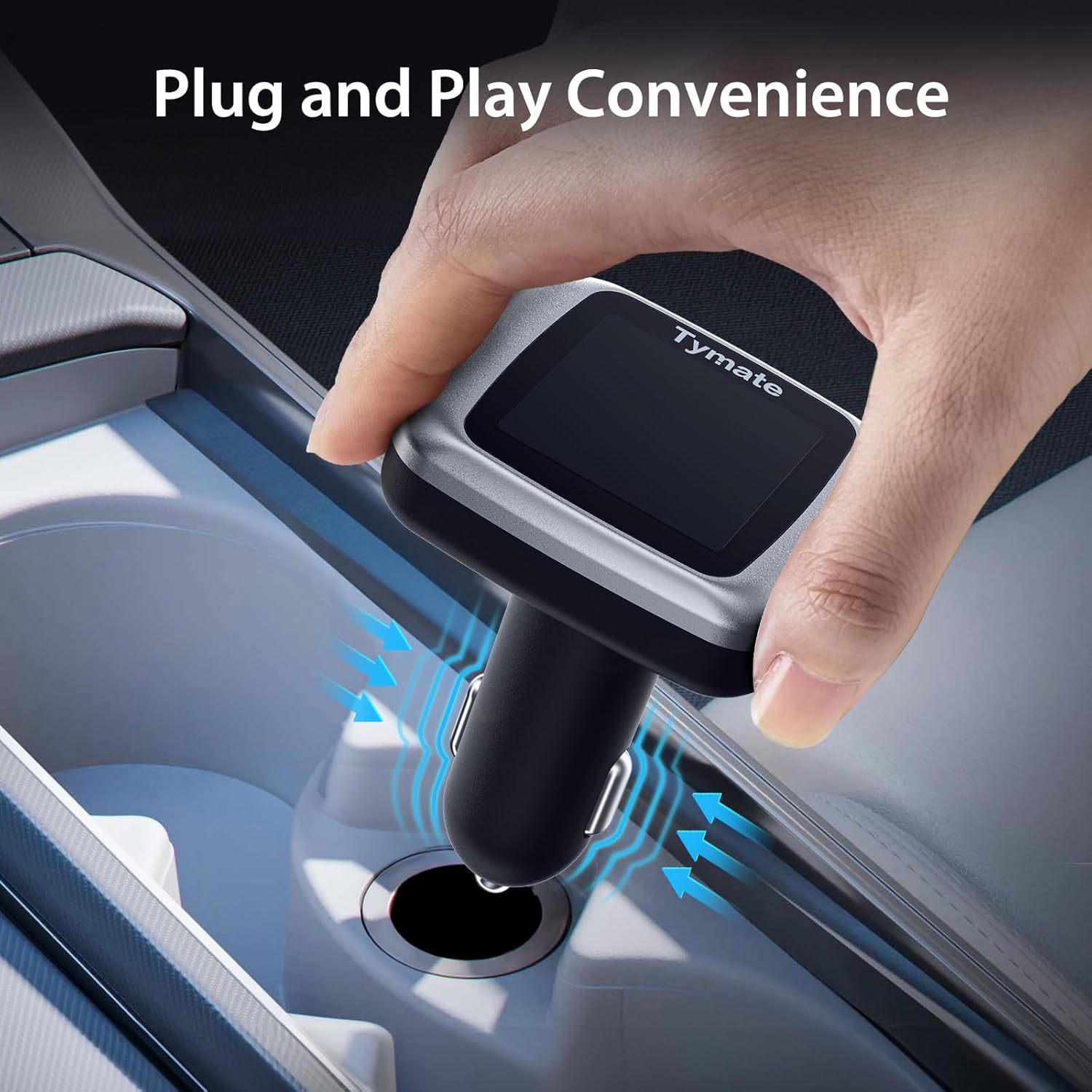
Figure 6: Tymate TM7 with dual USB charging capability.
For a comprehensive overview of the Tymate TM7's features, watch the video below:
Video 3: Tymate TM7 Tire Pressure Monitoring System. This video highlights the key features and benefits of the TM7 TPMS.
Maintenance
1. Sensor Battery Replacement
The external sensors use CR1632 batteries. When the display indicates a low battery for a sensor, it's time to replace it. Use the provided tools to carefully open the sensor, replace the battery (ensure the positive side faces up), and securely close it. Always check the sealing rubber for good condition before reassembly to maintain waterproof integrity.
Video 4: Replace sensor battery. This video demonstrates the process of replacing the battery in the Tymate external sensors.
2. General Care
Keep the display unit clean and free from dust. Avoid exposing the unit or sensors to extreme temperatures or direct sunlight for prolonged periods when not in use. Periodically check the sensors for any physical damage or loose connections.
Troubleshooting
1. Intermittent Data Display
If the data displayed is intermittent, try moving the display away from potential interference sources. If the issue persists, a repeater (such as Tymate RP05 for total length ≥36ft) may be required, especially for longer vehicles or trailers, to ensure a consistent and reliable signal connection.
2. Tire Blowout/Puncture
The TPMS cannot prevent punctures caused by sharp objects or damaged tires, nor can it monitor instantaneous changes. It provides real-time data but is not a substitute for regular tire inspection. We recommend a comprehensive tire inspection at least once a month and timely replacement of faulty tires by a qualified technician.
Specifications
| Feature | Detail |
|---|---|
| Brand | Tymate |
| Model | TM7 |
| Pressure Range | 0-87 PSI |
| Pressure Accuracy | ±1.5 PSI |
| Temperature Accuracy | ±3°F |
| Display | Color LCD with Adjustable Backlight |
| Power Source | Vehicle's cigarette lighter socket |
| Charging Ports | Dual USB (USB-C, USB-A) |
| Sensor Battery | CR1632 (replaceable) |
| Item Weight | 6.3 ounces |
| Product Dimensions | 4.72 x 4.06 x 2.17 inches |
| Country of Origin | China |
Warranty and Support
For any questions or further assistance regarding your Tymate TM7 TPMS, please contact Tymate customer support. You can find additional resources and contact information on the official Tymate website or through your purchase platform.
A comprehensive user manual in PDF format is also available for download: User Manual (PDF)
Related documentsTM7


Ask a question about this manual
Ask about setup, troubleshooting, compatibility, parts, safety, or missing instructions. Manuals+ will review the question and use this page’s manual context to help answer it.