
1. Introduction
This manual provides essential information for the safe and efficient installation, operation, and maintenance of the Ballmers RG148/1200-3633-010312 Blower Cooling Fan. Please read this manual thoroughly before using the product and retain it for future reference.
The Ballmers RG148/1200-3633-010312 Blower Cooling Fan is designed for various applications requiring efficient air movement. It features a compact design, low noise operation, adjustable speed, and is built for continuous use, making it suitable for both home and small studio environments.
2. Safety Information
- Ensure the power supply matches the fan's rated voltage before connection.
- Disconnect power before any installation, maintenance, or cleaning procedures.
- Do not operate the fan if any part is damaged.
- Keep hands and foreign objects away from moving parts during operation.
- Install the fan in a well-ventilated area, free from obstructions to airflow.
- This product is intended for use by qualified personnel or under their direct supervision.
3. Product Overview
The Ballmers RG148/1200-3633-010312 Blower Cooling Fan is engineered for reliability and performance. It is a direct replacement for part numbers RG148, 1200-3633-010312, and 1200-3633-010312-108.
Key Features:
- High Quality Construction: Manufactured from heat-treated high-quality alloy steel, ensuring durability, wear resistance, and corrosion resistance for a long service life.
- Stable Performance: Designed for high reliability and consistent operation.
- Compact and Quiet: Small footprint with low operational noise, suitable for various environments.
- Adjustable Speed: Allows for flexible control over airflow.
- Continuous Operation: Capable of running 24 hours a day with low power consumption.

Figure 3.1: Front view of the Ballmers RG148/1200-3633-010312 Blower Cooling Fan, highlighting its robust construction.

Figure 3.2: Close-up views of the fan's internal components, showcasing craftsmanship and durable materials.
4. Specifications
General Specifications:
| Attribute | Value |
|---|---|
| Brand | Ballmers |
| Model Number | 1200-3633-010312 |
| Material | Alloy Steel |
| Cooling Method | Forced Air |
| Compatible Devices | Inverter |
| Item Weight | 5.7 pounds |
| Package Dimensions | 9.17 x 8.78 x 7.17 inches |
Electrical Parameters:
| Parameter | Value |
|---|---|
| Rated Voltage | 115-120V |
| Frequency | 50/60Hz |
| Rated Voltage Range | 200~277V |
| Power Input | 300W ±10% |
| Max Speed | 9500 ±5% RPM |
| Airflow | 250/147 CFM |
| Input Current | 2.5A |
| Max Static Pressure | 4100 ±5% PA |
| Power Connector Type | 5-Pin |
| Motor | DC brushless motor |
| Insulation Class | Class B |
| Motor Protection | Locked rotor protection & Current-limiting protection, Soft start & Automatic restart capability |
| Speed Control | PWM Input |
| Signal Output | FG (Frequency Generator) |
| Type of Protection | IP20 |
| Operation Mode | S1 |
| Direction of Air Flow | Outlet |
| Direction of Rotation | Counterclockwise, seen on impeller |
| Dielectric Strength | 3mA max. at 1500VAC 50Hz/s between frame and (+) terminal |
| EMC | EN55011 and EN50082-2 |
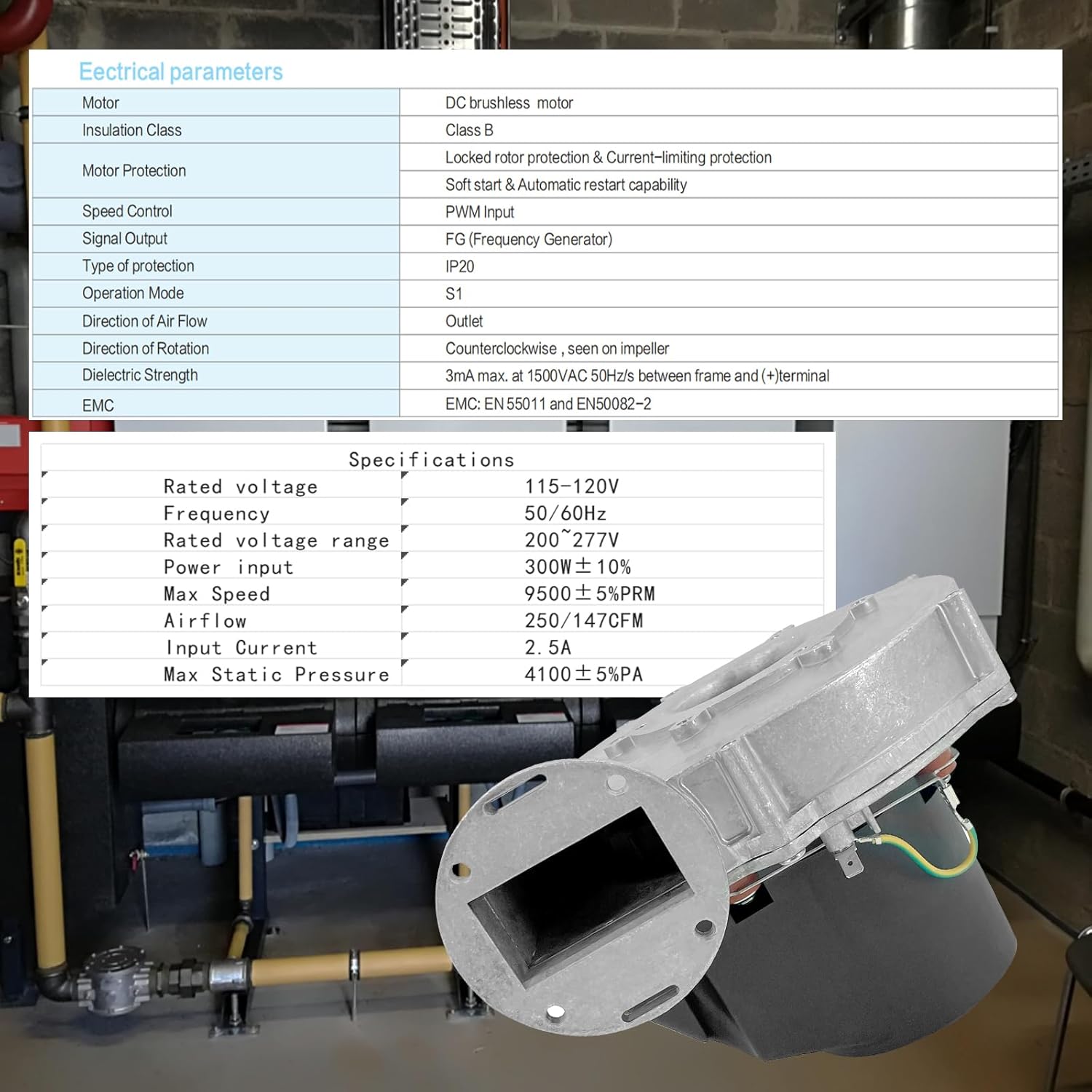
Figure 4.1: Detailed electrical parameters of the blower cooling fan.
Physical Parameters:
| Parameter | Value |
|---|---|
| Dimension | Ø148mm |
| Material of Impeller | Pom anti-static & fire resistant plastic |
| Material of Housing | Aluminum die casting |
| Material of Electronics Cover | PA66+GF30 fibreglass-reinforced plastic |
| Mounting Position | Shaft horizontal or rotor on top |
| Bearing System | NMB maintenance-free ball bearing |
| Life time | 20000 hours (L10) at 5000rpm, 25°C room |
| Terminal | Molex Mini-Fit Jr 39-30-3055 (Controls), RAST5 (Mains) |
| Lead Wire | AWG#22 UL1007 (Controls), AWG#18 UL1007 (Mains) |
| Operating / Storing temp. | 0°C to +70°C / -25°C to +80°C |
| Operating / Storing humidity | 0% to 95% RH |
| Max air temp. inside | 0°C to +70°C |
| Approval | CE, and RoHS compliance |
| Shock Test | Apply peak acceleration 150m/s2 for 11ms / 150m/s2/11ms |
| Vibration Test | Displacement amplitude 1.5mm Equivalent 10G. Freq range 10Hz~55Hz/30s. 1.5mm, 10Hz~55Hz/30s |
| Drop Test | In min packaging, three faces from 76cm distance height onto 10mm thickness of wooden board |
| Balance Test | ≤30mg@2500rpm |
| Warranty | 12 months after delivery |
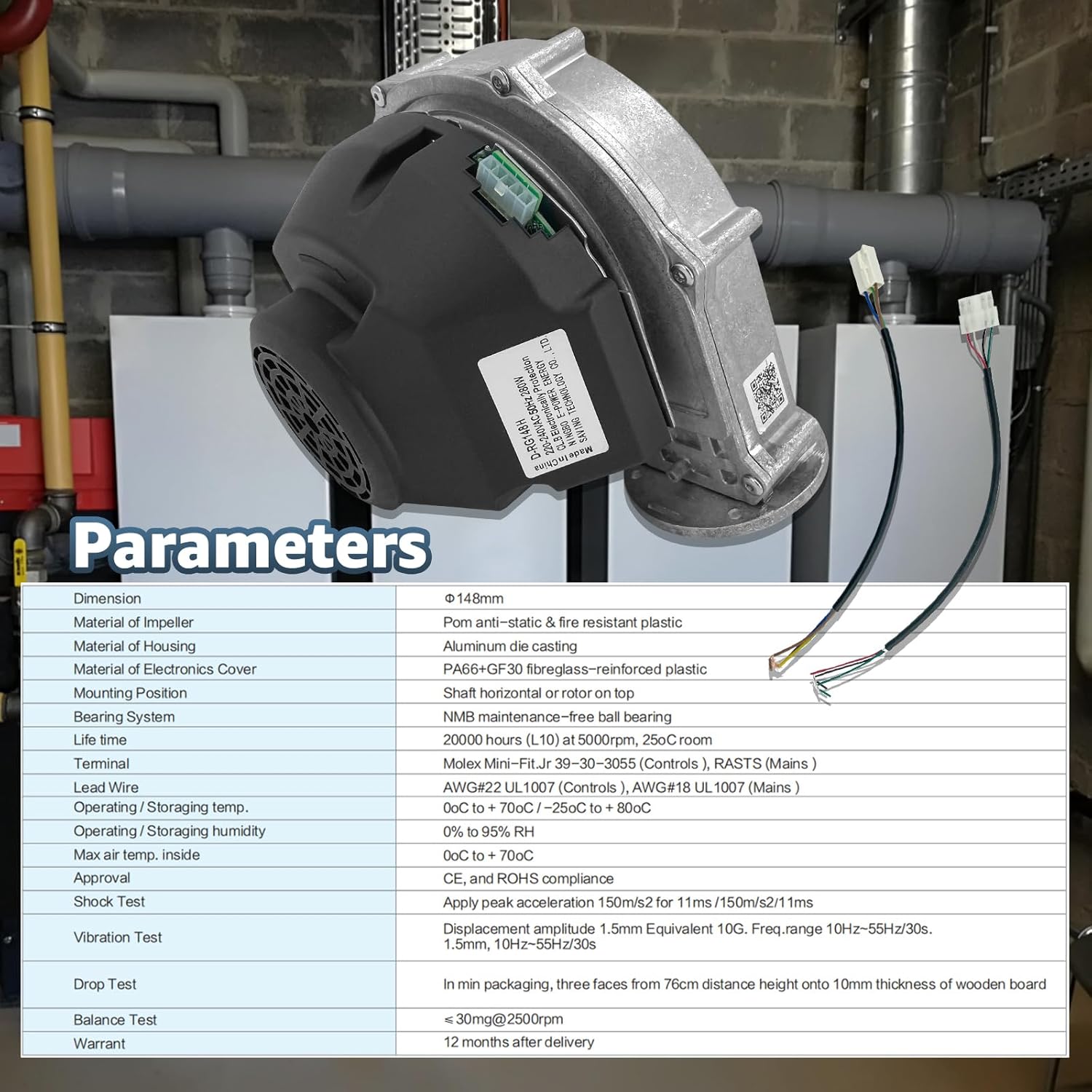
Figure 4.2: Detailed physical parameters and environmental ratings of the blower cooling fan.
Performance Curve and Wiring Diagram:

Figure 4.3: Air volume vs. static pressure performance curve and electrical wiring diagrams for the fan.
Dimensional Drawing:

Figure 4.4: Technical drawing showing the dimensions and mounting points of the blower cooling fan.
5. Installation
The Ballmers RG148/1200-3633-010312 Blower Cooling Fan is designed for easy installation, often serving as a direct replacement for existing units. No complicated tools are typically required.
Installation Steps:
- Preparation: Ensure the power supply to the area where the fan will be installed is completely disconnected.
- Mounting: Secure the fan to the desired mounting surface using appropriate fasteners. Refer to the dimensional drawing (Figure 4.4) for mounting hole locations.
- Wiring: Connect the fan's wires to the power supply according to the wiring diagram (Figure 4.3). Ensure all connections are secure and insulated.
- Verification: Double-check all connections and mounting security before restoring power.

Figure 5.1: Illustration of the direct installation process for the blower cooling fan.
Video 5.1: A detailed demonstration of the Ballmers RG148/1200-3633-010312 Blower Cooling Fan, showing its various angles and components, which can assist in understanding the installation process.
6. Operation
Once properly installed and connected to the power supply, the blower cooling fan is ready for operation. The fan is designed for continuous duty and can operate 24 hours a day.
- Power On: Restore power to the circuit. The fan should begin operating.
- Speed Adjustment: If your system supports PWM input, the fan speed can be adjusted accordingly. Refer to your system's control documentation for details on PWM signal generation.
- Monitoring: Periodically check the fan for proper operation, ensuring consistent airflow and minimal noise.
7. Maintenance
Regular maintenance ensures the longevity and optimal performance of your Ballmers Blower Cooling Fan.
- Cleaning: Periodically clean the fan blades and housing to prevent dust and debris buildup, which can impede airflow and reduce efficiency. Disconnect power before cleaning.
- Inspection: Regularly inspect the fan for any signs of wear, damage, or loose connections.
- Bearing System: The NMB maintenance-free ball bearing system requires no lubrication.
- Environmental Conditions: Ensure the fan operates within the specified temperature and humidity ranges to prevent premature wear.
8. Troubleshooting
If you encounter issues with your blower cooling fan, refer to the following common troubleshooting steps:
| Problem | Possible Cause | Solution |
|---|---|---|
| Fan does not start | No power, incorrect wiring, damaged motor | Check power supply, verify wiring connections, inspect for damage. |
| Reduced airflow | Dust/debris buildup, obstructed intake/outlet | Clean fan blades and housing, clear obstructions. |
| Unusual noise/vibration | Loose mounting, foreign object in fan, worn bearings | Tighten mounting screws, remove foreign objects, consider replacement if bearings are worn. |
| Fan runs intermittently | Loose electrical connection, overheating protection triggered | Check wiring, ensure adequate ventilation and operating temperature. |
9. Warranty and Support
The Ballmers RG148/1200-3633-010312 Blower Cooling Fan comes with a 12-month warranty after delivery, as per the product specifications. Ballmers offers a worry-free return and refund policy.
For any questions, technical assistance, or warranty claims, please contact Ballmers customer support. When contacting support, please provide the frame number of your product for the most accurate advice and service.
Contact information can typically be found on the product packaging or the official Ballmers website.