Introduction
This manual provides essential information for setting up, operating, maintaining, and troubleshooting your Razer Blade 14 (2024) Gaming Laptop. Please read this guide thoroughly to ensure optimal performance and longevity of your device.

Image: The Razer Blade 14 (2024) Gaming Laptop, showcasing its sleek design and illuminated keyboard.
What's in the Box
- Razer Blade 14 Laptop
- Power adapter + regional power cord
- Micro-fiber cleaning cloth
- Important Product Information Guide
Setup
- Unboxing: Carefully remove the laptop and all accessories from the packaging.
- Connect Power: Plug the power adapter into a wall outlet and then connect it to the laptop's charging port. Allow the battery to charge fully before initial use.
- Initial Power On: Open the laptop lid and press the power button. Follow the on-screen instructions to complete the Windows 11 setup process. This includes selecting your region, connecting to a network, and creating a user account.
- Software Updates: After initial setup, connect to the internet and check for Windows updates and Razer Synapse software updates to ensure all drivers and firmware are current.

Image: A Razer Blade 14 laptop set up on a desk with external peripherals.
Operating Your Razer Blade 14
Power Management
The Razer Blade 14 is designed for portability with an average battery life of up to 8 hours. For optimal performance, especially during demanding tasks like gaming, ensure the laptop is connected to the power adapter.
Display
The 14-inch QHD+ 240Hz HDR display offers high resolution and a fast refresh rate. It is Calman Verified for professional-grade color accuracy, suitable for both gaming and creative work.
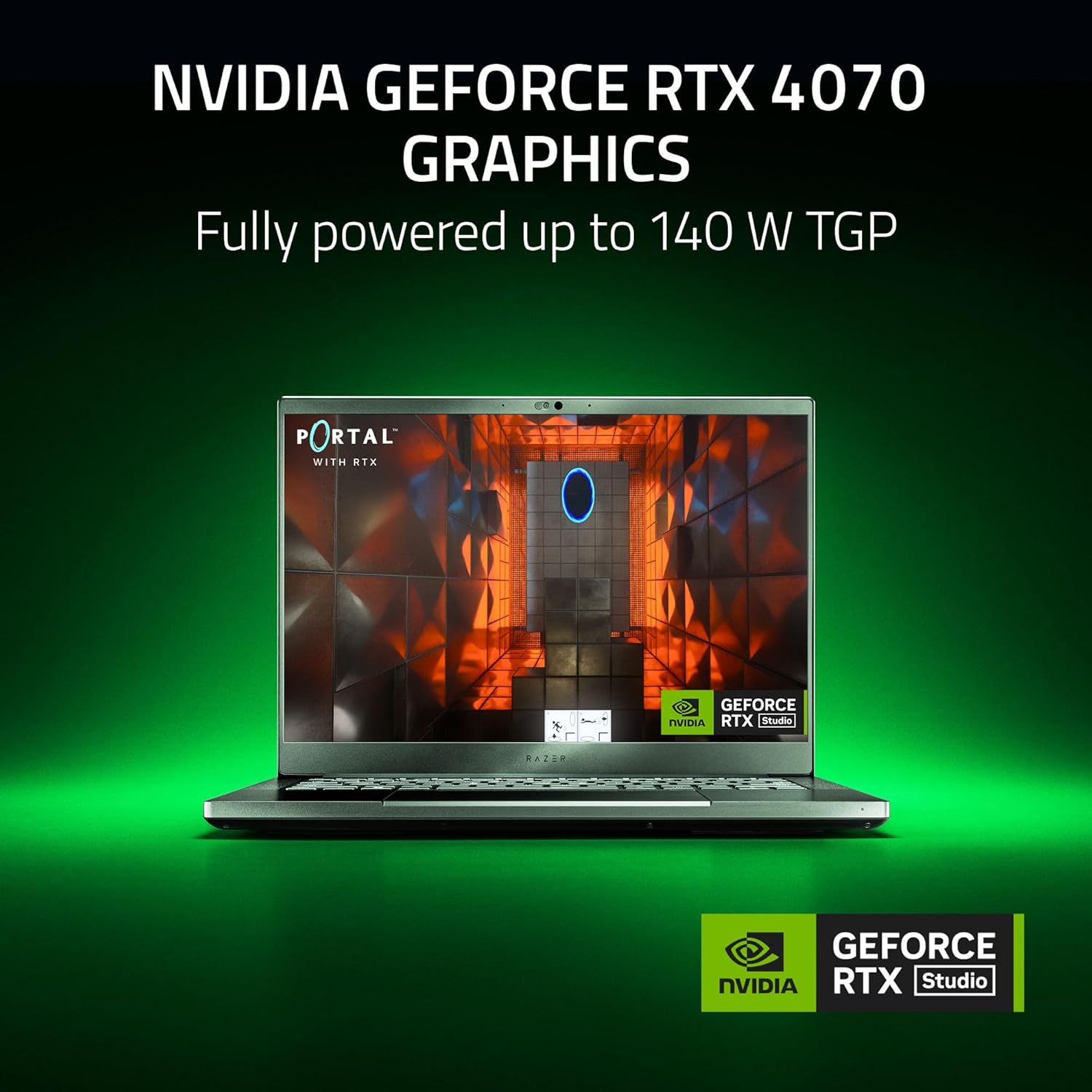
Image: Close-up of the Razer Blade 14's Calman Verified display, highlighting its color accuracy.
Performance
Equipped with an AMD Ryzen 9 8945HS CPU and NVIDIA GeForce RTX 4070 GPU, the laptop delivers high performance for gaming and productivity. The system includes 32GB of 5600MHz DDR5 RAM and a 1TB SSD for fast data access and multitasking. Advanced vapor chamber cooling helps maintain thermal efficiency during intensive use.

Image: A detailed view of the AMD Ryzen 9 8945HS processor.

Image: The Razer Blade 14 running a graphically intensive game, highlighting the NVIDIA GeForce RTX 4070 GPU.
Connectivity
The laptop features a range of ports for connecting peripherals and external displays, along with advanced wireless capabilities.
- 2x Type-C USB4 (Up to 100 W charging via PD3.0)
- 2x USB-A 3.2 Gen 2
- 1x HDMI 2.1
- 1x 3.5 mm Combo Audio Jack
- Qualcomm NCM865 Wi-Fi 7
- Bluetooth
Maintenance
- Cleaning: Use the provided micro-fiber cloth to gently clean the screen and chassis. Avoid harsh chemicals.
- Software Updates: Regularly check for and install operating system updates, driver updates, and Razer Synapse software updates to ensure system stability and security.
- Battery Care: To prolong battery life, avoid consistently discharging the battery completely or leaving it fully charged for extended periods. Store the laptop in a cool, dry place.
- Storage/RAM Upgrades: The laptop features expandable DDR5 memory. Refer to official Razer documentation or a qualified technician for safe upgrade procedures.
Troubleshooting
If you encounter issues with your Razer Blade 14, consider the following common solutions:
- No Power: Ensure the power adapter is securely connected to both the laptop and a working power outlet. Check the power indicator light.
- Display Issues: If the screen is blank or flickering, try connecting an external monitor to verify if the issue is with the laptop's display or the graphics output. Update graphics drivers.
- Performance Lag: Close unnecessary applications, check for background processes, ensure drivers are updated, and monitor system temperatures.
- Connectivity Problems: For Wi-Fi or Bluetooth issues, restart the laptop and your router/Bluetooth device. Ensure drivers are installed and updated.
- System Instability: Perform a system restart. If issues persist, consider running system diagnostics or contacting support.
For more detailed troubleshooting or persistent issues, please visit the official Razer Support website.
Specifications
| Feature | Detail |
|---|---|
| Brand | Razer |
| Model Name | Razer Blade 14 |
| Item Model Number | RZ09-05081ED3-R3U1 |
| Operating System | Windows 11 |
| Processor | AMD Ryzen 9 8945HS (2.4 GHz) |
| RAM | 32 GB DDR5 (5600 MHz) |
| Hard Drive | 1 TB SSD (PCIE x 4) |
| Graphics Coprocessor | NVIDIA GeForce RTX 4070 (8 GB GDDR6) |
| Screen Size | 14 inches |
| Screen Resolution | 2560 x 1440 pixels (QHD+) |
| Max Screen Resolution | 2560x1600 Pixels |
| Wireless Type | 802.11a/b/g/n/ac, Bluetooth (Qualcomm NCM865 Wi-Fi 7) |
| USB Ports | 2x Type-C USB4, 2x USB-A 3.2 Gen 2 |
| HDMI Port | 1x HDMI 2.1 |
| Audio Jack | 3.5 mm Combo Audio Jack |
| Average Battery Life | 8 Hours |
| Item Weight | 8.03 pounds |
| Product Dimensions | 12.59 x 8.66 x 0.66 inches |
| Color | Classic Black |
Warranty and Support
Your Razer Blade 14 (2024) Gaming Laptop is covered by a limited manufacturer's warranty. For specific warranty terms, conditions, and duration, please refer to the Important Product Information Guide included with your product or visit the official Razer website.
For technical assistance, driver downloads, and frequently asked questions, please visit the Razer Support Page. You can also find additional resources and community forums there.


