
TAGRY X08
TAGRY X08 True Wireless Earbuds User Manual
Model: X08
Introduction
This manual provides comprehensive instructions for the safe and effective use of your TAGRY X08 True Wireless Earbuds. Please read this manual thoroughly before using the product and retain it for future reference. The TAGRY X08 earbuds offer a superior audio experience with advanced features such as long playback time, wireless charging, and intuitive touch controls.

Image: TAGRY X08 True Wireless Earbuds in Black and Ocean Blue.
Setup
1. What's in the Box
- TAGRY X08 True Wireless Earbuds (Black and Ocean Blue sets)
- Charging Case
- USB-C Charging Cable
- Ear Tips (three different sizes)
- User Manual (this document)
2. Charging the Earbuds and Case
Before first use, fully charge the earbuds and the charging case. The charging case supports both USB-C cable charging and wireless charging.
- USB-C Charging: Connect the provided USB-C cable to the charging port on the case and a power source.
- Wireless Charging: Place the charging case on a compatible wireless charging pad.
The dual digital LED power display on the case shows the battery level for both the charging case and the individual earbuds. When charging the case, the LED light will flash from 1 to 100. When earbuds are placed inside the case, they will begin charging automatically.

Image: USB-C and Wireless Charging for the TAGRY X08 Earbuds Case.

Image: Digital Power Display on the TAGRY X08 Charging Case.
3. Pairing with Your Device
The TAGRY X08 earbuds feature one-step auto pairing for convenience.
- Ensure your device's Bluetooth is turned on.
- Open the charging case. The earbuds will automatically enter pairing mode.
- On your device, search for Bluetooth devices and select "X08" from the list.
- Once connected, the earbuds will automatically pair with your device every time you open the charging case.
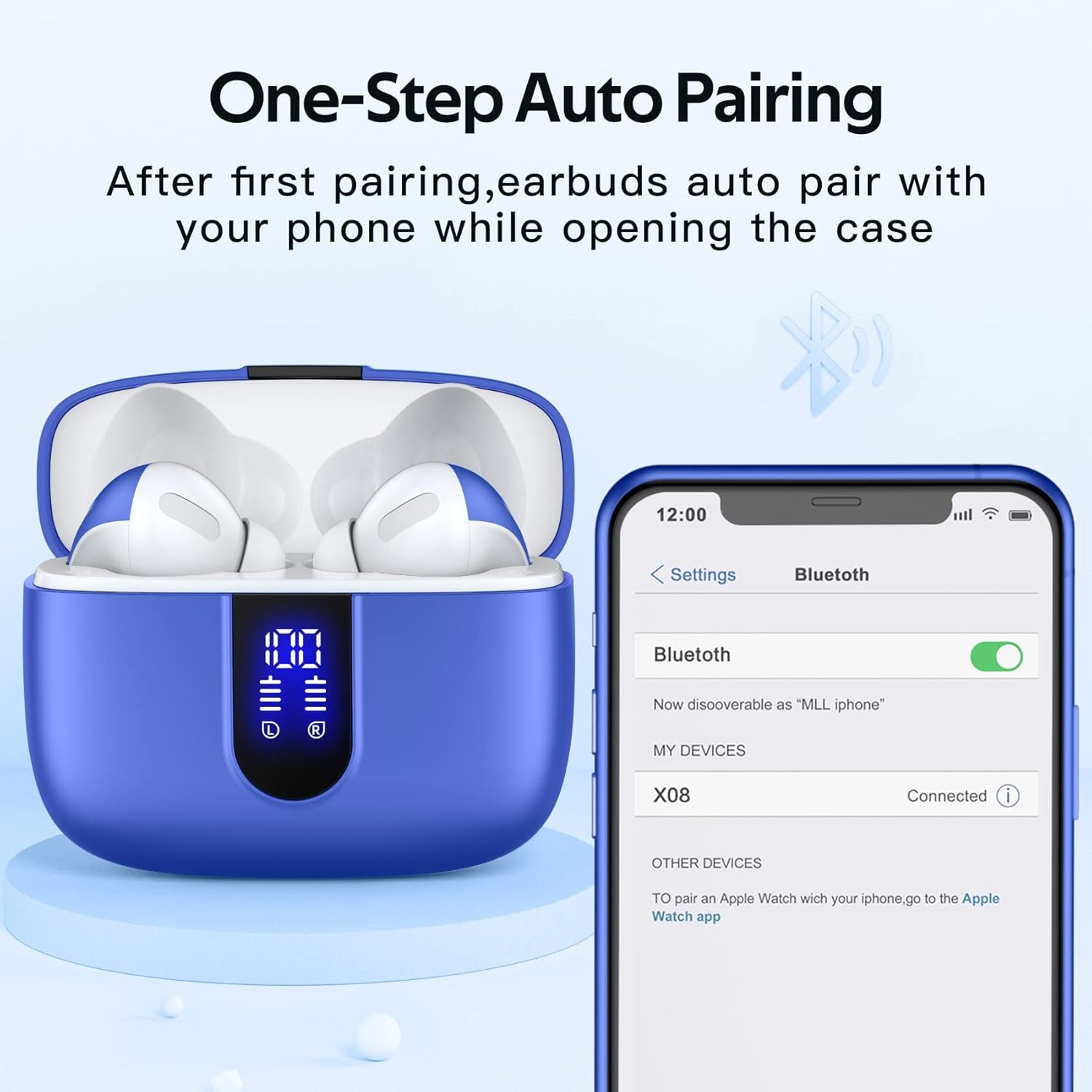
Image: One-Step Auto Pairing process for TAGRY X08 Earbuds.
Operating Instructions
1. Wearing the Earbuds
The X08 earbuds are designed for an ergonomic fit. Choose the ear tips that provide the most comfortable and secure seal for your ear canal. Gently insert the earbuds into your ears and rotate slightly to ensure a snug fit.
2. Touch Controls
The earbuds feature intuitive touch controls on either earbud for managing music playback, calls, and voice assistant activation.
| Action | Control |
|---|---|
| Play/Pause Music | Single tap on either earbud |
| Next Track | Double tap on the right earbud |
| Previous Track | Double tap on the left earbud |
| Volume Up | Triple tap on the right earbud |
| Volume Down | Triple tap on the left earbud |
| Answer/End Call | Single tap on either earbud |
| Reject Call | Press and hold either earbud for 2 seconds |
| Activate Voice Assistant (Siri, Google Assistant) | Press and hold either earbud for 3 seconds |

Image: Smart Touch Control functions of TAGRY X08 Earbuds.
3. Audio Experience
The TAGRY X08 earbuds are equipped with 13mm speakers and triple-layer composite diaphragms, delivering powerful bass, clear mids, and stunning treble for an immersive stereo sound experience. They support both mono mode (using a single earbud) and twin stereo mode (using both earbuds).

Image: Internal components of TAGRY X08 Earbud, illustrating Crystal-Clear Sound technology.
4. Call Functionality
Each earbud has a built-in microphone. CVC noise reduction technology ensures your voice is heard clearly during phone calls, minimizing background noise.
Maintenance
1. Cleaning
- Regularly clean the earbuds, especially the ear tips and charging contacts, with a soft, dry, lint-free cloth.
- Do not use abrasive cleaners, alcohol, or chemical solvents.
- Ensure no moisture enters the openings.
2. Storage
When not in use, always store the earbuds in their charging case to protect them and keep them charged. Store the case in a cool, dry place away from direct sunlight and extreme temperatures.
3. Water Resistance
The TAGRY X08 earbuds are rated IPX5 waterproof. This means they are resistant to sweat and light splashes, making them suitable for sports and workouts. However, they are not designed for submersion in water or for use during swimming. Ensure the earbuds are dry before placing them back in the charging case.
Troubleshooting
| Problem | Possible Cause / Solution |
|---|---|
| Earbuds not pairing |
|
| Only one earbud working |
|
| Low volume or poor sound quality |
|
| Charging case not charging |
|
Specifications
| Feature | Detail |
|---|---|
| Model Name | X08 |
| Brand | TAGRY |
| Connectivity Technology | Wireless, Bluetooth 5.0 |
| Ear Placement | In Ear |
| Water Resistance Level | IPX5 (Water Resistant) |
| Battery Life (Earbuds) | Up to 6 hours on a single charge |
| Total Playback Time (with Charging Case) | Up to 60 hours |
| Charging Case Battery Capacity | 470mAh (provides 4 extra full charges) |
| Charging Methods | Wireless Charging, USB-C Cable Charging |
| Speaker Size | 13mm |
| Control Type | Touch, Voice |
| Microphone | Built-in (with CVC Noise Reduction) |
| Earbud Weight (single) | 0.14 oz (approx. 4g) |
| Earbud Dimensions | 1.57 x 0.78 x 0.59 inches |
| Charging Case Dimensions | 2.56 x 2.16 x 1 inches |
| Compatible Devices | Smart Phone, Television, Computers, Laptops |
Warranty and Support
For warranty information and customer support, please refer to the documentation included with your product packaging or visit the official TAGRY website. You may also contact the seller directly through the platform where the product was purchased for assistance.
Manufacturer: TAGRY
Date First Available: December 6, 2023
Related documentsX08


Ask a question about this manual
Ask about setup, troubleshooting, compatibility, parts, safety, or missing instructions. Manuals+ will review the question and use this page’s manual context to help answer it.