
1. Introduction
Welcome to the instruction manual for your TAGRY X08 True Wireless Earbuds. These earbuds are designed to provide a superior audio experience with advanced features such as an LED power display, extended playback time, wireless charging, and intuitive touch controls. This manual will guide you through the setup, operation, maintenance, and troubleshooting of your new earbuds to ensure optimal performance and longevity.
2. Product Overview
The TAGRY X08 earbuds come with a compact charging case, offering convenience and portability.
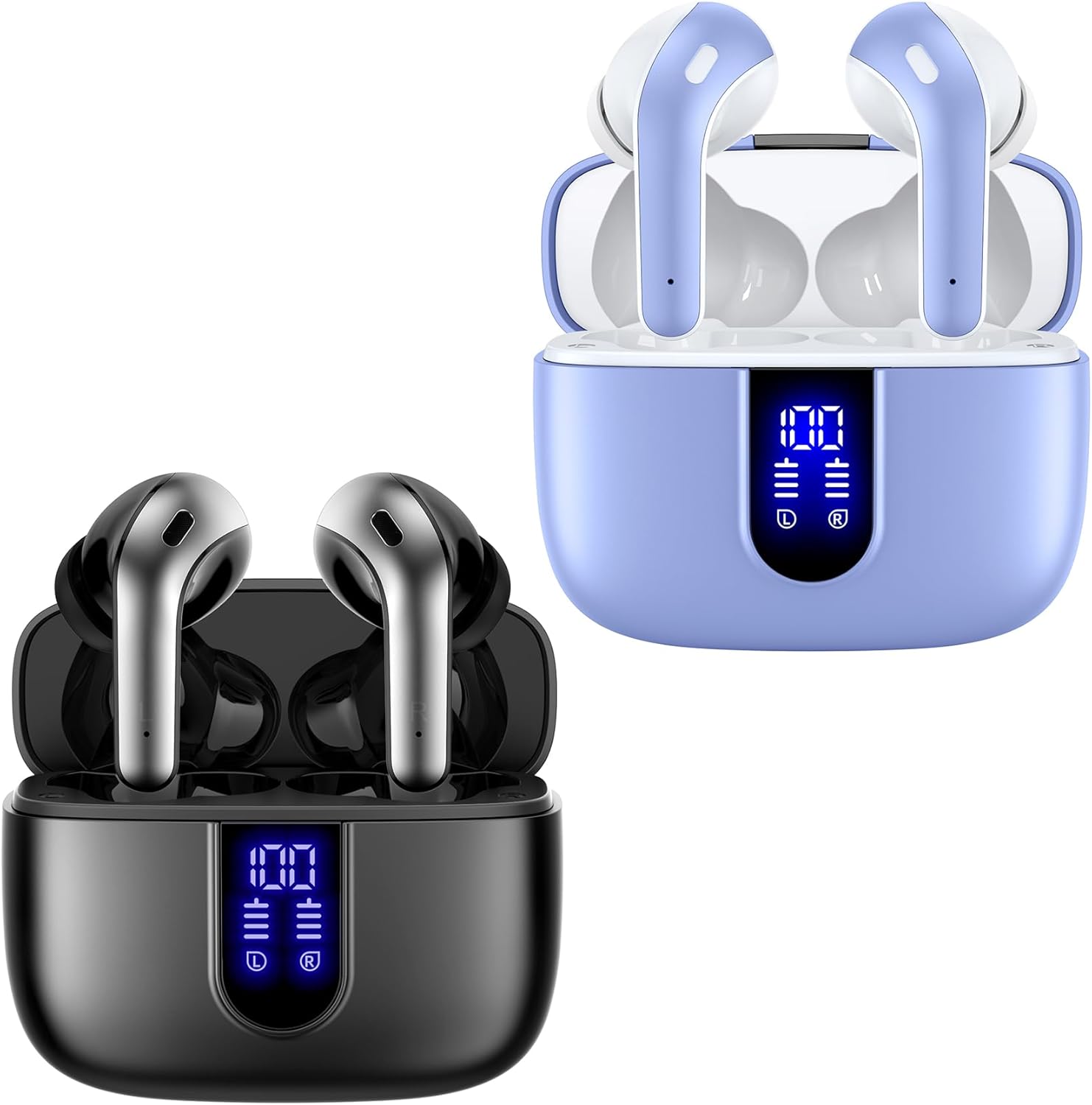
Figure 2.1: TAGRY X08 True Wireless Earbuds and Charging Cases (Black and Purple variants shown).
2.1 Key Components
- Earbuds: Two independent true wireless earbuds (left and right).
- Charging Case: Portable case for charging and storing the earbuds, featuring a digital LED power display.
- USB-C Charging Cable: For wired charging of the case.
- Ear Tips: Multiple sizes (Small, Medium, Large) for a comfortable and secure fit.
2.2 Digital Power Display
The charging case features a dual digital LED power display, showing the remaining battery level for both the charging case and each individual earbud. This allows for easy monitoring of charge status.

Figure 2.2: Digital Power Display on the Charging Case.
3. Setup
3.1 Charging the Earbuds and Case
Before first use, fully charge the earbuds and the charging case.
- Charging the Case:
- Connect the provided USB-C cable to the charging port on the case and to a power source. The LED display will flash from 1 to 100, indicating charging progress.
- Alternatively, place the charging case on a compatible wireless charging pad (not included). The LED display will show charging status.
- Charging the Earbuds:
- Place the earbuds into their respective slots in the charging case. They will begin charging automatically. The LED display on the case will show the charging status of each earbud.

Figure 3.1: USB-C and Wireless Charging Options.
3.2 Pairing the Earbuds
The TAGRY X08 earbuds feature one-step auto pairing for convenience.
- Ensure Bluetooth is enabled on your device (smartphone, tablet, computer, TV).
- Open the charging case. The earbuds will automatically enter pairing mode.
- On your device's Bluetooth settings, search for "X08" and select it to connect.
- After the first successful connection, the earbuds will automatically pair with your device whenever you open the charging case.

Figure 3.2: One-Step Auto Pairing Process.
4. Operating Instructions
4.1 Wearing the Earbuds
Select the ear tip size that provides the most comfortable and secure fit for your ear canals. Insert the earbuds gently into your ears and adjust for optimal sound and comfort.
4.2 Touch Controls
The TAGRY X08 earbuds feature intuitive touch controls on each earbud.
| Function | Action |
|---|---|
| Play/Pause | Single tap on either earbud. |
| Answer Call | Single tap on either earbud. |
| Hang Up Call | Single tap on either earbud during a call. |
| Previous Track | Triple tap on the left earbud. |
| Next Track | Triple tap on the right earbud. |
| Volume Up | Double tap on the right earbud. |
| Volume Down | Double tap on the left earbud. |
| Activate Voice Assistant (Siri, Google Assistant) | Long press (2 seconds) on either earbud. |

Figure 4.1: Smart Touch Control Functions.
4.3 Call Functions
Each earbud is equipped with a built-in microphone for clear phone calls. CVC noise reduction technology helps to minimize ambient noise, ensuring your voice is heard clearly by the other party.
4.4 Mono and Twin Stereo Mode
The earbuds support both mono mode (using a single earbud) and twin stereo mode (using both earbuds). This allows for flexible usage, such as sharing one earbud with a friend or using a single earbud for awareness of your surroundings.
5. Maintenance
Proper maintenance ensures the longevity and optimal performance of your TAGRY X08 earbuds.
- Cleaning: Regularly clean the earbuds and charging case with a soft, dry, lint-free cloth. Do not use harsh chemicals or abrasive materials.
- Water Resistance: The earbuds are rated IPX5 waterproof, meaning they are resistant to splashes and sweat. They are suitable for sports but should not be submerged in water. The nano-coating on the earbud surface helps prevent water penetration.
- Storage: When not in use, store the earbuds in their charging case to protect them from dust and damage. Store in a cool, dry place.
- Battery Care: To preserve battery life, avoid fully discharging the earbuds and case frequently. Charge them regularly, even if not in constant use.
6. Troubleshooting
If you encounter any issues with your earbuds, refer to the following common solutions:
| Problem | Possible Solution |
|---|---|
| Earbuds not pairing |
|
| Only one earbud working |
|
| Low volume or poor sound quality |
|
| Charging case not charging |
|
7. Specifications
| Feature | Detail |
|---|---|
| Model Name | X08 |
| Brand | TAGRY |
| Connectivity Technology | Bluetooth 5, Wireless |
| Wireless Communication Technology | Bluetooth |
| Included Components | Wireless Charging Case |
| Earbud Battery Life | 6 Hours (single charge) |
| Total Playback Time (with case) | 60 Hours |
| Charging Case Capacity | 470mAh (provides 4 additional full charges) |
| Audio Driver Type | Dynamic Driver |
| Audio Driver Size | 13 Millimeters |
| Earbud Weight | 0.14oz (per earbud) |
| Earbud Dimensions | 1.57 x 0.78 x 0.59 inches |
| Charging Case Dimensions | 2.56 x 2.16 x 1 inches |
| Waterproof Rating | IPX5 |
| Control Method | Touch, Voice |
| Frequency Range | 20 Hz - 20,000 Hz |
| Color | Purple, Black |
8. Official Product Video
Watch the official product video for a visual guide on the TAGRY X08 True Wireless Earbuds.
Video 8.1: TAGRY X08 True Wireless Earbuds Overview. This video highlights key features and usage of the earbuds.
9. Warranty and Support
For warranty information, technical support, or any inquiries regarding your TAGRY X08 True Wireless Earbuds, please refer to the product packaging or visit the official TAGRY website. You may also contact the seller directly through the platform where the product was purchased.
Manufacturer: TAGRY


