
HEANTLE Keyless Entry Fingerprint Keypad Deadbolt
HEANTLE Keyless Entry Fingerprint Keypad Deadbolt Door Lock Instruction Manual
Model: Keyless Entry Fingerprint Keypad Deadbolt
Introduction
This instruction manual provides detailed guidance for the installation, setup, operation, and maintenance of your HEANTLE Keyless Entry Fingerprint Keypad Deadbolt Door Lock. Please read this manual thoroughly before installation and use to ensure proper function and security.
Product Overview
The HEANTLE Keyless Entry Fingerprint Keypad Deadbolt offers secure and convenient access to your home. It features multiple unlocking methods including fingerprint, keypad code, and physical key. The robust design is made from high-grade alloy, ensuring durability and security.
Key Features:
- Fingerprint Recognition: Fast 0.3-second biometric identification with a 99.99% recognition rate, supporting up to 50 unique fingerprints.
- Keypad Entry: Backlit keypad for visibility in low light, supporting up to 100 user codes.
- Auto-Lock Function: Automatically locks the door after a set time (5 to 60 seconds) for enhanced security.
- One-Touch Locking: Secure your door instantly by pressing the '#' key.
- Anti-Peep Code: Enter random digits before or after your actual code to prevent unauthorized viewing.
- Physical Key Access: Traditional key override for emergency situations.
- Weather Resistance: IP63 rated for protection against dust and water splashes.
- Versatile Installation: Compatible with both left and right-handed doors.
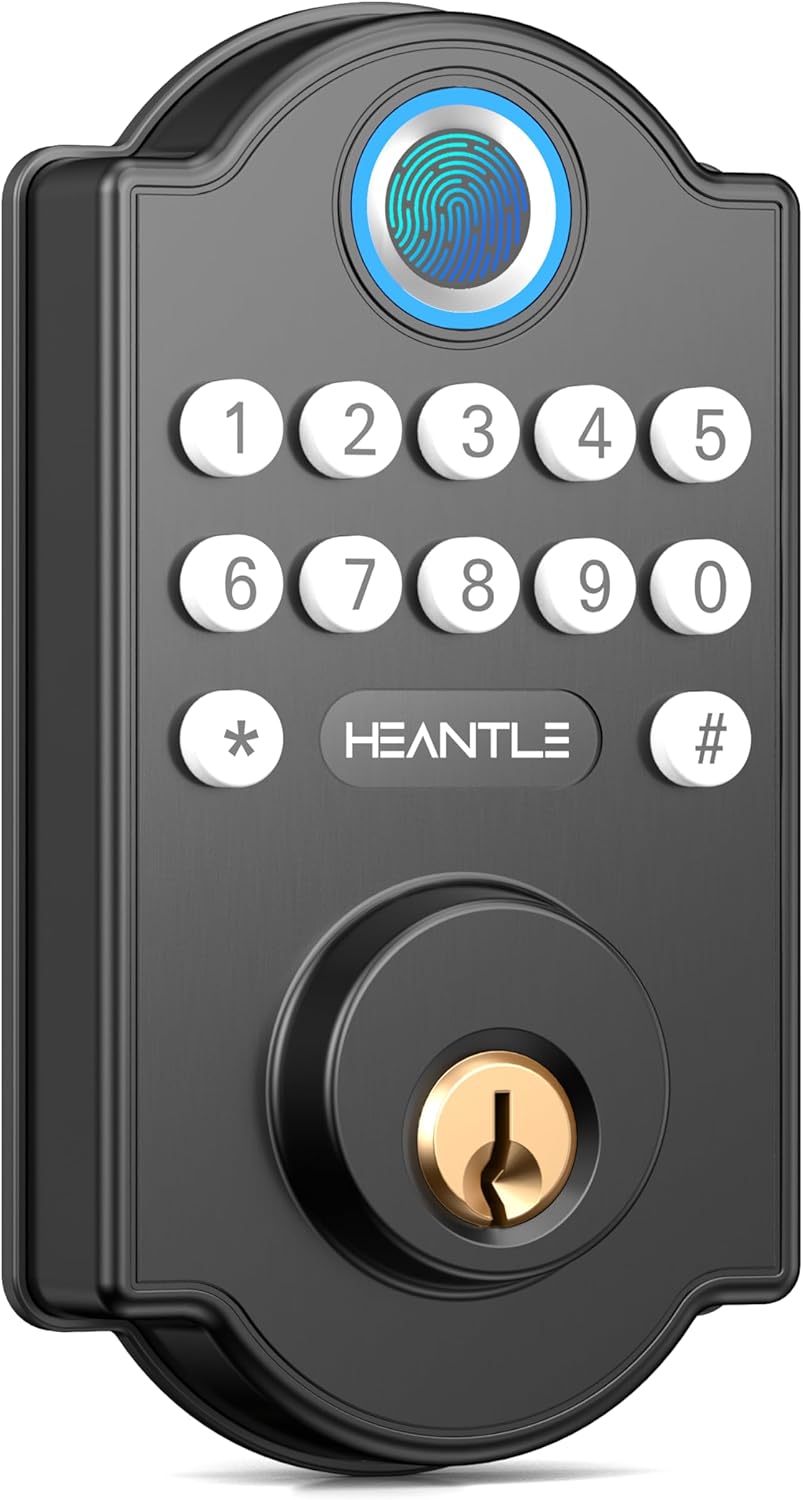
Image: Front view of the HEANTLE Keyless Entry Fingerprint Keypad Deadbolt Door Lock, showcasing the fingerprint sensor, keypad, and keyhole.

Image: Diagram highlighting key features such as fingerprint unlock, no app required, one-touch locking, physical key, and IP63 waterproof rating.
Installation Guide
The HEANTLE Keyless Entry Fingerprint Keypad Deadbolt is designed for straightforward installation, typically requiring only a Phillips screwdriver. Ensure your door meets the specified dimensions for proper fit.
Pre-Installation Checks:
- Verify door thickness and backset dimensions (refer to specifications section).
- Confirm all components are present in the package.
- Prepare a Phillips head screwdriver.
Step-by-Step Installation:
- Prepare the Door: If replacing an existing deadbolt, remove it. Ensure the door bore hole and edge bore hole are clean and clear.
- Install the Latch: Insert the latch into the door edge. Ensure the "UP" arrow on the latch is pointing upwards. Secure with screws.
- Install the Exterior Assembly: Feed the cable and spindle through the bore hole. Align the exterior keypad assembly with the latch and secure it to the door.
- Install the Interior Mounting Plate: Route the cable through the mounting plate. Secure the mounting plate to the exterior assembly using screws.
- Connect the Cable and Install Interior Assembly: Connect the cable from the exterior assembly to the interior assembly. Ensure the thumb turn is in the vertical position. Attach the interior assembly to the mounting plate and secure with screws.
- Install Batteries: Insert 4 AA batteries (not included) into the battery compartment of the interior assembly.
- Perform Door Handing Identification: After battery installation, the lock will automatically detect the door's handing (left or right). If it doesn't, manually set it using the 'L' and 'R' buttons as per the lock's internal instructions.
- Test Operation: Test the lock with the physical key and by entering a default code (if applicable) to ensure smooth operation.

Image: A person installing the HEANTLE deadbolt, demonstrating the ease of installation with basic tools.

Image: Detailed diagram illustrating door thickness, backset, and cross bore diameter requirements, along with left and right-handed door compatibility.
Operation Instructions
Adding a Master Code:
The first code you set should be the Master Code. This code is used to access programming functions.
- Press the Program button (usually located on the interior assembly).
- Enter your desired 4-8 digit Master Code.
- Press the Lock button or '#' to confirm.
Adding User Codes:
You can add up to 100 user codes for family members or guests.
- Press the Program button.
- Enter the Master Code, then press '#'.
- Select the option to add a user code (refer to your lock's specific menu prompts).
- Enter the desired 4-8 digit User Code.
- Press '#' to confirm.
Adding Fingerprints:
The lock supports up to 50 unique fingerprints.
- Press the Program button.
- Enter the Master Code, then press '#'.
- Select the option to add a fingerprint.
- Place your finger on the sensor multiple times as prompted until successfully registered.
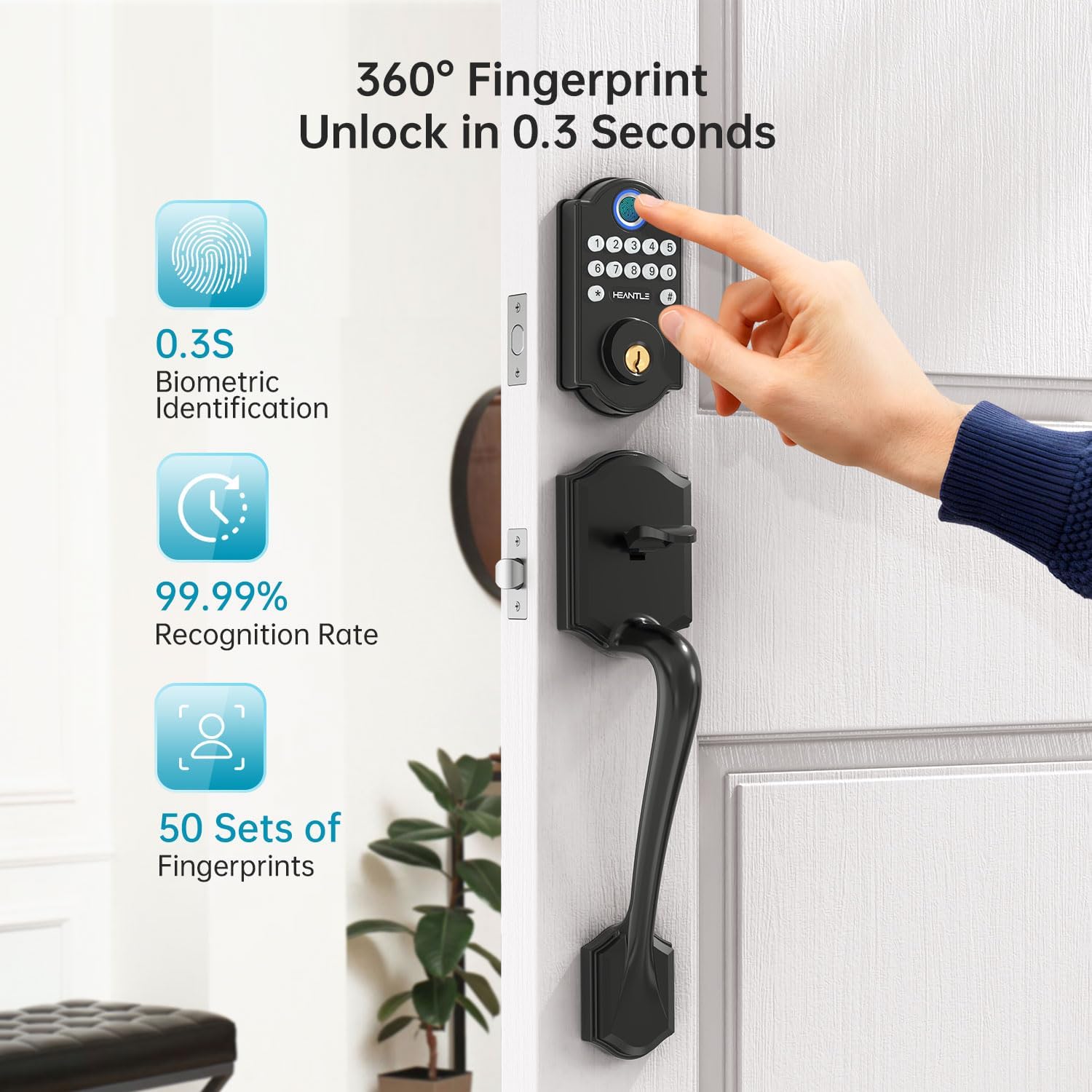
Image: A hand using the fingerprint sensor on the HEANTLE lock, illustrating the rapid 0.3-second unlock time and high recognition rate.
Unlocking the Door:
- With Fingerprint: Place your registered finger on the sensor. The lock will unlock after successful recognition.
- With Keypad Code: Enter your 4-8 digit user code, then press '#'.
- With Physical Key: Insert the key into the keyhole and turn to unlock.
Locking the Door:
- One-Touch Locking: Press the '#' key on the keypad.
- Auto-Lock: The lock will automatically engage after a preset time (5-60 seconds) if the auto-lock feature is enabled.

Image: A hand demonstrating one-touch locking by pressing the '#' button on the keypad.

Image: The HEANTLE deadbolt on a door, with an icon indicating the auto-lock feature and a customizable timer from 1 to 60 seconds.
Advanced Features:
- Anti-Peep Code: To prevent others from guessing your code, you can enter any random digits before or after your actual code. For example, if your code is 123456, you can enter 987123456000#. The lock will still recognize 123456.
- One-Time Passcodes: Generate temporary codes for single use, ideal for deliveries or service personnel. These codes expire after one use.
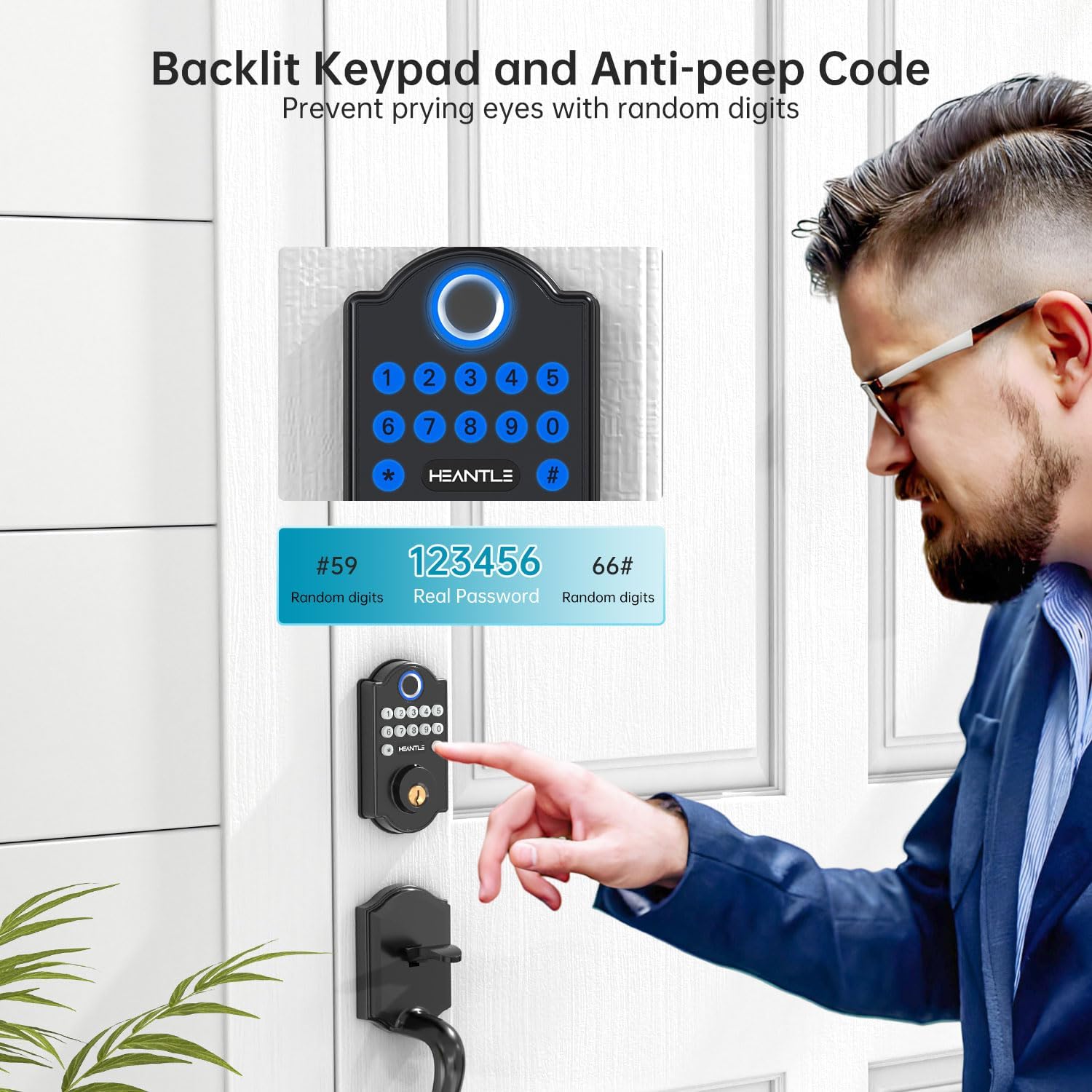
Image: A visual explanation of the anti-peep code feature, showing how random digits can be added before and after the real password to enhance security.

Image: A woman receiving a one-time passcode on her phone, demonstrating the convenience of granting temporary access without revealing permanent codes.
Maintenance
Battery Replacement:
The lock requires 4 AA batteries. When the battery level is low, the lock will provide an audible and/or visual alert. Replace all four batteries simultaneously with new, high-quality alkaline batteries.
- Remove the battery cover on the interior assembly.
- Remove old batteries and insert new ones, ensuring correct polarity.
- Replace the battery cover.
In case of complete battery depletion, the lock can be temporarily powered via a micro-USB port (if available) for emergency access using a power bank.

Image: Illustration of the lock's long battery life, low battery alert, and the option for temporary charging via a power bank.
Cleaning:
Wipe the lock's exterior surfaces with a soft, damp cloth. Avoid using abrasive cleaners or solvents, as these can damage the finish or electronic components.
Troubleshooting
| Problem | Possible Cause | Solution |
|---|---|---|
| Lock does not respond. | Dead batteries. | Replace all 4 AA batteries. Use the emergency power port if needed. |
| Fingerprint not recognized. | Finger is dirty, wet, or improperly placed. Fingerprint not registered. | Ensure finger is clean and dry. Place finger flat on the sensor. Re-register fingerprint if necessary. |
| Keypad code not working. | Incorrect code entered. Code not registered. | Verify the code. Ensure the code is registered. Try using the anti-peep feature correctly. |
| Auto-lock not engaging. | Auto-lock feature is disabled or timer is set too long. | Check settings to ensure auto-lock is enabled and the timer is set appropriately. |
| Lock mechanism sticks or is difficult to turn. | Misalignment during installation. Door frame or strike plate issue. | Recheck installation steps for proper alignment. Adjust strike plate if necessary. Ensure door closes smoothly. |
Specifications
- Brand: HEANTLE
- Model: Keyless Entry Fingerprint Keypad Deadbolt
- Material: Metal (High-grade alloy)
- Color: Black
- Product Dimensions: 16.51 x 6.35 x 4.32 cm
- Item Weight: 770 g
- Power Source: 4 x AA Batteries (not included)
- Special Features: Auto-Lock, Back-Lit Keypad, Fingerprint Recognition
- Fingerprint Capacity: Up to 50
- User Code Capacity: Up to 100
- Lock Type: Keypad, Fingerprint, Key
- Finish Type: Painted or Lacquered
- Recommended Uses: Home security, Keyless convenience
- Country of Origin: China
Warranty and Support
Your HEANTLE Keyless Entry Fingerprint Keypad Deadbolt is backed by a one-year coverage from the date of purchase. This warranty covers manufacturing defects and functional issues under normal use.
- Coverage: One-year warranty for defects or scratches.
- Technical Support: Prompt assistance with responses typically within one business day.
- Contact Information: For warranty claims, technical assistance, or any product-related inquiries, please contact HEANTLE customer support at +1 (888) 988 7968 or visit the official HEANTLE store on Amazon.
Related documentsKeyless Entry Fingerprint Keypad Deadbolt


Ask a question about this manual
Ask about setup, troubleshooting, compatibility, parts, safety, or missing instructions. Manuals+ will review the question and use this page’s manual context to help answer it.